
How to change the Bill Period of a manually generated invoice in MyGate?
Displaying the billing period at the top of an invoice clearly indicates the time frame for which maintenance or utility charges apply. This helps residents easily identify the period being billed, reducing confusion and ensuring transparency in the payment process.
1. Go to the invoice template listing (Accounts >> Invoicing >> Raise Invoices) and click on the Edit icon.
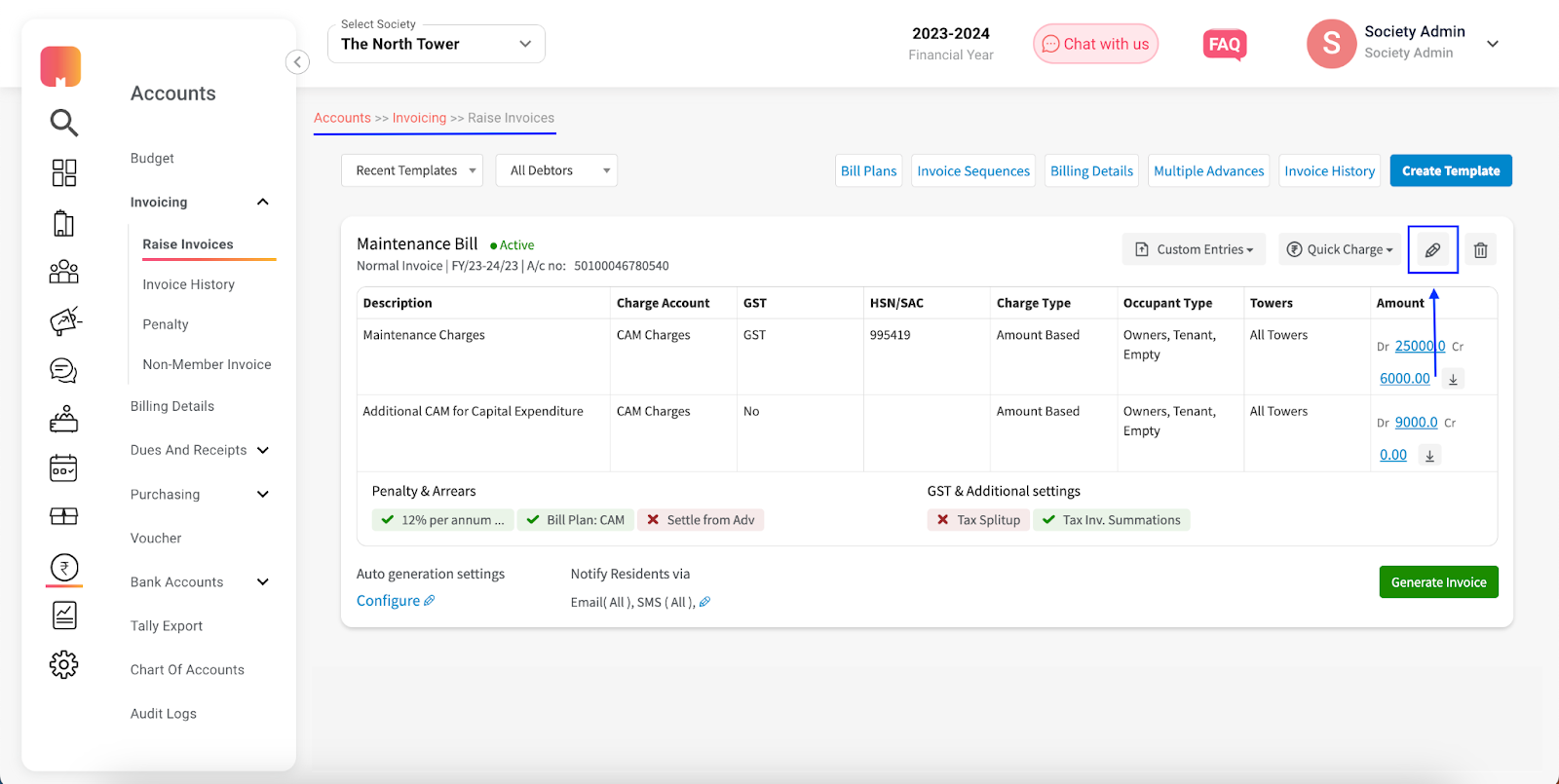
2. Make your desired change within the ‘Billing Period’ field of the template edit form and click on ‘Save’.

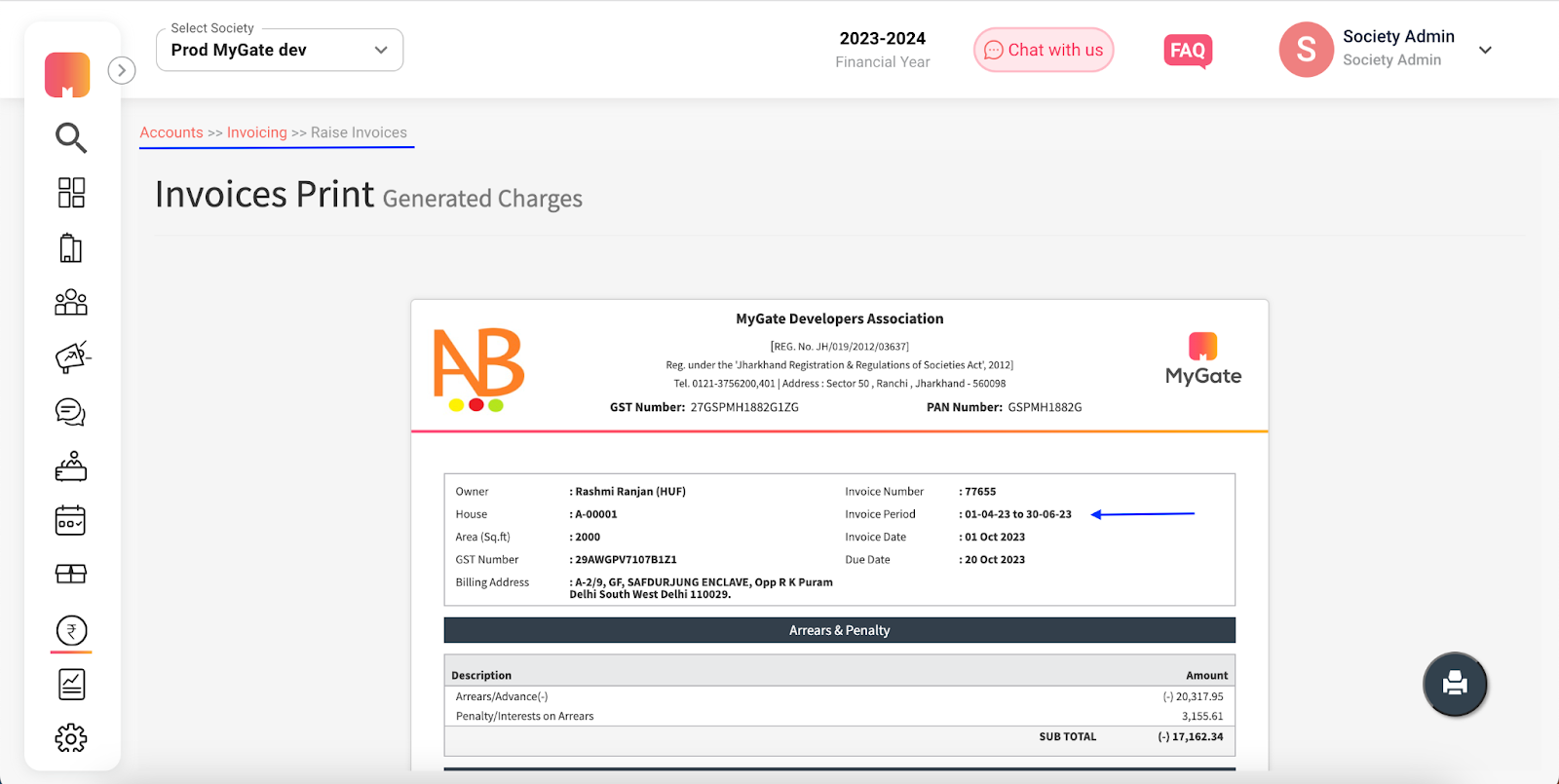
Once the billing period is configured on the template, any new invoice generated would display the same within its summary box -
Properly defining the settings within the template, the buyer setup (residents) and the seller setup (society) ensures the best detailing & clarity within the bills generated through Mygate.