
How to create General Receipt?
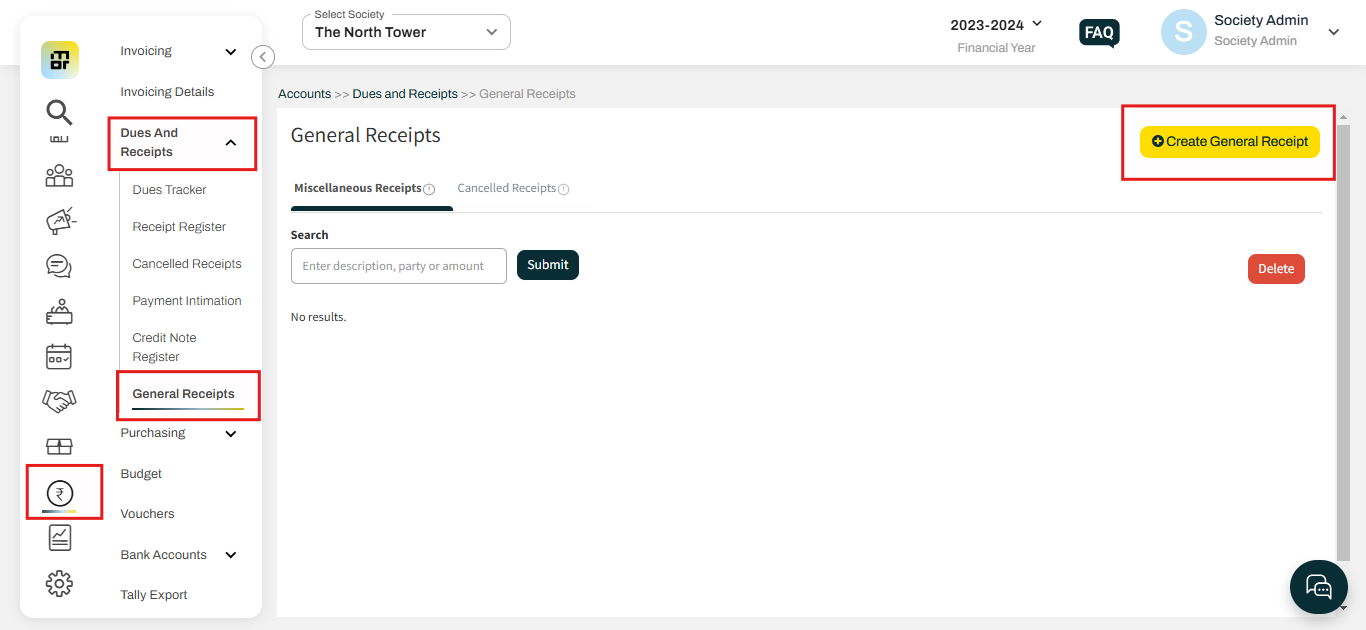
1. Go to the General Receipts under Dues And Receipts of Accounts tab then click on Create General Receipt.
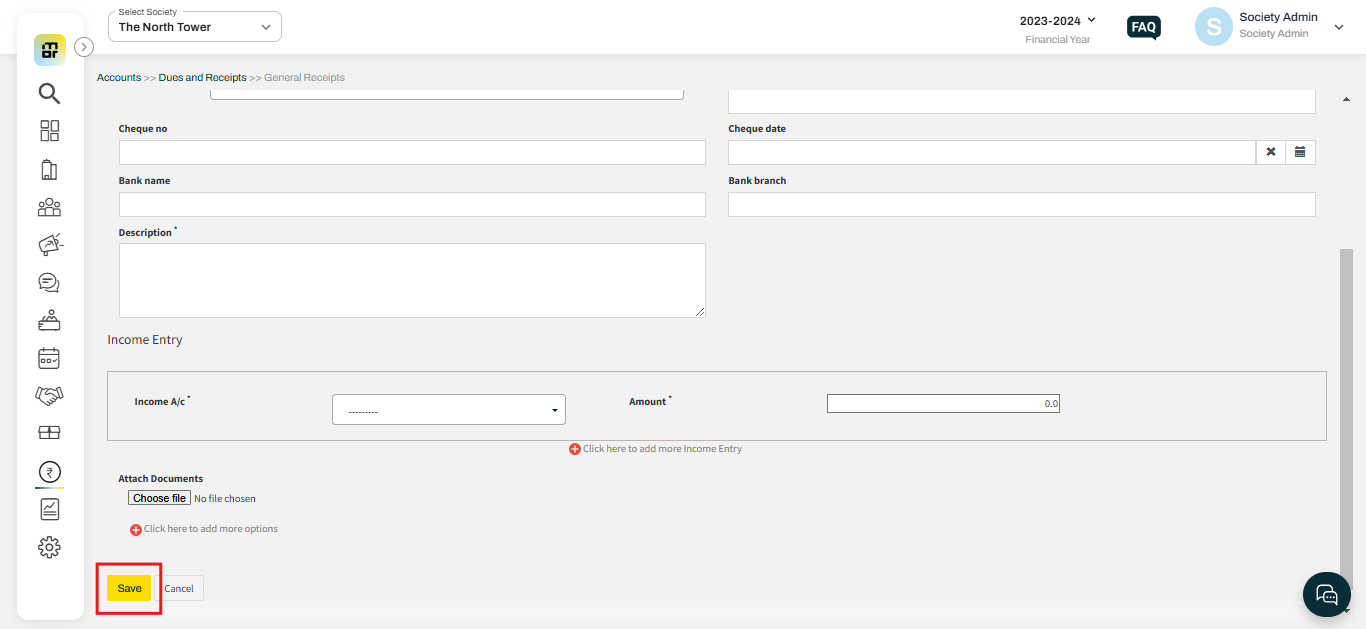
2. Fill in all the required fields and click on the Save button.
Note: Please note that this type of transaction should be managed with care to maintain financial transparency and compliance.