
How to raise a helpdesk ticket from the Admin dashboard?
In Mygate, society admins can raise helpdesk tickets directly from the admin dashboard to report issues or service requests on behalf of residents or for internal society needs. This feature helps ensure the timely resolution of problems and allows admins to track and manage all tickets efficiently.
Please refer to the steps below to raise a new helpdesk ticket from the Admin dashboard :
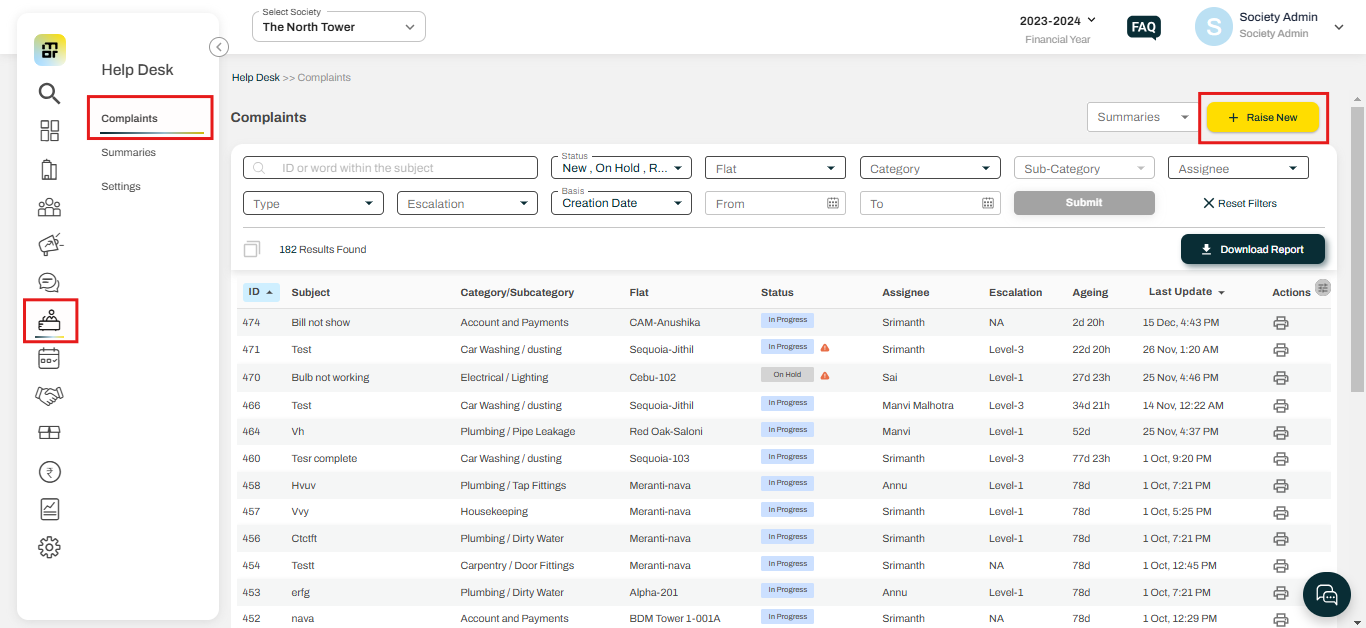
1. Navigate to the Helpdesk section and select the "complaints" option, then click "Raise now".
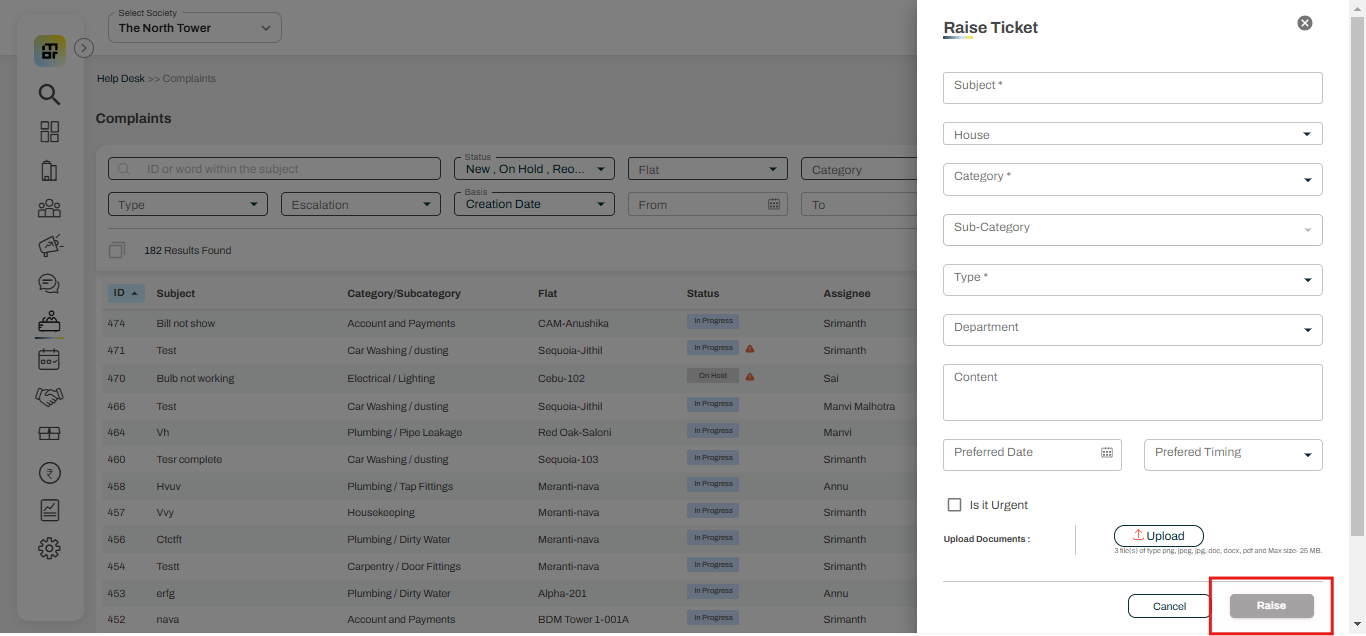
2. Fill in the relevant details (subject, house, category, subcategory, type, etc.) and click on "Raise".
Additional Notes:
1. You can raise a ticket through the admin console on the app
2. You can also raise a community ticket from the dashboard; in this case, do not select the house field while raising the ticket