How to upload helpdesk staff and member details on mygate ?
Helpdesk & Administrative staff are designated to handle helpdesk tickets. When a ticket is created, the society administrator can assign it to a specific Key Personnel or Member. The assignee is then notified via Saarthi or SMS about the ticket assignment
In order to upload Helpdesk & Administrative staff details on Mygate, please follow the below steps:
To upload Key personnel
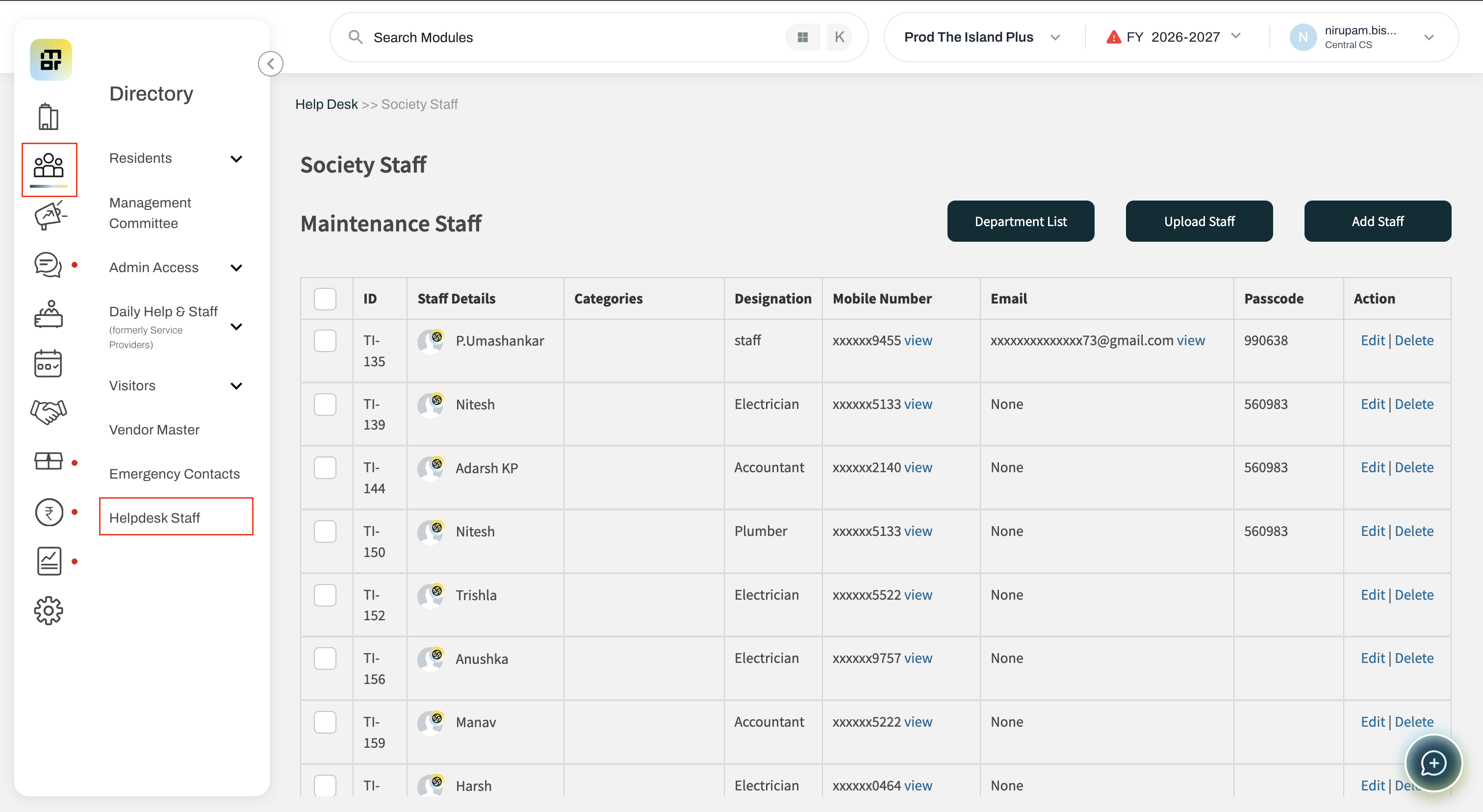
1. Go to the people hub section and select the "key personnel" option.
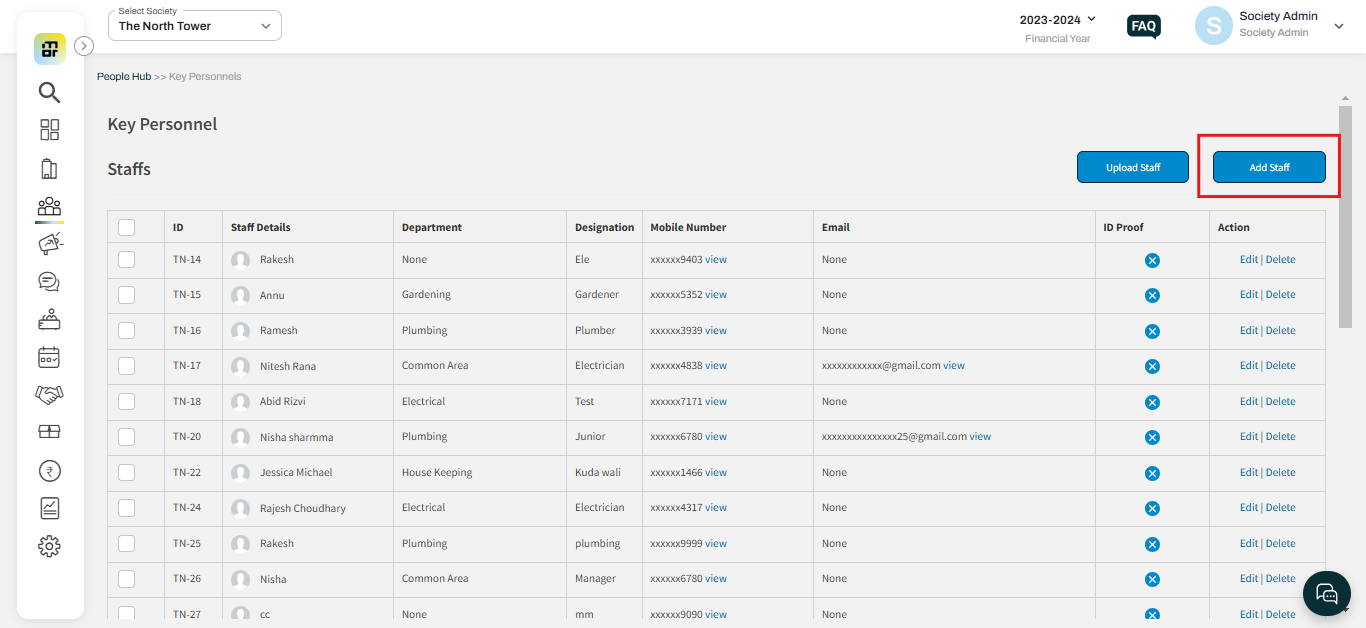
2. Click on the "Add staff" option to add individual details.
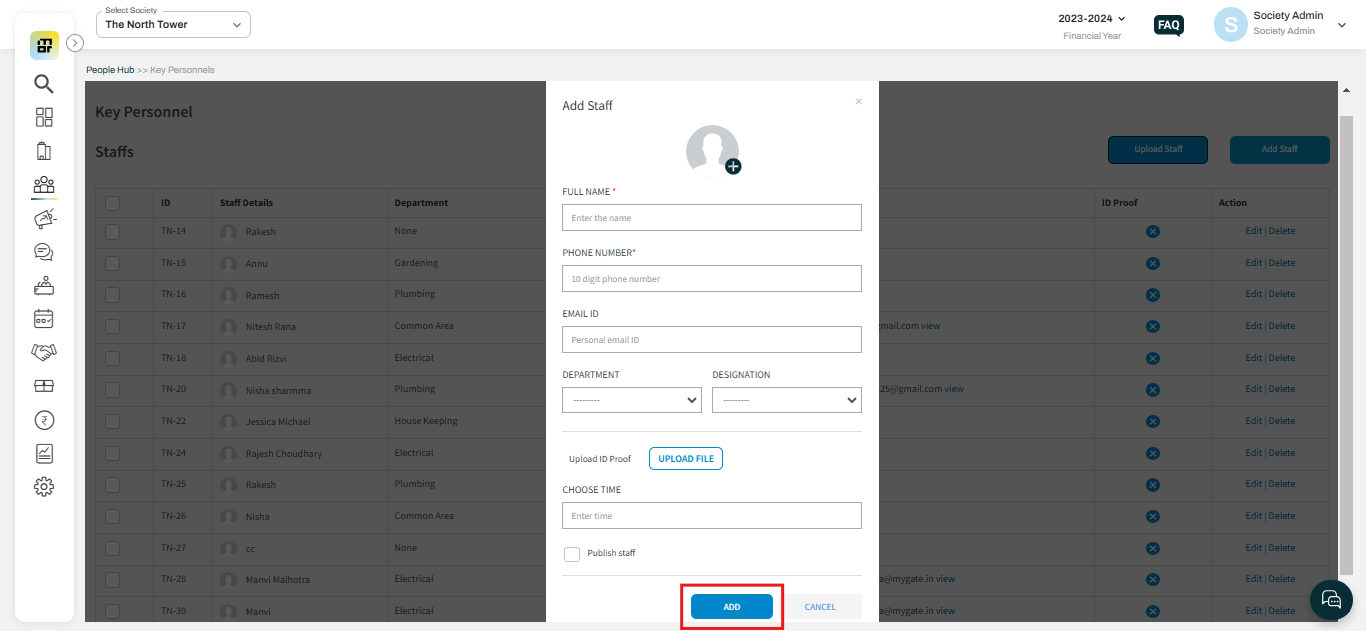
3. Fill in the relevant details of the staff and click on Submit.
4. Click on Upload staff to add staff details in bulk.
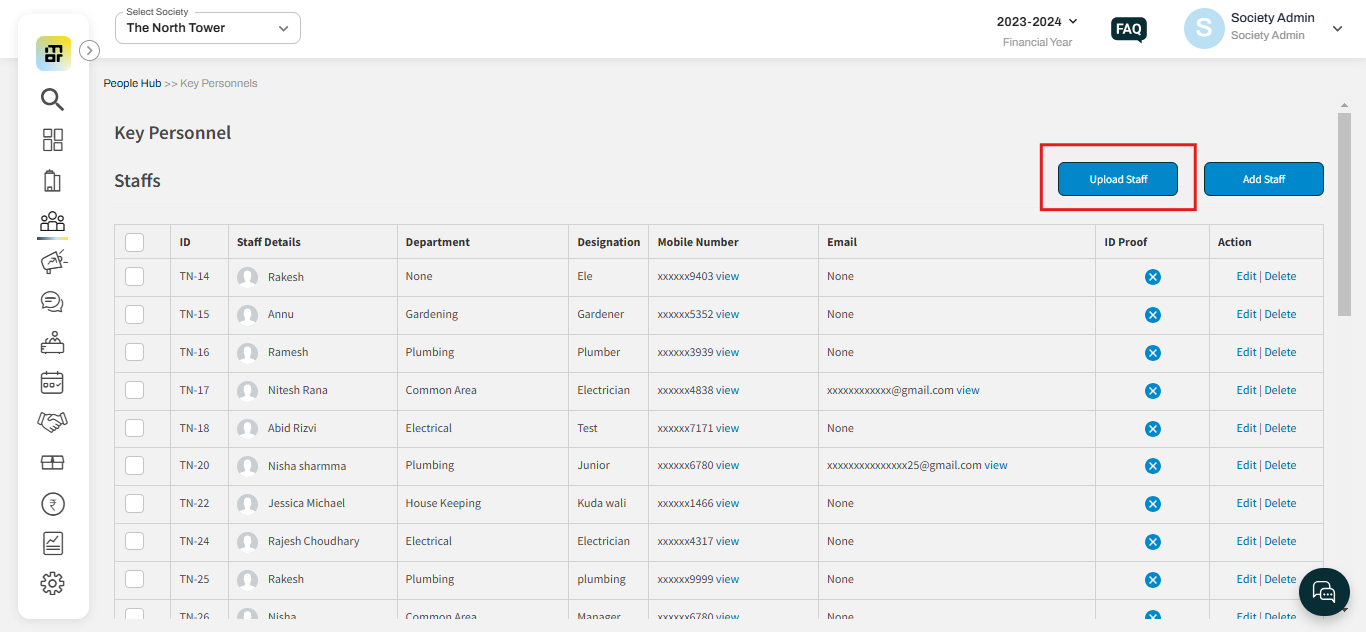
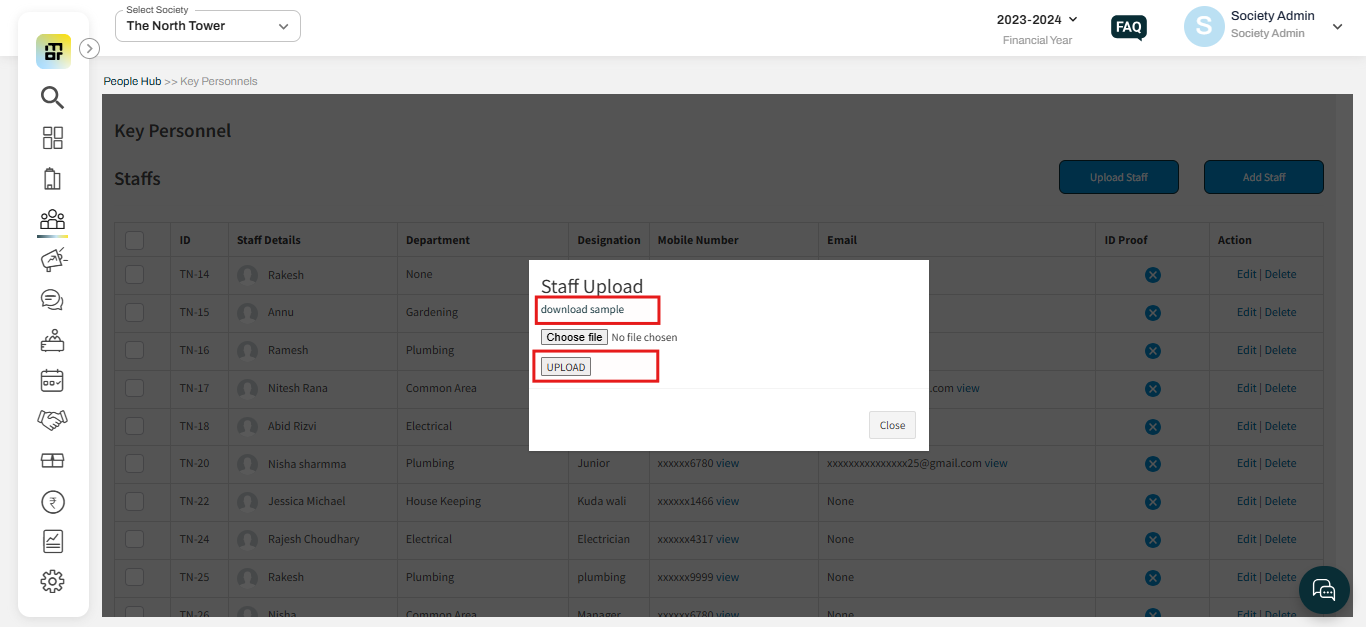
5. Download the sample file, fill in the details, and upload the file.
To add Member
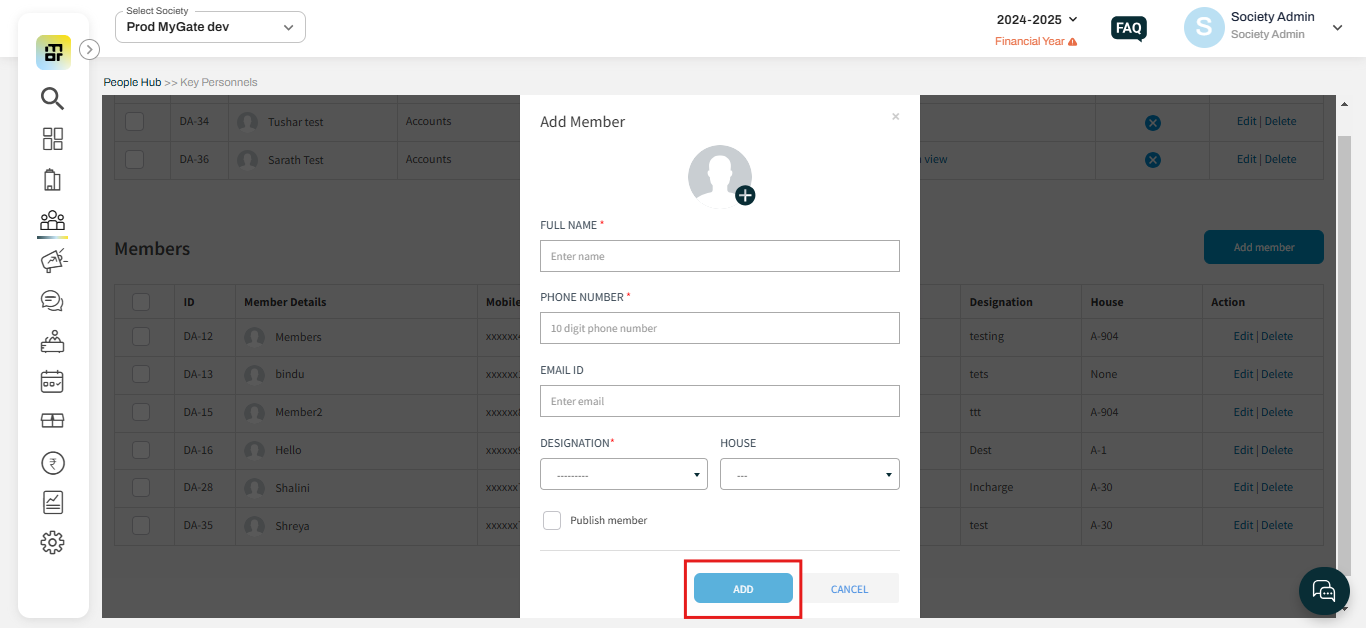
1. To add a member click on the "Add Member" option from the key personnel section.
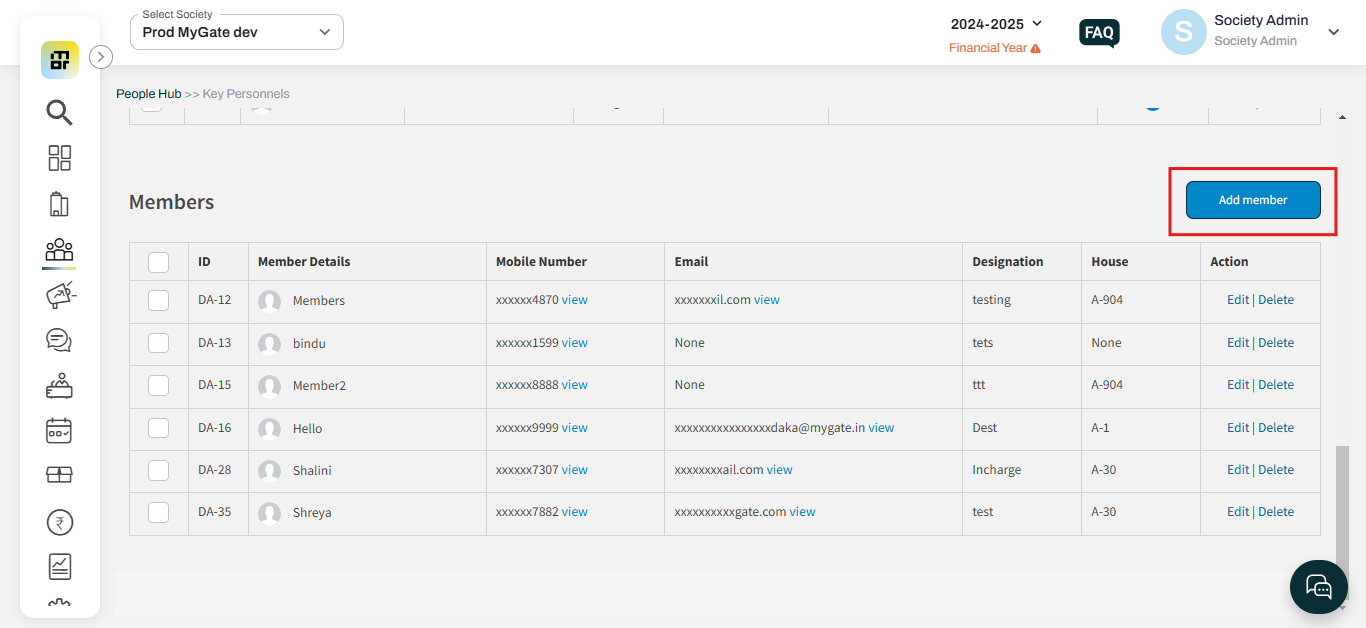
2. Fill in the relevant details and click on "Add."