
How to create a Credit note for a flat?
A credit note is issued by the society to residents as a formal document that adjusts or waives off a previously billed amount on an invoice. Society may create credit notes against invoices to provide discounts or refunds to residents. The credit note serves as a record of the adjustment, reducing the outstanding amount owed by the resident or providing a future credit towards their upcoming charges. Please follow the below steps to create a credit for a particular flat:
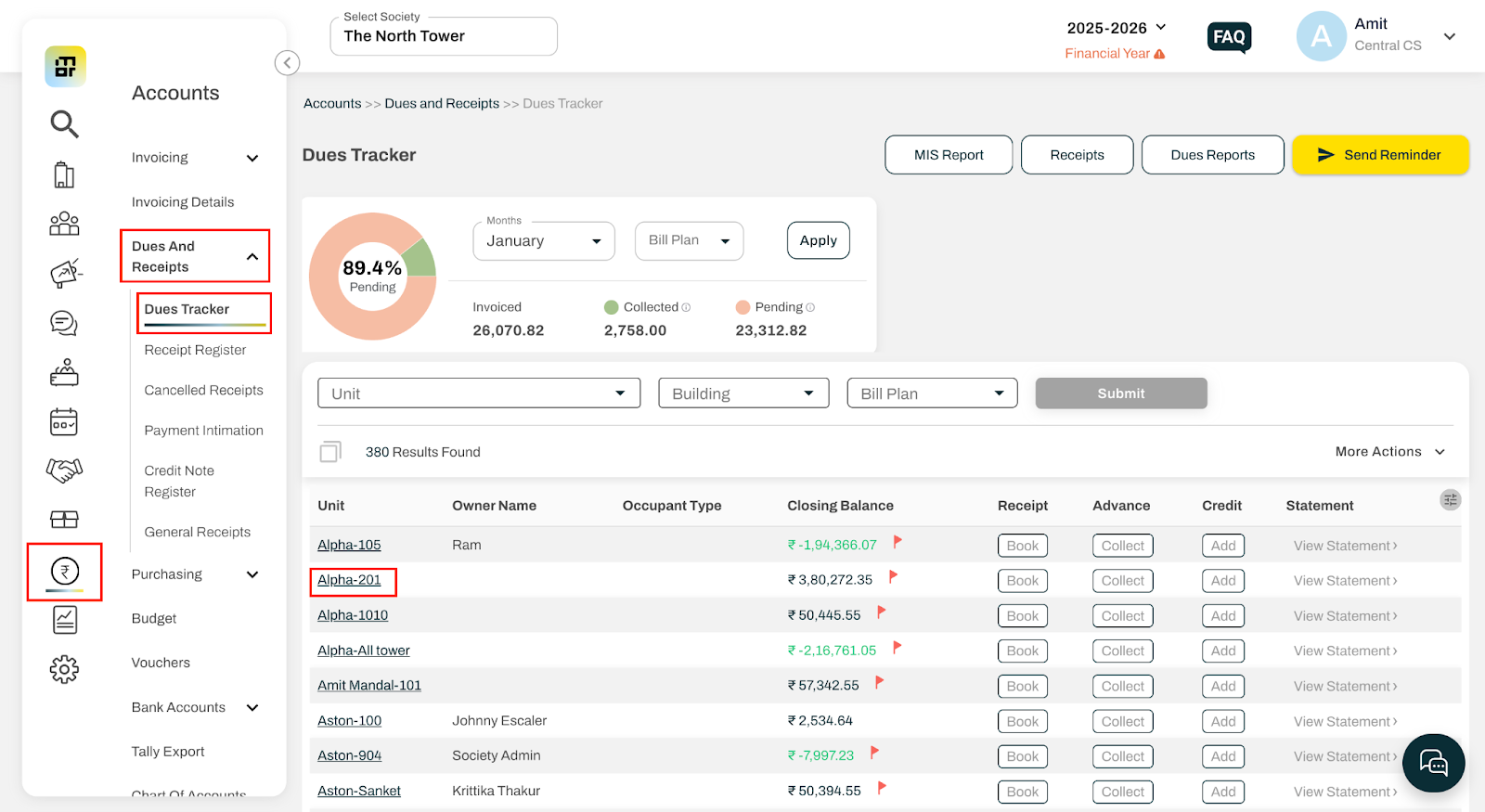
Go to Accounts and select Dues Tracker under Dues and Receipts.
Select the house for which you want to issue the credit note.
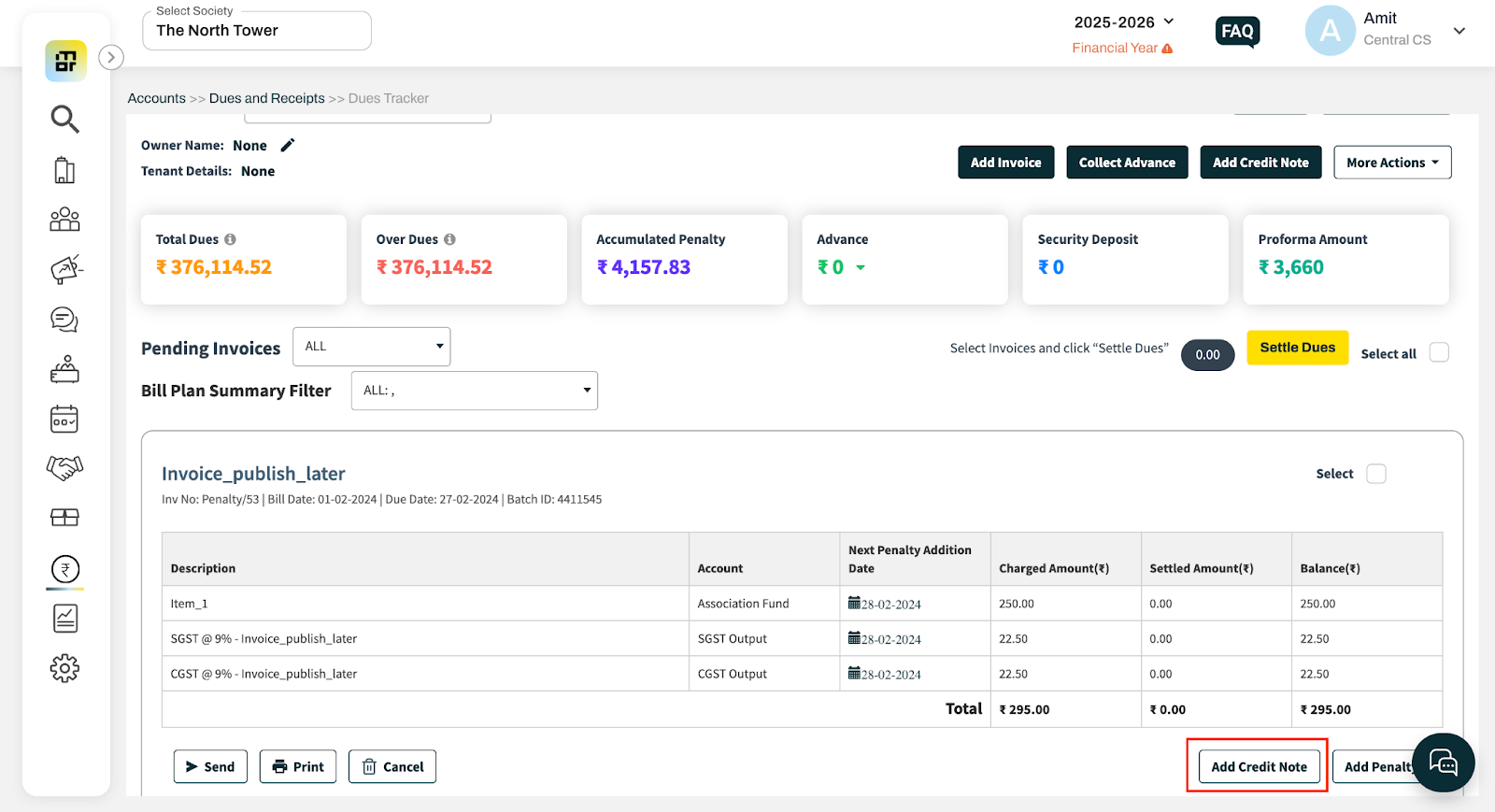
On the House Dues page, locate the invoice against which the credit note needs to be issued.
Click on Add Credit Note.
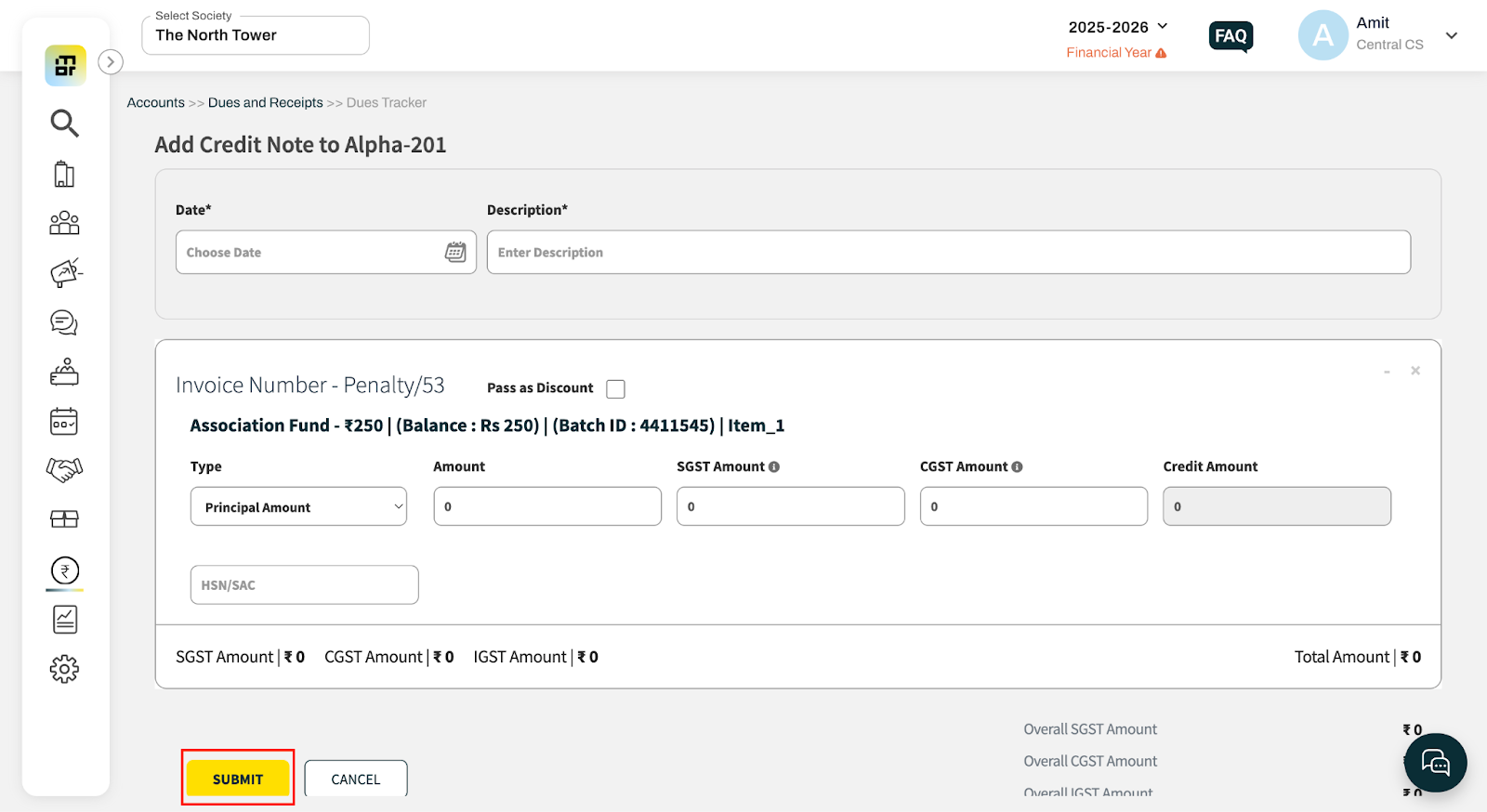
Enter the required details and click Submit to save the credit note.
Important notes
A credit note can be issued for a full or partial amount of the invoice.
Once issued, the credit note will automatically adjust the outstanding amount of the invoice. If the invoice is already paid, the credited amount will be moved to advance.
The impact of the credit note will be reflected in the ledger and reports.
Credit notes cannot be edited once they are created. If any correction is required, the credit note must be deleted and recreated.
-
The amount of an already generated invoice for a specific flat can be adjusted by passing a credit note against the invoice