What is Income MIS report and how to download it?
The Income MIS report is a detailed report that captures all financial details for a flat, including the Opening Balance, total Invoiced Amount, Penalty Amount applied, Collection Amount received, Credit Amount adjustments, any Adjustment Amounts made, and the final Closing Balance for the selected time period.
Please follow the steps below to view and download the Income MIS report:
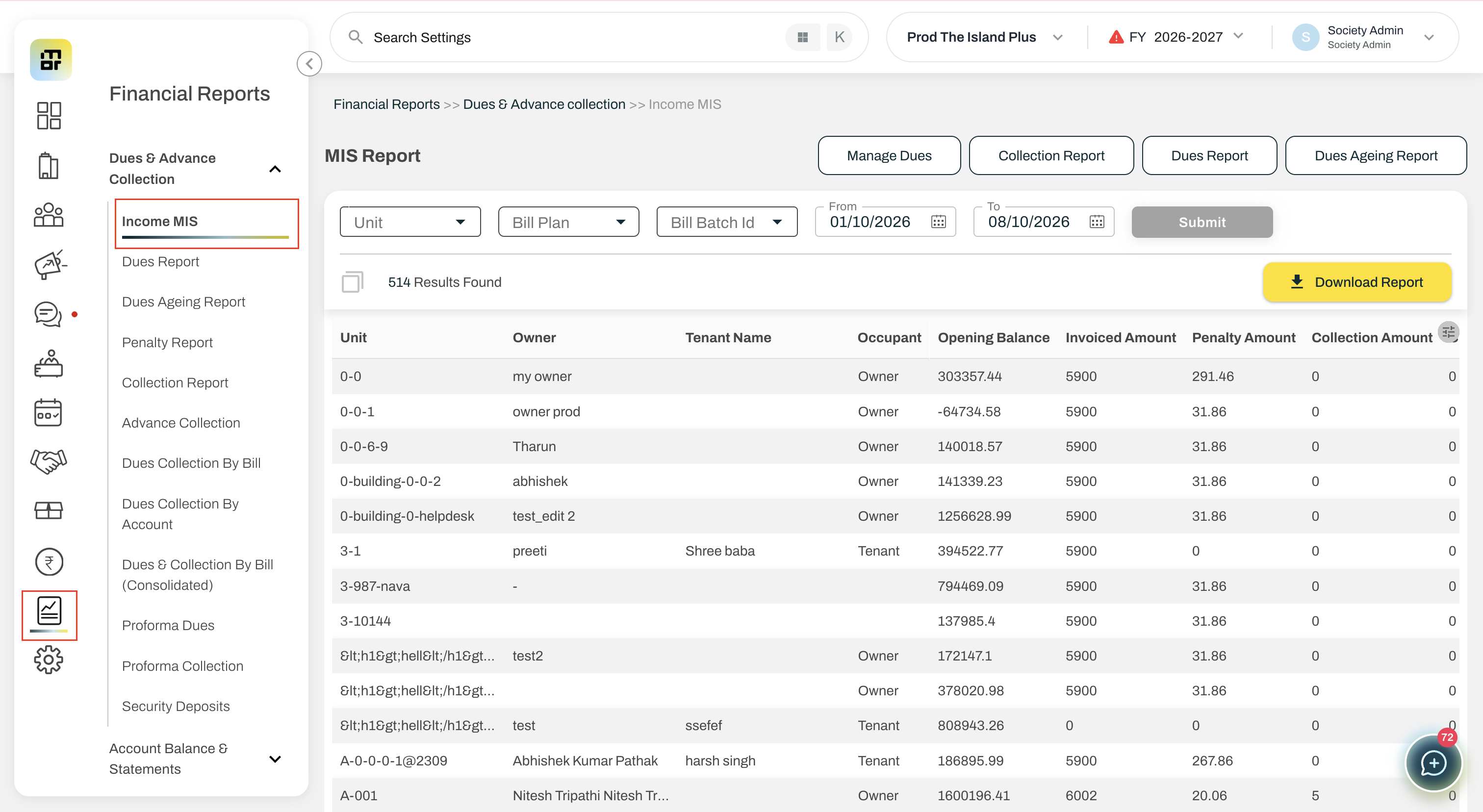
1. Go to Financial Reports, and select Income MIS report under Dues and Advance collection.
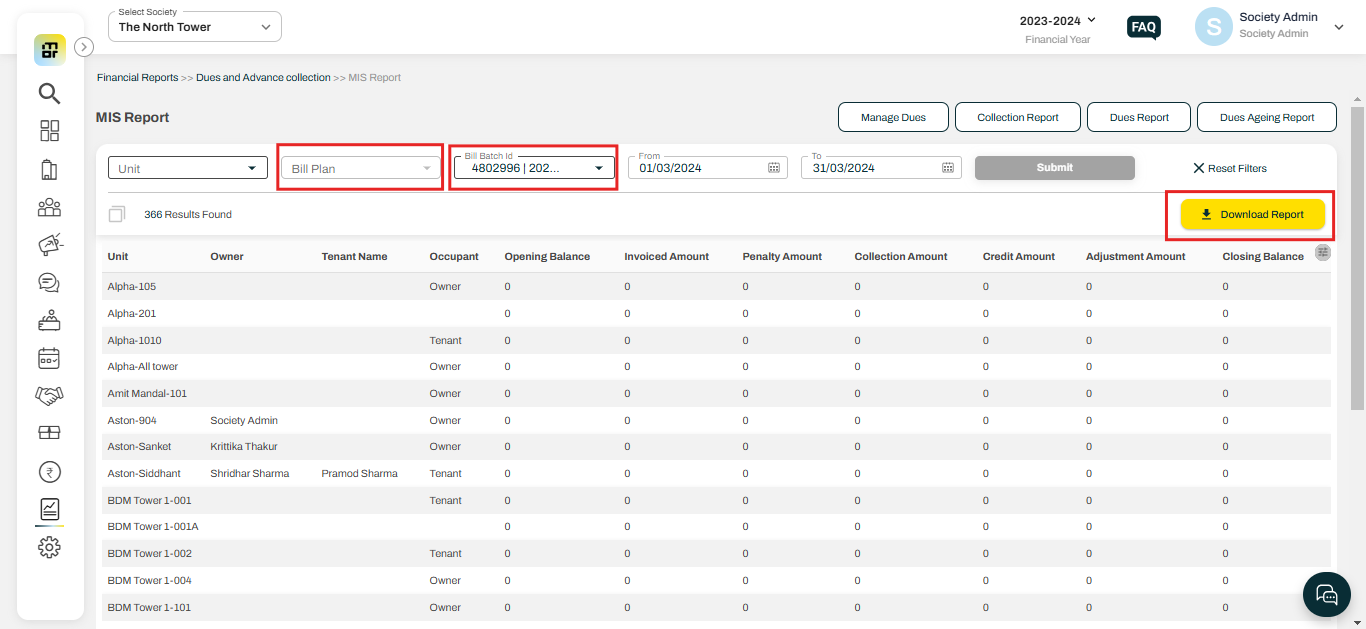
2. You can download the complete report or filter the data by Bill plan and Invoice Batch ID and can download the report.
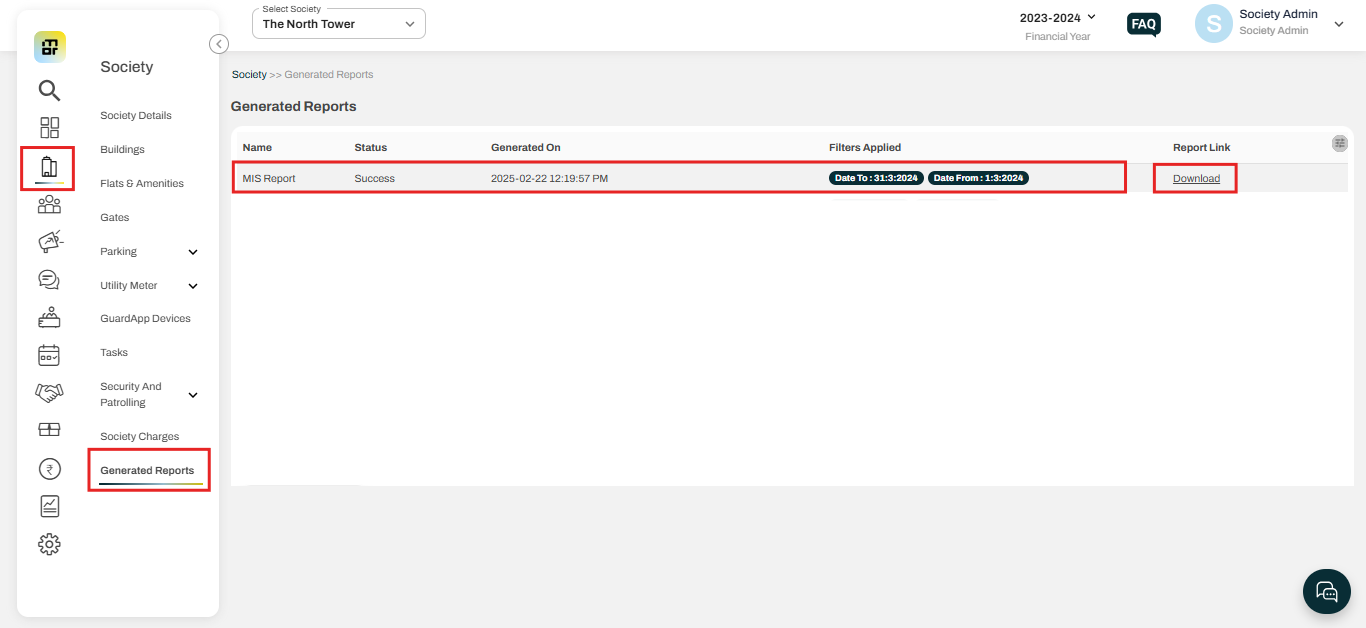
3. After clicking on "Download Report" the report will be sent to your registered email and will also appear in the generated report section.