
How to manage ticket notifications in Helpdesk?
Residents, Staff and Admins (configured in Helpdesk Email Recipient) will receive email notifications if the society admin has enabled the "Enable Email Notifications" option. Helpdesk tickets are raised at the flat or unit level, and all individuals registered will be notified via email.
The society admin can verify if email notifications are enabled for residents, staff or admins by following the below steps:
Go to Helpdesk, choose settings, then select residents under Enable Email Notifications.
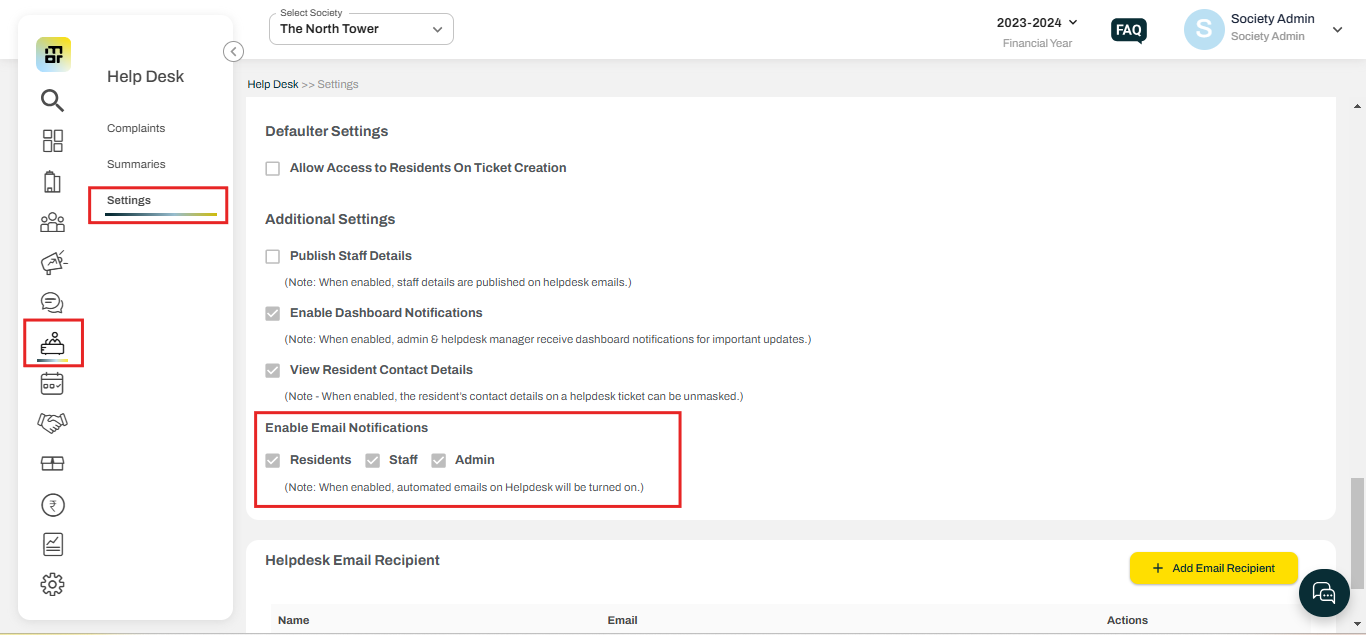
Note: When a tenant submits a helpdesk ticket, whether it's for a unit or a community-level issue, both the owner and the tenant will receive an email notification. As the owner is linked to the flat, any ticket or communication related to the flat will trigger a notification to the owner.