How to create a new Ledger?
A ledger is a comprehensive record used to track and organize financial transactions for a society. It contains detailed entries for all accounts, including debits, credits, dates, and descriptions, categorized by types such as assets, liabilities, equity, income, and expenses. The ledger serves as the main accounting record and is used to prepare financial statements like the balance sheet and income statement. It helps ensure that all financial transactions are properly recorded, reconciled, and reported.
Please follow the steps below to create a ledger:
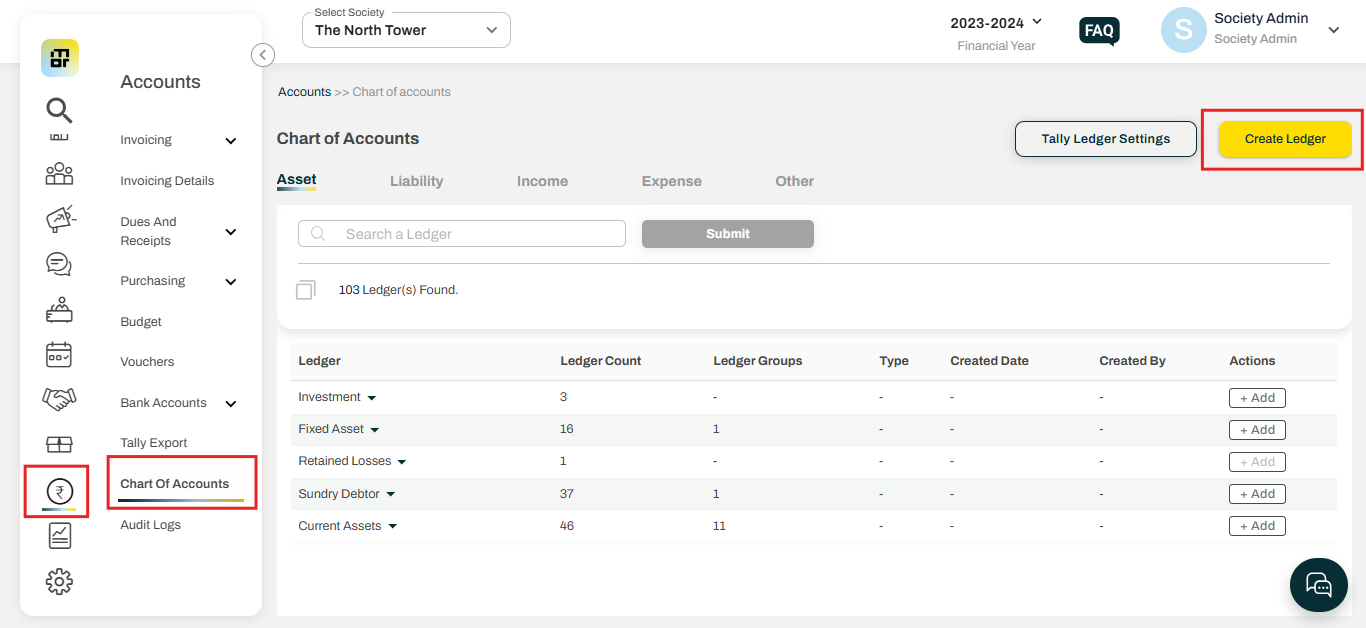
1. Go to accounts and select the chart of accounts. Then click on create ledger.
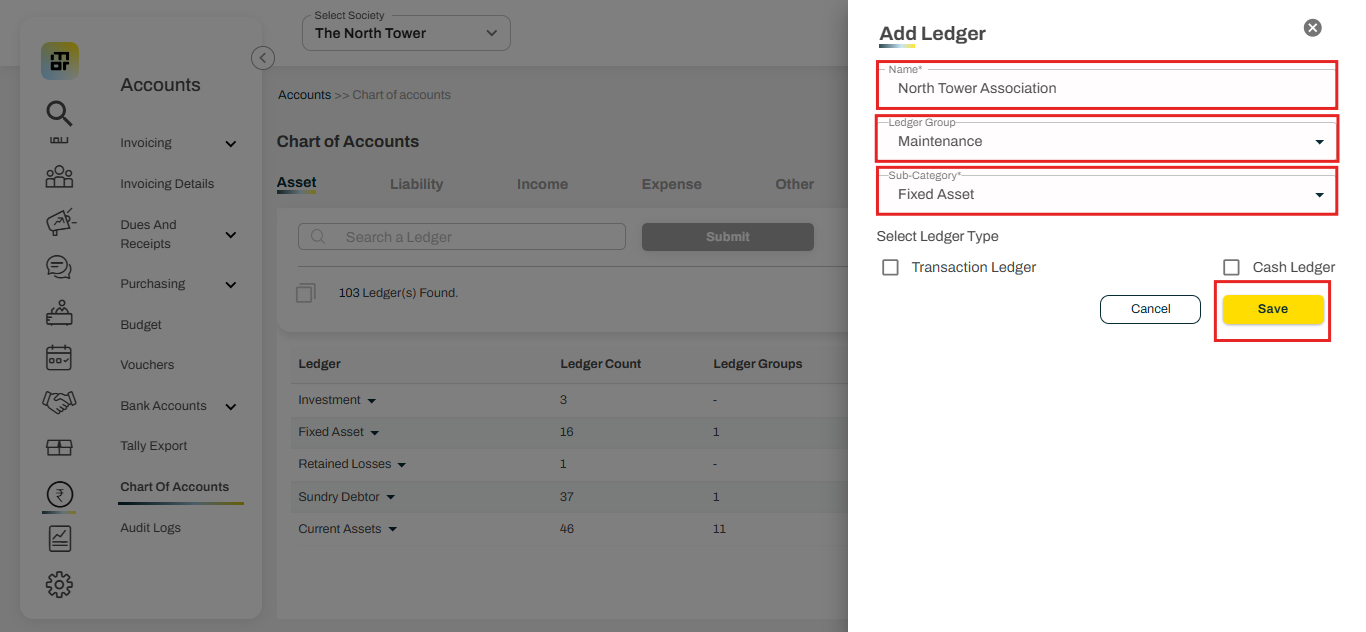
2. Add ledger name, ledger group, and sub-category, then click on save.
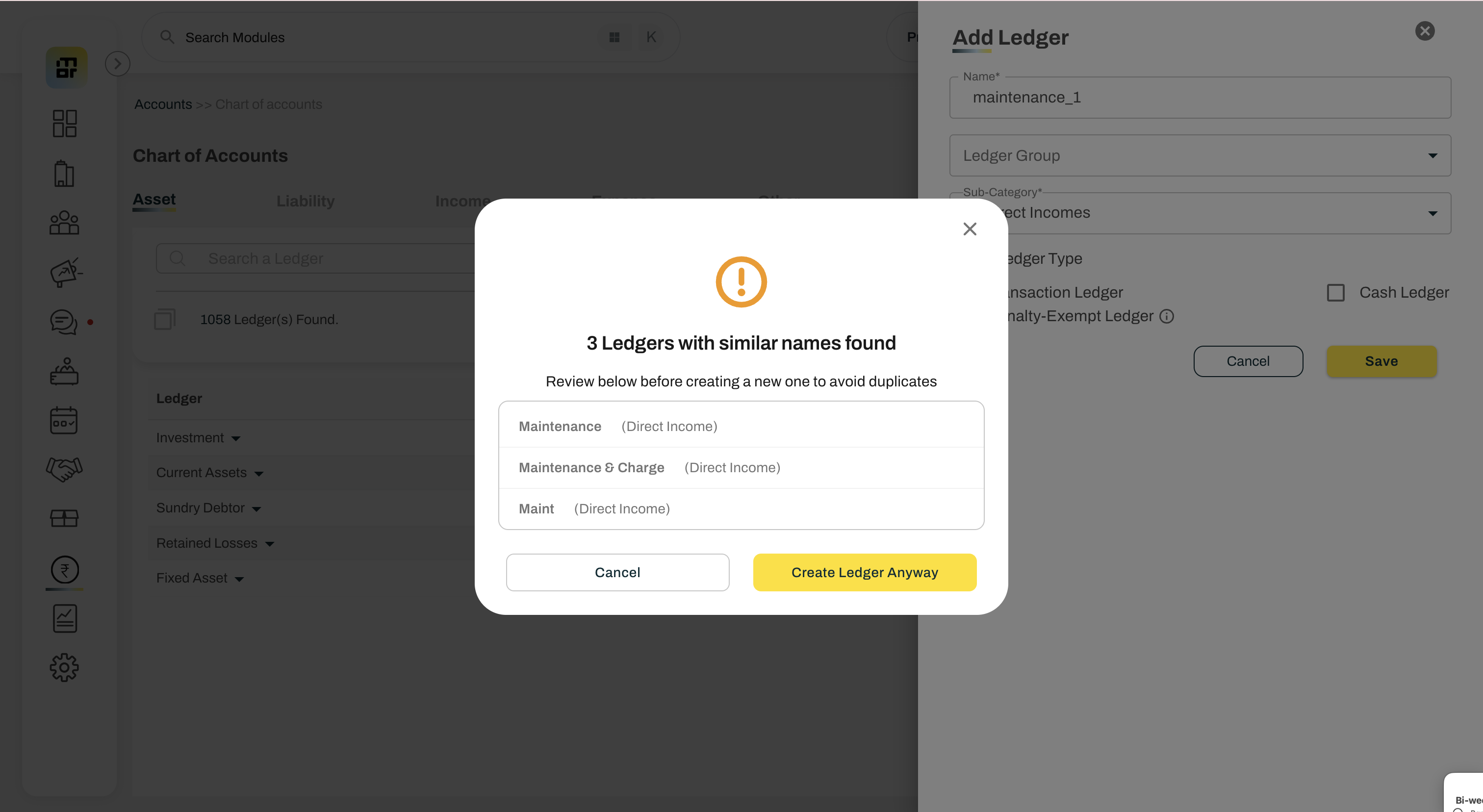
If the ledger name is very similar to an existing ledger under the same category — Assets, Liability, Income, Expense, or Other — a pop-up will be shown to help avoid creating duplicate ledgers for the same purpose. The pop-up will display the similar ledger name, while still allowing you to proceed with the creation if required. eg. Creating a ledger named "maintenance_1" under indirect income, the system will look for similar ledger names under direct income and warn the user.