How to Check Which Resident Made a Payment?
Mygate provides a seamless way for society admins to track payments made by residents. You can easily verify payment details using the Collection Report available in the mygate admin dashboard.
The Dues Collection Report for a society provides detailed information on all the receipts created (Manual and Online), including the date of payment, House number, Resident Type, Tower, Description of the payment, Receipt Number, Invoice Number, Payee Name, Payment Type (such as cash, cheque, or online), Amount (in Rs), Settlement Date, Cheque Number/Reference/UTR Number, and the deposit status to society bank account. These details allow society to effectively track and reconcile the transactions.
Please follow the steps below to view and download the Collection Report:
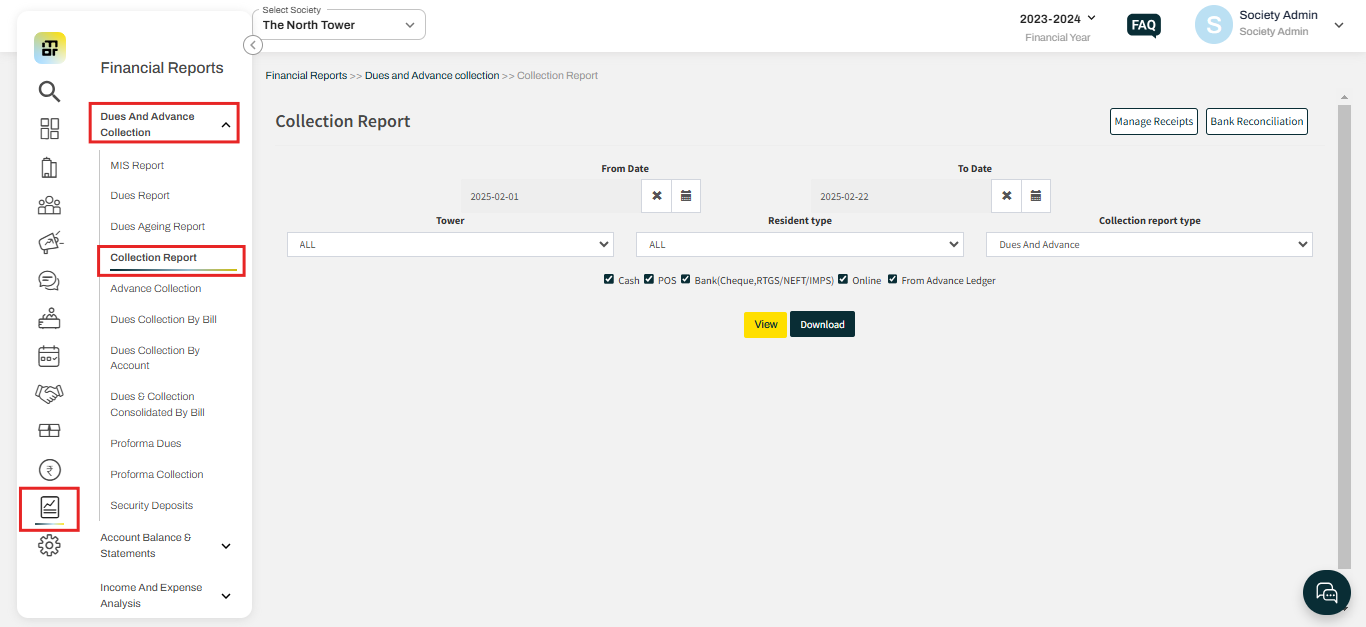
1. Go to Financial Reports and select the Collection report under Dues and Advance collection.
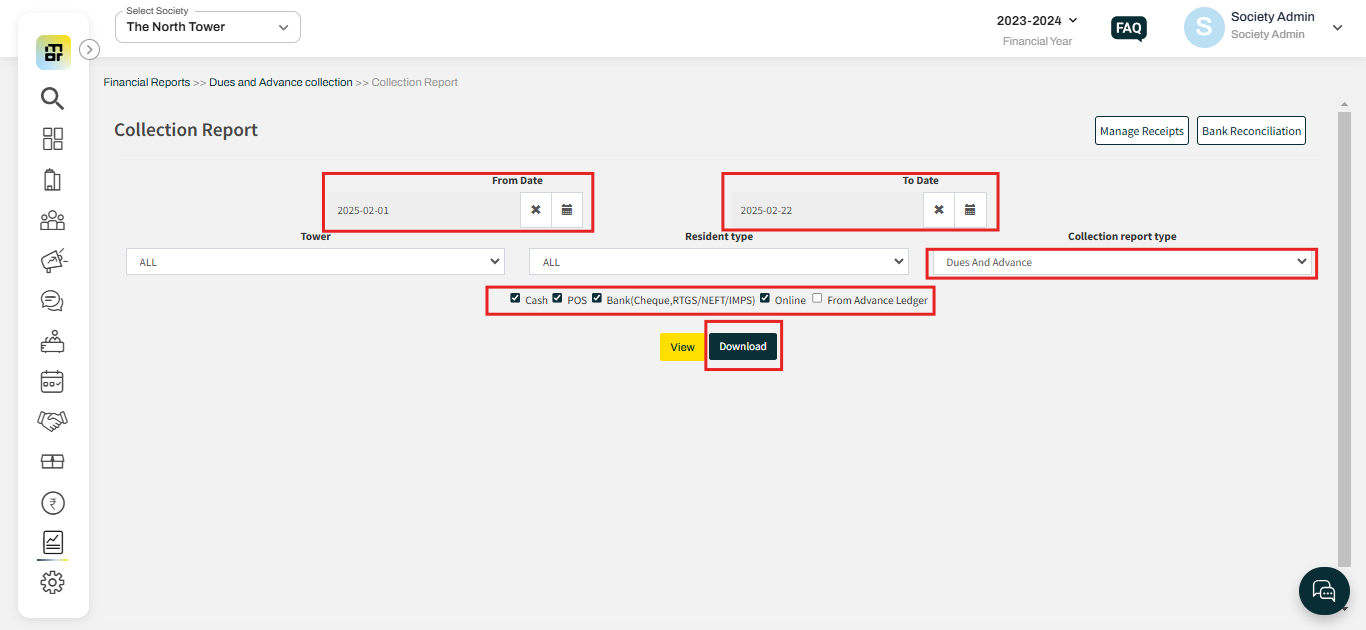
2. Select the date range, mode of payments, and Collection report type, then click on the Download option to download the report.