
What are the details that can be edited in an already generated invoice?
Ideally invoices generated in an ERP software should be immutable, and incorrect bills should either be cancelled or reversed using credit notes. However, in cases where a few houses/non-members have already paid their invoices from the generated batch, societies get worried about the accounting overhead involved with cancellation and re-generation operations. To allow easy correction of basic and common details of all the bills in the batch, Mygate provides an edit form within the batch detail page on the admin dashboard.
Steps to access the Invoice Batch edit form -
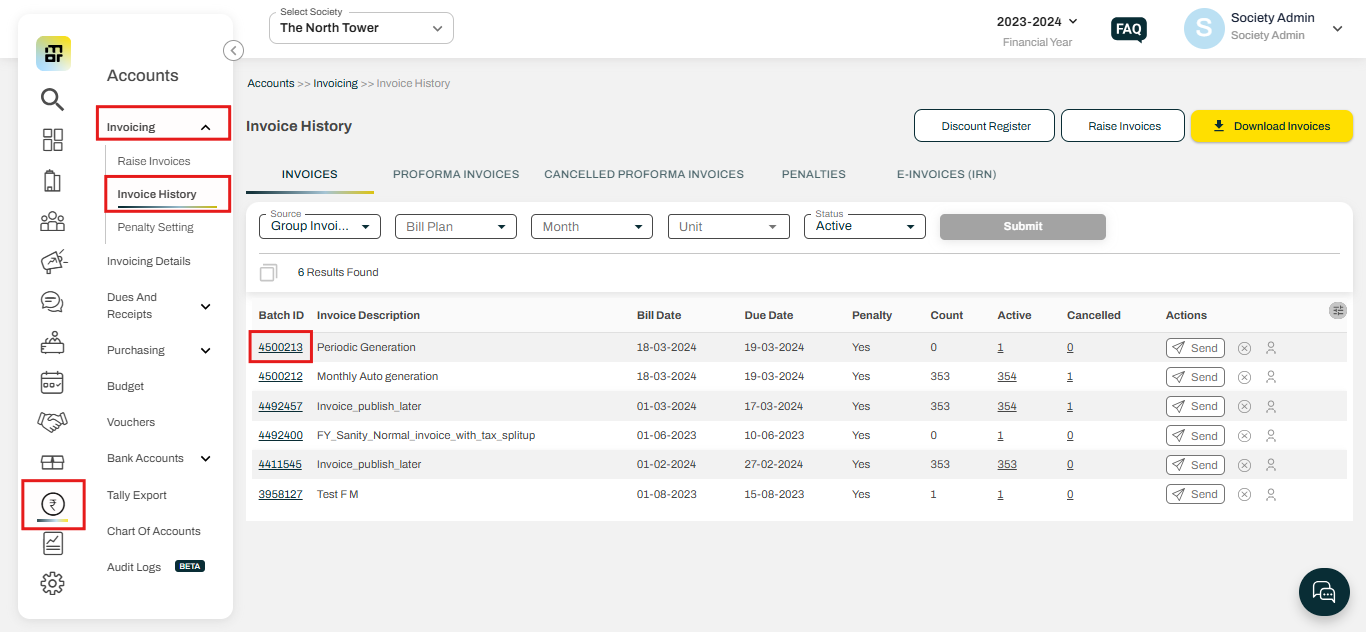
1. Go to the "Invoice History" option under the Invoicing section of the Accounts tab, then click on the Batch ID number.
2. Click on the "Edit" option.
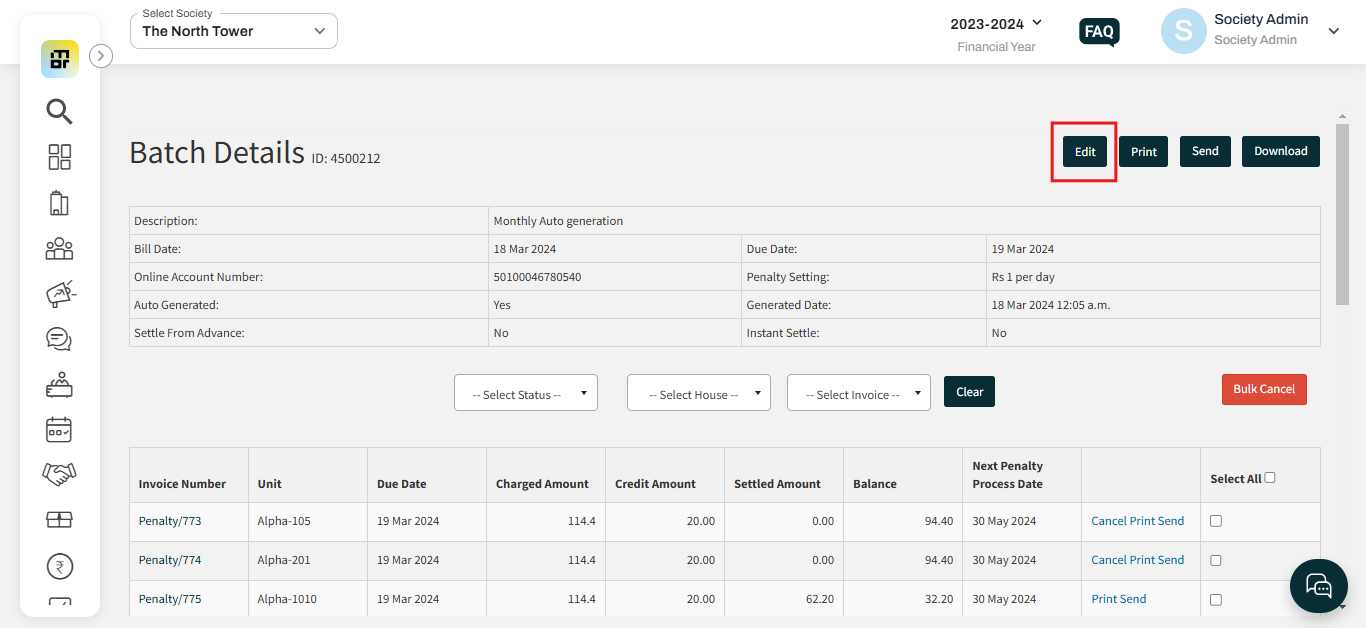
The following fields can be updated by the society admins -
General Details : Invoice Title, Invoice Due Date, Billing Period
Penalty Details : Penalty Setting, Next Penalty Application Date
Footer Details : Invoice Footer Notes, Invoice Footer Image
Invoice Setting Toggles : Automatically settle invoices from existing house advance, Publish the summations for taxable, non-taxable and GST amounts on the invoice PDF, Display serial numbers for principle / GST items, Display Receipt Collection Box below the invoice footer, Display the previous three payments from the house/non-member on the invoice PDF.
Additionally, there is the Society Bank Account field that cannot be updated directly by the society admins. However, they can request Mygate support to get it changed from the backend.
Important Notes on Invoice Details Update -
Only common details that pertain to all the house/non-members in the batch can be edited. No change that is specific to only one house/non-member can be made.
Bill details such as Invoice Date, Item Ledgers, etc. that contribute to income/liability entries in the accounting books cannot be edited.
Invoice Due Date field can only be updated on or before the original due date. Once the original due date has crossed, no change can be entertained.
If the society wishes to stop penalty application on a certain invoice batch, they can clear out the Next Penalty Processing Date field and save the edit form.