
How to add/remove Registered Owner name in invoice?
Steps to add/change/edit/remove the owner name on Invoice
Go to "Accounts" and select "Invoicing Details".
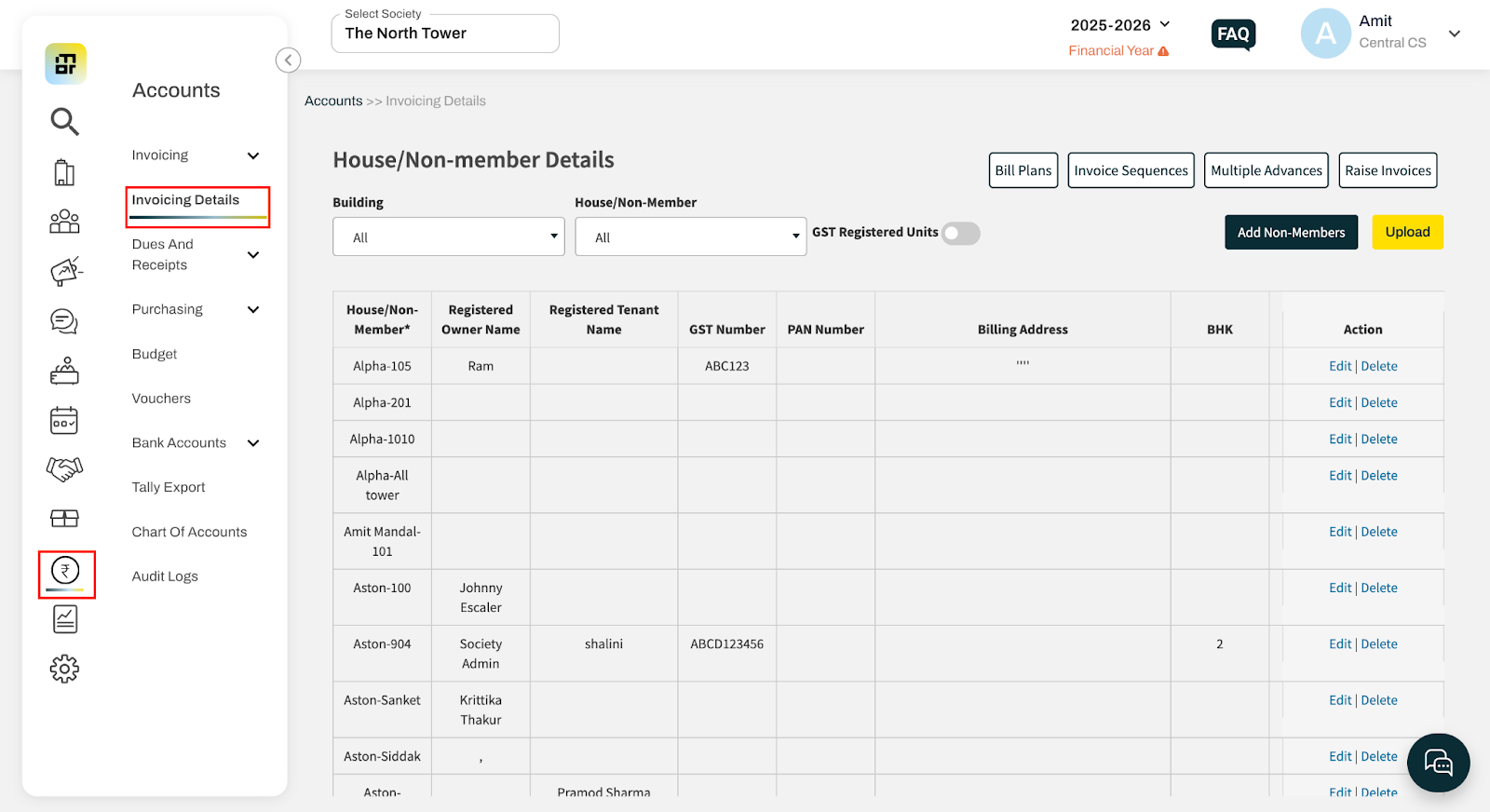
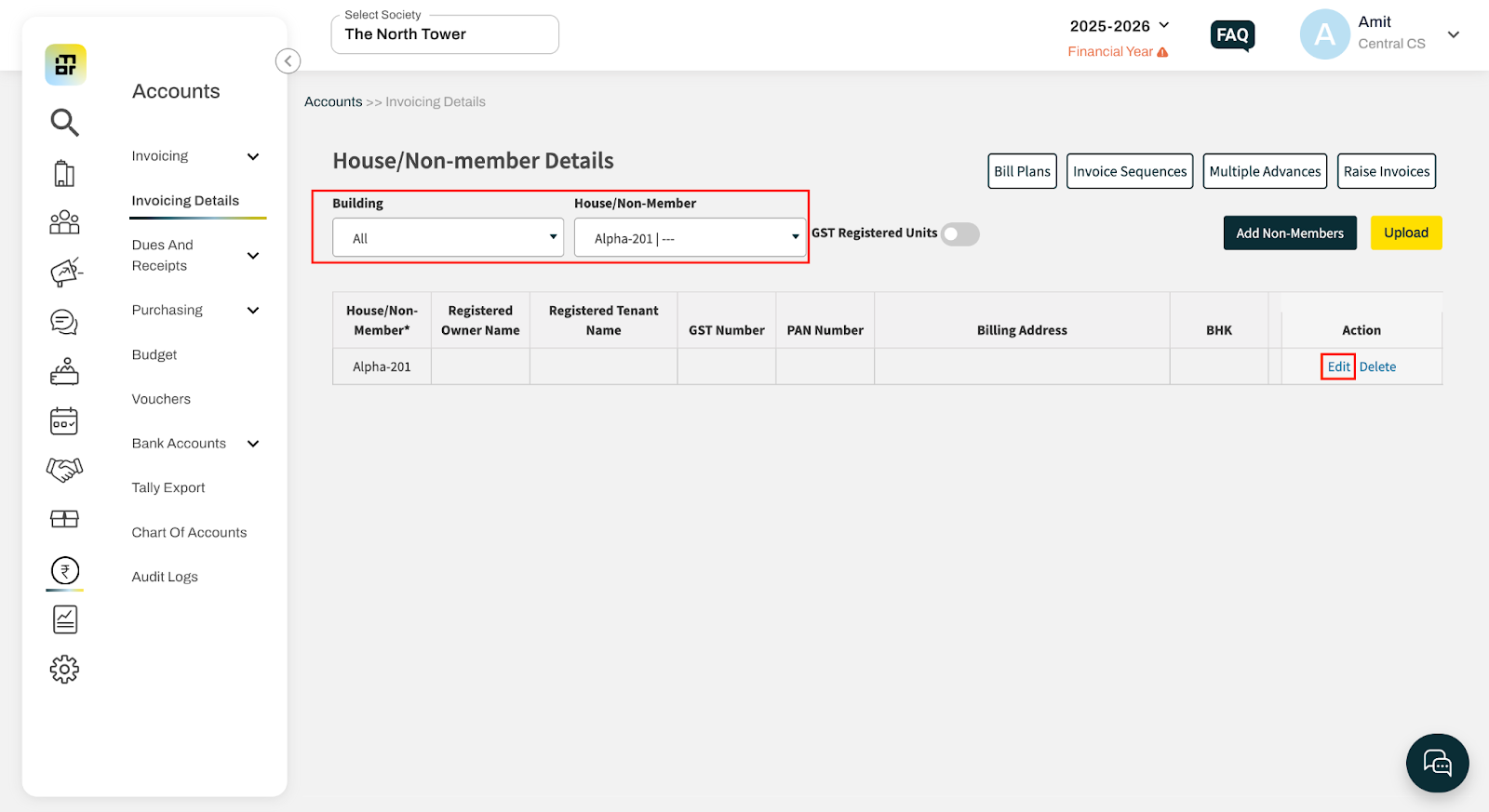
Select the required house and click on Edit.
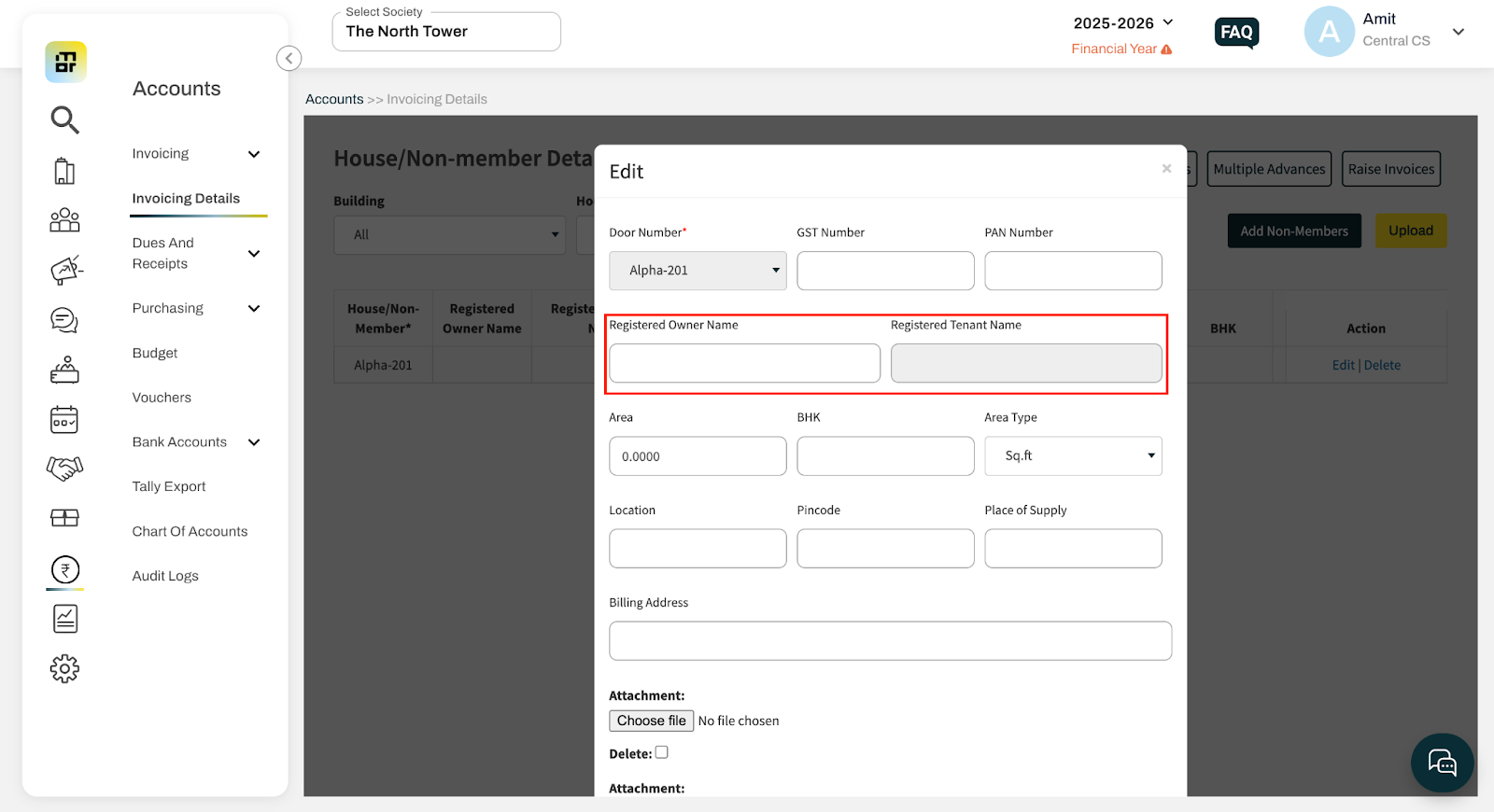
Add/change/edit/remove the owner or tenant name in the Registered Owner Name or Registered Tenant Name field and save the changes.
Note
The updated name will be reflected only in future invoices.
The name will not be updated in already generated invoices.