
How to change owner name on Mygate Admin Dashboard?
Steps to edit an existing owner name -
Go to Directory and select Resident List under Residents.
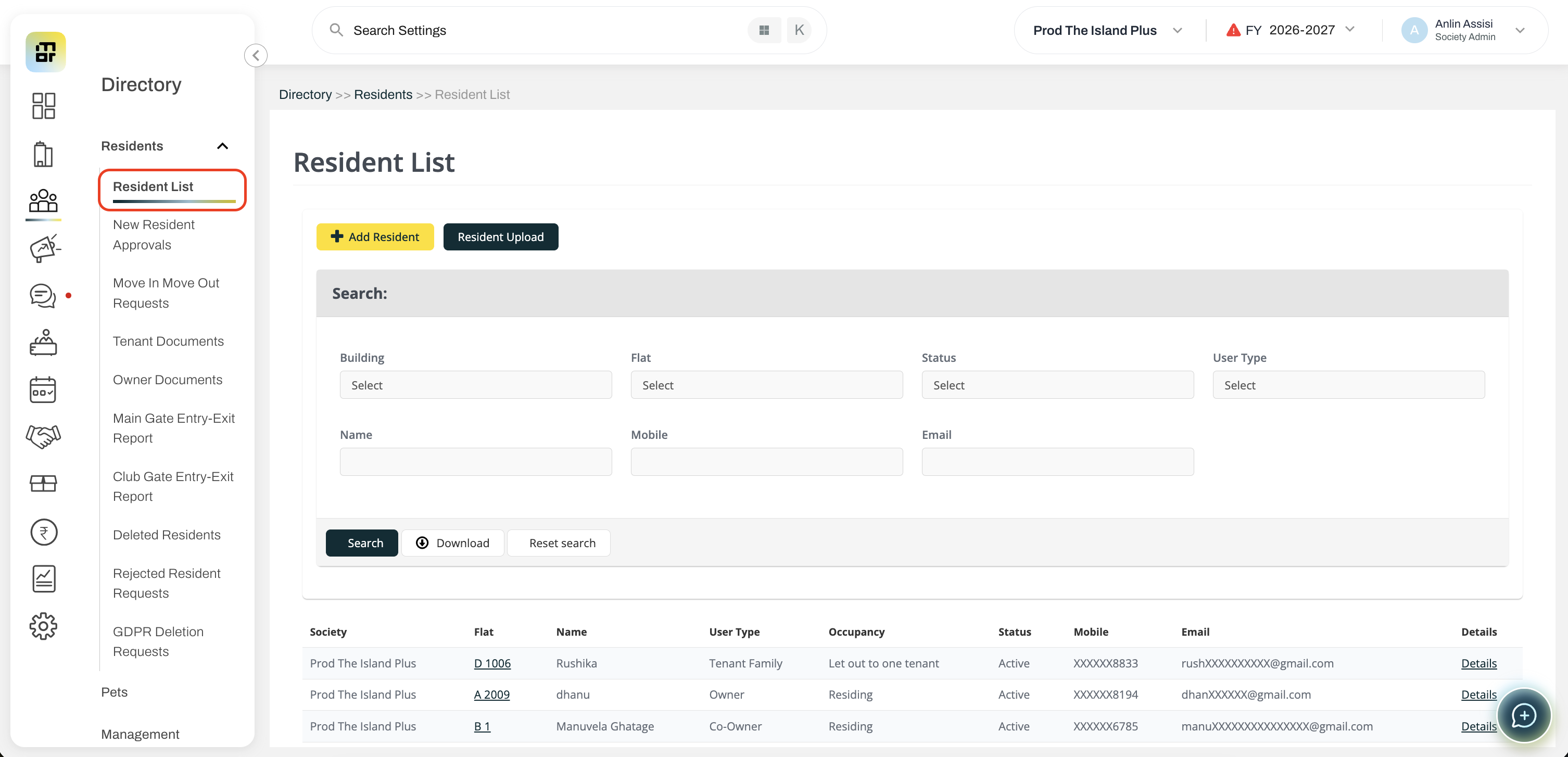
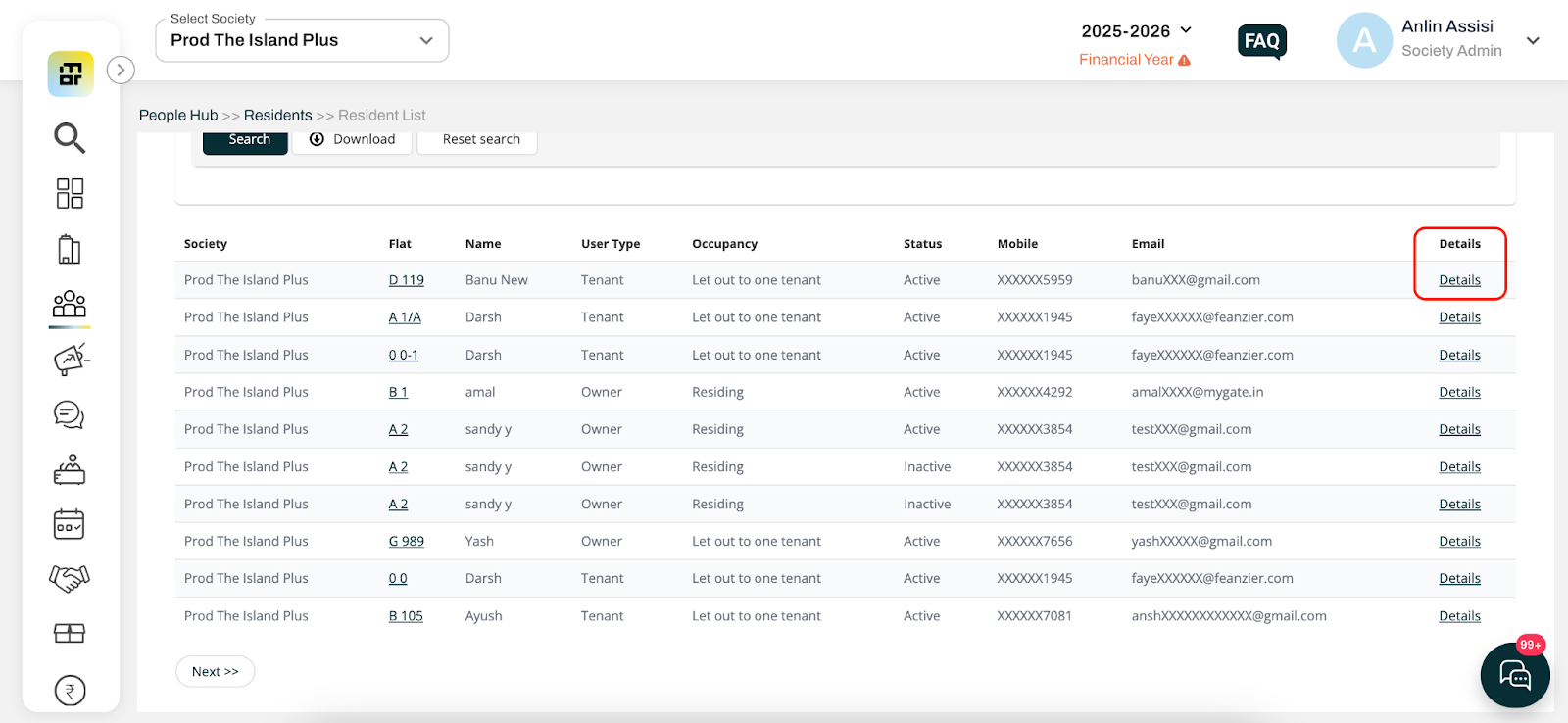
Select the building and flat details, and click on the Details option to edit the resident details.
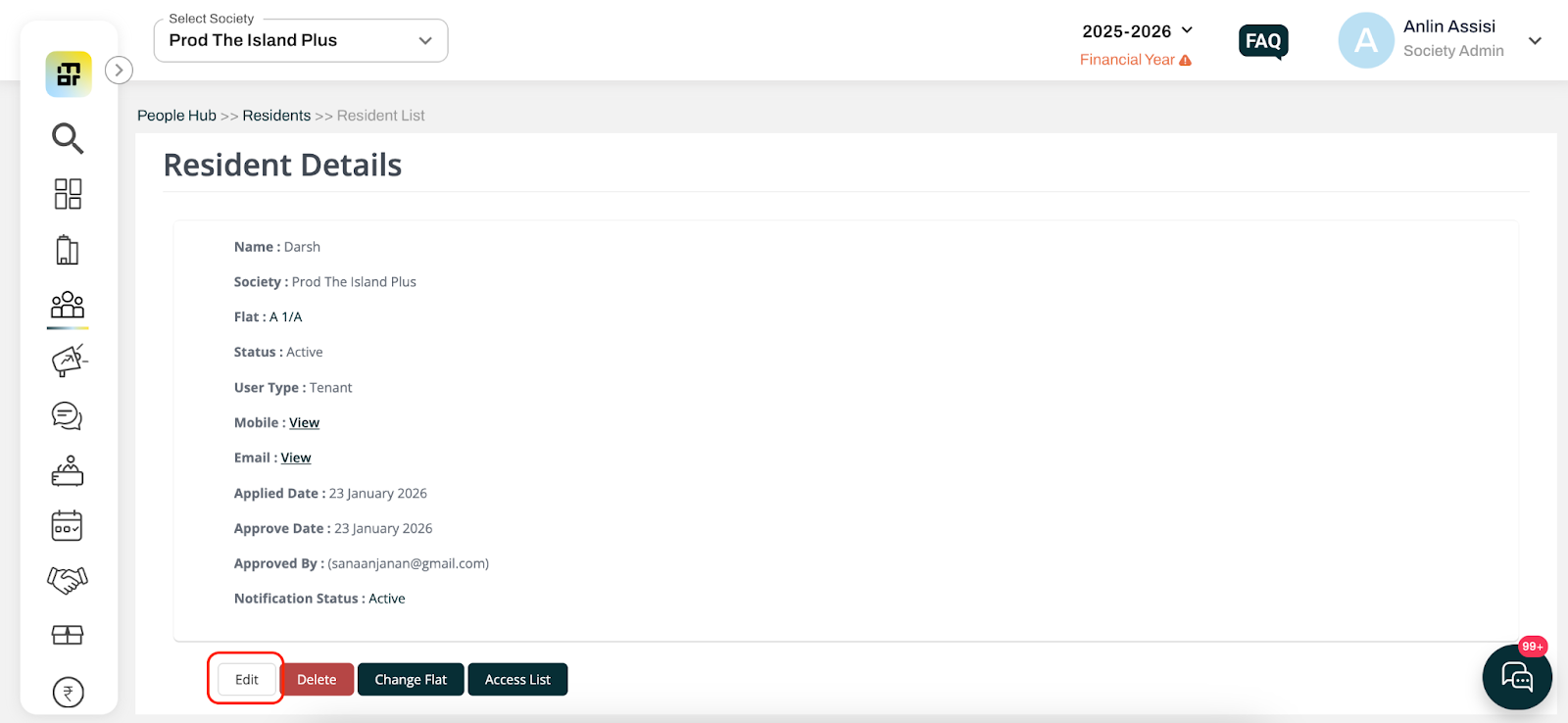
Click on the Edit option, enter the correct user details and click on Save to confirm the changes.
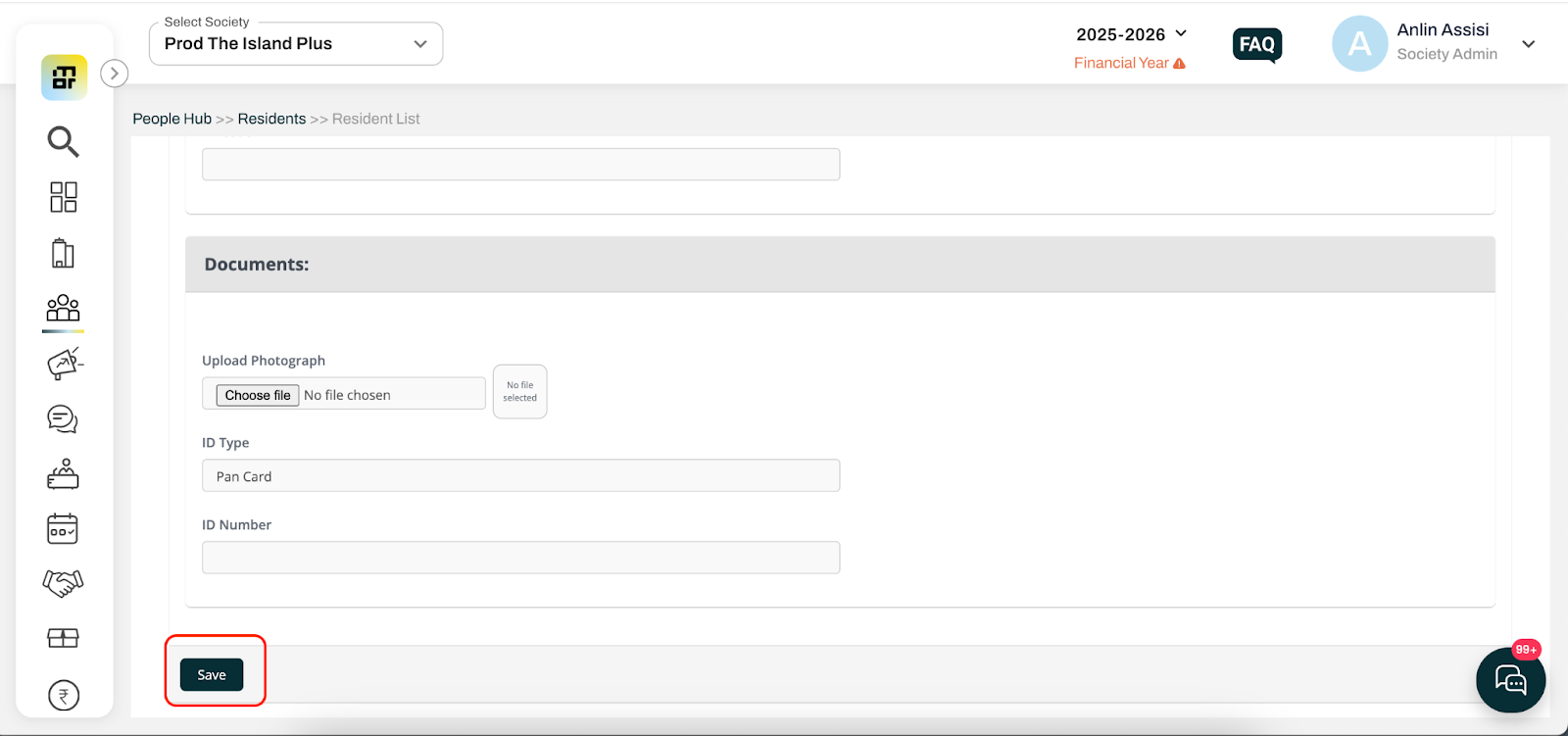
Note: The society admin can also edit non-member details, such as name, contact details, email ID, and address, using the above steps.
Steps to add/change/edit/remove the owner name on Invoice
Go to Accounts and select Invoicing Details.
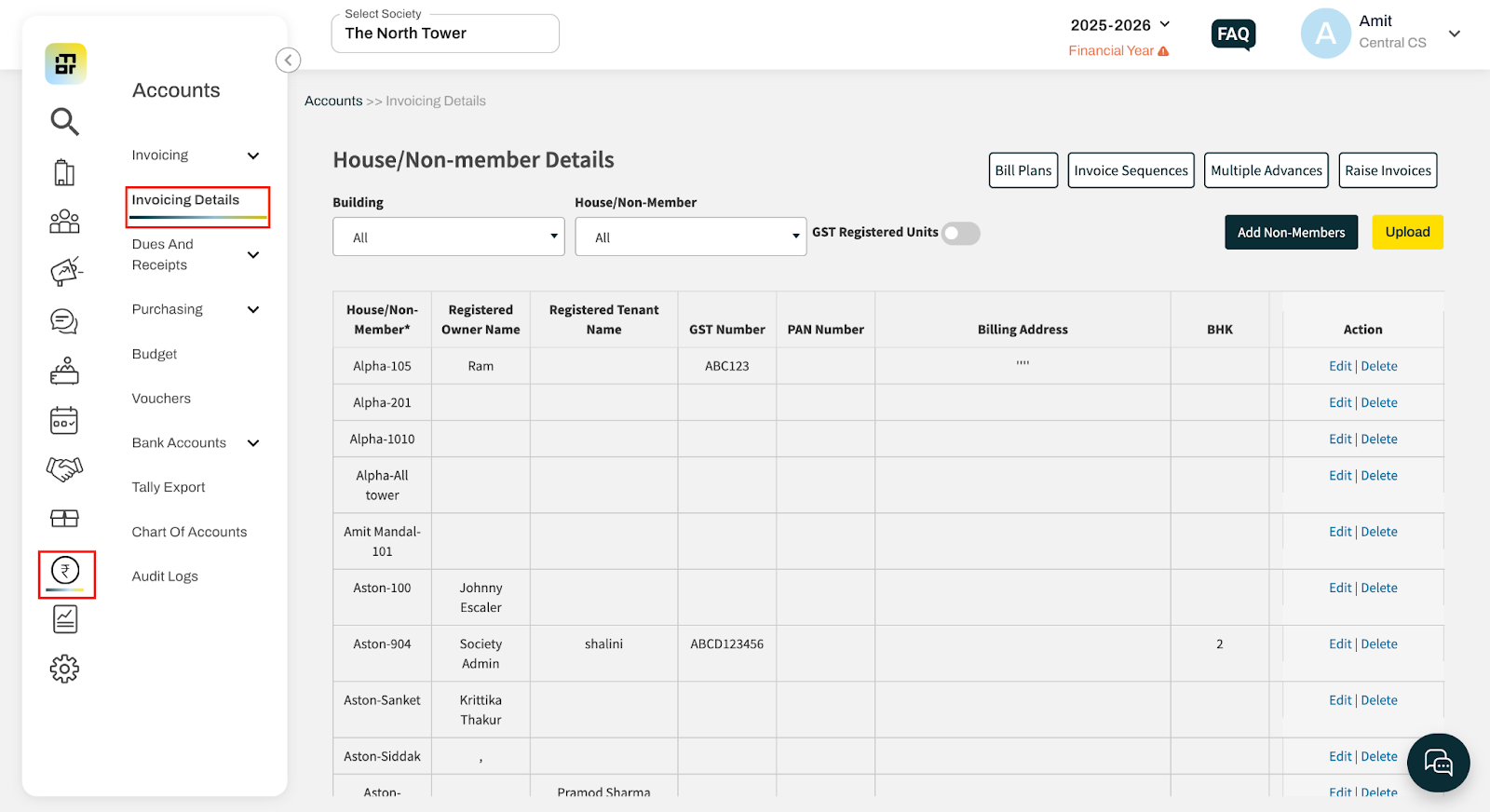
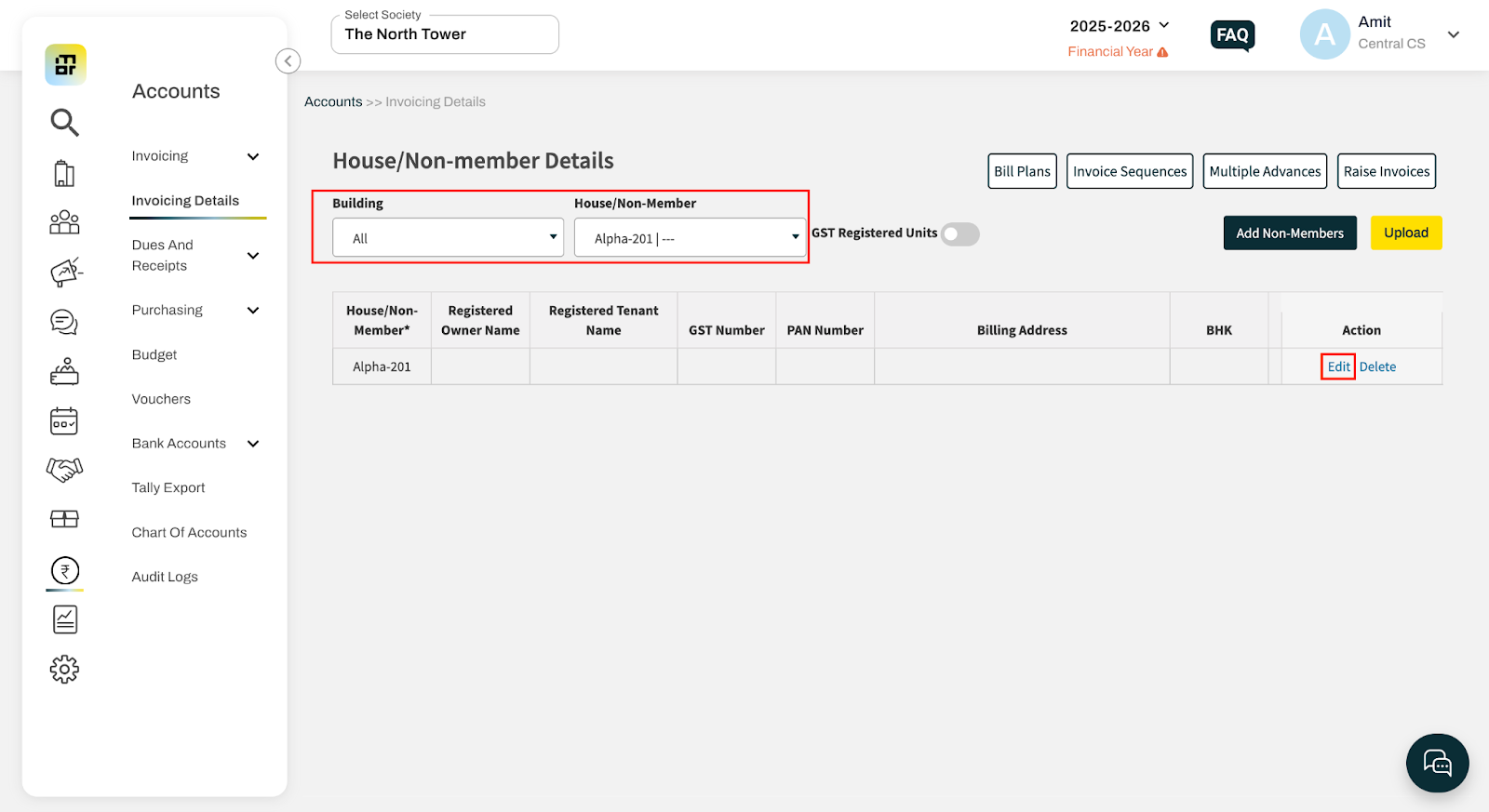
Select the required house and click on Edit.
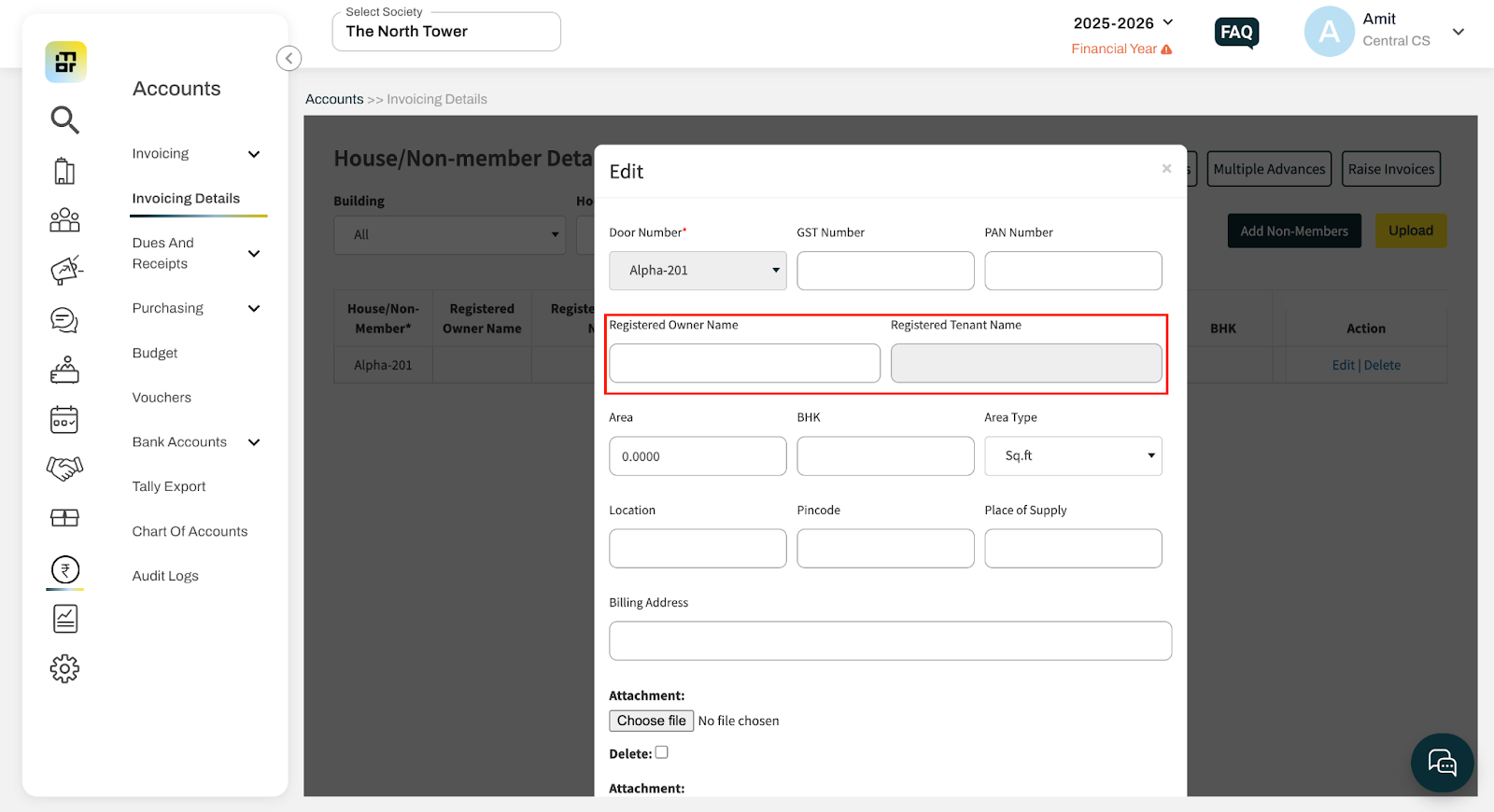
Add/change/edit/remove the owner or tenant name in the Registered Owner Name or Registered Tenant Name field and save the changes.
Additional Notes -
The updated name will be reflected only in future invoices.
The name will not be updated in already generated invoices.