How to edit a general receipt?
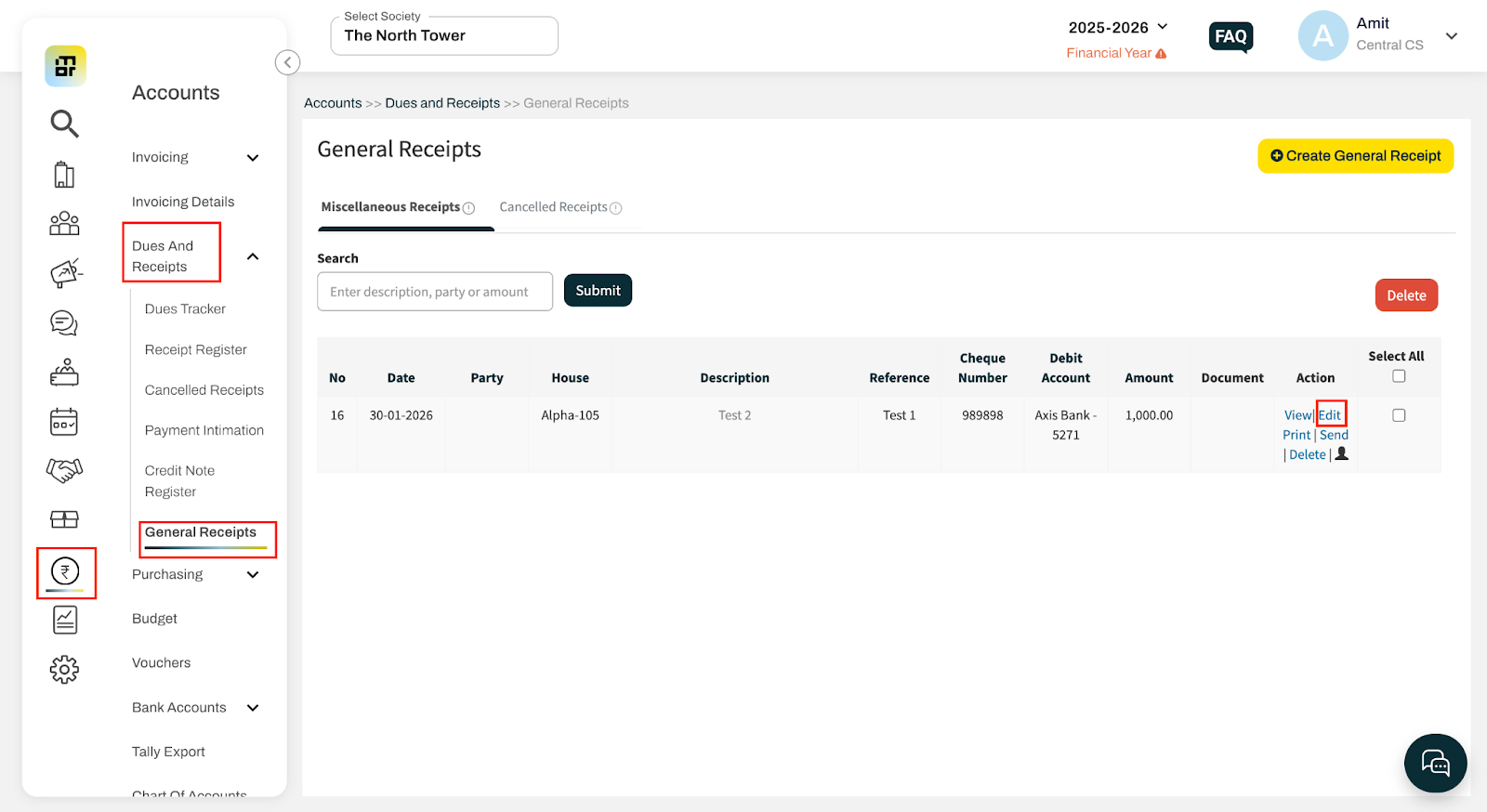
Go to Accounts and select General Receipt under Dues and Receipts.
Click on Edit for the transaction you want to update.
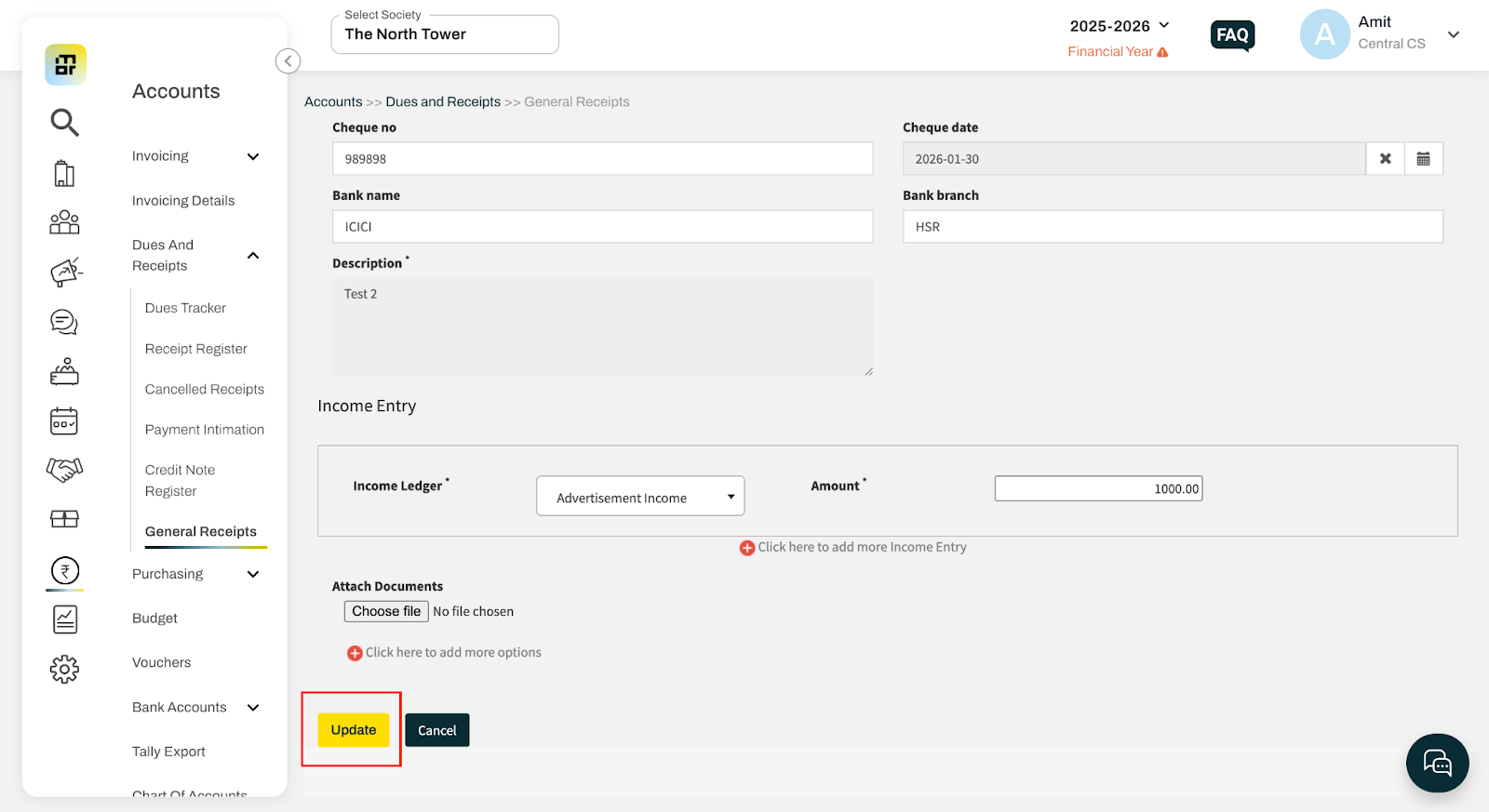
Update the required details
Click Update to save the entry.
Go to Accounts and select General Receipt under Dues and Receipts.
Click on Edit for the transaction you want to update.
Update the required details
Click Update to save the entry.