How to download all the helpdesk tickets?
Society admins can download all Helpdesk tickets in an Excel format for easy review, tracking, and analysis.
Steps to download Helpdesk tickets:
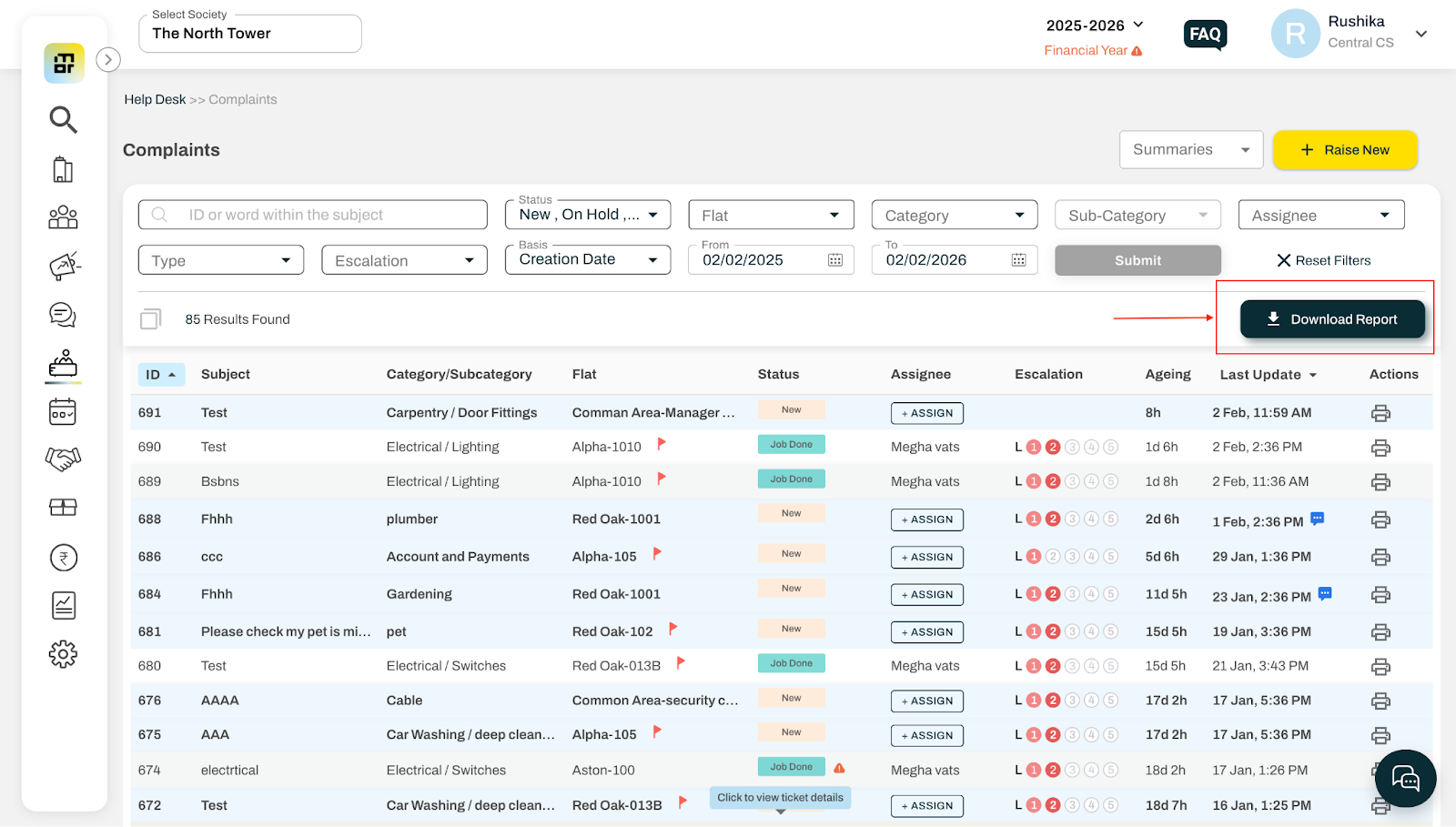
1. Go to Complaints under the Helpdesk tab.
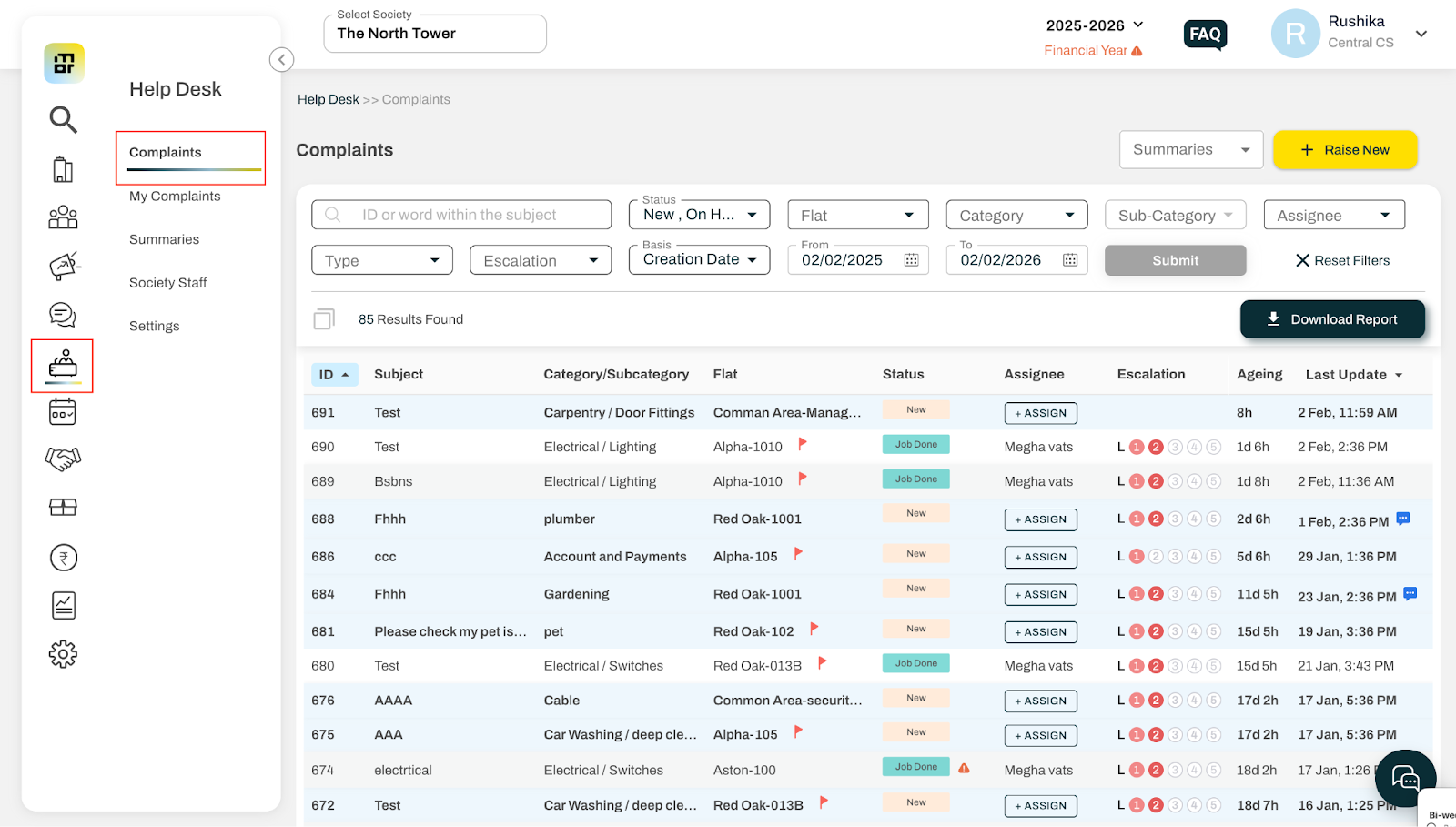
2. Apply the required filters for the download (such as ticket status, flat, category, subcategory, assignee, type, escalation, and date range). You can also choose whether the tickets should be filtered based on creation date or last update date within the selected date range. Click on Submit to apply the filters
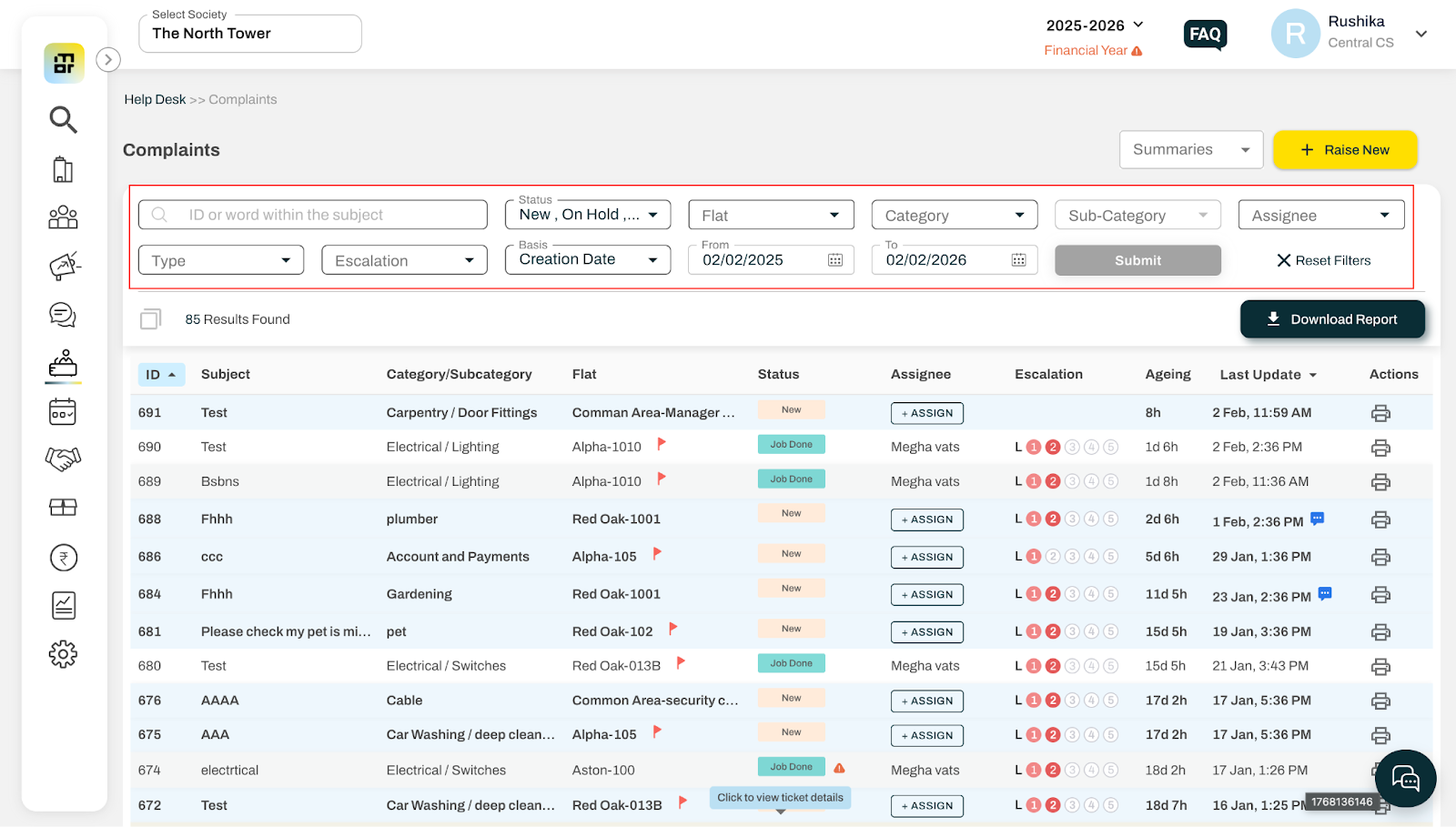
3. Once the filters are applied, click the Download Report button. The report will be downloaded in XLS format.
Additional Notes:
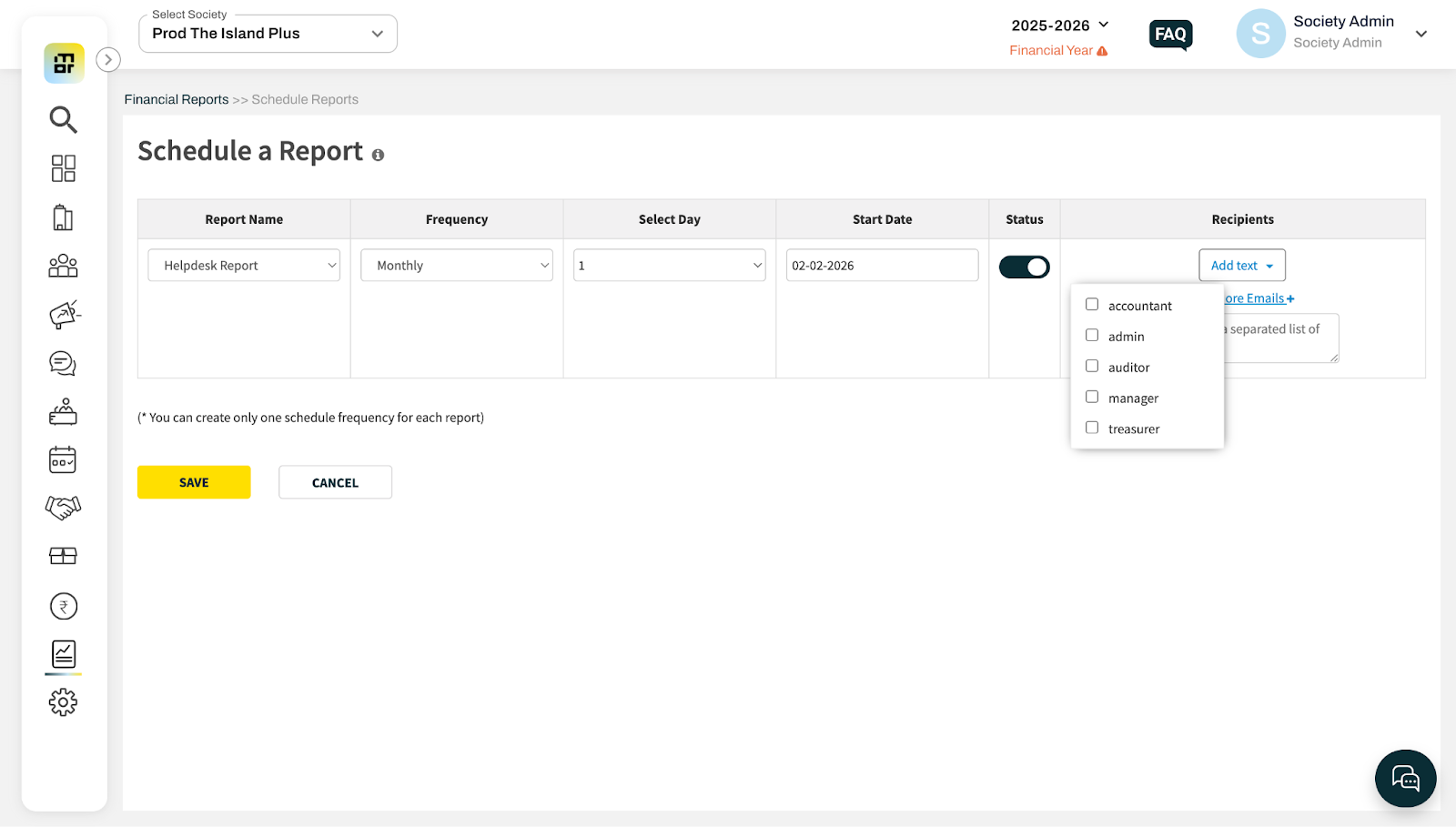
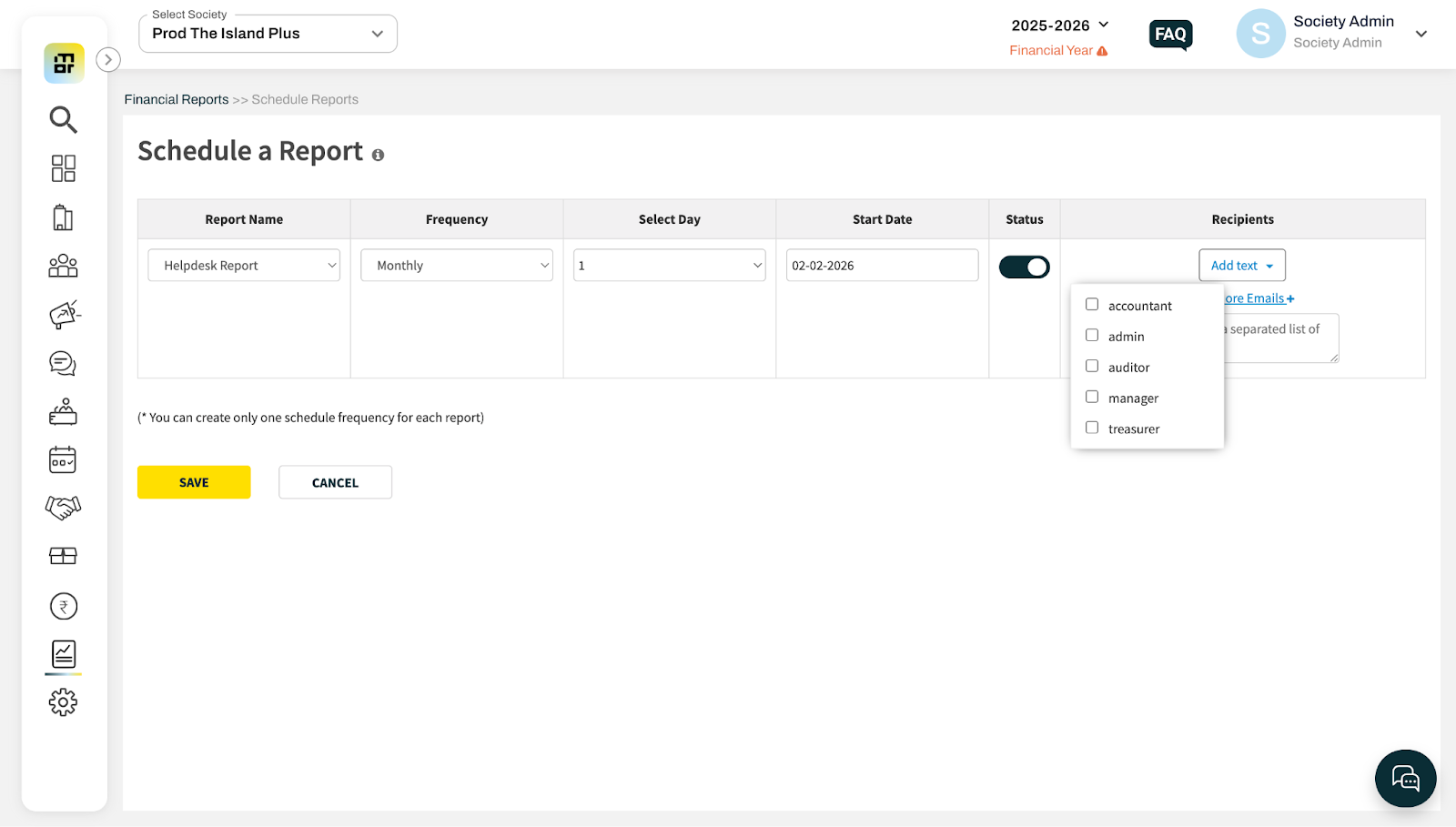
You can also schedule the Helpdesk report to be sent to your email IDs. Go to Financial Reports → Schedule Reports, select the required frequency and day/date, and add one or more recipients. Please note that only one schedule can be active at a time for a particular report.