How to delete an admin?
To effectively manage society operations, multiple admin roles can be created in the Mygate Admin Dashboard; each society admin will have master access to all modules. If you need to review and delete certain admin roles assigned within your society, Mygate provides a simple way to do so.
Please follow the steps below to delete the admin roles created for the society:
1. Go to Directory, select Manage admins under Admin Access.
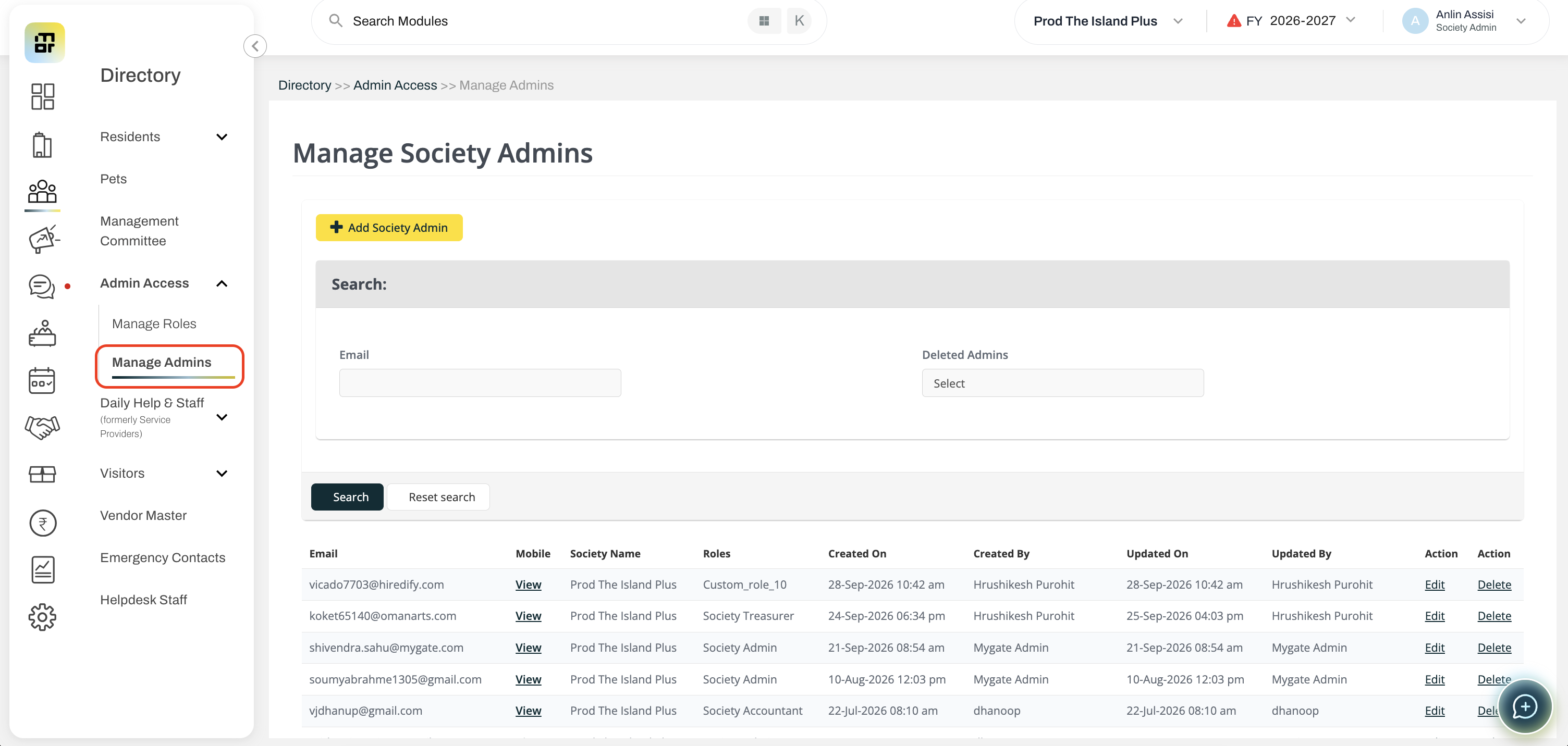
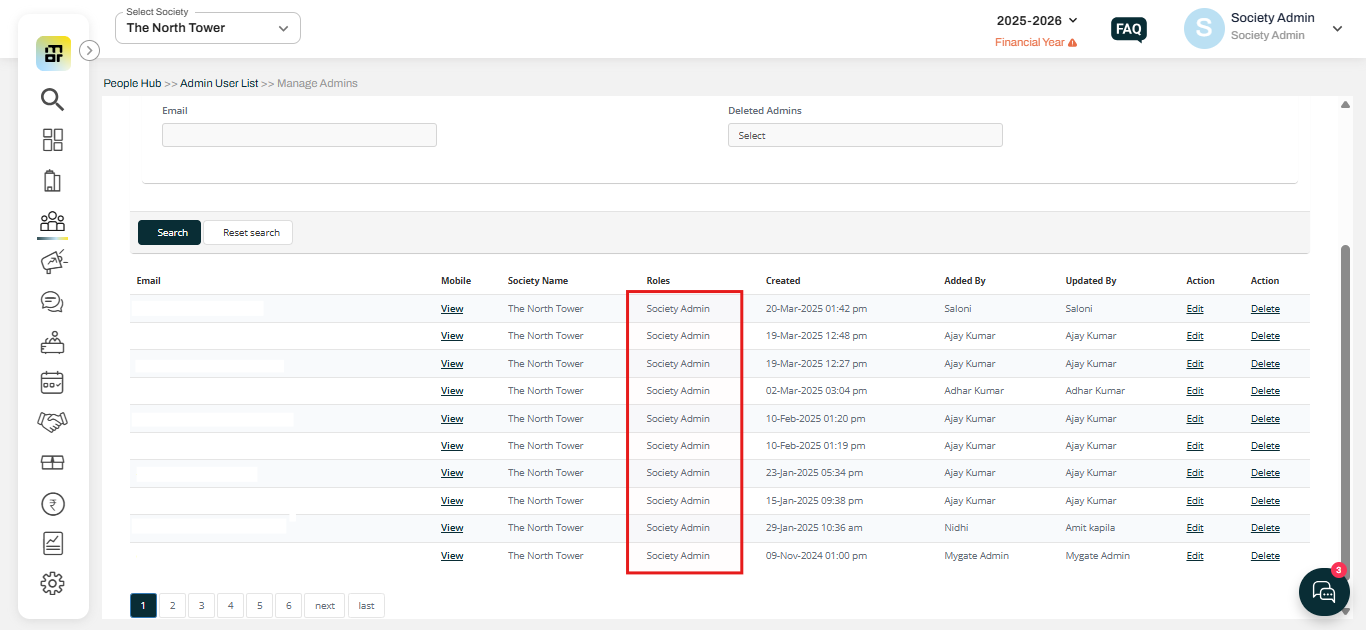
2. You can see the list of society admin roles along with other dashboard roles as well. Additionally, you have the edit and delete options for these roles.