
How to add opening balance invoice ?
To add an opening balance invoice, please follow the steps mentioned below:
Steps
While creating the invoice, select the Invoice Type as Opening Balance Invoice.
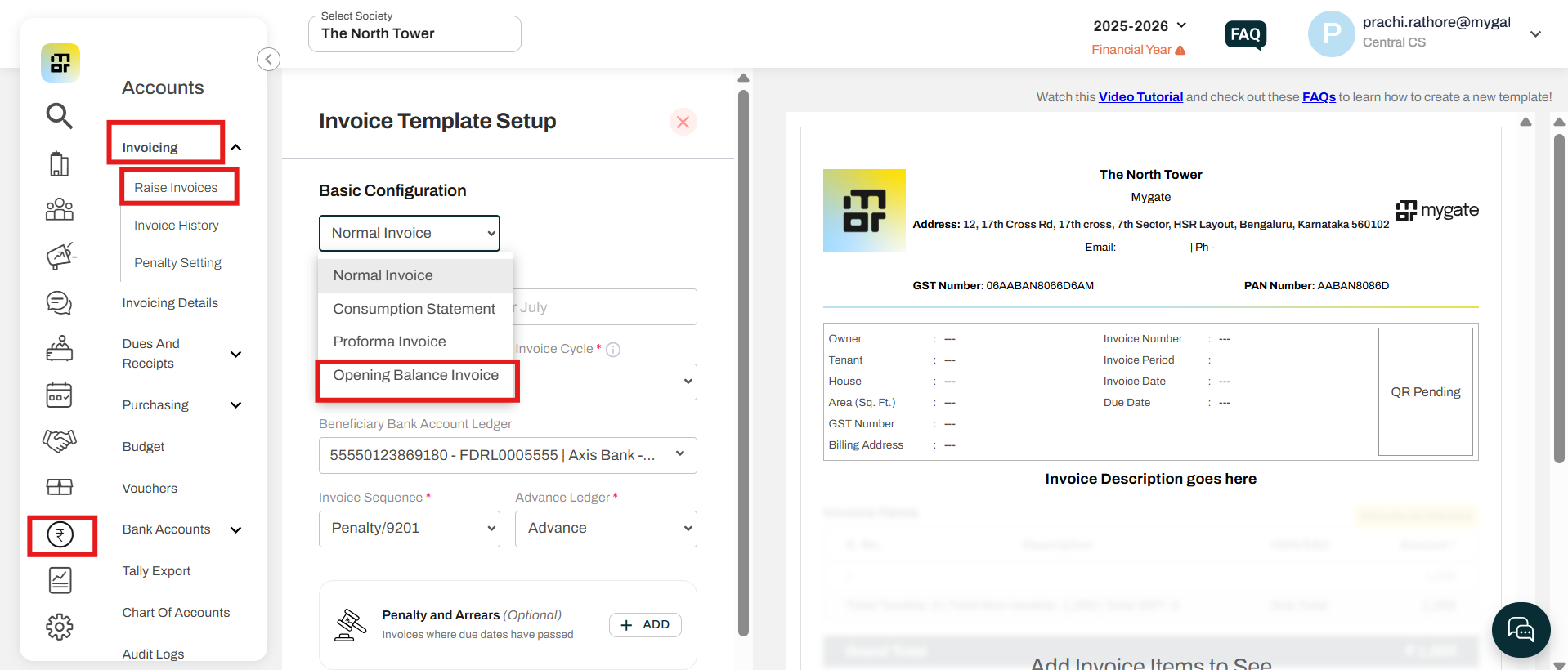
Please refer to the link for next steps:
(https://adminfaq.mygate.com/articles/129538-how-to-raise-invoice-for-all-flats-in-bulk)
Note
When the Opening Balance Invoice is selected, the Item Ledger field will list only ledger names that contain “Dues Receivable” under Assets.
This option should be used only when the income for the invoice is already booked, and its impact is already reflected in the reports.
Using this incorrectly may cause a balance sheet mismatch.