How to schedule pre-approval for a guest?
Residents can pre-approve visitor entries directly through the app. Here are the steps:
1. Open the MyGate App
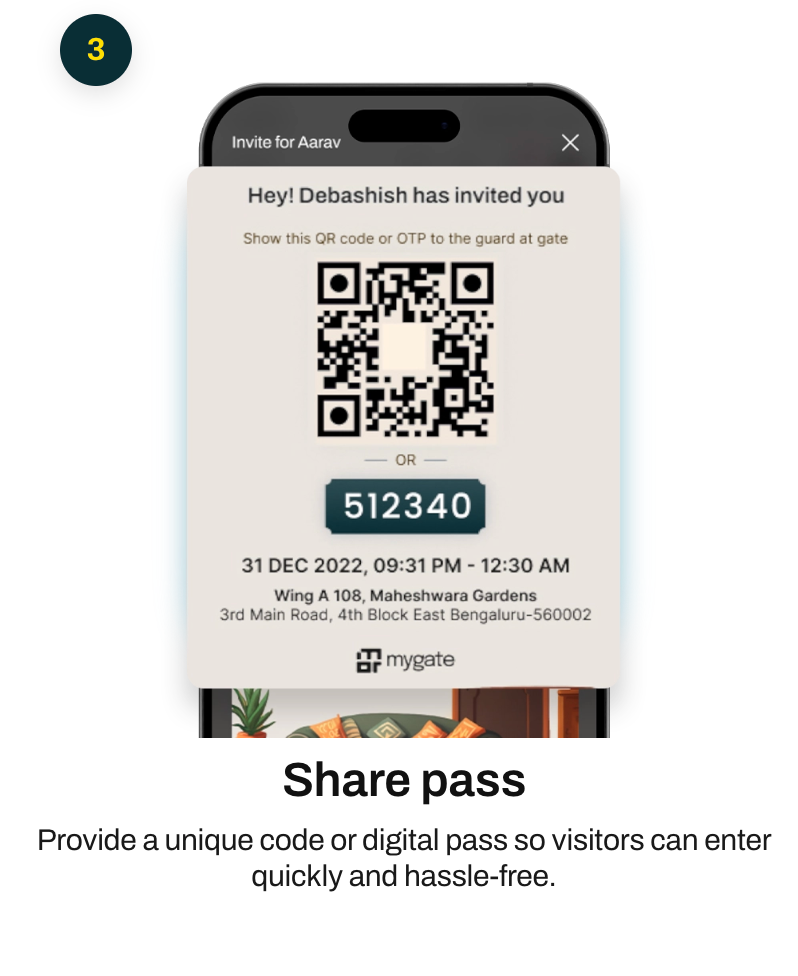
2. Go to the Visitor Updates section
3. Click on the Pre-approve entries option and then the Guest option
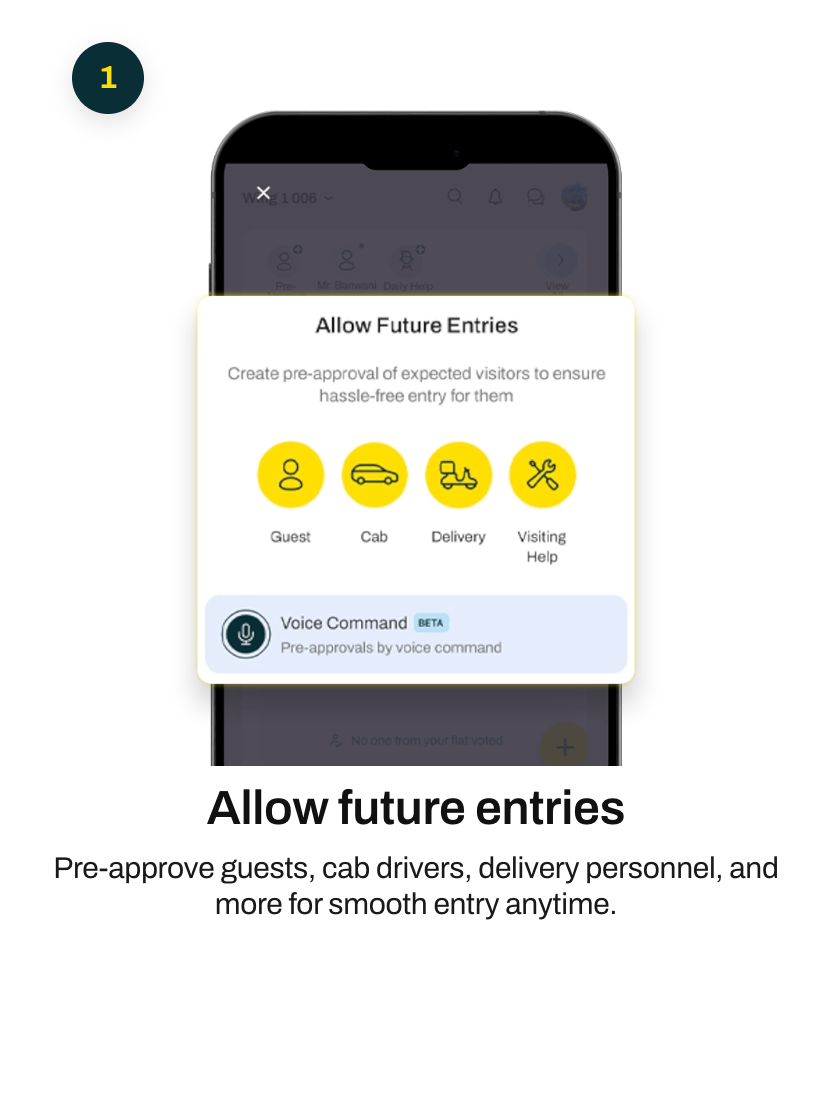
4. Select the type of invite
3. Enter the visitor's name, date, time, and other necessary details and Save
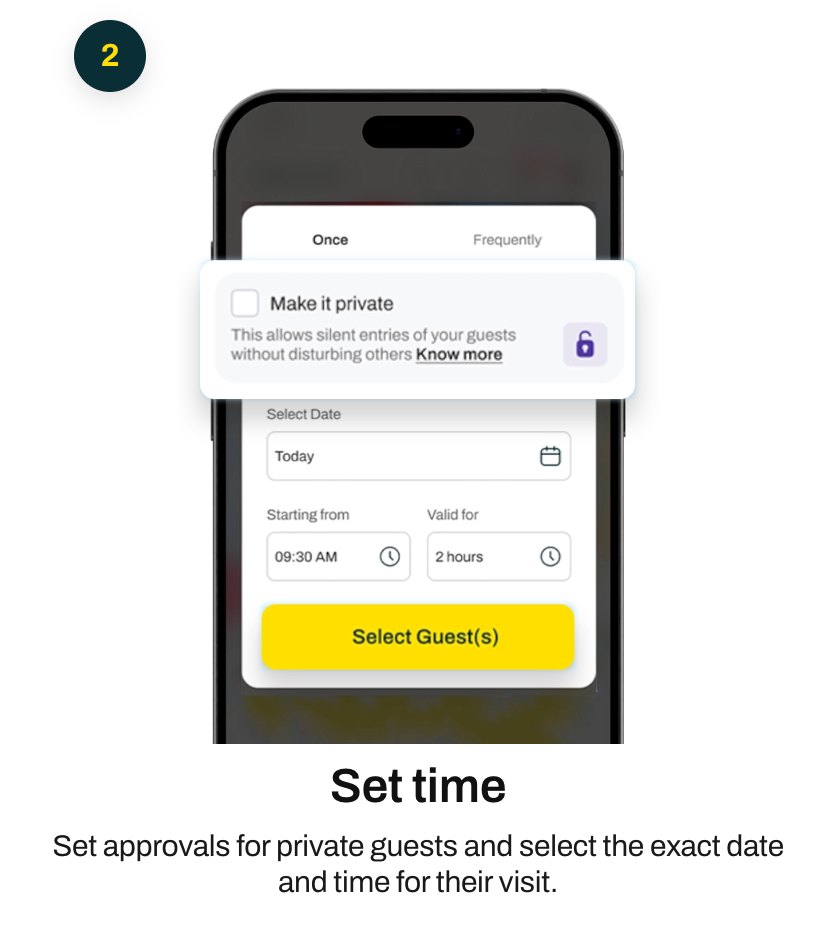
Once this is done, the visitor will be pre-approved for entry at the specified time and date. This will ensure that the guest has a pre-approved entry when they arrive at the society.