
How to add charges for a specific amenity?
To configure charges for a specific amenity, follow the steps below:
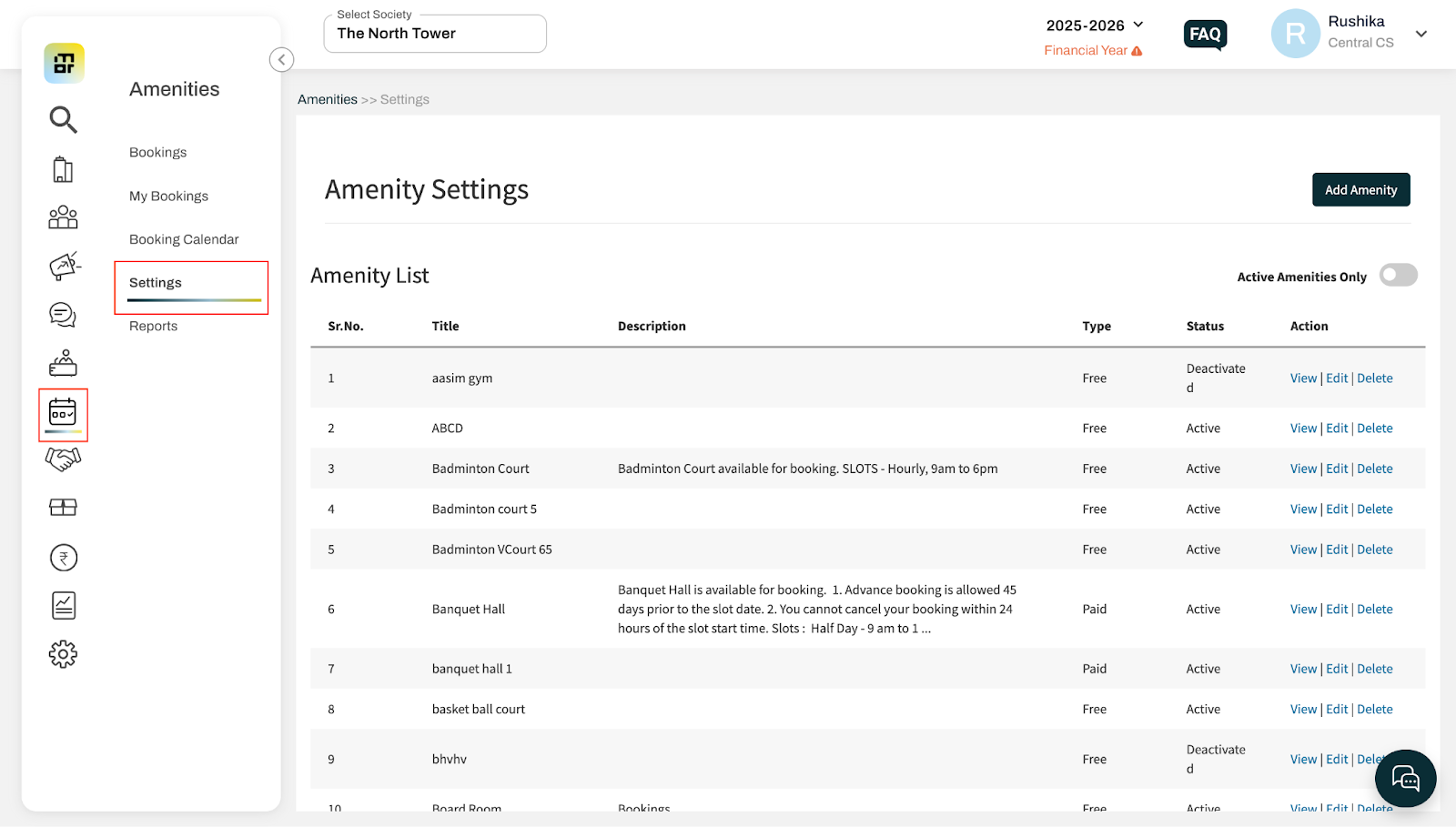
Go to Settings under the menu Amenities.
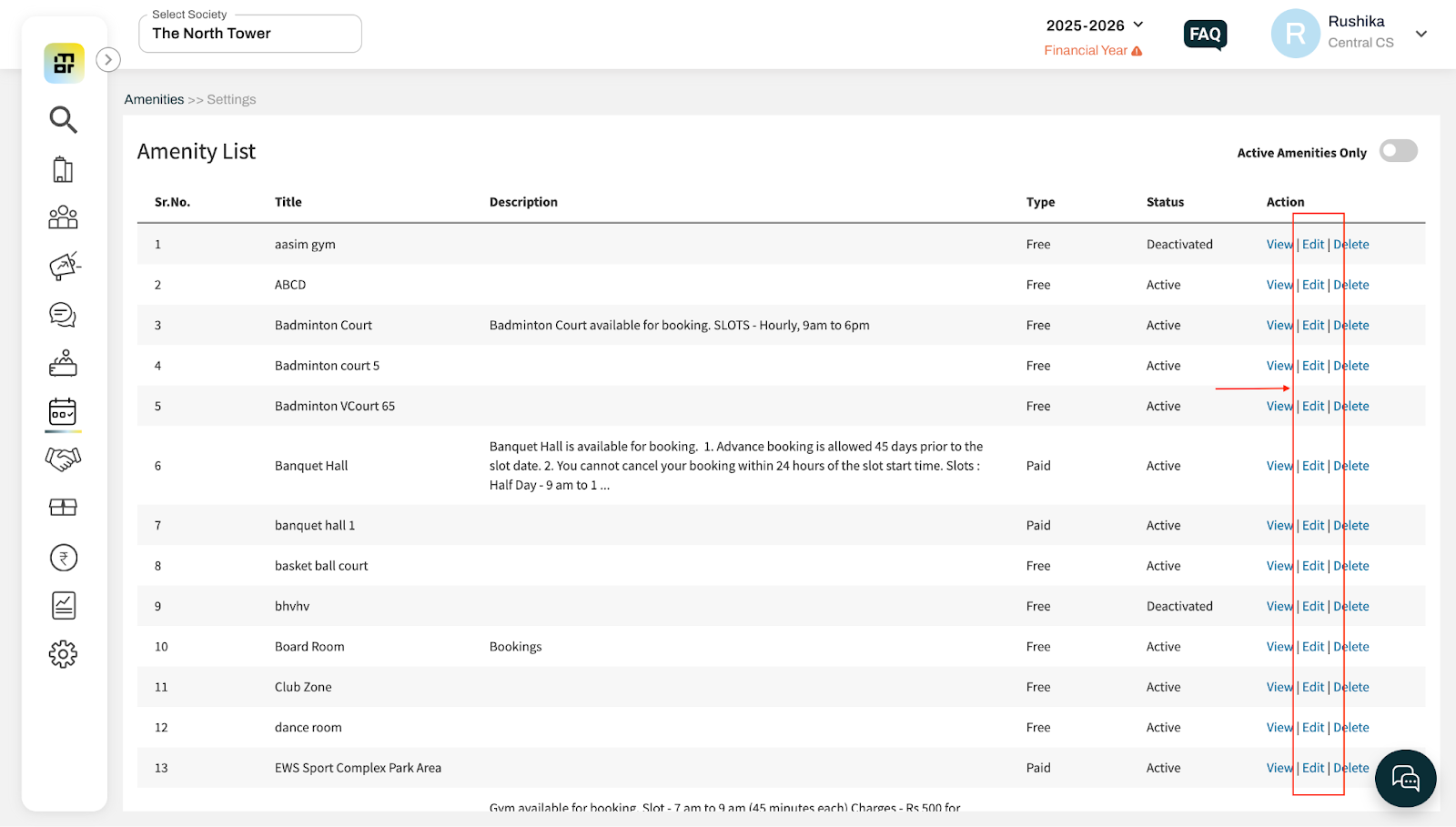
Click Edit for the amenity for which you want to add or update charges.
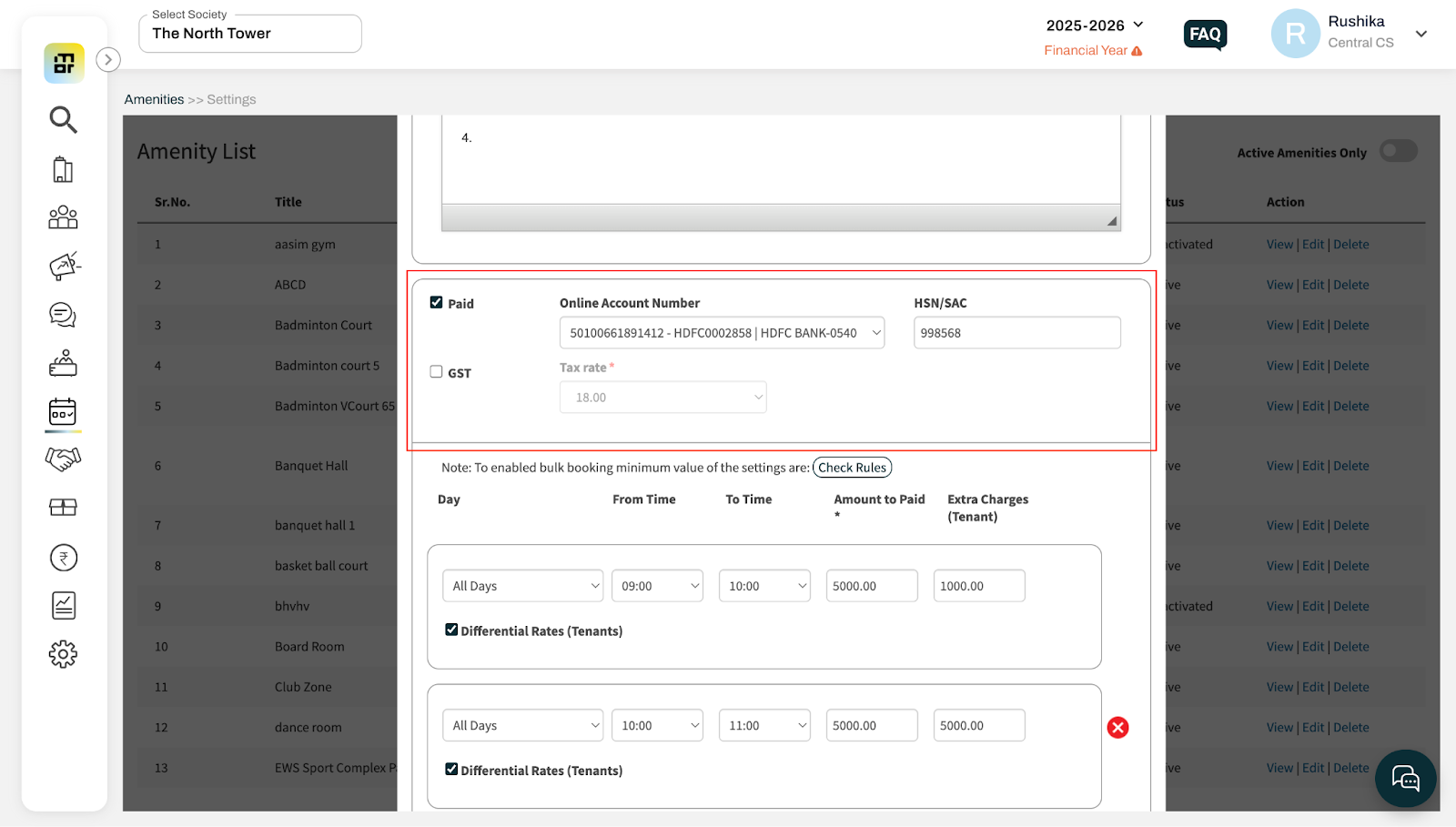
Enable the Paid checkbox and configure the required details such as Account Number, HSN Code, and GST (if applicable).
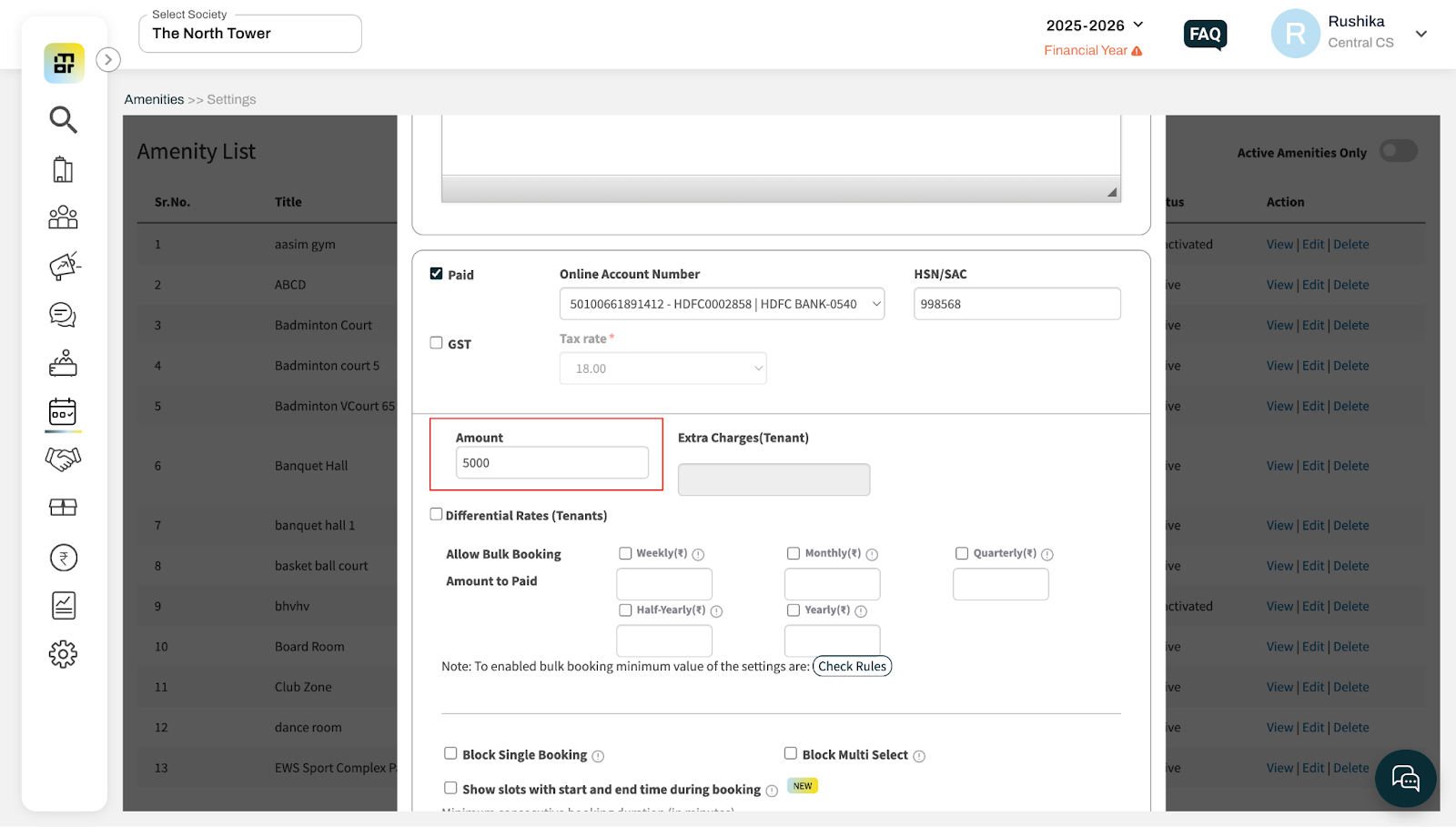
For a Full Day amenity, set a single amount that will be charged to the resident for the entire day.
For a slot-based amenity, you can configure different charges for each time slot, as required.
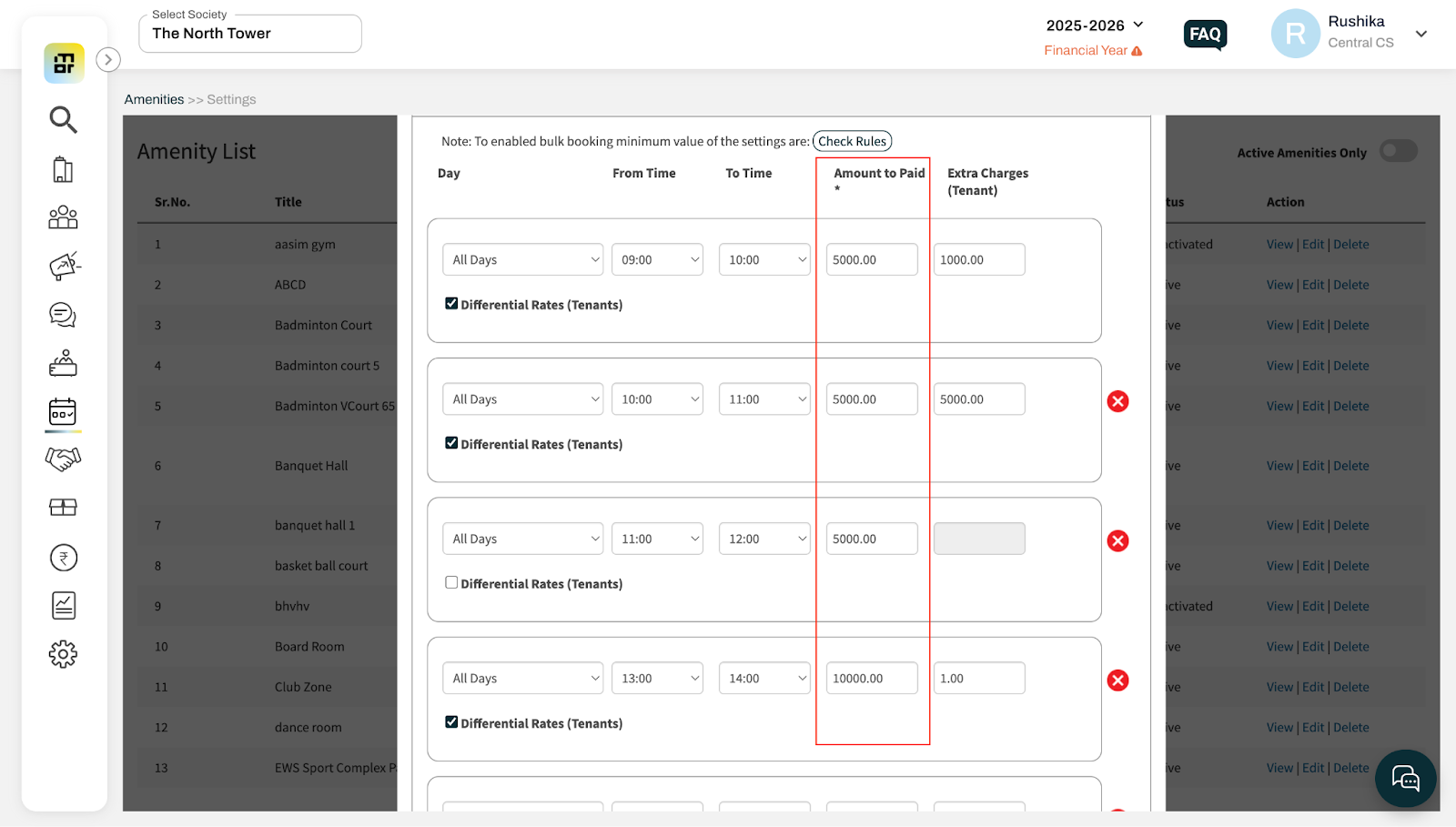
Once the charges are configured, click Update to save the changes.
The configured charges will be applied automatically when residents book the amenity.