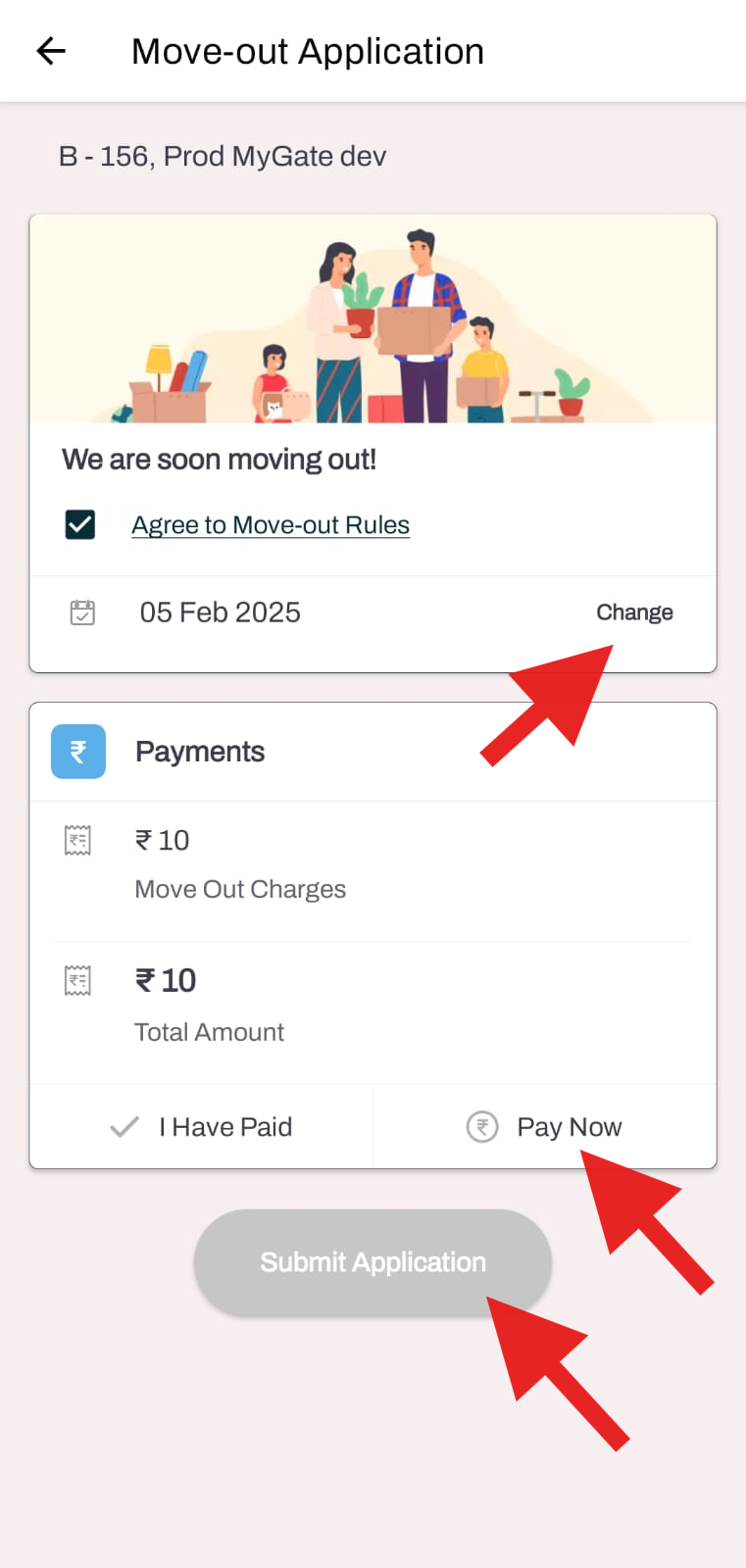
How can I raise a move-out request from the application?
This feature will enable residents to initiate the process of removing their flat details from the platform, ensuring that their information is updated and deleted from the application once they move out.
Mygate allows only residents to submit a Move-out request through the resident application. The admins will not be able to raise a move-out request from the app on behalf of a resident.
Please follow the steps below to raise a Move-out request:
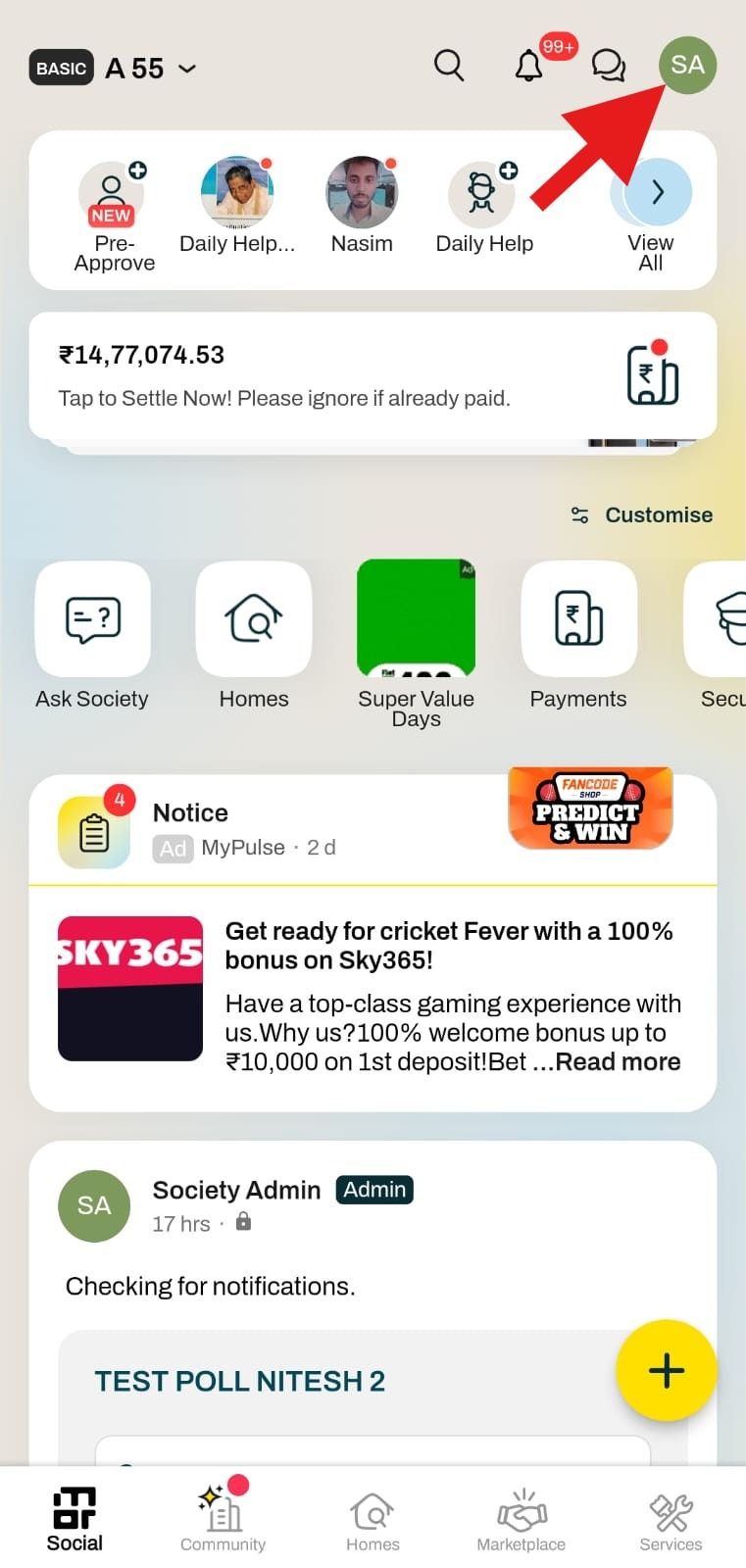
1. Click on the Settings option in the top right corner of the screen.
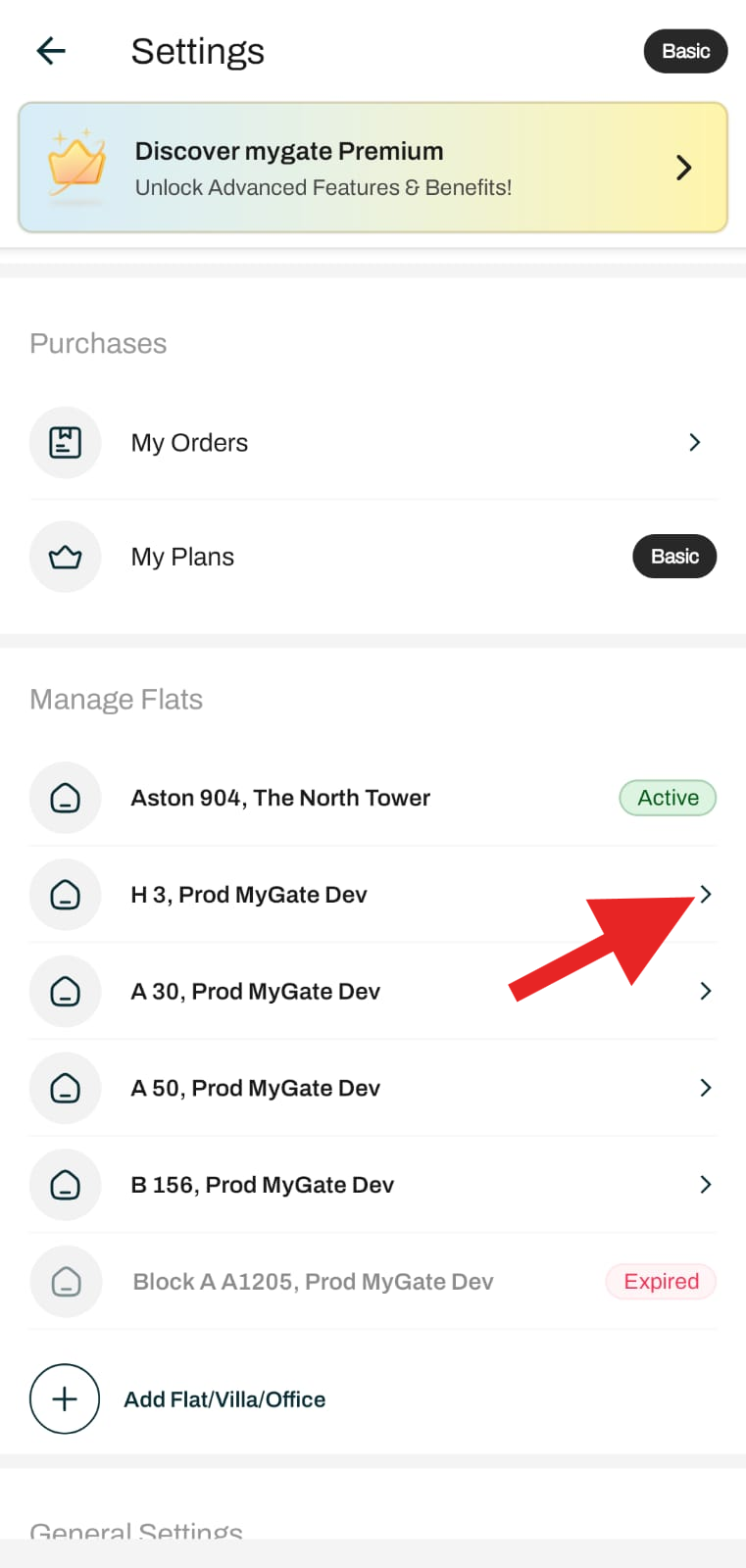
2. Click "Flat Number" under the "Manage flat" section.
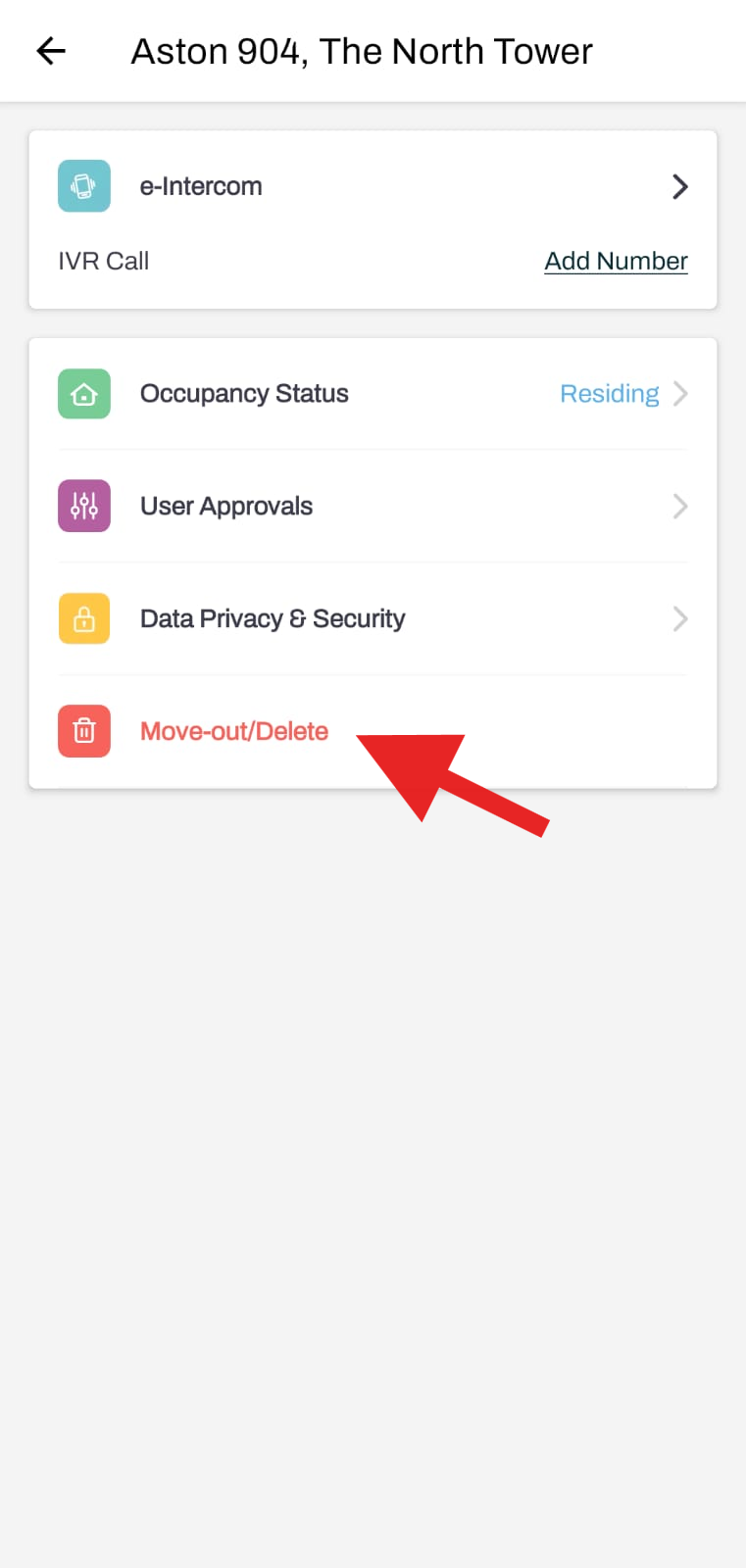
3. Click on Move-out/Delete.
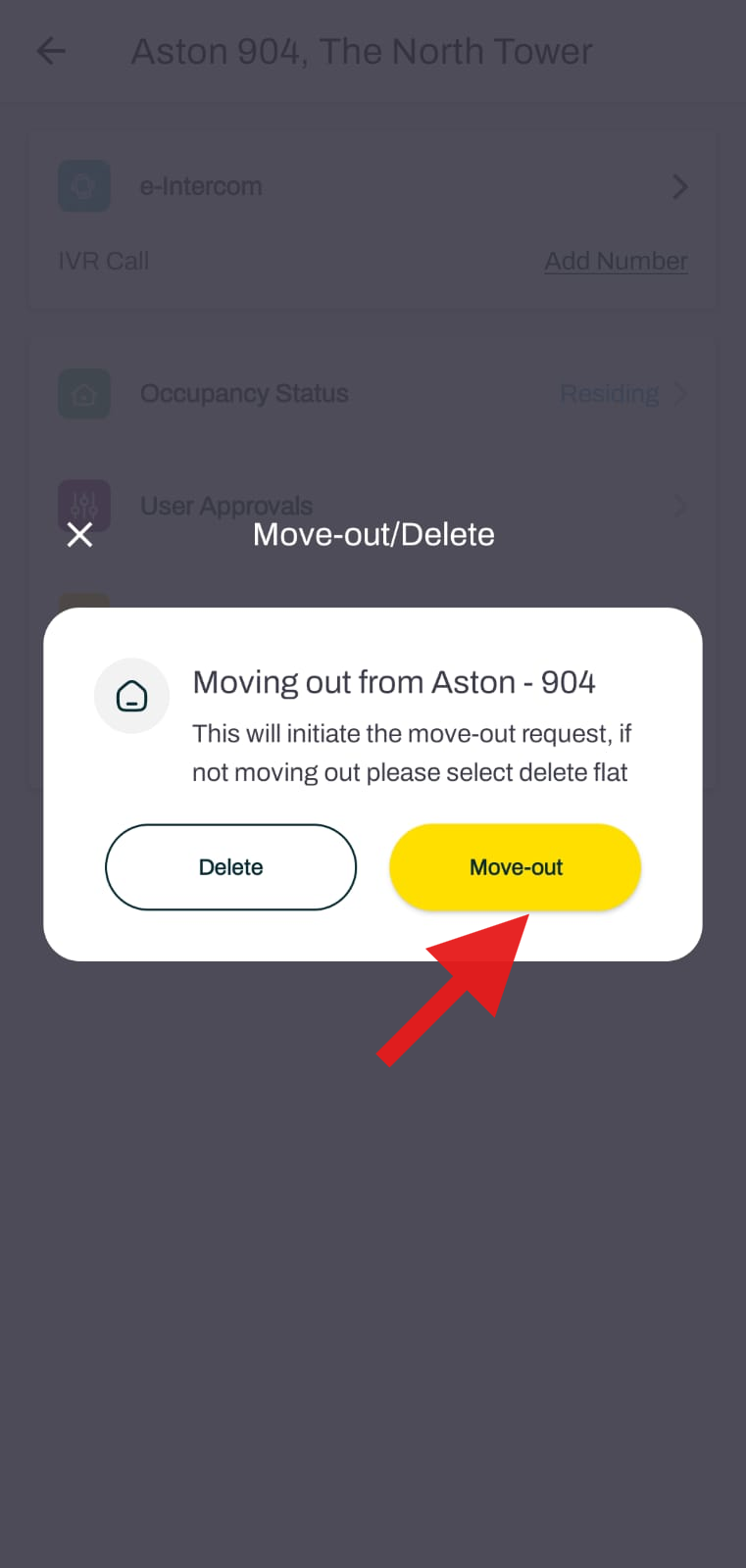
4. Click on the Move-out option.
5. Agree to the Move-out rules, add the Move-out date, complete the payment if any, and click on Submit.