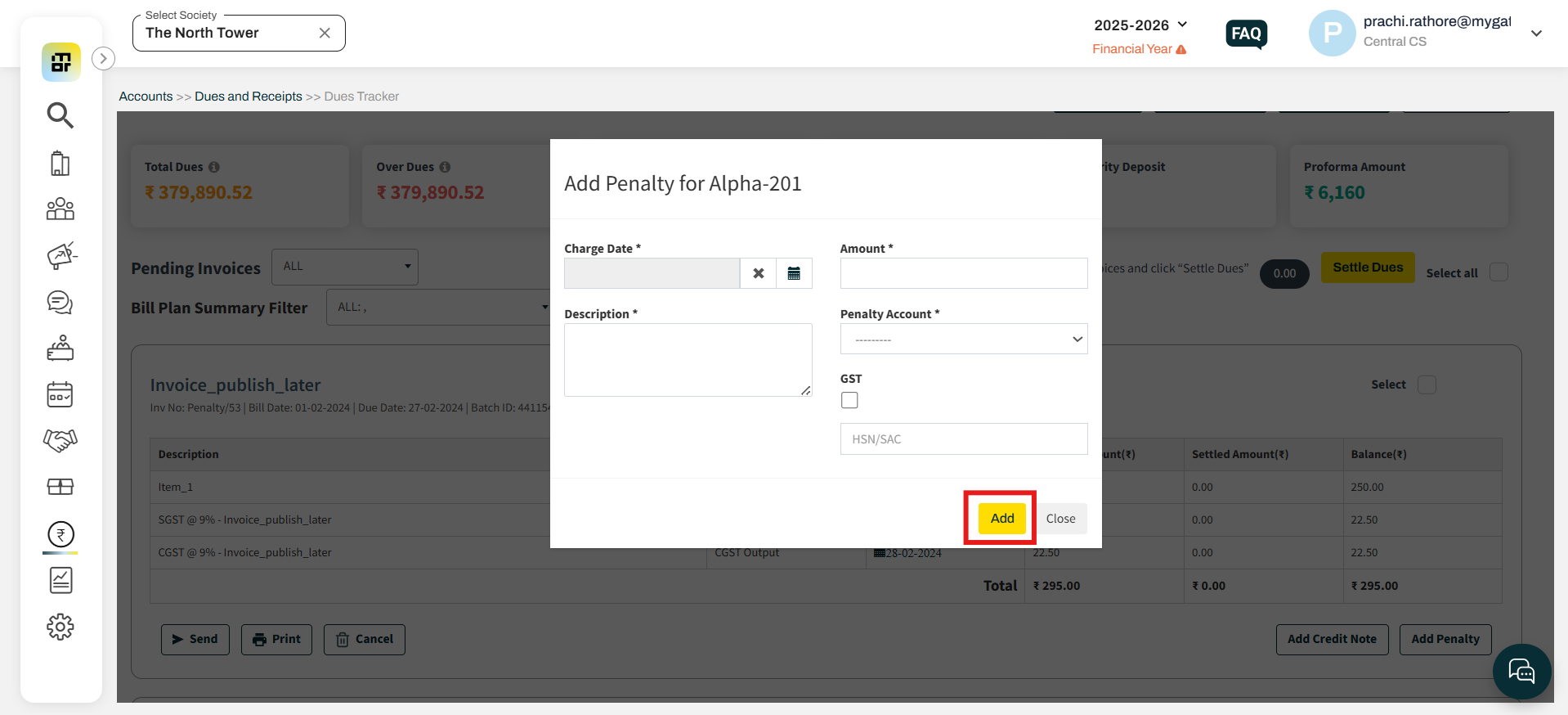
Can society admins configure penalties for individual invoices in MyGate?
Yes, in MyGate, society admins can manually configure penalties for individual invoices, even after the invoice has already been generated.
Please follow the steps below to configure the penalty:
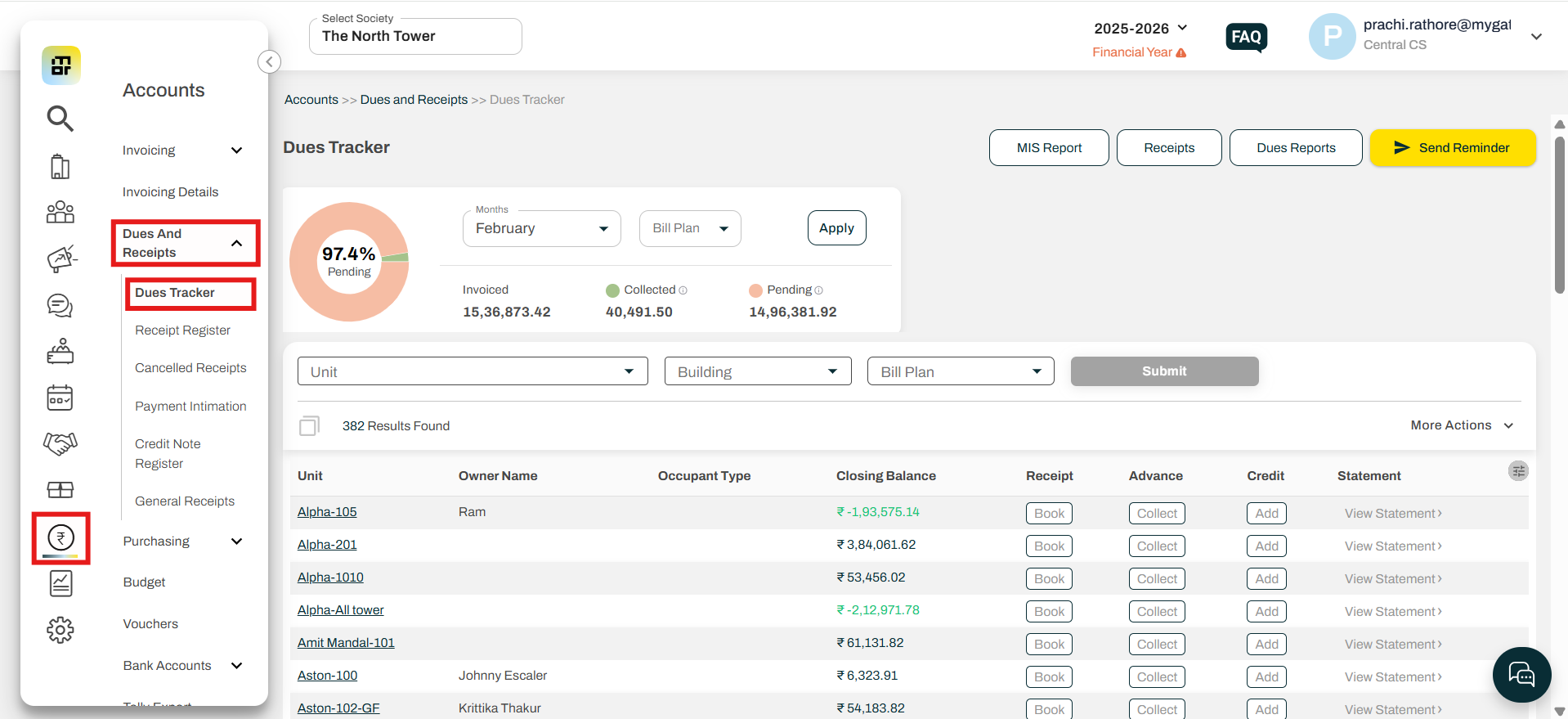
1. Navigate to the Accounts section, select "Dues Tracker" under Dues & Receipts.
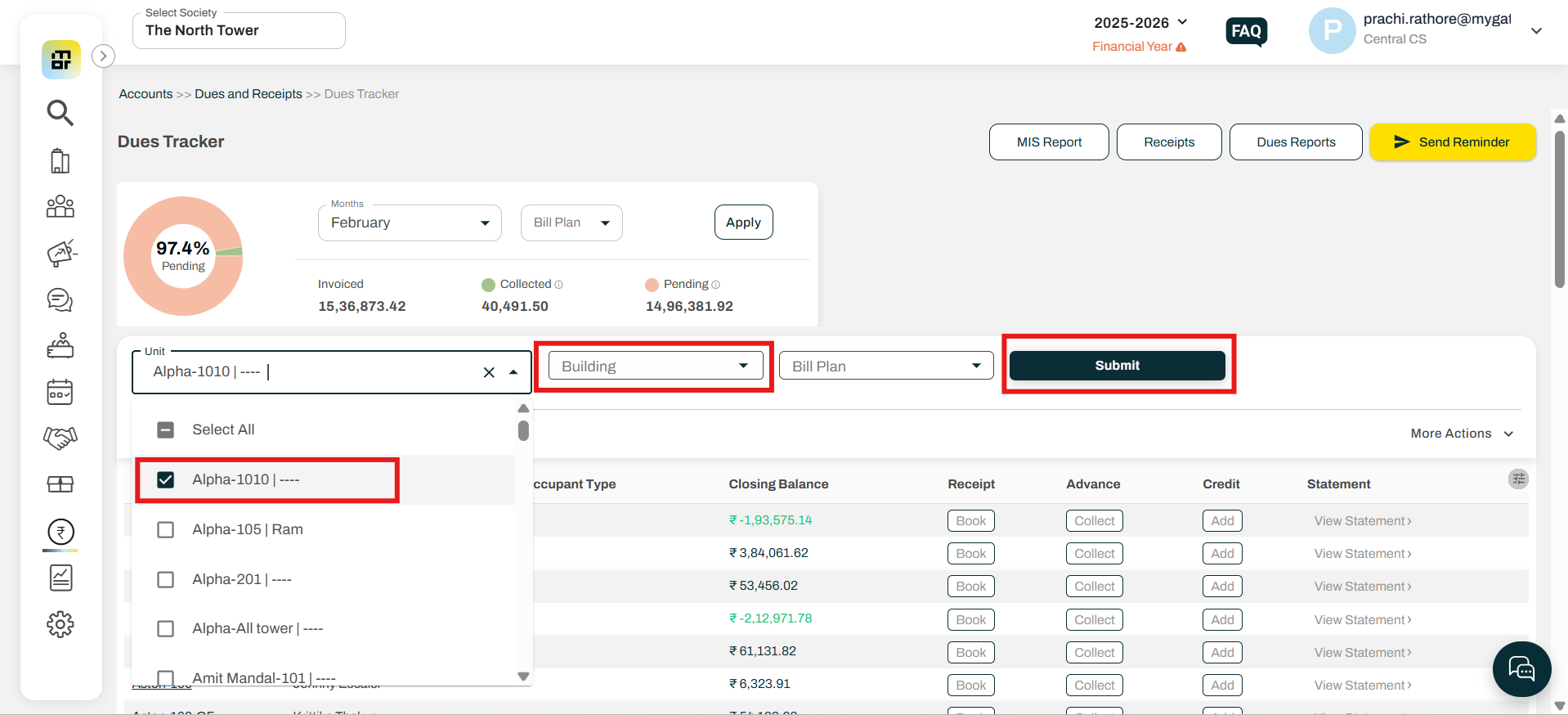
2. Choose the Building and Flat details for which the penalty needs to be applied, then click on "Submit".
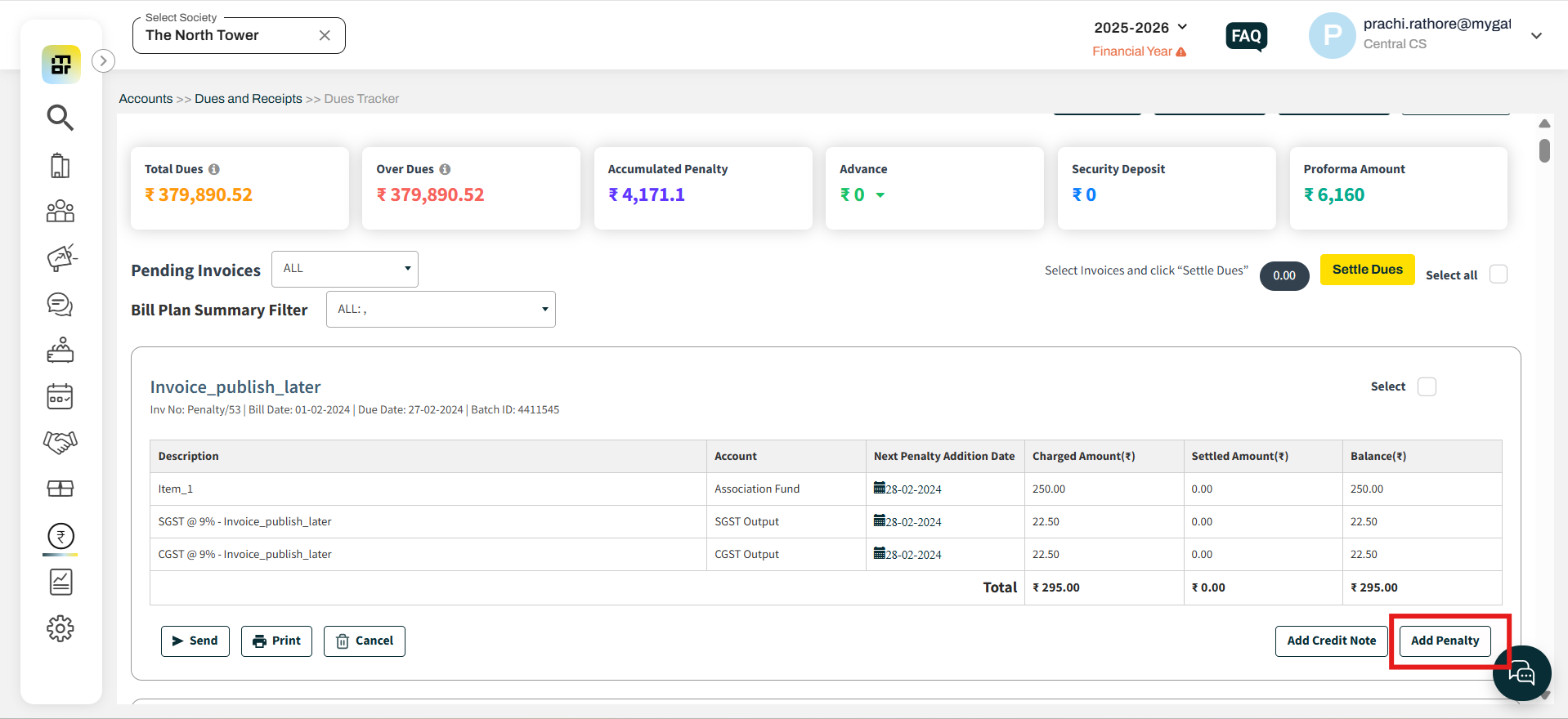
3. Search for the invoice against which the penalty needs to be applied. Click on the "Add Penalty" option available in the right corner of the invoice template.
4. Fill in the required details and click on "Add".