
How to block e-intercom?
How to block e-intercom?
As an admin, you will not be able to block/delete the e-intercom number of a flat. However, you may guide the residents with the following steps
Please follow the steps below to delete/block E-intercom numbers on the resident application:
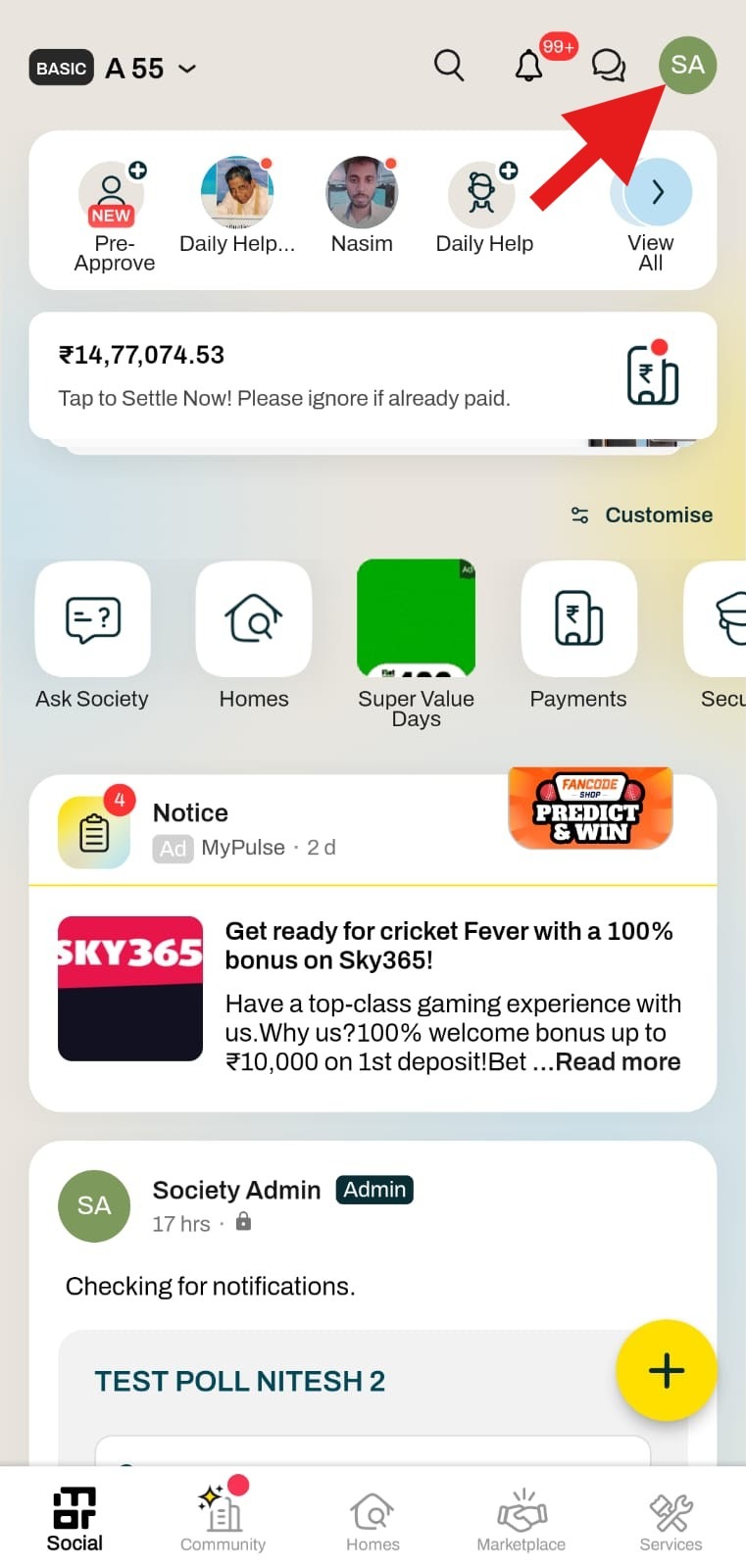
1. Click on the Settings option in the top right corner of the screen.
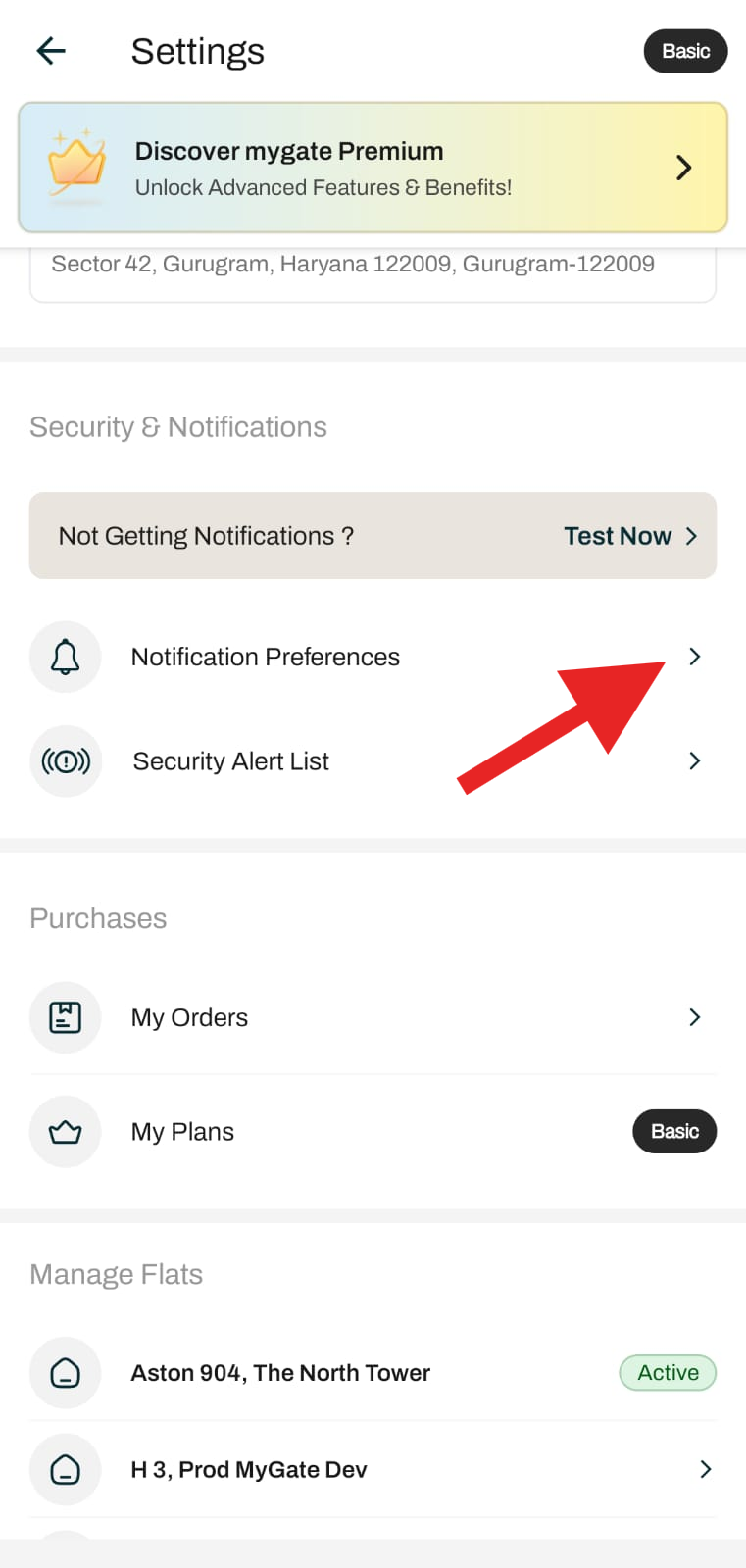
2. Click on Notification Preferences.
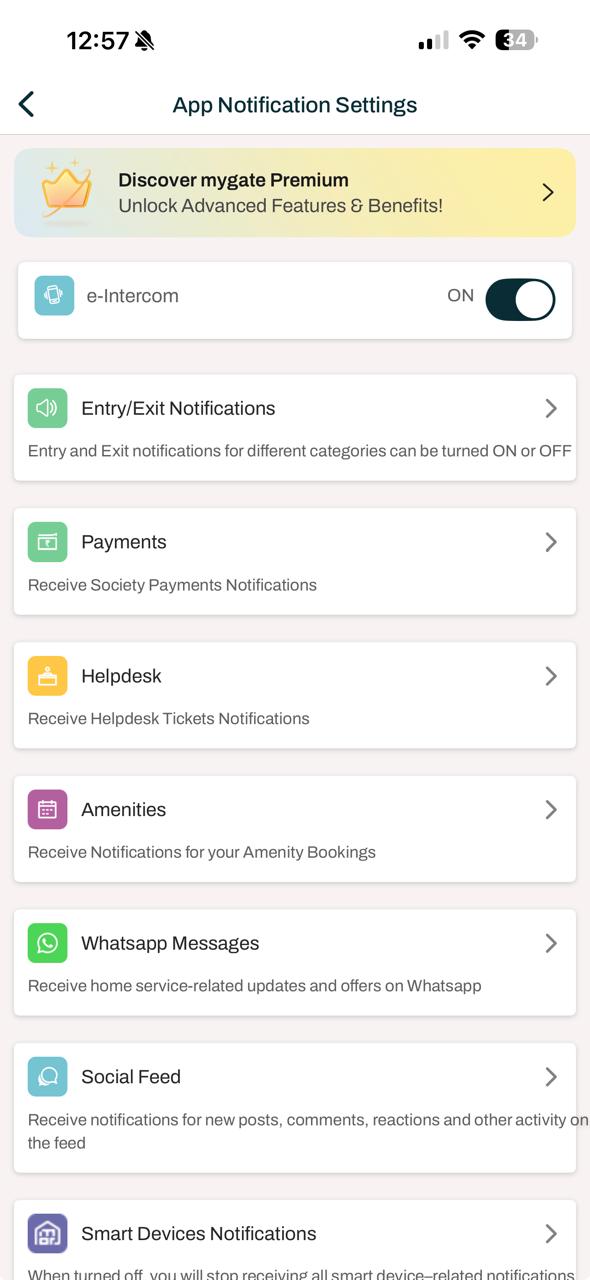
3. Click on e-intercom.
4. This will show the mobile number you have already added.
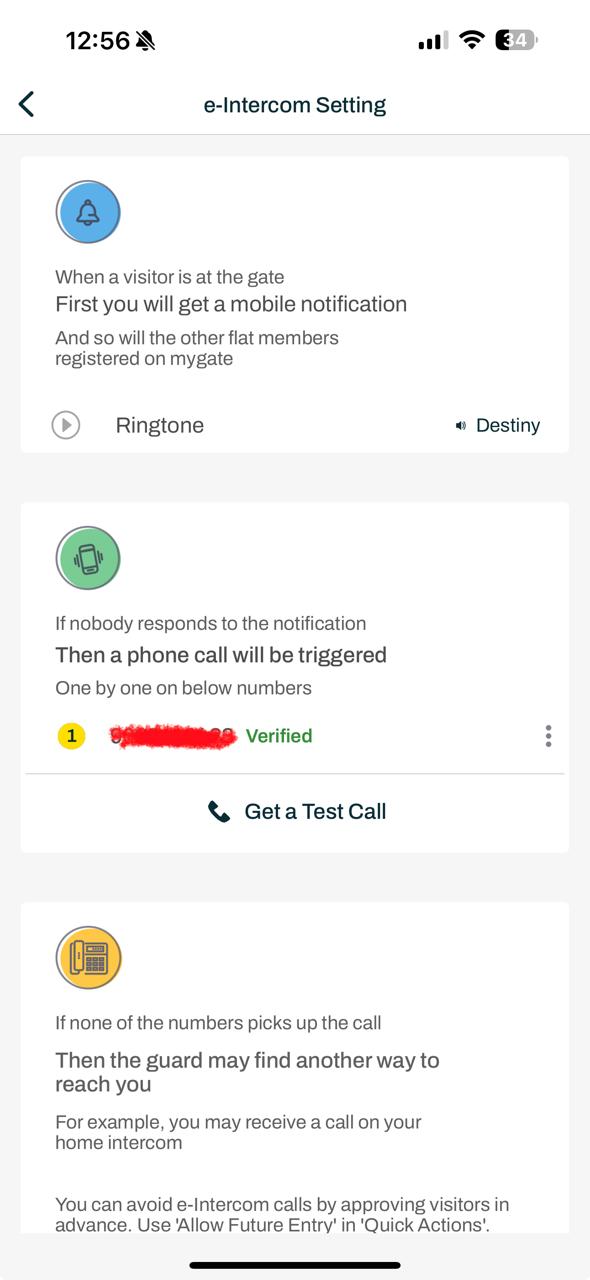
5. Click on the three dots against it and delete the number
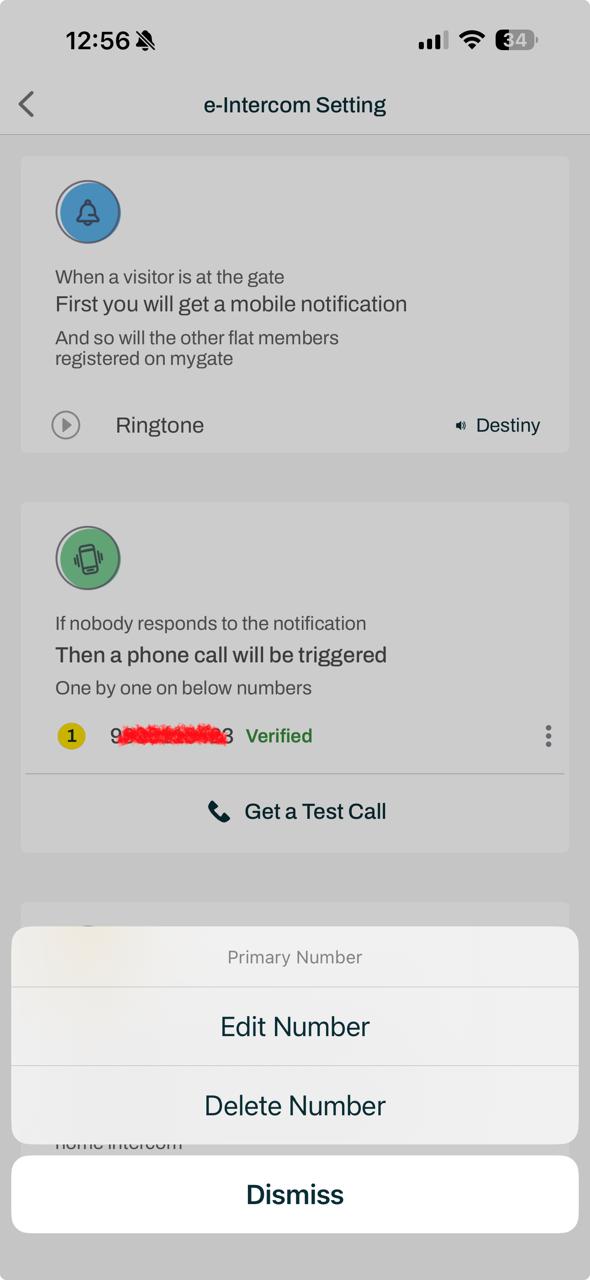
This will delete or block the e-intercom number. Please reach out to the support team at contact@mygate if you are facing any issues.