How can I change society dashboard?
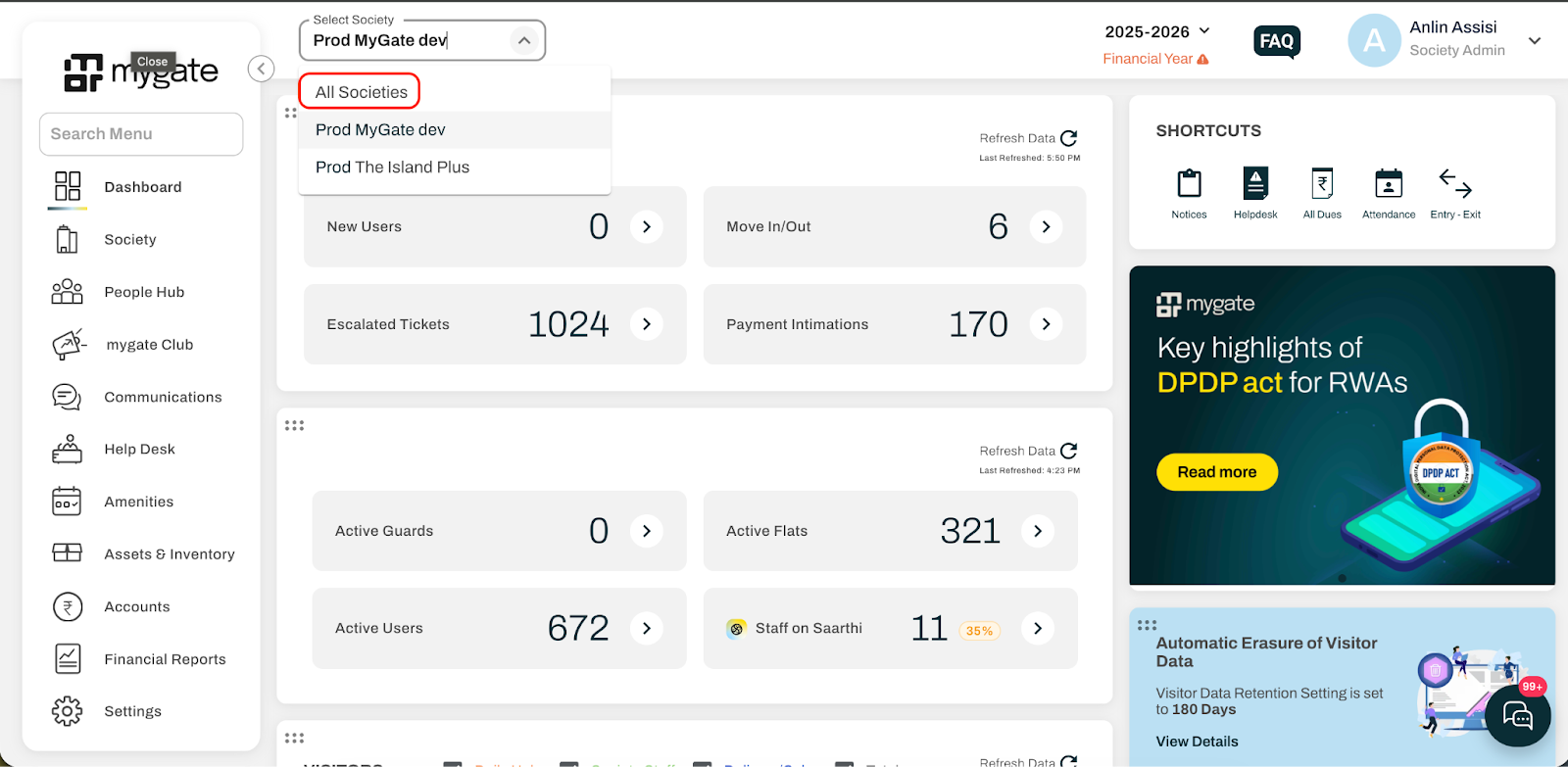
If you have been assigned admin access of multiple societies, then you will be able to switch to the other society easily from the dashboard without having to logging out from the dashboard. Follow the steps below to switch between multiple societies.
Login to the admin dashboard at dashboard.mygate.com
Once you have logged in, you will be able to see the society name you have currently selected.
Click on the dropdown to show the list of societies you have access to
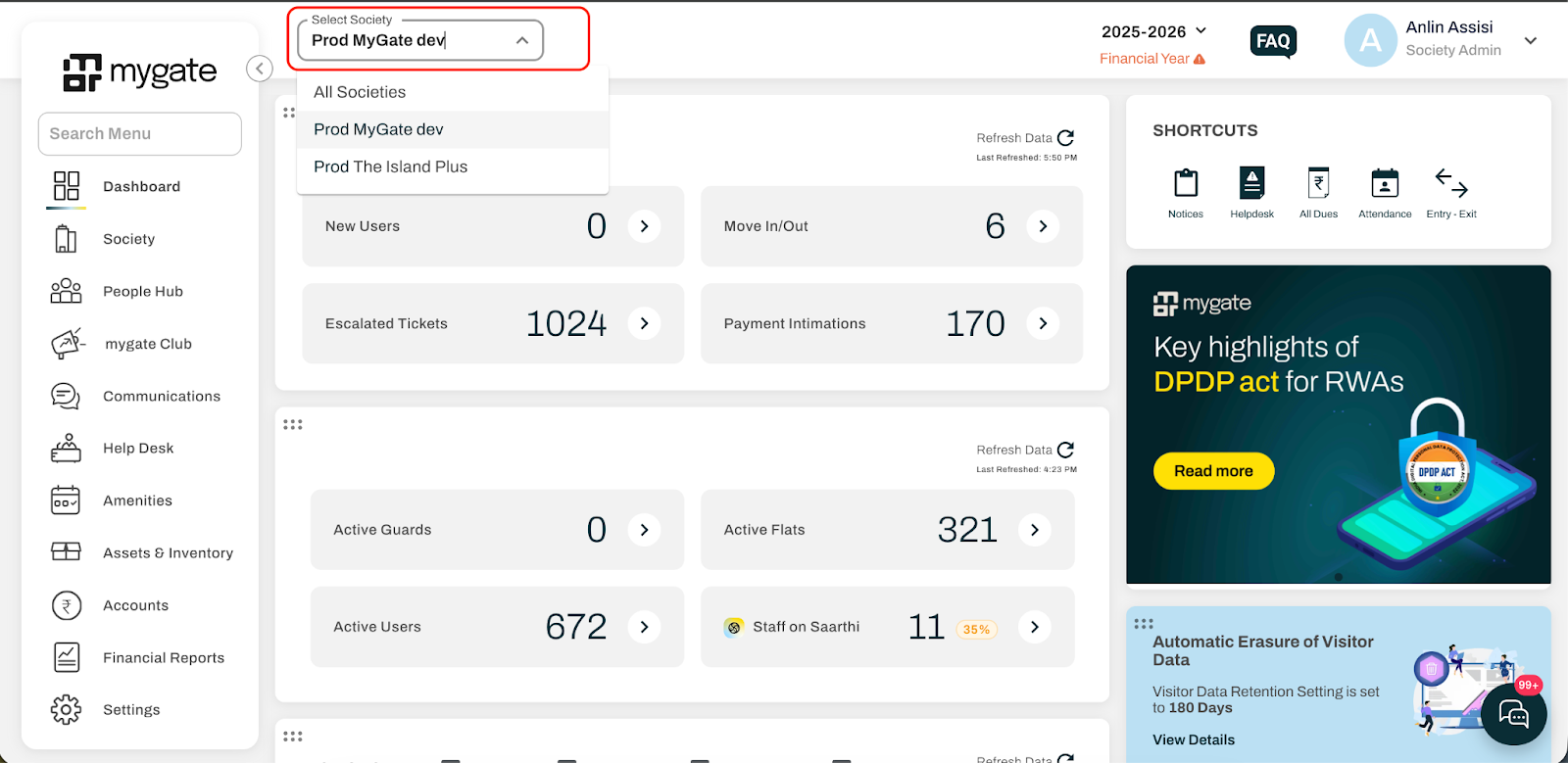
Select the desired society after which you will be able to see the detail of the selected society.
Clicking on the ‘All societies’ option will show you the combined data of both the societies in the dashboard page.