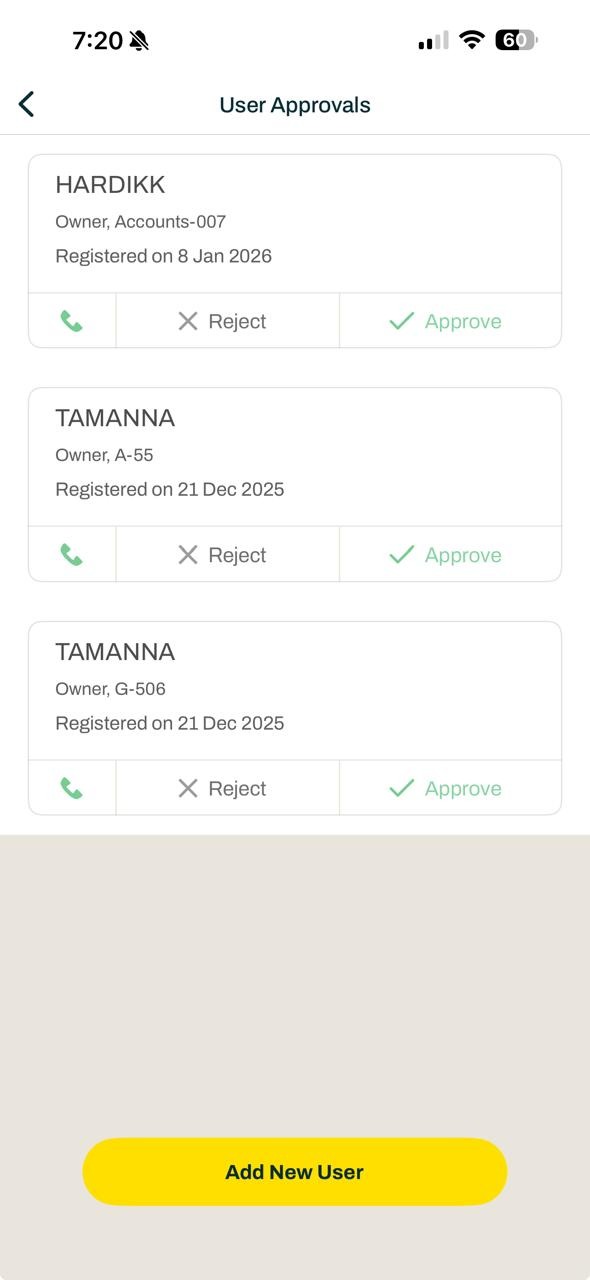
How can I approve new user?
An admin can approve resident registration requests from the admin dashboard as well as from the app admin console. Below are the steps for approving a new resident.
From the admin dashboard:
Login to the dashboard and click on Directory >> Residents >> New Resident Approvals
You will be able to see the pending approvals here.
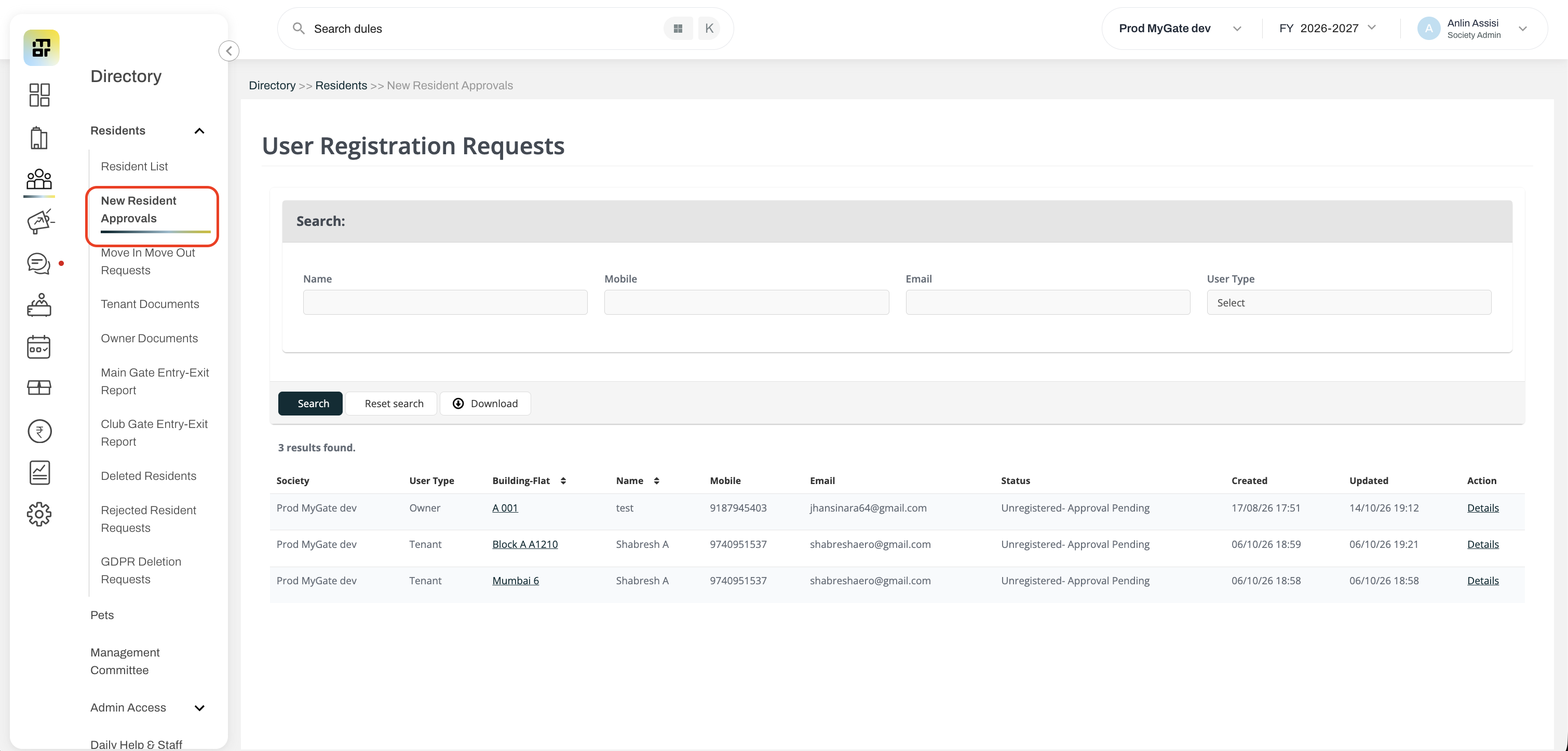
You may click on the approve or reject buttons to action on the request.
Once clicked, the details of the residents are also shown to verify the request.
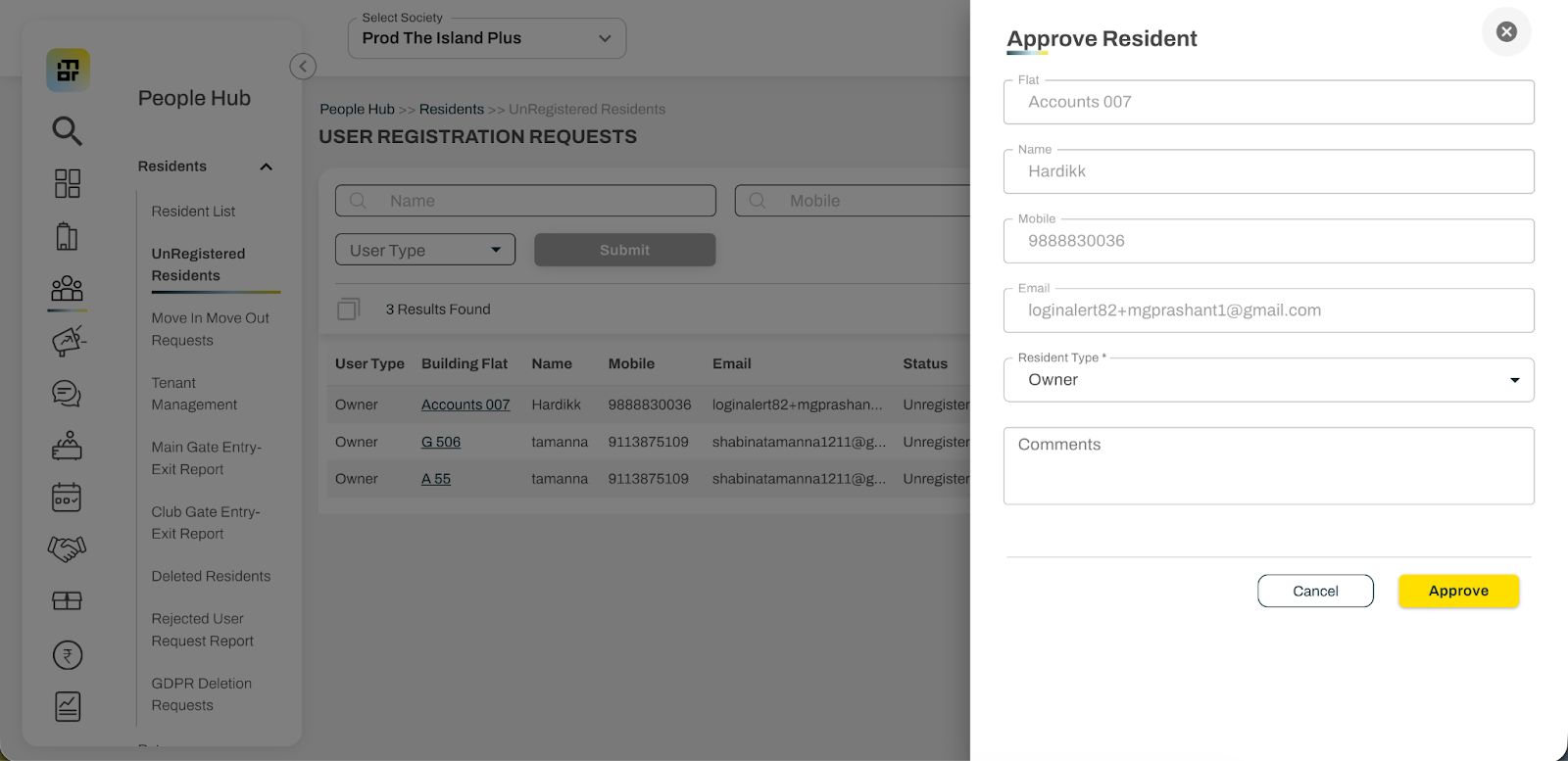
You may also filter the resident based on name, mobile number, email ID and user type to find a particular request.
From the app admin console:
Open the app and click on the admin console icon in the home screen
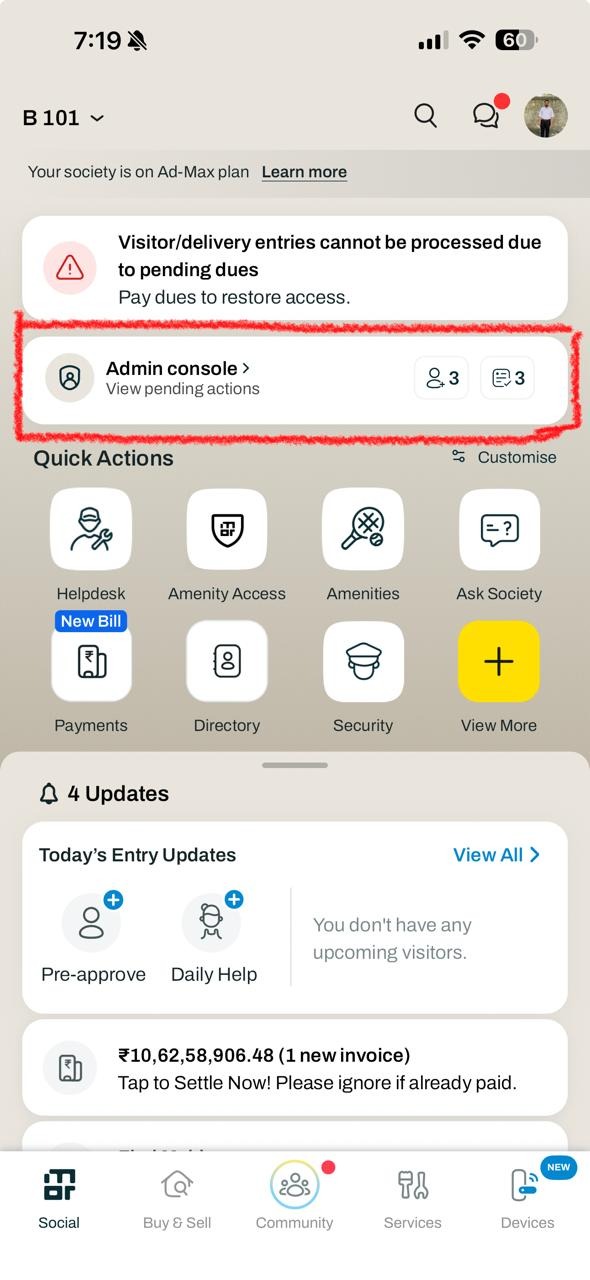
Click on the Pending Approvals widget to view the resident registration requests
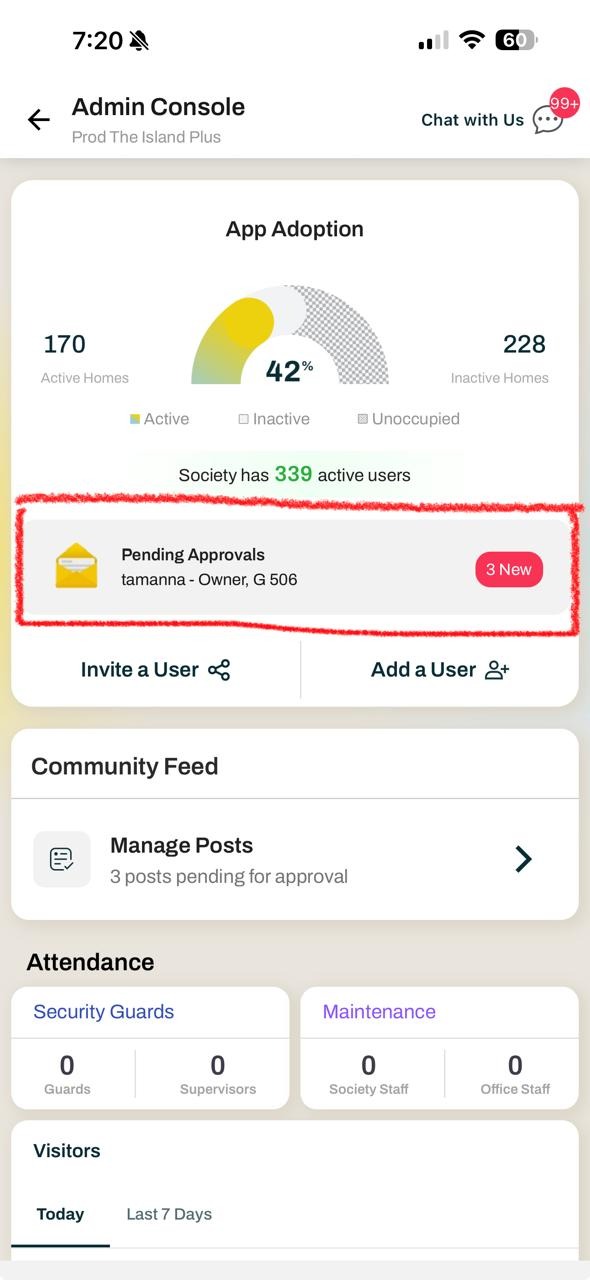
Approve or Reject the approval request and view other details related to the resident.