
How to edit a Receipt?
Steps to Edit a Receipt
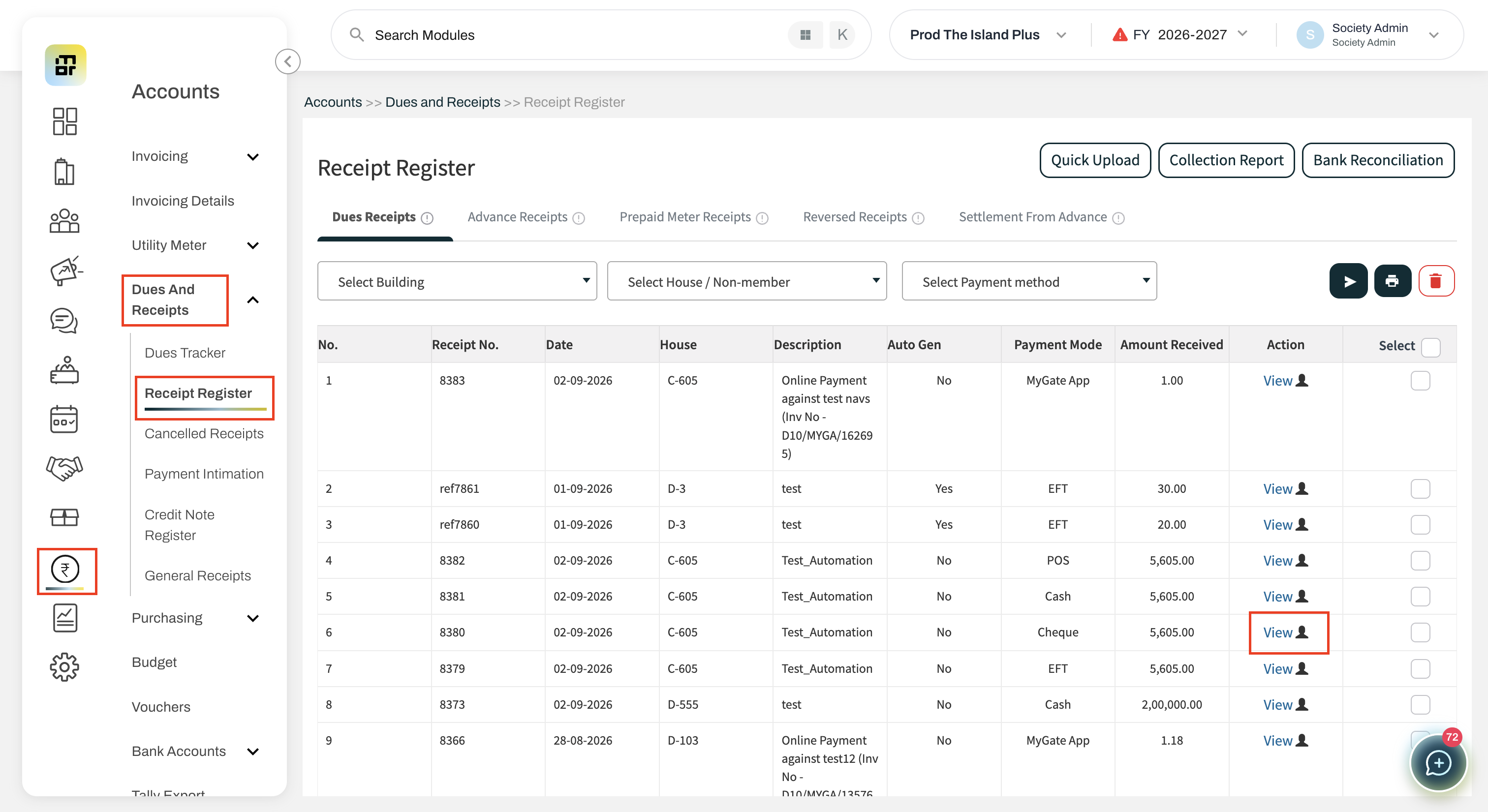
Go to Accounts → Dues & Receipt → Receipt Register.
Find the receipt that you want to edit.
-
Click View to open the Receipt Details page.
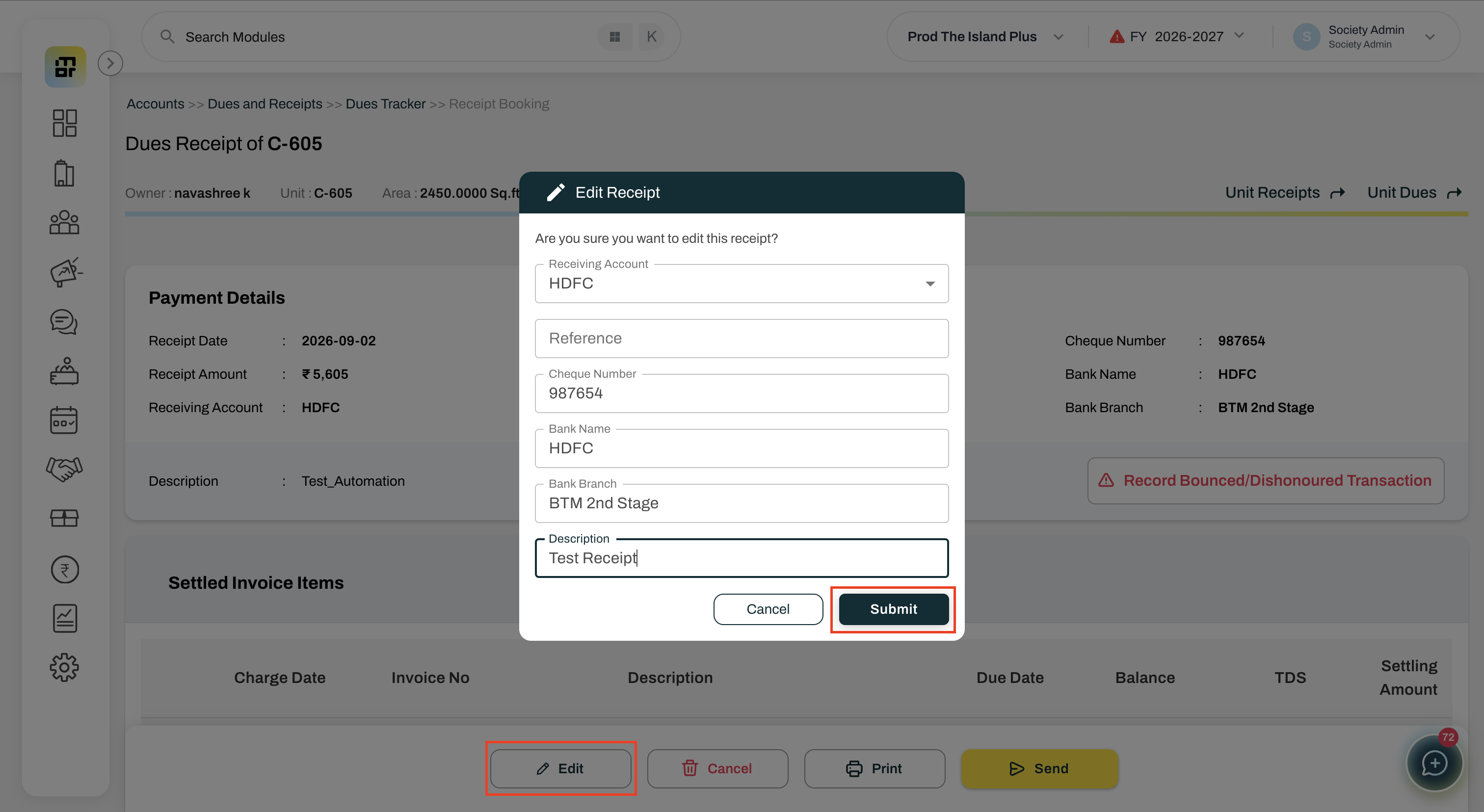
Click Edit.
Update the permitted details as required.
-
Click Submit to save the changes.
FAQ
1. Who can edit a receipt?
Users with Create access can edit eligible offline receipts.
2. Which receipts can be edited?
Only offline receipts can be edited. Online, reversed, and reconciled receipts cannot be edited.
3. Which details can be edited in an EFT receipt?
You can edit the Receiving Account, UTR Number/Reference, and Description.
4. Which details can be edited in a Cheque receipt?
You can edit the Receiving Account, Cheque Number, Bank Name, Bank Branch, Reference, and Description.
5. Which details can be edited in a Cash receipt?
You can edit the Receiving Account, Reference, and Description.
6. Which details can be edited in a POS receipt?
You can edit the Receiving Account, UTR Number/Reference, and Description.
7. Which details can be edited in a Previous Advance receipt?
You can edit only the Reference and Description.
8. Can I edit the receipt amount or receipt date?
No. Amount and Receipt Date cannot be edited under any circumstances.
9. Can I change the receipt mode while editing?
No. The receipt mode cannot be changed.
10. Can I edit a reversed or reconciled receipt?
No. The Edit option will be disabled for reversed and reconciled receipts.
11. Will editing a receipt change the receipt number?
No. The existing receipt number will remain unchanged.
12. Will editing a receipt change the accounting entry?
Yes. If the Receiving Account is changed, the corresponding accounting entry will also be updated accordingly.
13. Can I track the changes made to a receipt?
Yes. All edits will be recorded in the Audit Log, including who made the change, when it was made, and the previous and updated values.
14. Why can't I see the Edit option for my receipt?
The Edit option may not be available if the receipt is online, reversed, or reconciled, or if you do not have the required access.