How to get the relationship manager details of our society?
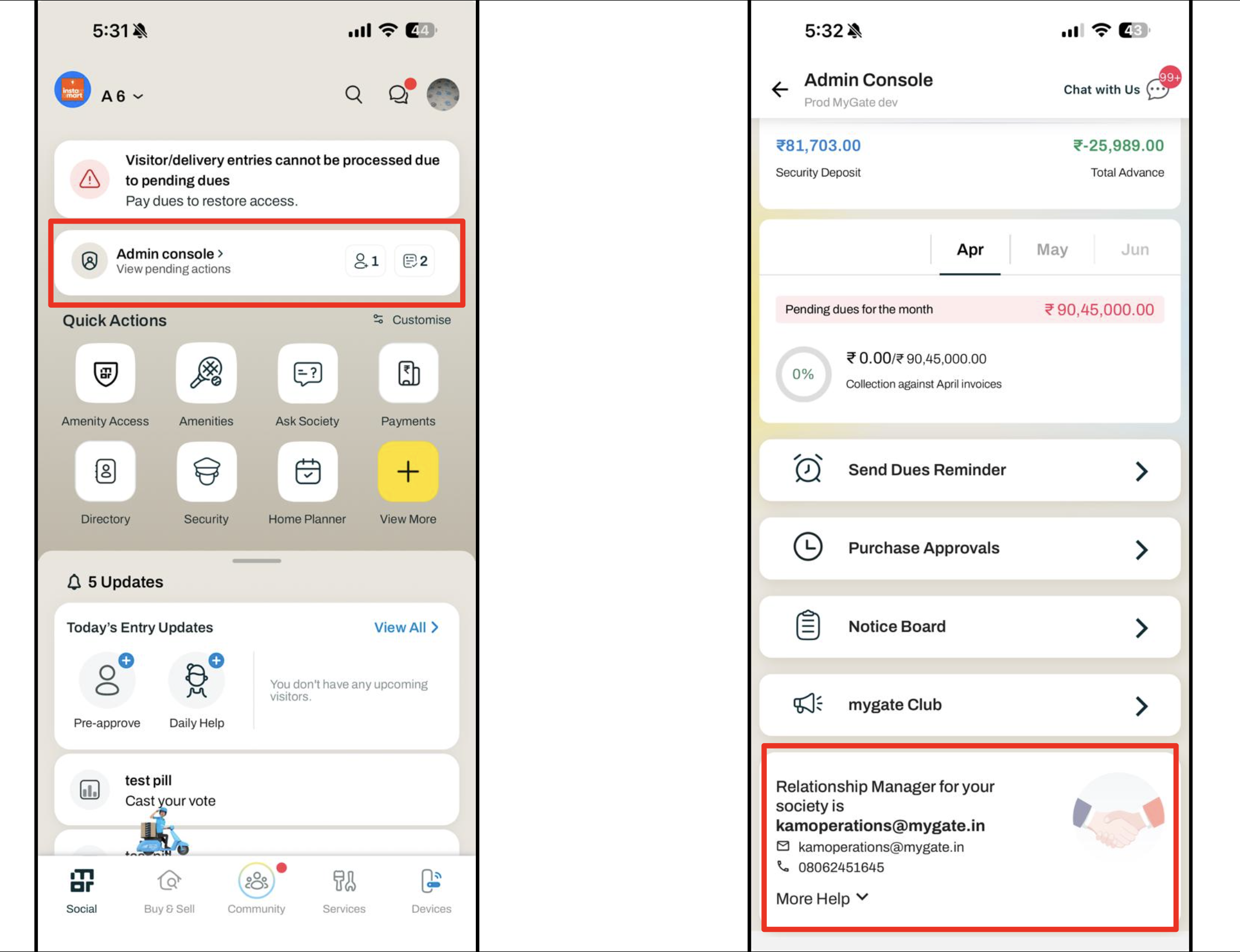
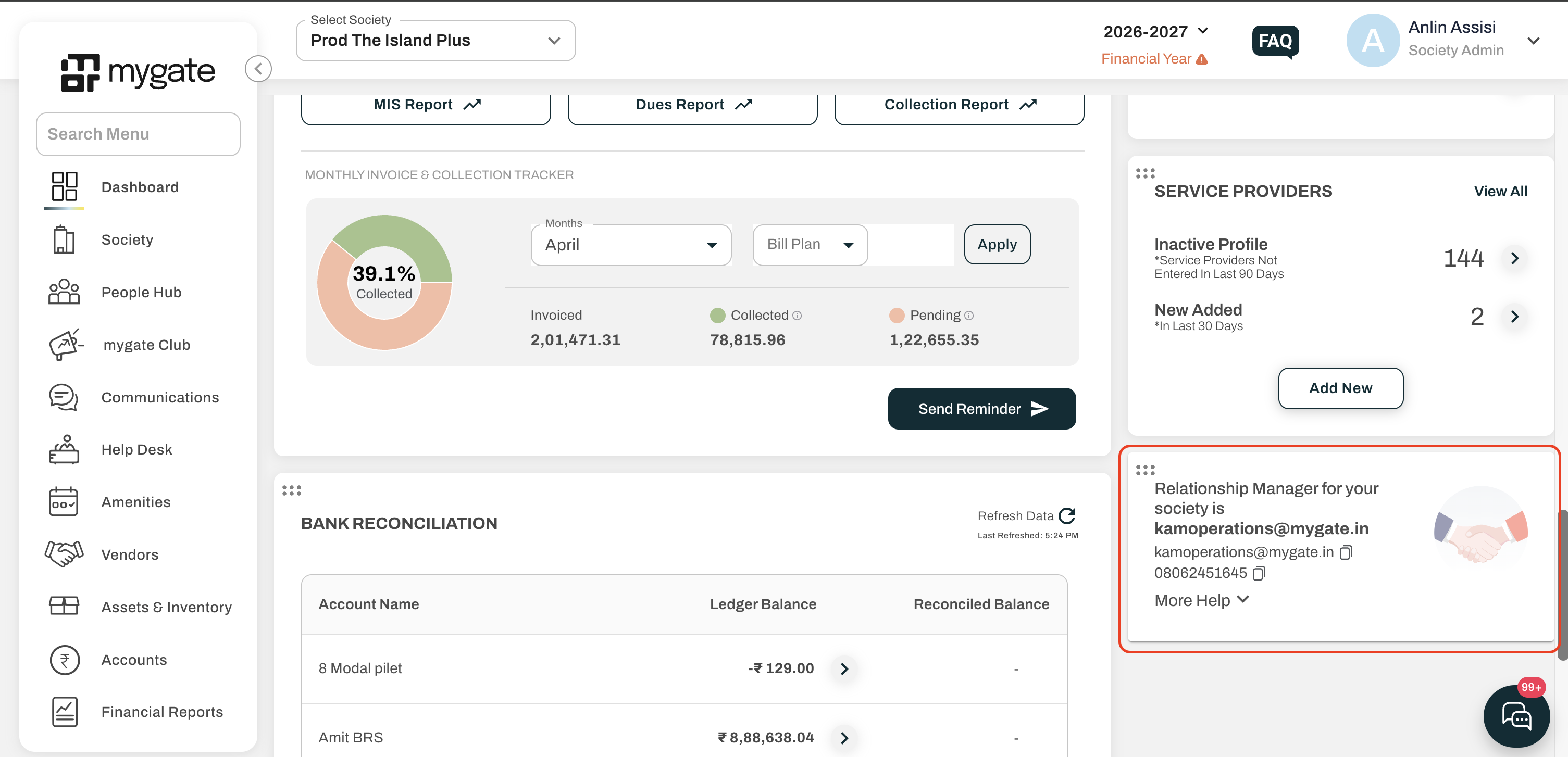
An admin can get the details of the relationship manager from the admin dashboard and also from the app admin console. The email ID and phone number of the relationship manager is visible; additionally, the escalation email ID is also mentioned, if you are not satisfied with the response from the relationship manager. Follow the steps mentioned below to view the relationship manager details.
Admin Dashboard
Login to the admin dashboard by entering the password and OTP
You will be redirected to the home page of the dashboard
Scroll down to the bottom of the home page to view the details
App Admin Console
Login to the app by entering the OTP
Click on the Admin Console widget in the home page of the app
Scroll down to view the relationship manager details