
AI-Based General Payment
1. What is AI-Based General Payment?
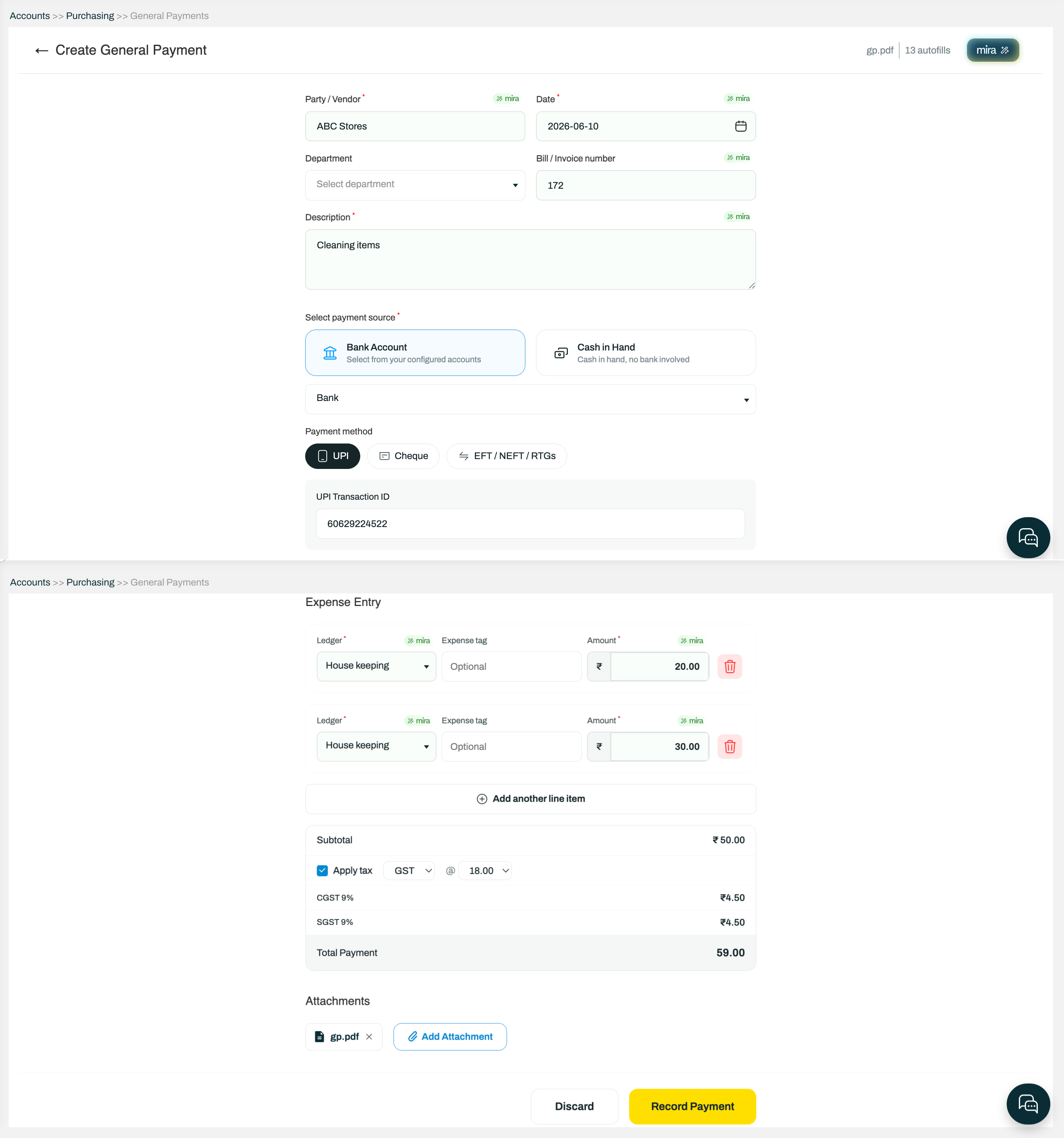
AI-Based General Payment is an AI-powered enhancement that allows users to upload bills, invoices, receipts, payment screenshots, and other supporting documents. Mira AI automatically extracts the payment and accounting details and pre-fills the General Payment voucher.
2. How do I use AI-Based General Payment?
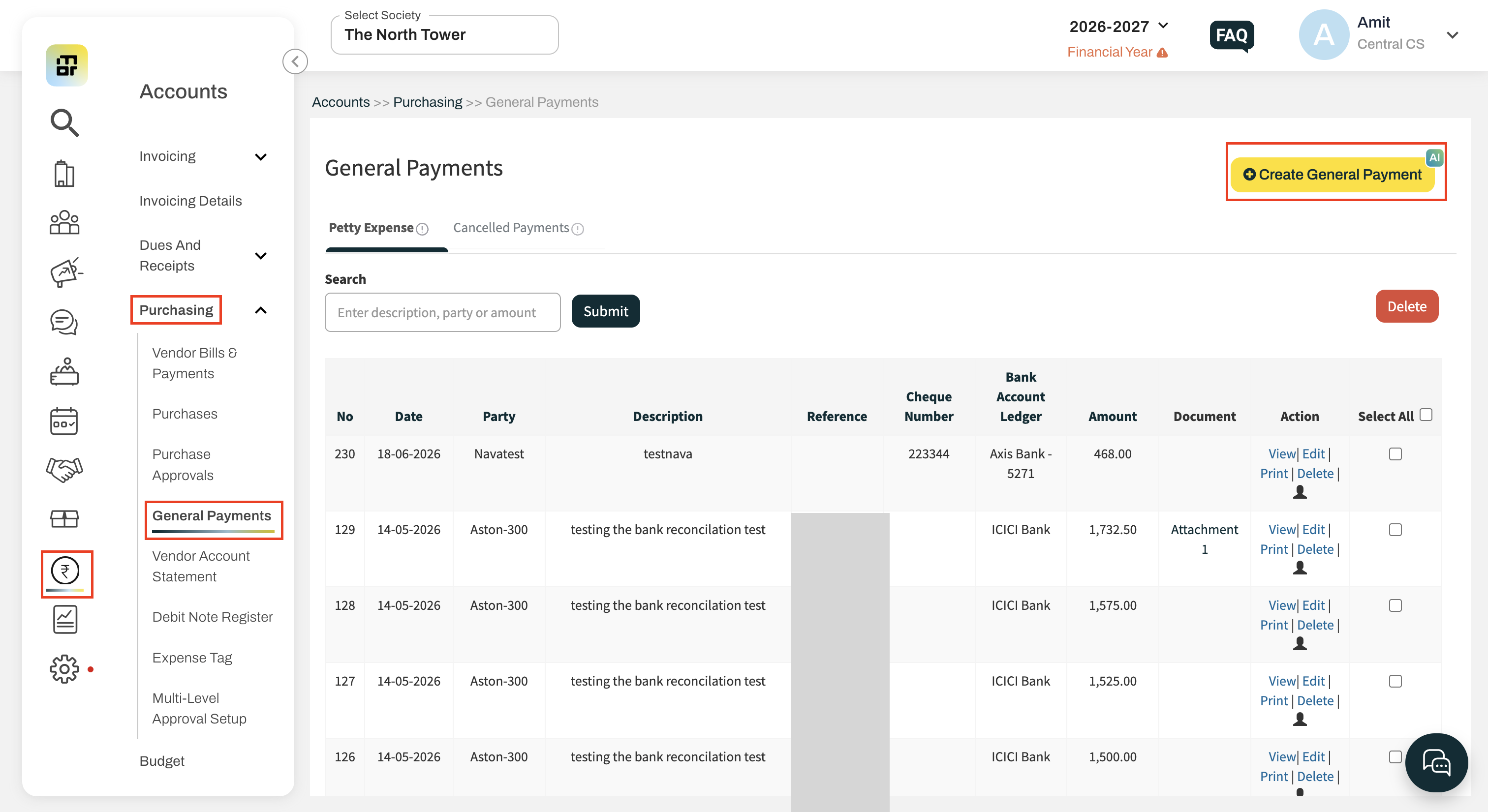
Go to Accounts >> Purchasing >> General Payments >> Create General Payment.
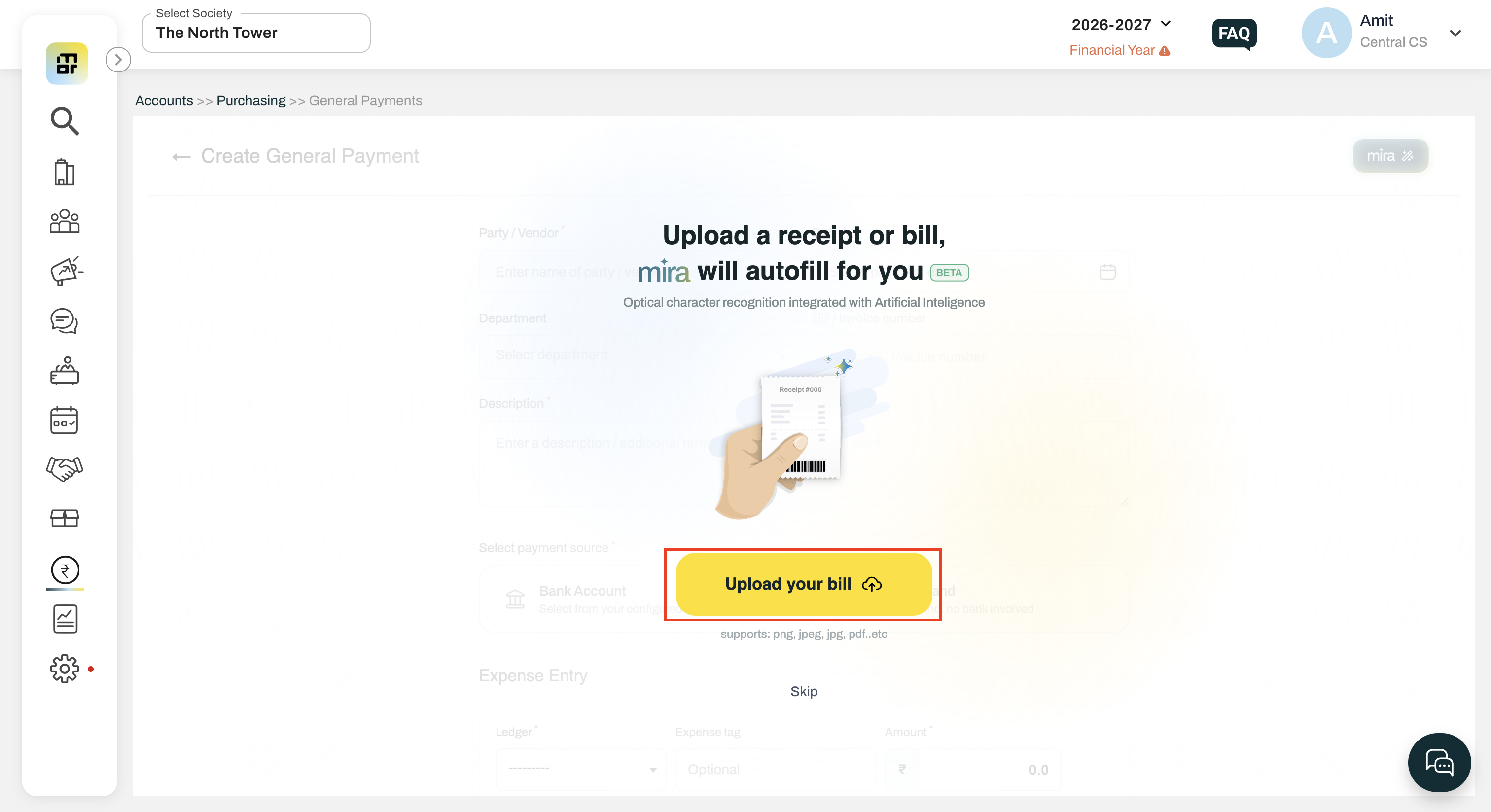
Upload the supporting document(s).
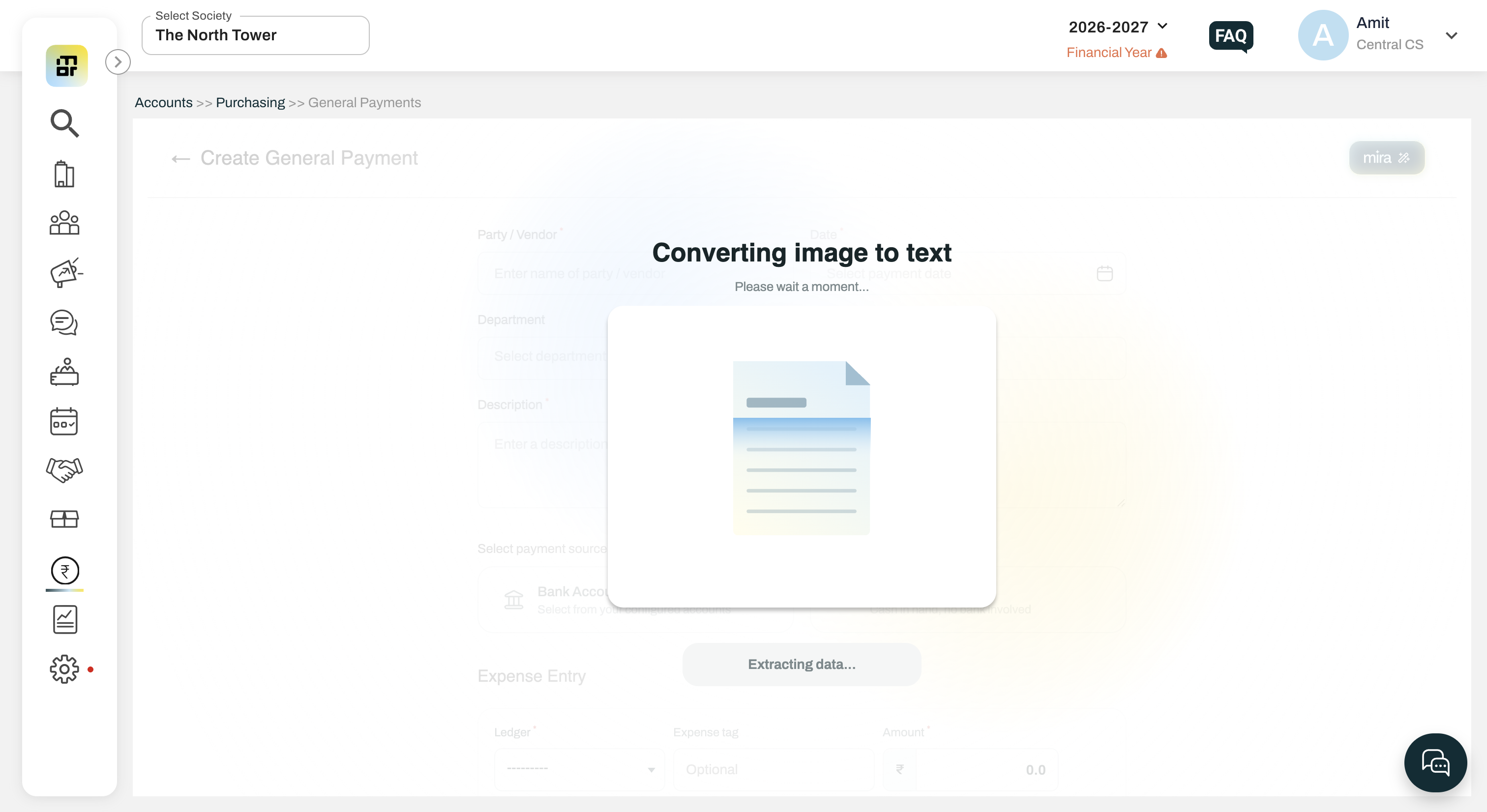
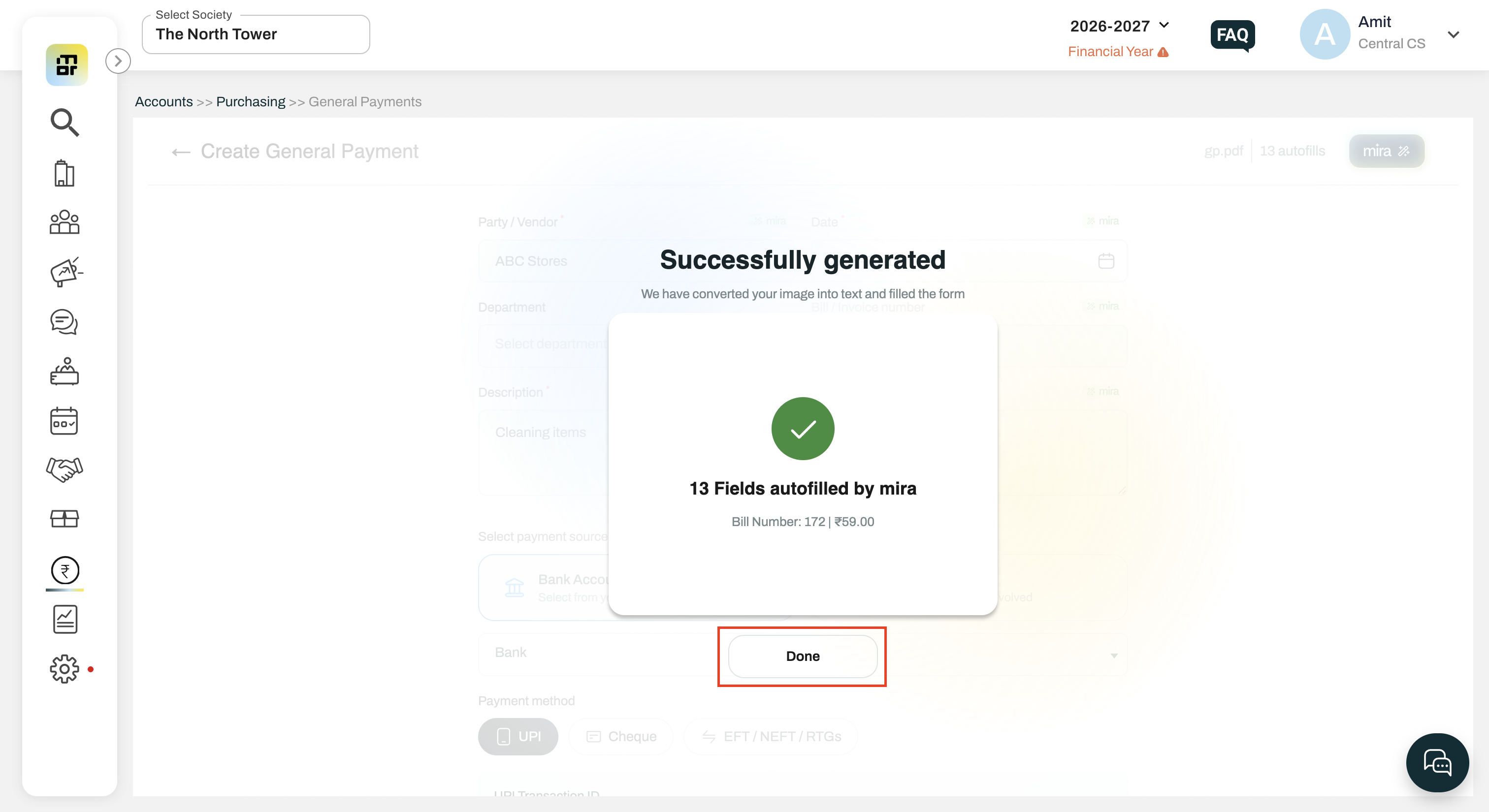
Mira AI extracts the available details.
Review and edit the extracted information if required.
Click Record Payment to create the voucher.
3. What documents can I upload?
You can upload:
Bills
Invoices
Receipts
Payment Screenshots
PDFs
Scanned Documents
Handwritten Bills
4. What file formats are supported?
The system supports:
JPG
PNG
PDF
Scanned Documents
No document conversion or reformatting is required before upload.
5. What information does Mira AI extract?
Mira AI can extract:
Payment Date
Vendor/Party Name
Description/Narration
Invoice/Bill Number
Amount
GST Details (CGST, SGST, IGST)
GSTIN
Reference Number (UTR/Transaction ID)
Cheque Number and Date
Payment Mode
Bank Ledger (where identifiable)
Expense Ledger Suggestions
6. Can I edit the details extracted by AI?
Yes. All extracted information can be reviewed and edited before recording the payment.
7. Does AI automatically select ledgers?
Mira AI suggests relevant expense ledgers based on the uploaded document. Users can review and change the suggested ledger before saving the voucher.
8. What happens if AI extracts only some of the information?
The available information will be auto-filled. You can manually enter the remaining details.
9. What if AI cannot extract any information?
You can continue with the standard General Payment entry process and manually enter all details.
10. Can I upload multiple documents together?
Yes. Multiple supporting documents can be uploaded and processed as part of the same payment entry.
11. Can I upload handwritten bills?
Yes. Mira AI supports handwritten bills, though the extraction accuracy may depend on the clarity of the document.
12. Will the uploaded documents be attached to the voucher?
Yes. All uploaded documents remain attached to the General Payment voucher for future reference and audit purposes.
13. Do I need to verify the AI-generated voucher?
Yes. Users should always review the extracted details and ledger suggestions before recording the payment.
14. Can I modify the payment amount after extraction?
Yes. The extracted amount and all other fields can be modified before submission.
15. Does AI create the voucher automatically?
No. Mira AI prepares and pre-fills the voucher. The user must review the details and click Record Payment to create the transaction.
16. Does the feature support GST extraction?
Yes. Mira AI can identify and extract GST-related information such as GSTIN, GST Type, GST Rate, and GST Amount wherever available in the uploaded document.
17.Who can access this feature?
The feature is currently available to select societies as part of a limited beta release.
Additional Notes:
This feature is available only to select societies as part of a limited beta release.
While this is a paid feature, it is being provided free of charge during the beta period.