
Billing Inactive Unit
What is the Billing Inactive Unit feature?
The Billing Inactive Unit feature allows you to stop invoice generation for a specific house/unit without changing its ownership or occupancy details. Once a unit is marked as Billing Inactive, invoices (Proforma, Normal, Consumption and Single) except Amenity and Water Meter will no longer be generated for that unit.
How do I mark a unit as Billing Inactive?
Step: Go to Accounts >> Invoice Details >> Open the required unit >> Click Edit >> Enable Billing Inactive Unit >> Save the changes.
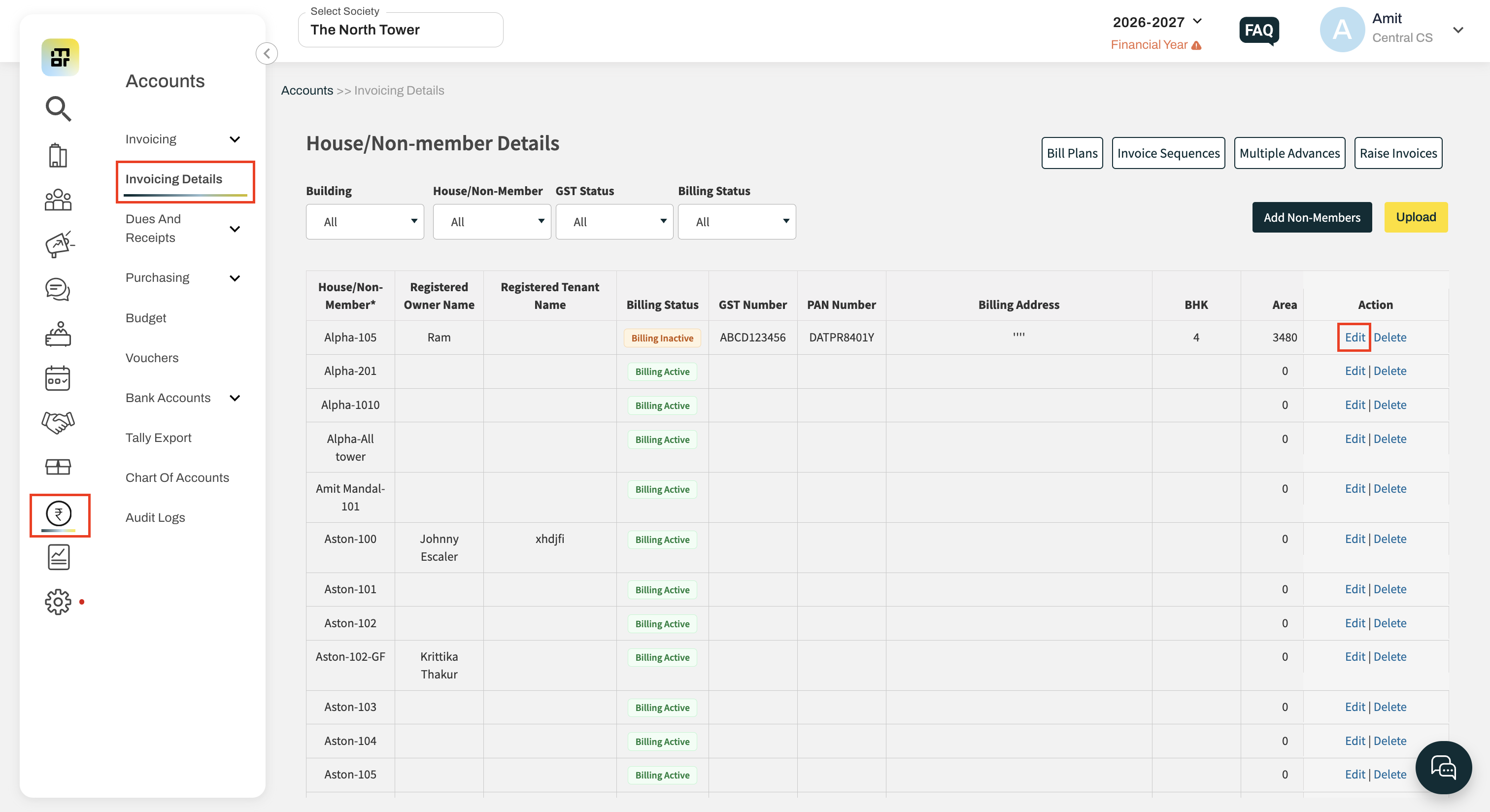
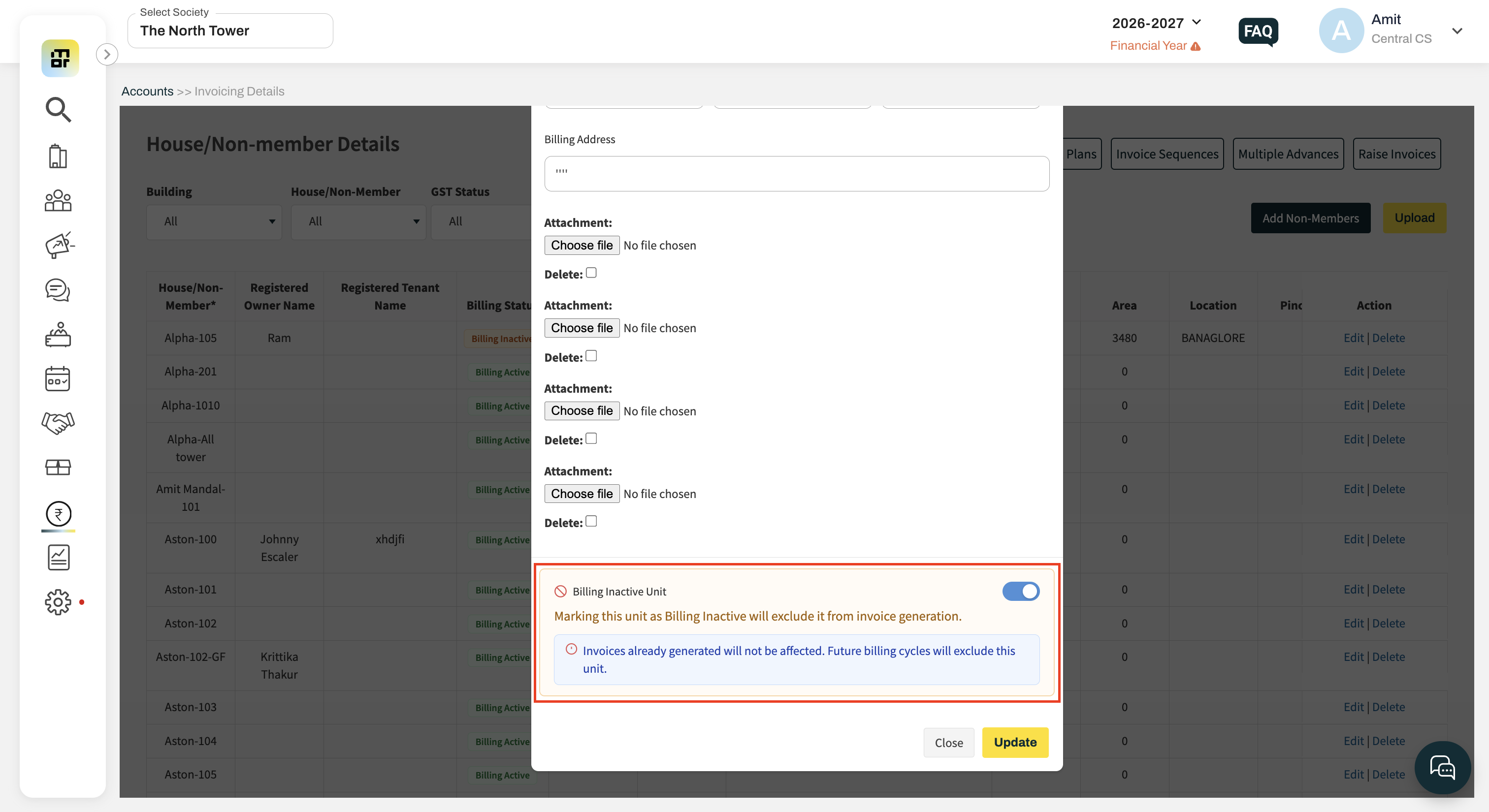
To resume billing, simply disable the Billing Inactive Unit option.
How can I identify Billing Inactive units?
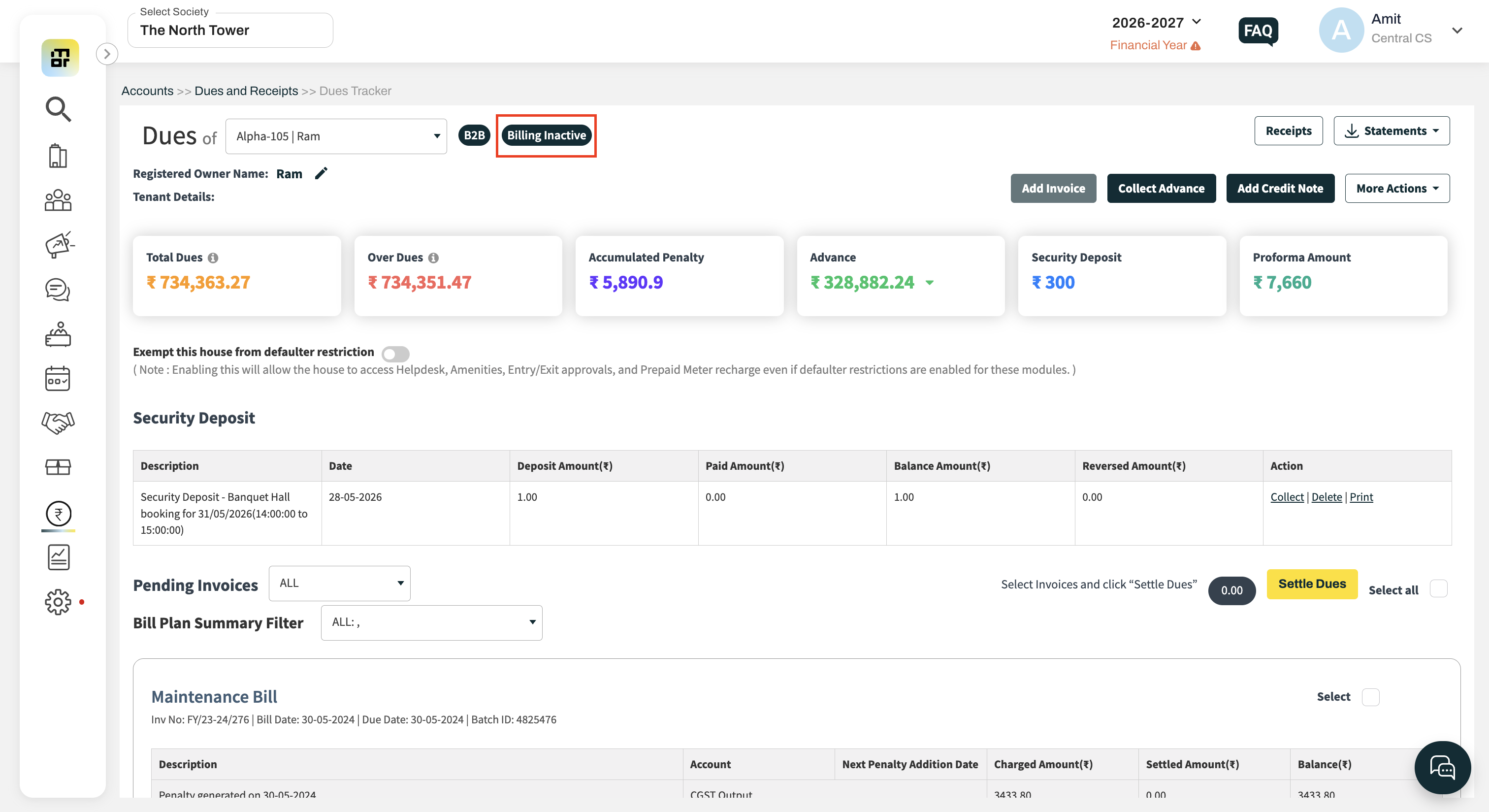
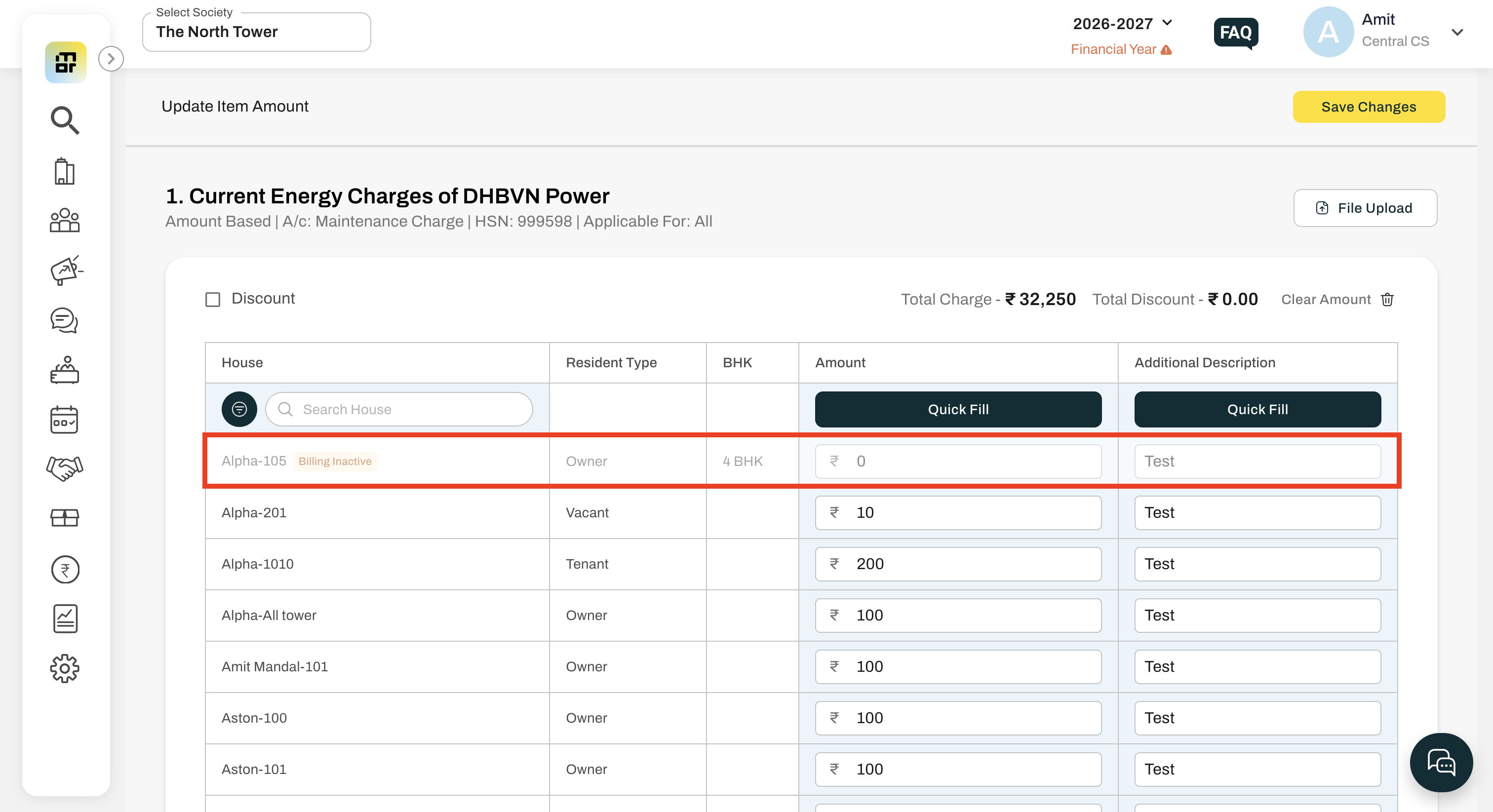
Billing Inactive units are identified by:
A Billing Inactive flag on the House Dues page.
A Billing Inactive flag on Template edit amount page.
-
Billing Status column showing:
Billing Active
Billing Inactive
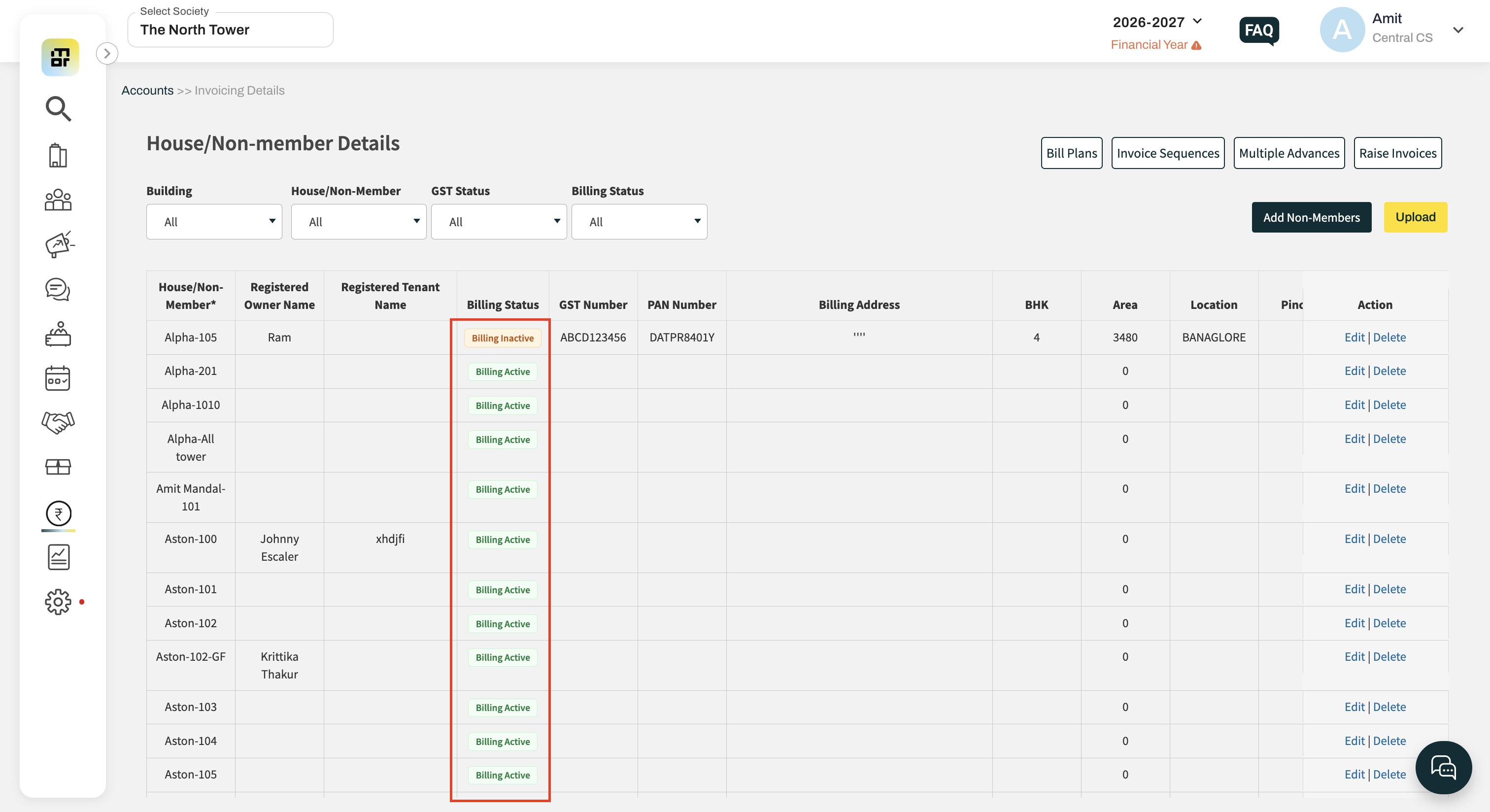
How can I filter Billing Inactive units?
Use the Billing Status filter on the House Dues page.
Available options:
All
Billing Active
Billing Inactive
The default selection is All.
What happens after a unit is marked as Billing Inactive?
Regular invoices will not be generated from any billing template.
Manual invoice generation using Add Invoice from the House Dues page will be disabled.
The Add Invoice button will appear greyed out.
Which invoices are not affected by Billing Inactive?
The following invoices can still be generated even if the unit is marked as Billing Inactive:
Amenity Invoices
Water Meter Invoices
What happens if an existing invoice is cancelled after the unit is marked as Billing Inactive?
If an invoice was generated before the unit was marked as Billing Inactive and is later cancelled, the associated penalty will also be deleted automatically from the user's account.
Can I make the unit billable again?
Yes. Simply edit the unit and disable the Billing Inactive Unit option. Future invoices will then be generated as per the configured billing templates.