
Meter Reset (Multiple Readings) for invoice generation
What is the Meter Reset (Multiple Readings) feature?
The Meter Reset feature helps societies accurately calculate meter-based charges when a water, electricity, or gas meter is replaced during the billing cycle. It allows users to record readings from both the old and new meters, ensuring slab-based billing is calculated on the total consumption.
Why is this feature required?
When a meter is replaced during a billing cycle, the consumption gets split across two meters. Without combining these readings, the system may calculate slab rates incorrectly, leading to inaccurate invoices.
Example:
Old Meter Reading = 40 Units
New Meter Reading = 80 Units
Total Consumption = 120 Units
The system calculates the slab using 120 units, ensuring the correct rates are applied.
How do I configure multiple meter readings?
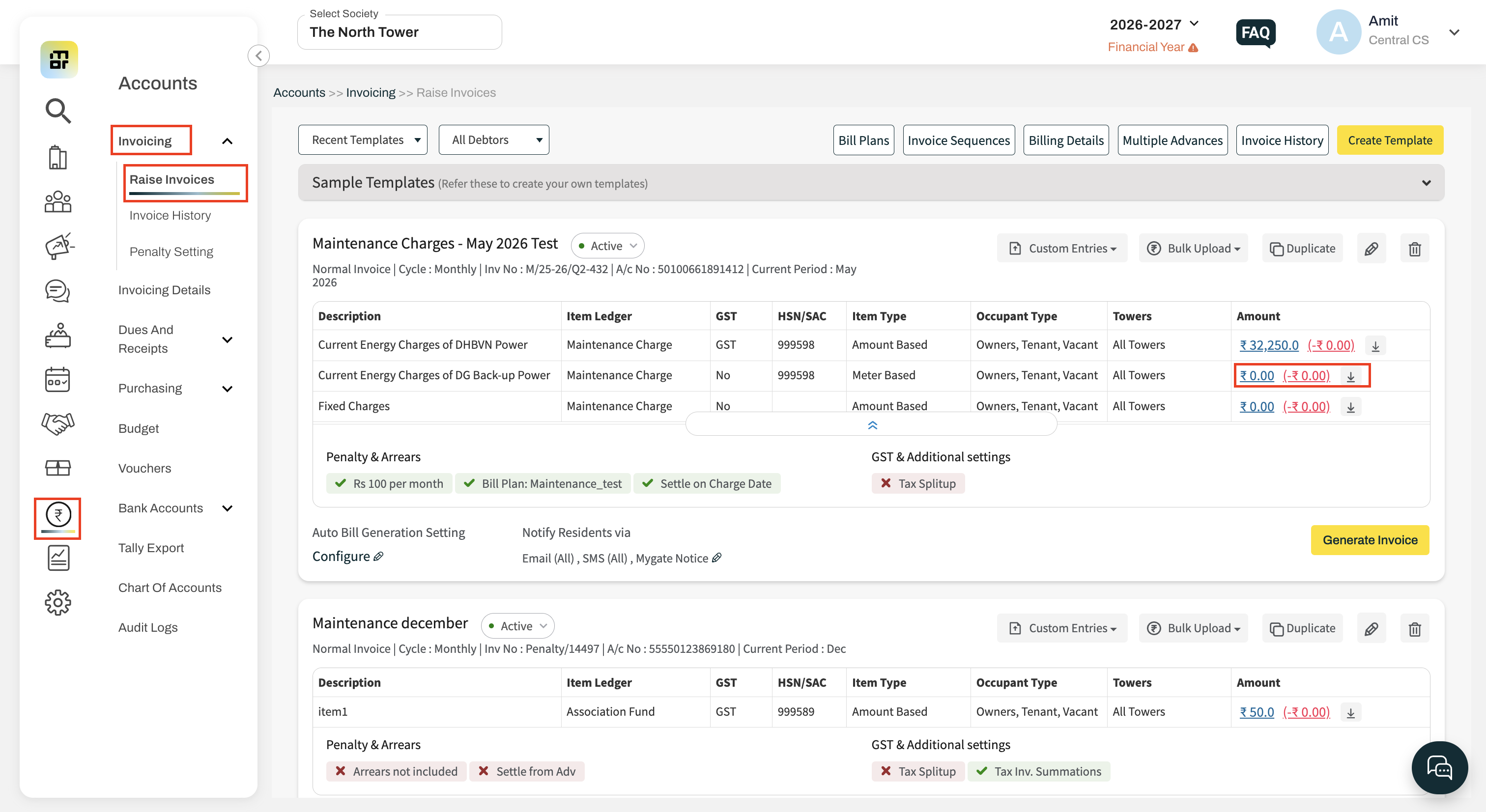
Step 1: Open the Meter Charge Template
Go to: Accounts → Invoicing → Raise Invoice → Generate Invoice → Amount Edit
Step 2: Click Multiple Readings
Click the Multiple Readings option available on the Amount Edit page.
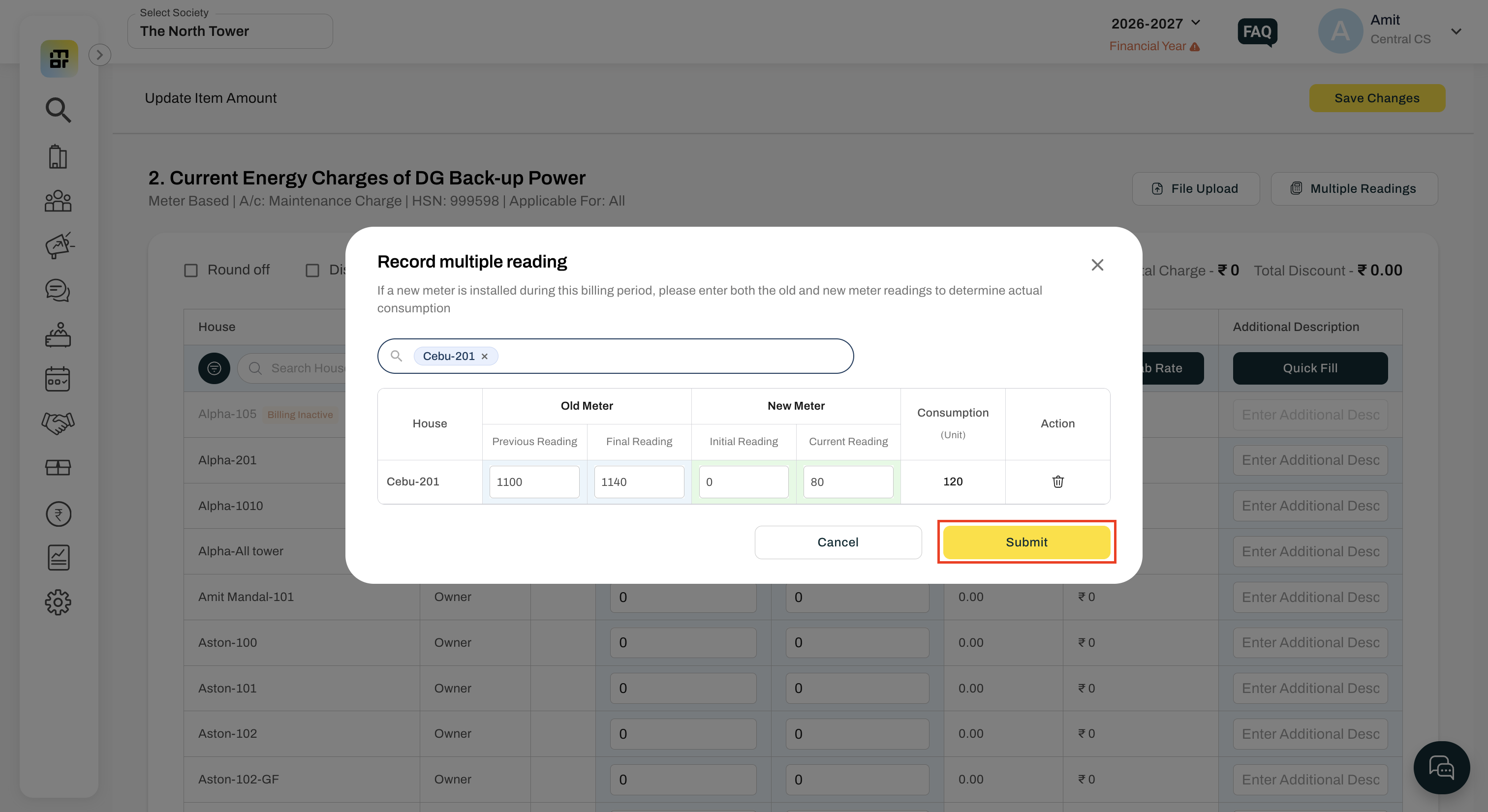
Step 3: Select House(s)
Select one or more houses for which the meter has been replaced.
Step 4: Enter Meter Readings
Enter:
Old Meter Reading
New Meter Reading
Click Save.
How is the total consumption calculated?
The system automatically calculates:
Total Consumption = Old Meter Reading + New Meter Reading
This combined consumption is used for slab-based billing during invoice generation.
How can I identify houses with multiple meter readings?
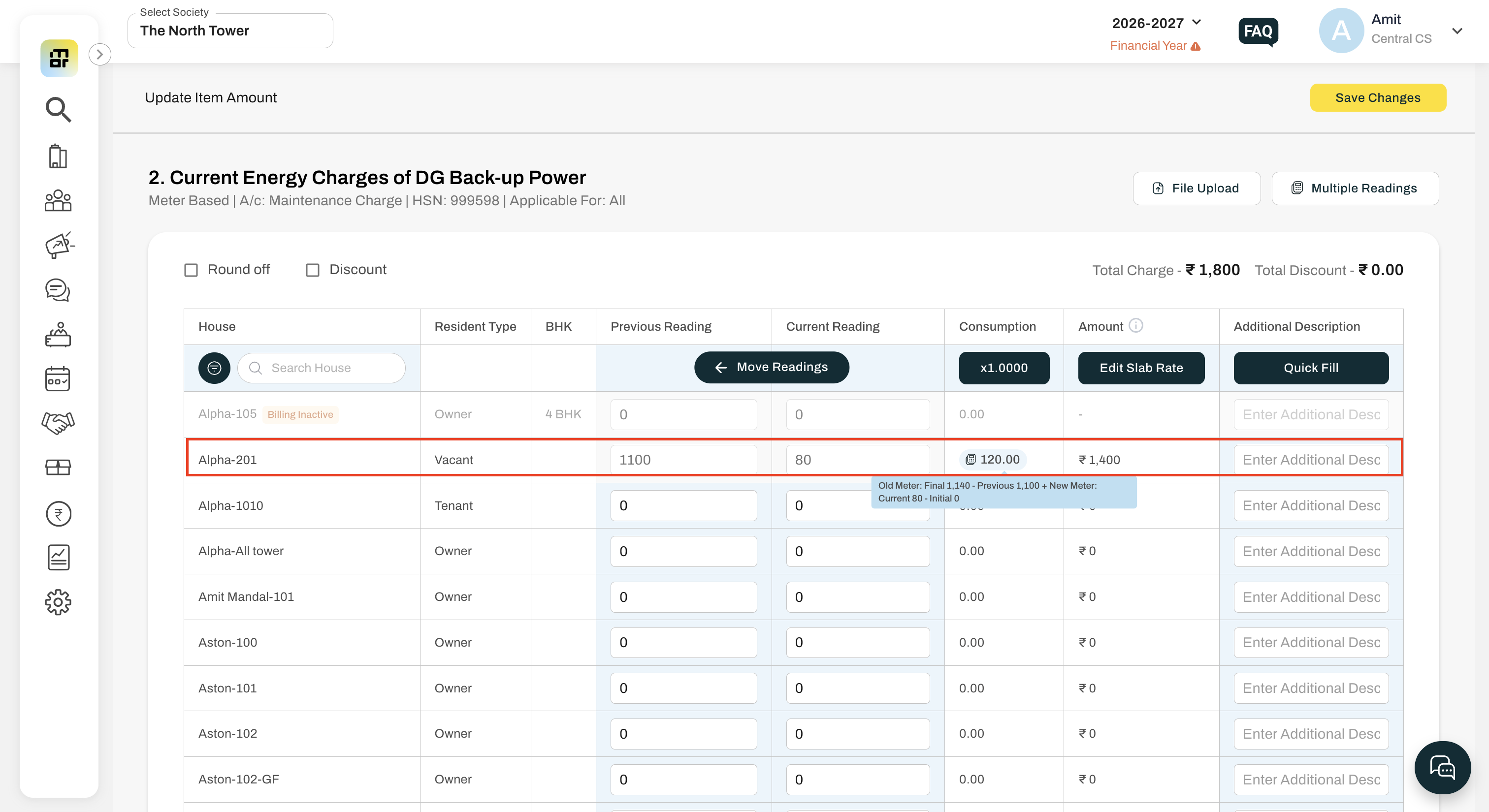
The Consumption value for configured houses will be highlighted.
Hover over the highlighted value to view:
Old Meter Reading
New Meter Reading
Total Consumption
Will the combined reading be reflected in the invoice?
Yes.
The combined consumption and calculated charges will be reflected in:
Invoice Preview
Generated Invoice PDF
Where can I see how many houses have multiple meter readings?
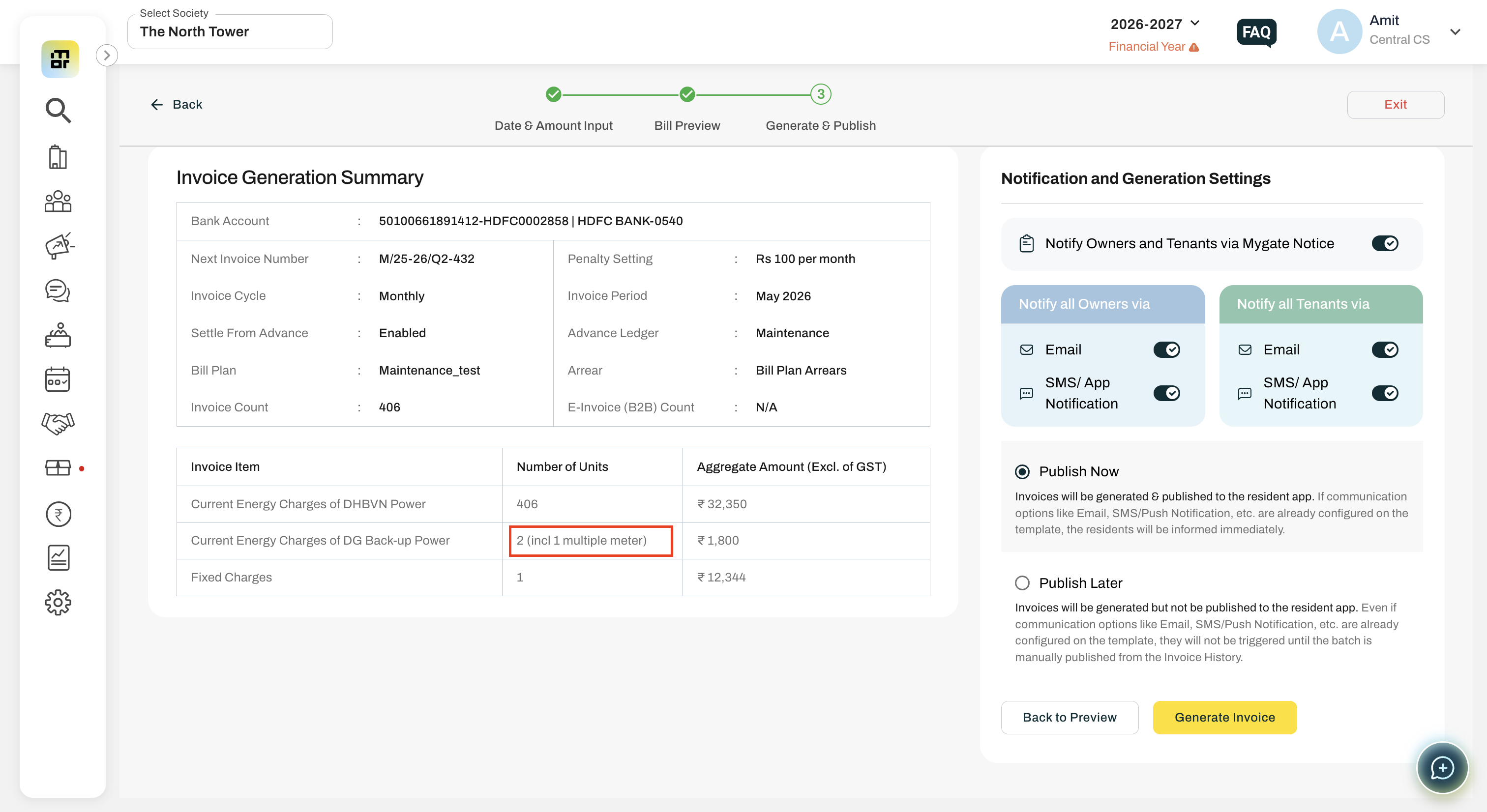
Before generating invoices, the Invoice Generation Summary displays the number of houses configured with multiple meter readings.
What happens when I click the Move button?
After saving the multiple meter readings, clicking Move automatically updates the New Meter Reading as the Previous Reading for the next billing cycle.
This makes the newly installed meter the active meter for future billing.
Will the system update meter readings automatically?
No.
The system updates the readings only after the Multiple Readings configuration is saved. If no changes are saved, the existing readings and template remain unchanged.
Will I receive any warning if multiple meter readings are configured?
Yes.
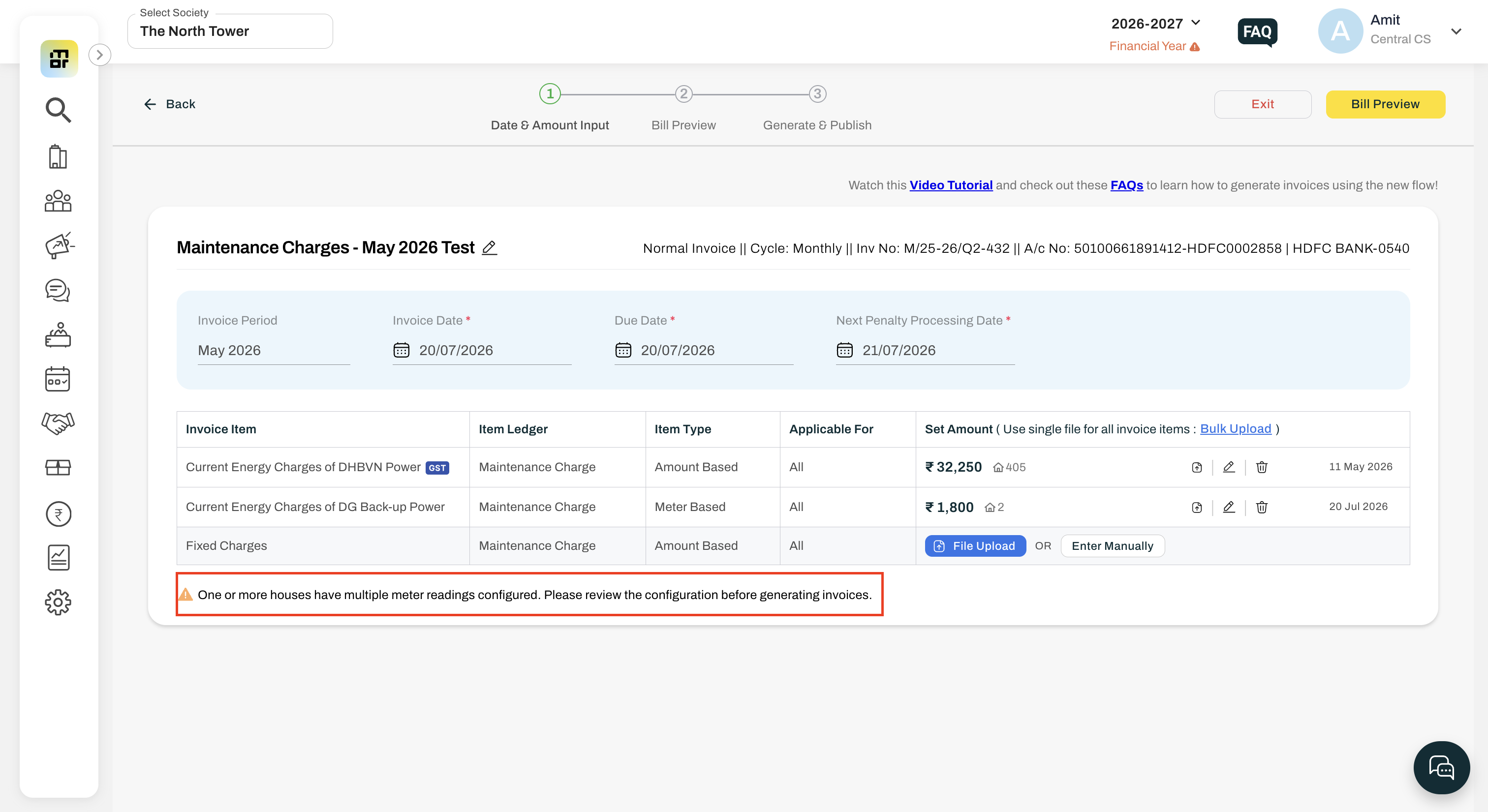
If one or more houses have multiple meter readings configured, the following informational message is displayed on the template date & amount input page and Invoice Summary Page:
"One or more houses have multiple meter readings configured. Please review the configuration before generating invoices."
Can I configure multiple houses at the same time?
Yes.
The Multiple Readings popup allows you to select and configure one or more houses in a single operation.
Does this feature affect slab calculation?
Yes.
The system applies slab rates on the combined consumption, ensuring that meter replacement during the billing cycle does not result in incorrect billing.