
Vendor Payment Bounce / Reversal (Cheque Bounce)
What is Vendor Payment Bounce?
Vendor Payment Bounce allows you to record a bounced or reversed vendor payment made against a Vendor Bill or Vendor Advance. Once recorded, the system automatically reverses the accounting impact of the payment and restores the pending liability, similar to the existing Receipt Bounce functionality.
Why is this feature required?
Sometimes a vendor payment may fail due to reasons such as insufficient funds, bank rejection, or an incorrect transaction. Instead of manually reversing entries, this feature automatically reverses the payment and updates the accounting records.
Which payment vouchers support the Record Bounce option?
The Record Bounce option is available for:
Vendor Bill Payments
Vendor Advance Payments
It is not available for payments made using Advance mode.
How do I record a bounced vendor payment?
Step 1: Open the Vendor Payment Voucher
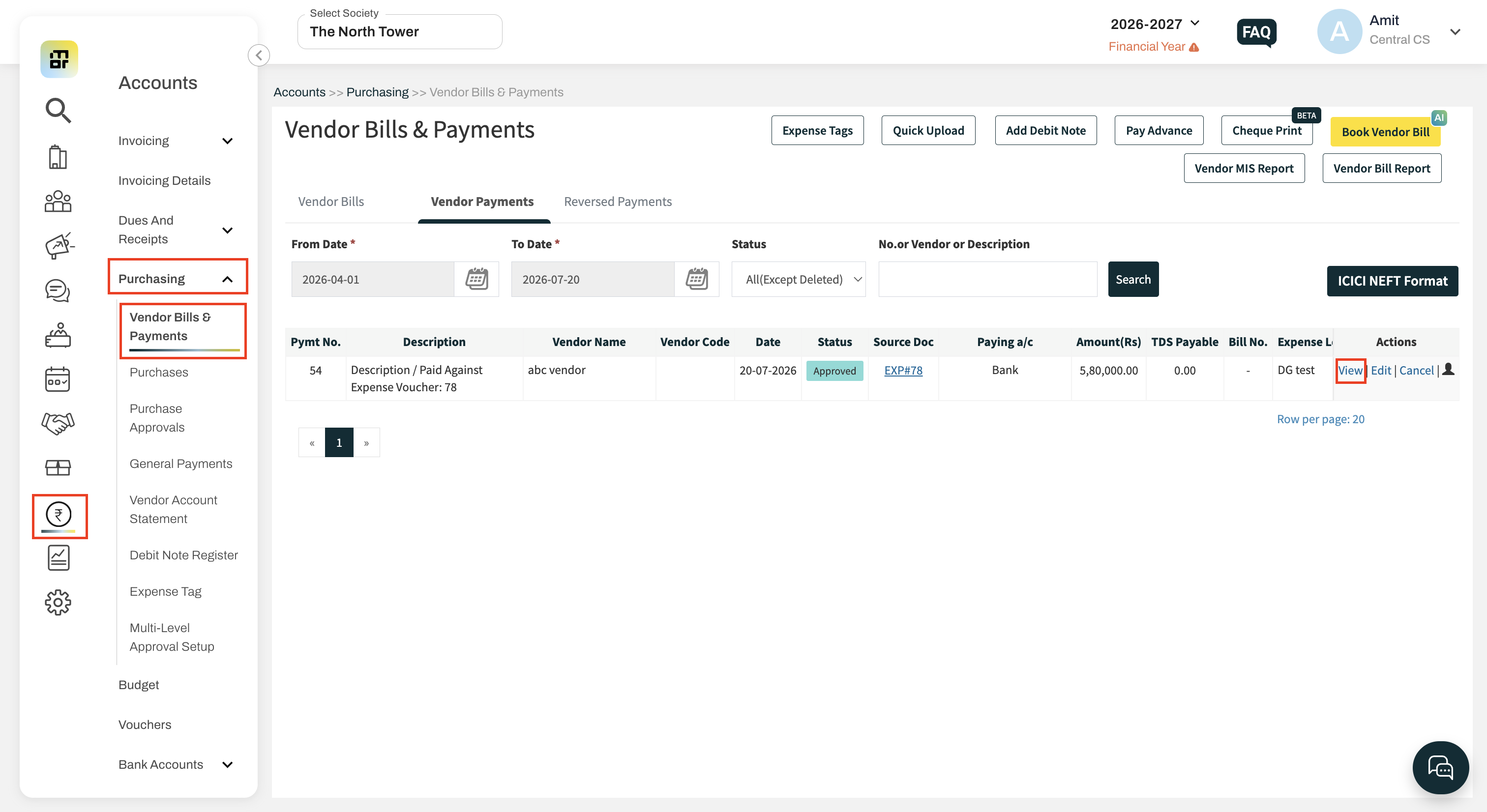
Go to: Accounts → Purchasing → Vendor Payments → Edit
Open the required Vendor Payment Voucher.
Step 2: Click Record Bounce
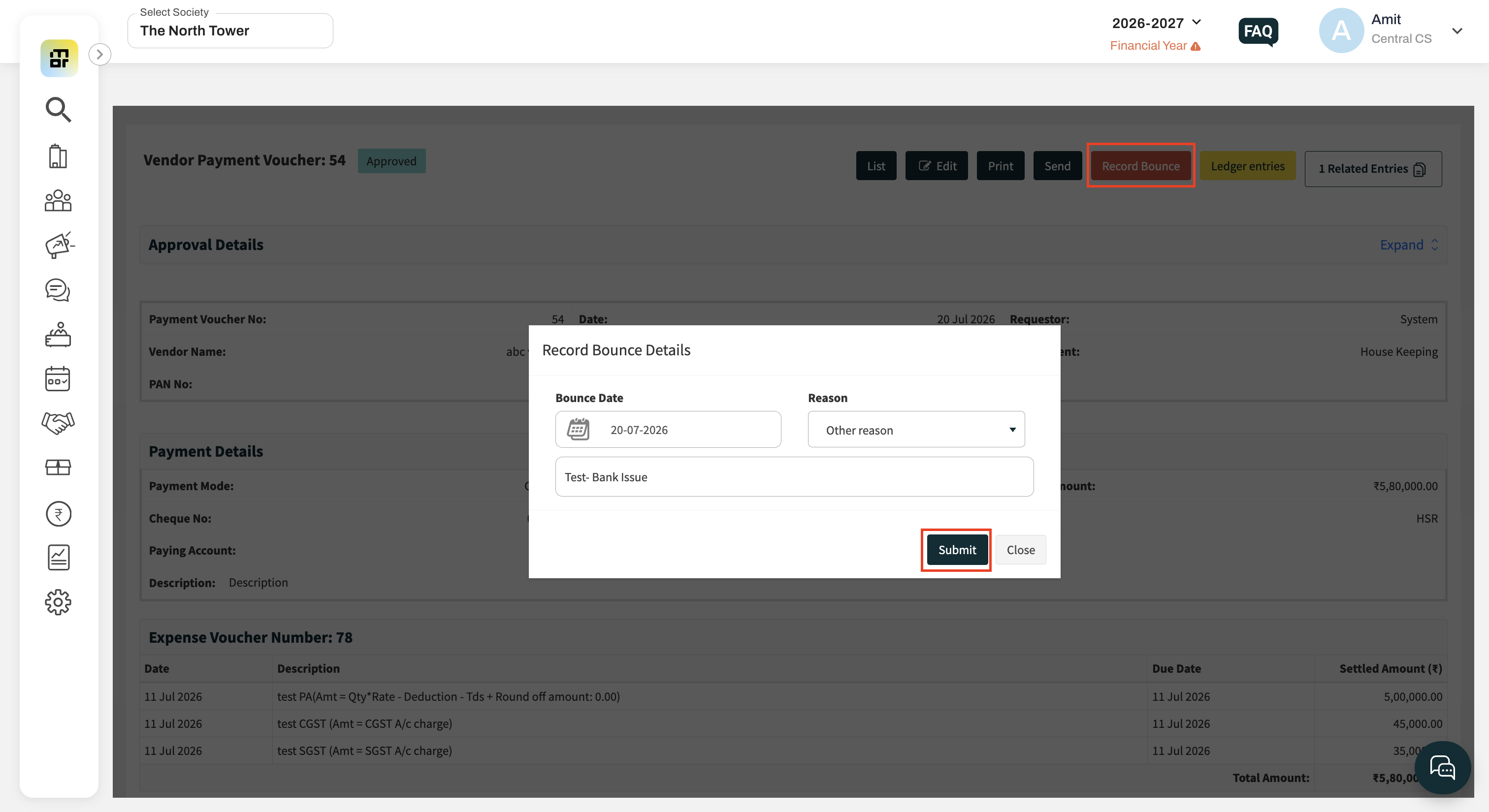
Click the Record Bounce button available on the voucher.
Step 3: Enter Bounce Details
Provide the following details:
Bounce Date (Mandatory)
Reason (Mandatory)
Available reasons:
Insufficient Balance in Payer's Account
Other
If Other is selected, enter the custom reason.
Step 4: Confirm
Review the confirmation message and click Submit to record the bounce.
What happens after recording a bounce?
The system automatically:
Reverses all accounting entries created during the payment.
Reopens the linked vendor bill(s) for payment.
Updates the outstanding payable amount.
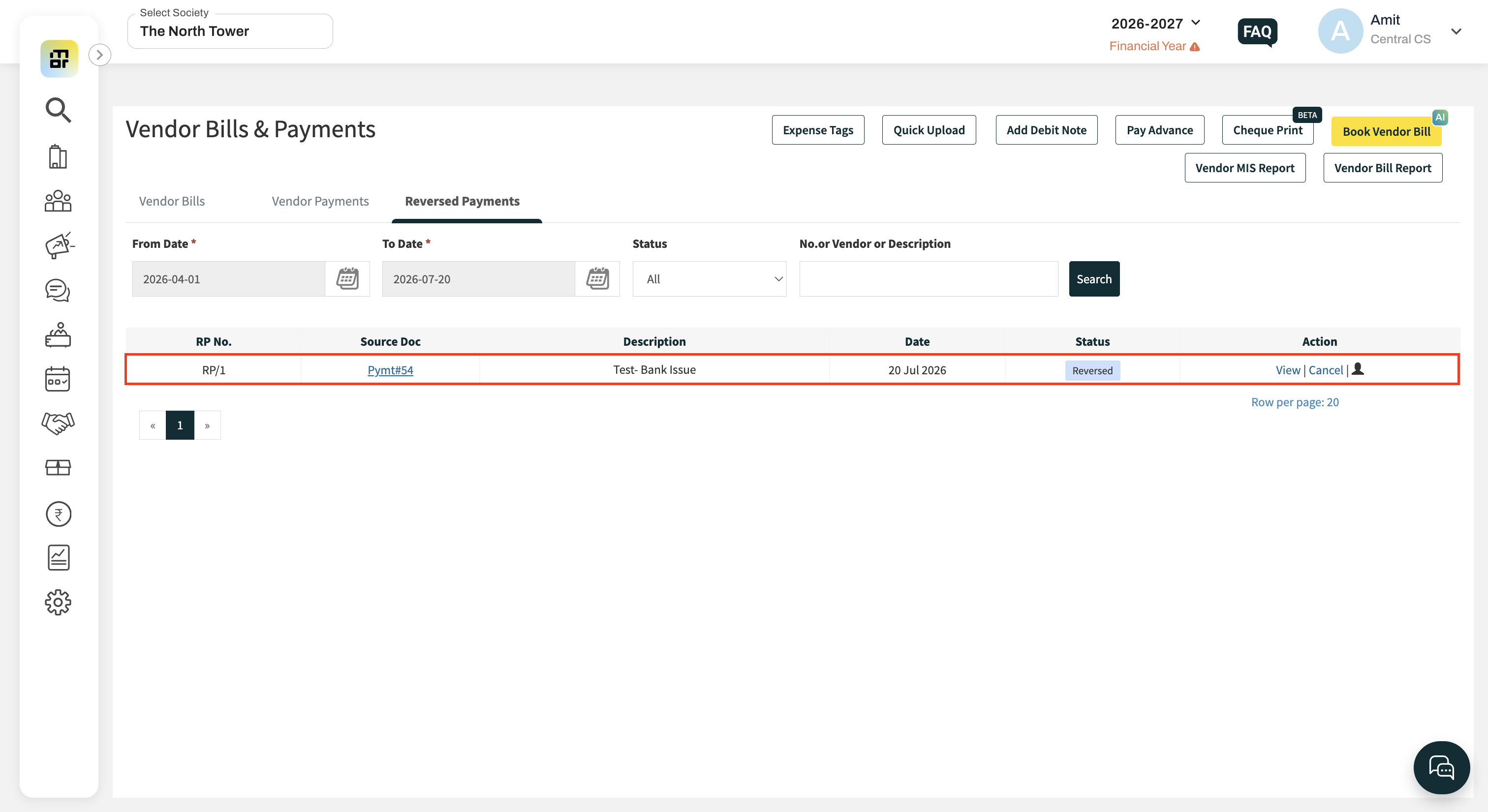
Changes the Vendor Payment Status to Reversed Payment.
Maintains a complete audit trail.
What happens to Vendor Advance payments?
When a Vendor Advance payment is reversed, the system automatically adjusts the vendor's advance balance based on the reversal.
What happens to TDS entries?
If TDS entries were created during the payment, the system will reverse or adjust the related TDS entries using the existing accounting logic.
Can I record bounce multiple times for the same payment?
No.
The system does not allow:
Multiple bounce actions on the same payment voucher.
Bounce for an already cancelled or reversed payment voucher.
Can a reversed payment voucher be cancelled?
Yes.
A Cancel option is available for reversed payment vouchers.
When cancelled:
The reversal entry is cancelled.
The original payment voucher is also cancelled.
This behaviour is similar to the existing Reversed Receipt flow.
What happens in case of partially tagged vendor bills?
Only the amount impacted by the reversed payment is reopened.
The remaining tagged payments remain unchanged.
Can I search or filter reversed payments?
Yes.
Reversed payment vouchers will be available on the Reversed Payments listing tab.
Will bounced payments appear in Bank Reconciliation?
Yes.
Reversed/bounced Vendor Payment vouchers will continue to appear in the Bank Reconciliation module, allowing users to update the Bank Date where required.
How is the payment status displayed?
Once the payment is reversed, the Vendor Payment Status is updated to:
Reversed Payment
What tooltip is displayed in the TDS Payable Report?
For reversed payments, the Status field displays the following tooltip:
"The associated payment voucher has been reversed/bounced."