
Dependent line Item Invoice/Bill
1. Step to configure a Dependent Item in the invoice Template?
Go to Accounts >> Invoicing >> Raise Invoices >> Create Template
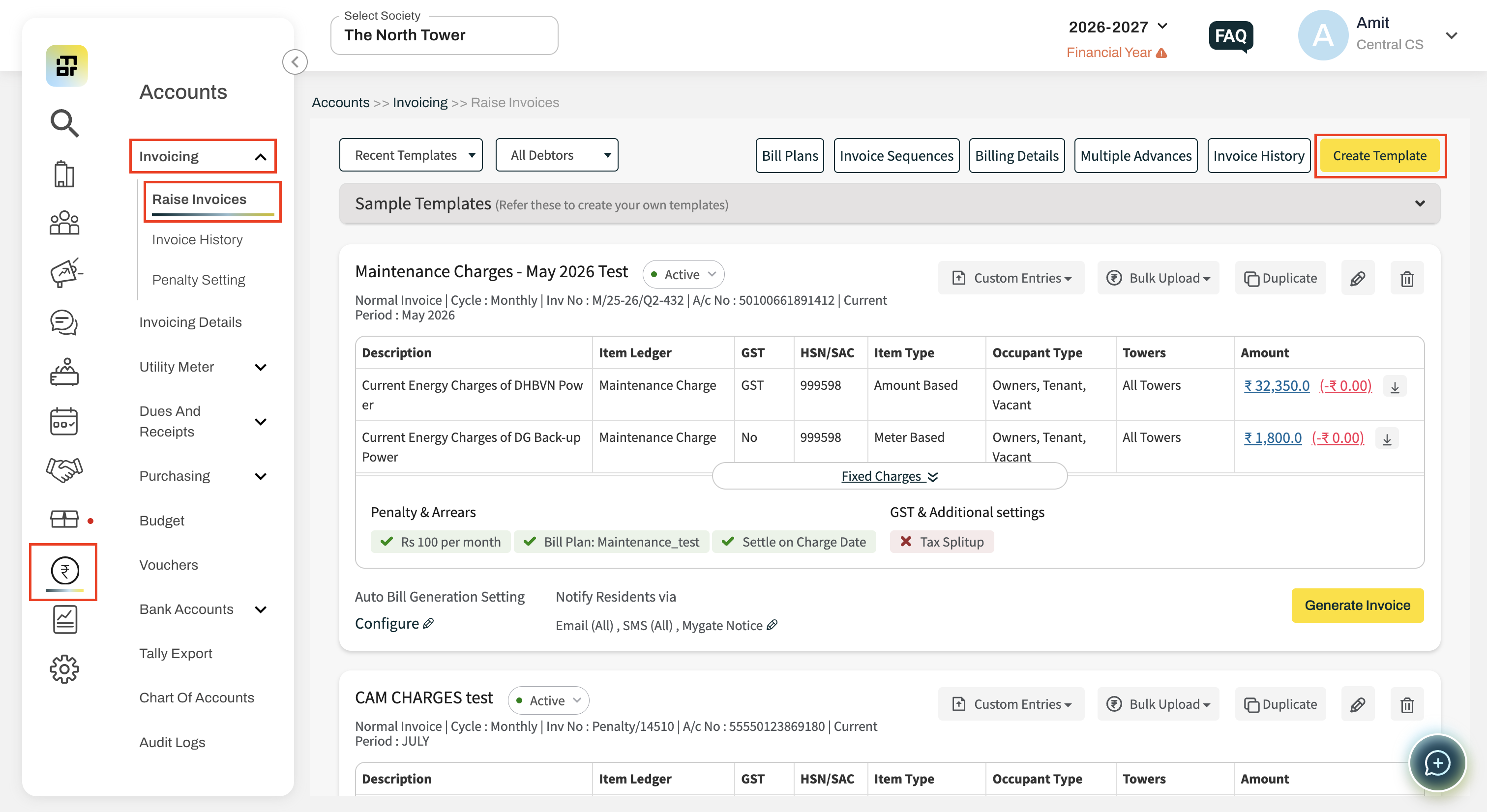
Navigate to the Items & Tax Settings section.
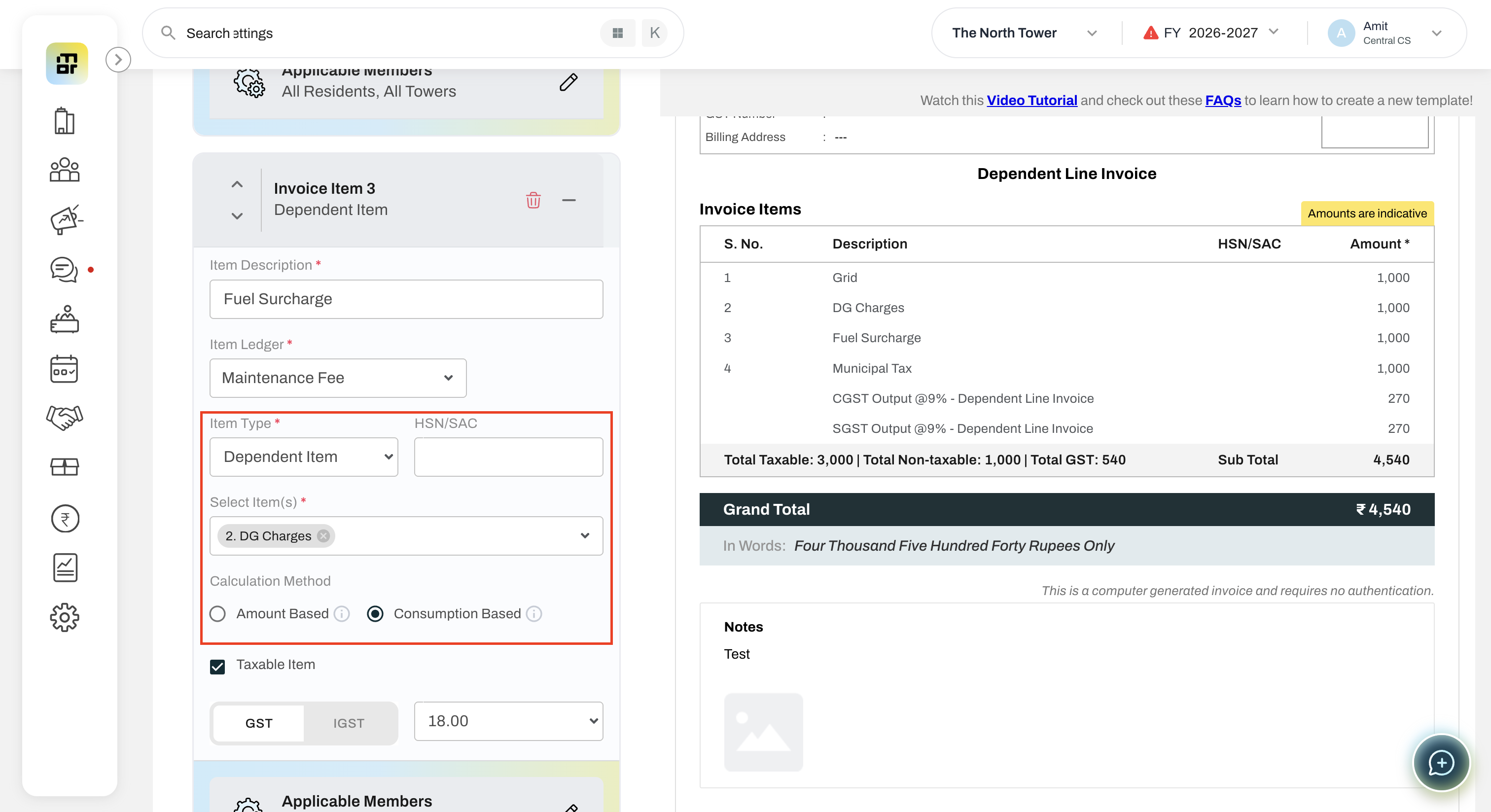
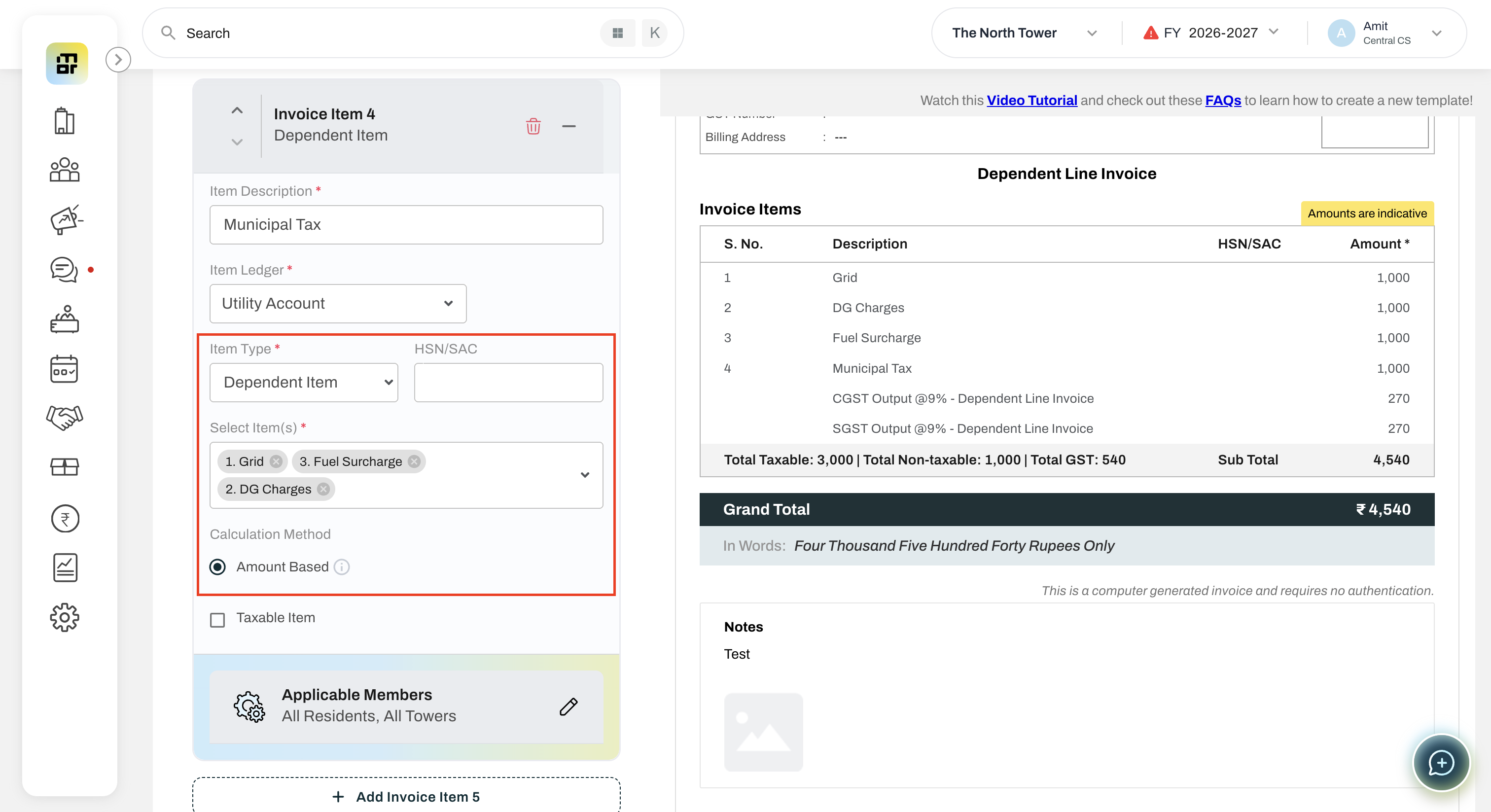
Add a new line item and select Dependent Item as the Item Type.
Under Select Item(s), choose the line item(s) on which the calculation should be based.
Save or update the template.
Continue to Date & Amount Input (Page 1 of the invoice journey).
Open the Amount Edit page (or use Bulk Upload).
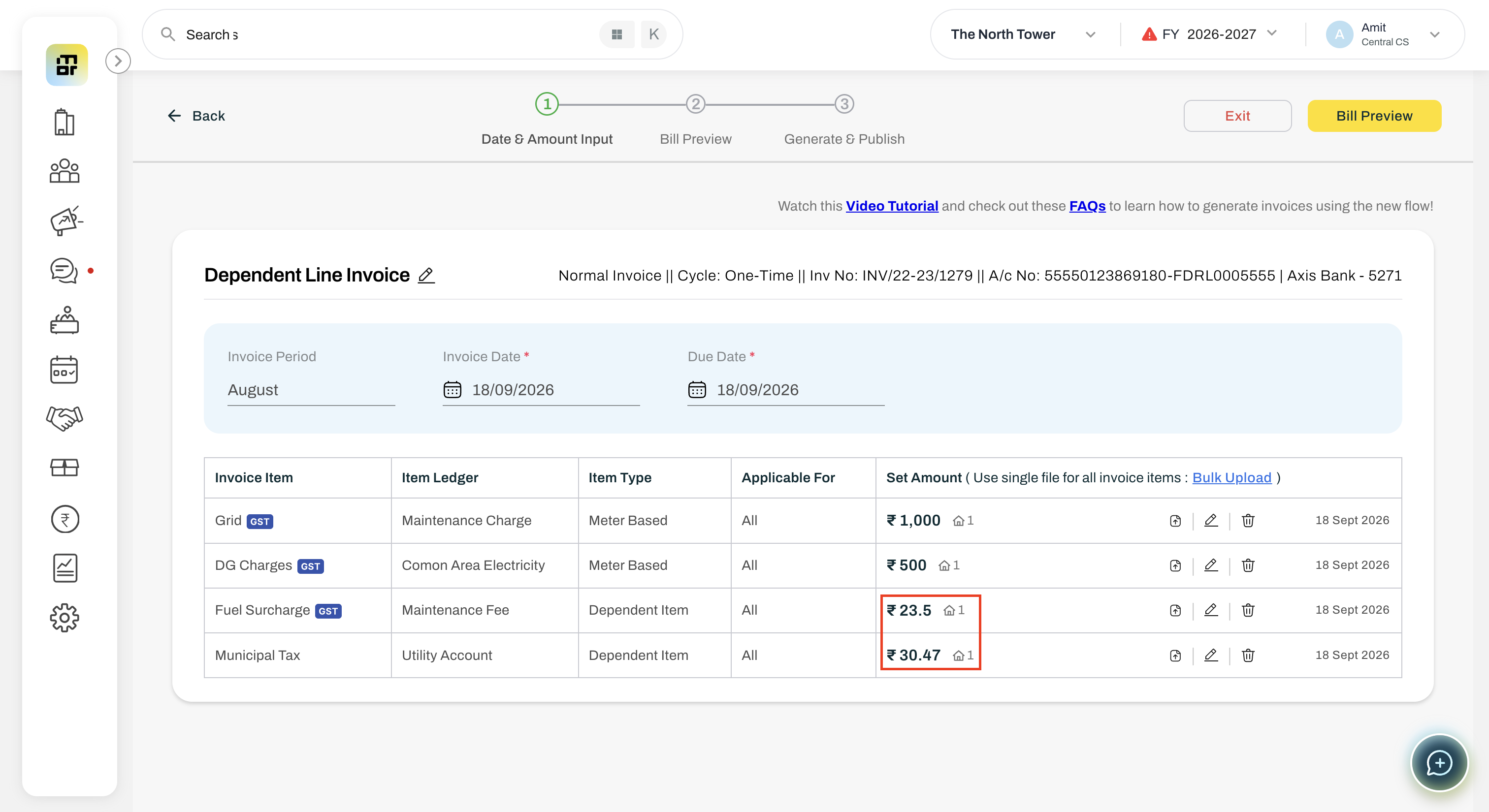
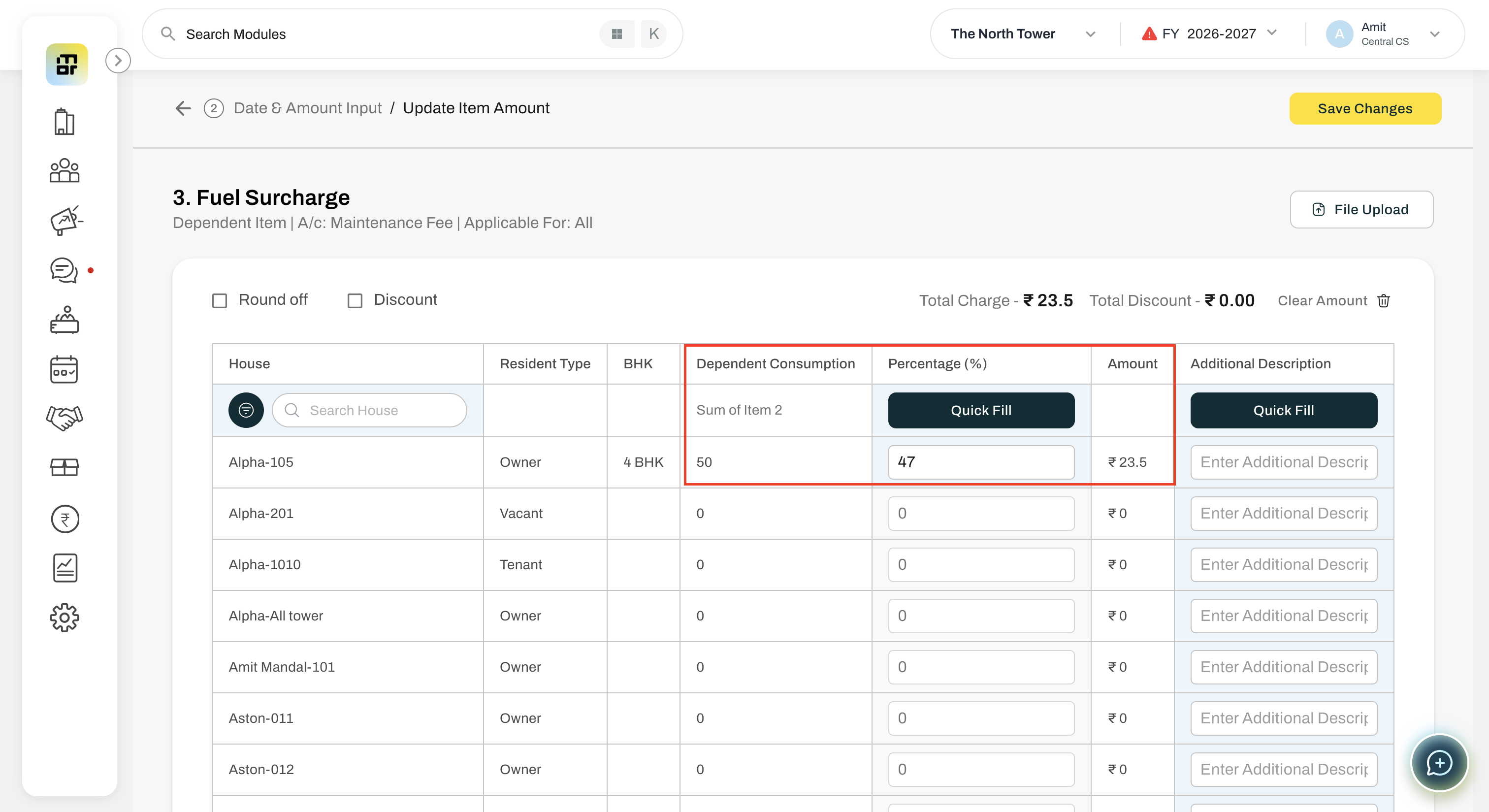
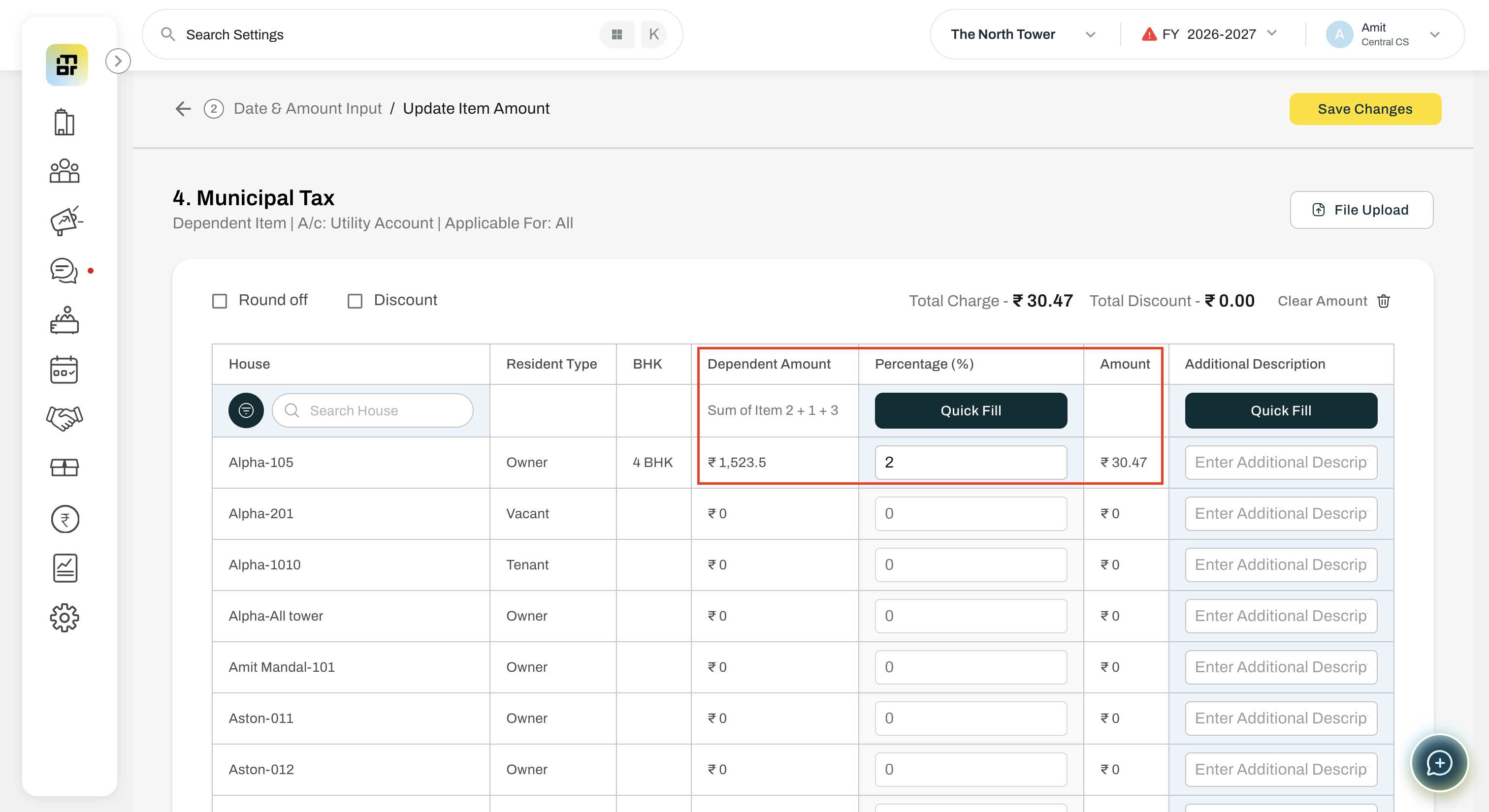
Enter the required Percentage (%) for the Dependent Item calculation.
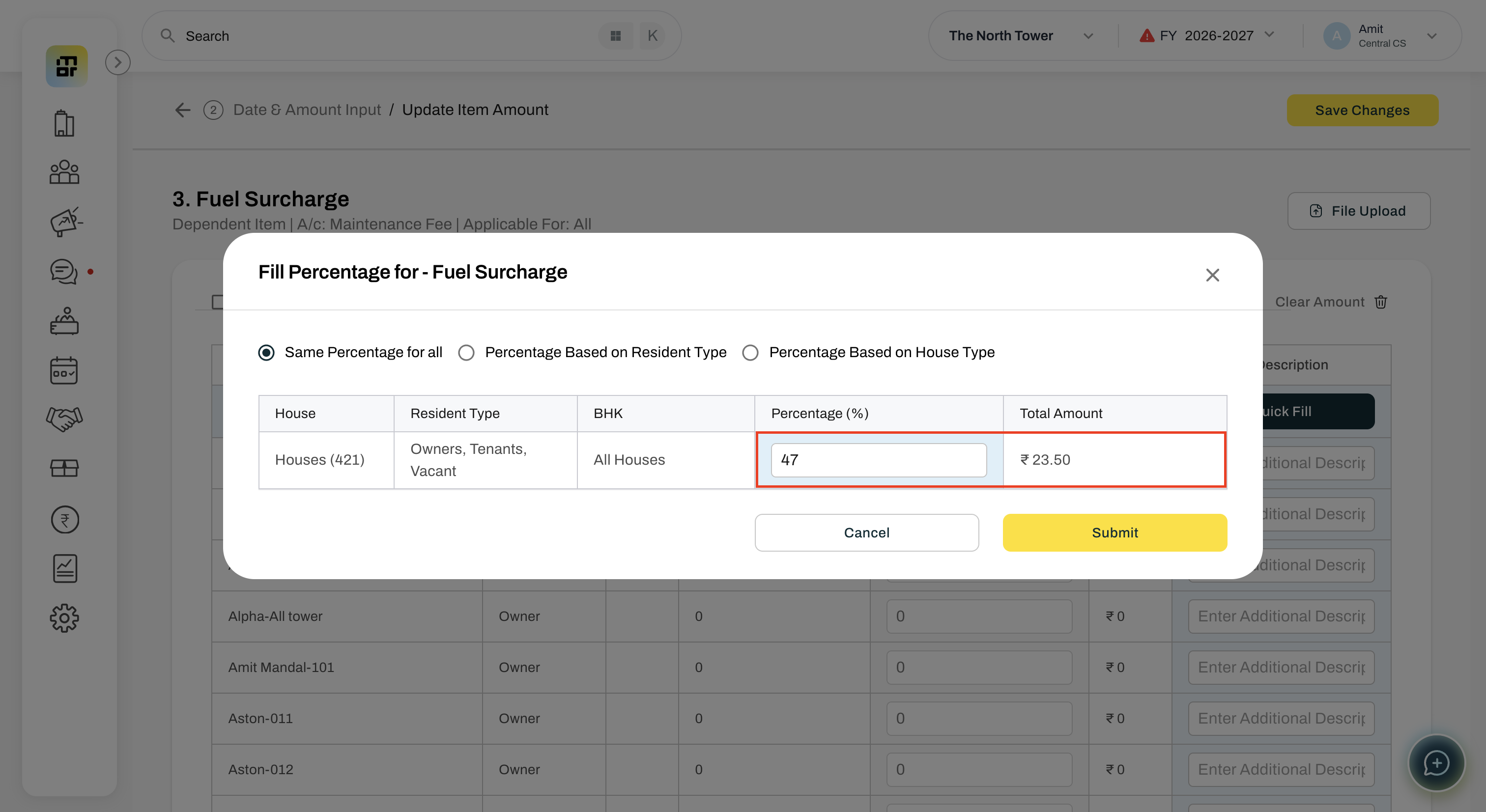
Save the changes and generate the invoice.
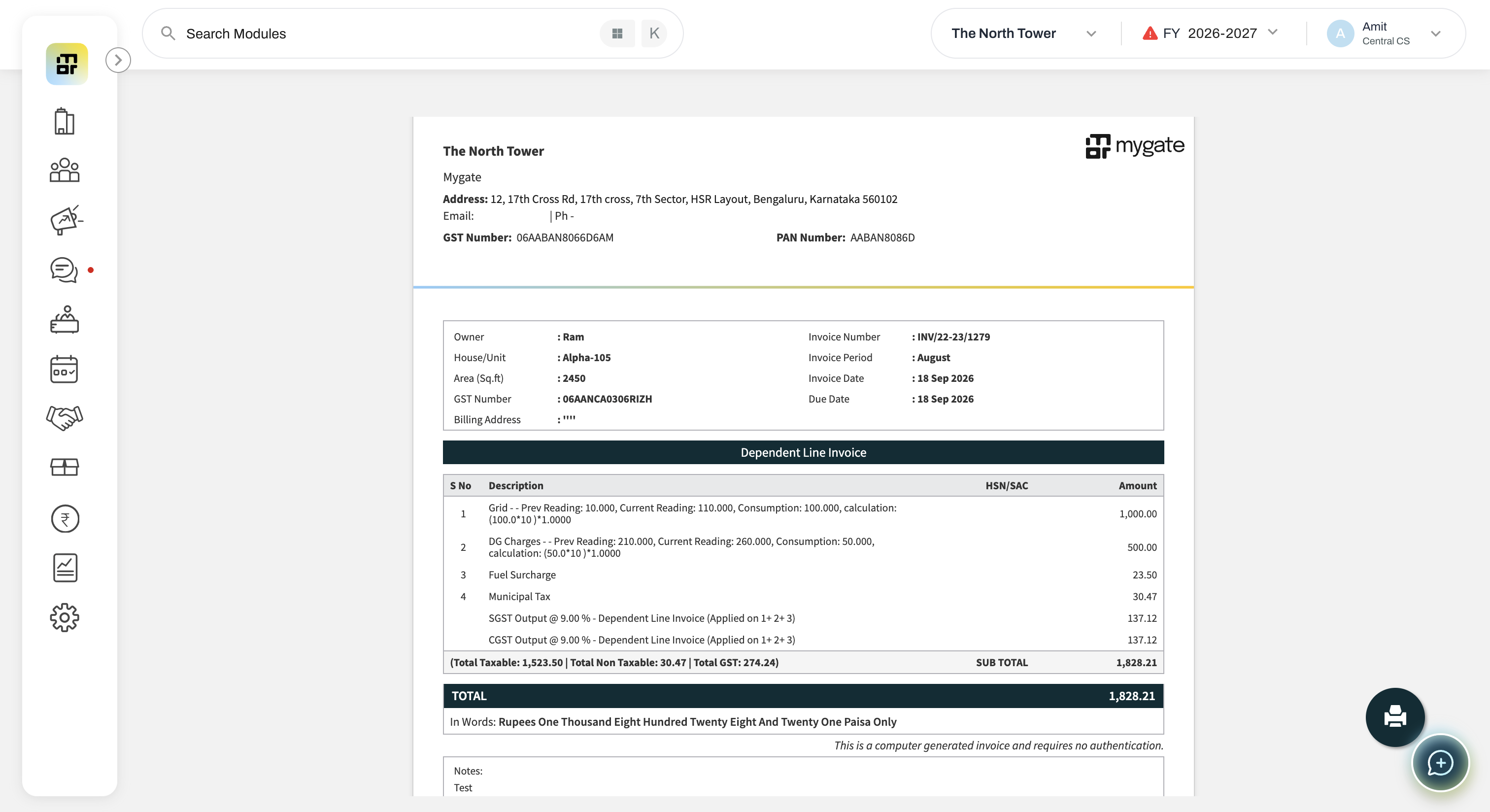
2. What is a Dependent Item?
A Dependent Item is a line item whose amount is automatically calculated as a percentage of the amount or consumption of one or more selected line items in the same invoice.
3. How do I configure a Dependent Item?
When marking an item as a Dependent Line Item, you can select the applicable calculation method:
Amount Based – Calculates the dependent item based on the amount of the selected line item(s).
Consumption Based – Calculates the dependent item based on the consumption of the selected meter-based line item.
4. When are Amount Based and Consumption Based options available?
The Amount Based items is available for all three type of line item but Consumption Based options is available only when the selected calculation item is a Meter-based Item Type. For Area-based and Amount-based items, the Consumption Based method will not be shown.
5. How is the Amount Based Dependent Item amount calculated?
The system calculates:
Sum of selected line item amounts × Configured Percentage
Example:
Grid Charges = ₹2,000
DG Charges = ₹1,000
Percentage = 2%
Dependent Item = ₹3,000 × 2% = ₹60
6. How is the Consumption Based Dependent Item amount calculated?
The system calculates:
Consumption of selected line item × Configured Percentage
Example:
DG Charges – Consumption (Prev. - Curr. Reading) = 100
Dependent Item – 47%
Calculated Amount = 100 × 47% = ₹47
7. Can I select multiple line items for Consumption Based calculation?
No. For Consumption Based calculation, only one line item can be selected.
For Amount Based calculation, you can select one or more line items.
8. Calculation methods?
Amount Based:
“The dependent item amount will be calculated based on the amount of the selected line item(s) multiplied by the configured percentage.”
Consumption Based:
“The dependent item amount will be calculated based on the consumption of the selected meter-based line item multiplied by the configured percentage. Only one line item can be selected.”
9. Can I add a Dependent Item as the first line item?
No. A Dependent Item can only be added from the second line item onwards, since it requires at least one existing line item.
10. Where do I configure the percentage?
The percentage can be configured from the Amount Edit page under the Percentage column.
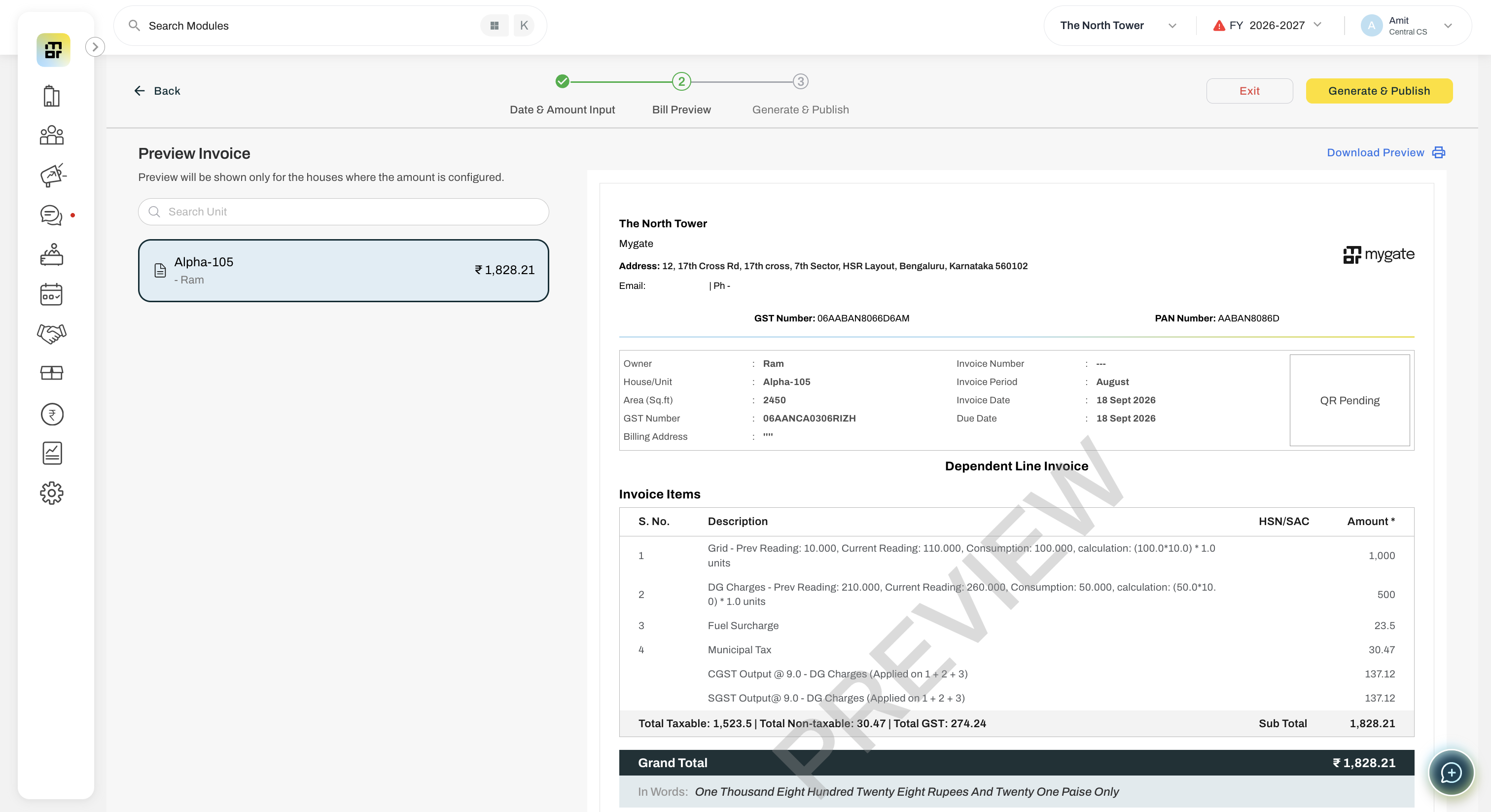
11. Will the calculated amount appear throughout the invoice flow?
Yes. The calculated amount will be reflected correctly across the complete invoice flow, including:
Invoice Preview
Generated Invoice
14. What happens if I update one of the selected line items?
The Dependent Item amount is automatically recalculated before invoice generation based on the updated amount or consumption, depending on the selected calculation method.
15. Can I delete a line item that is used in a Dependent Item?
No. You must first remove or update the dependency before deleting the original line item.
16. Can I edit the Dependent Item amount manually?
No. The amount is system-calculated based on the selected line item(s) and configured percentage.
Only the percentage can be modified.
17. Can a Dependent Line Item be used as the calculation item for another Dependent Line Item?
Yes. A Dependent Line Item can be selected as the calculation item for another Dependent Line Item.
However, in this scenario, the calculation will always be Amount Based, since consumption data is not available for a Dependent Line Item.
Example:
DG Charges – Reading Balance = 1,000
Fuel Surcharge – Dependent on DG Charges = 10%
Fuel Surcharge = ₹100
Municipal Tax – Dependent on Fuel Surcharge = 35%
Municipal Tax = ₹35
In this example, Municipal Tax is calculated as 35% of the Fuel Surcharge amount.