
AI-Based Vendor Payment Voucher
1. What is AI-Based Vendor Payment?
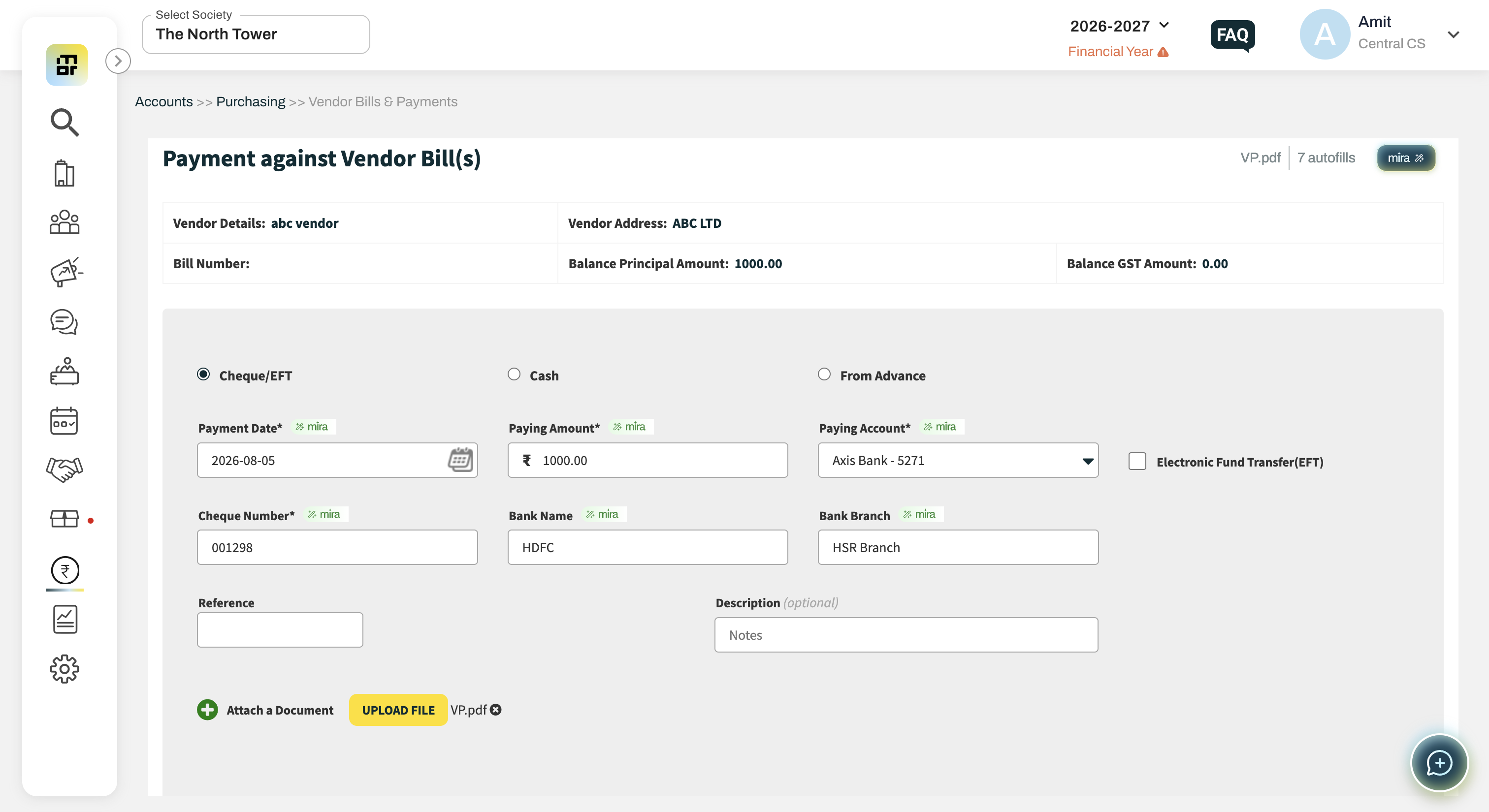
AI-Based Vendor Payment allows you to create a Vendor Payment Voucher by uploading a payment-related document. Mira AI extracts the relevant payment and accounting details and pre-fills them in the payment voucher.
2. How do I create a Vendor Payment using AI?
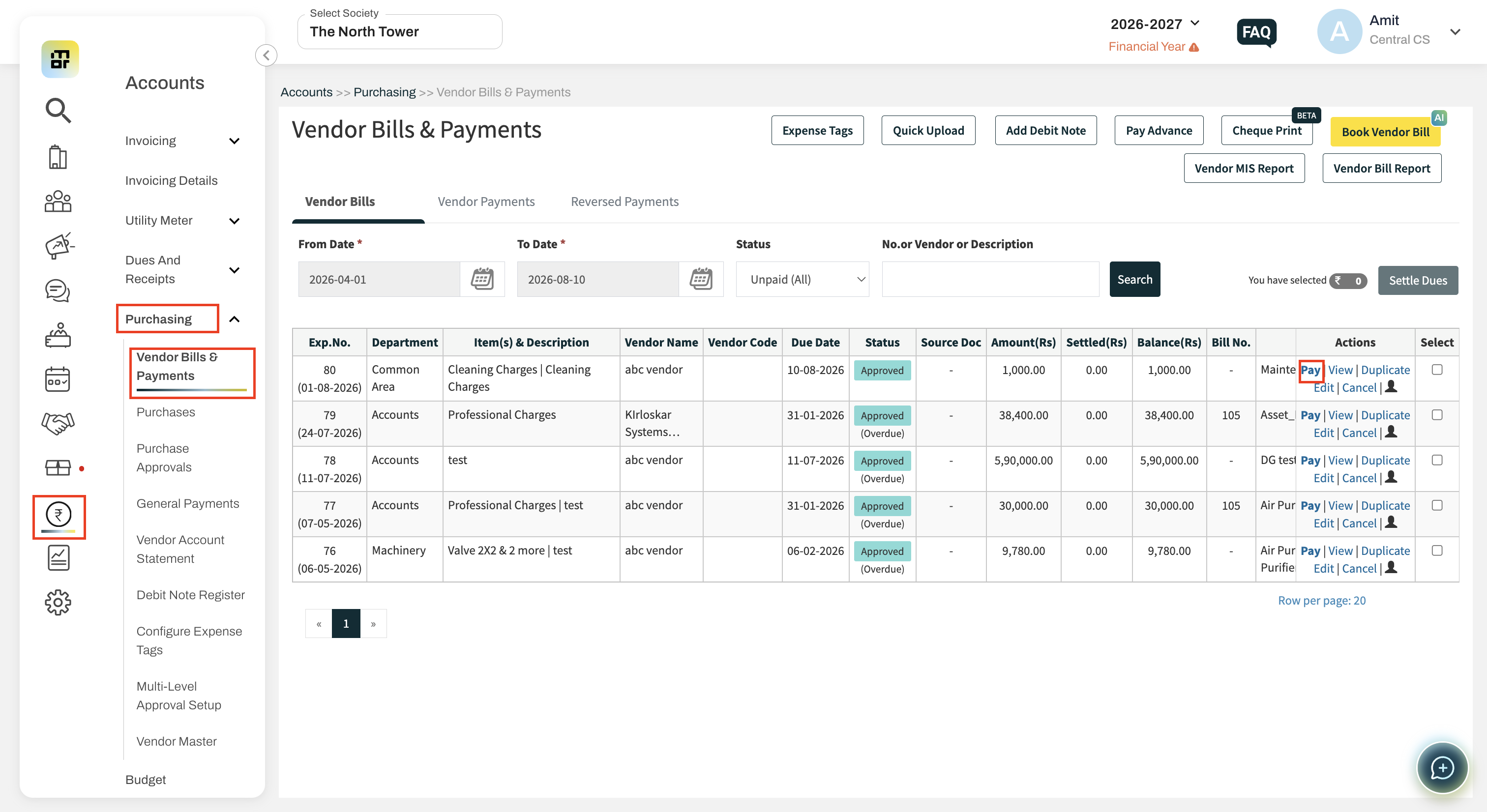
Go to Accounts >> Purchasing >> Vendor Bills & Payments >> Vendor Bills
Select the bill and click on Pay
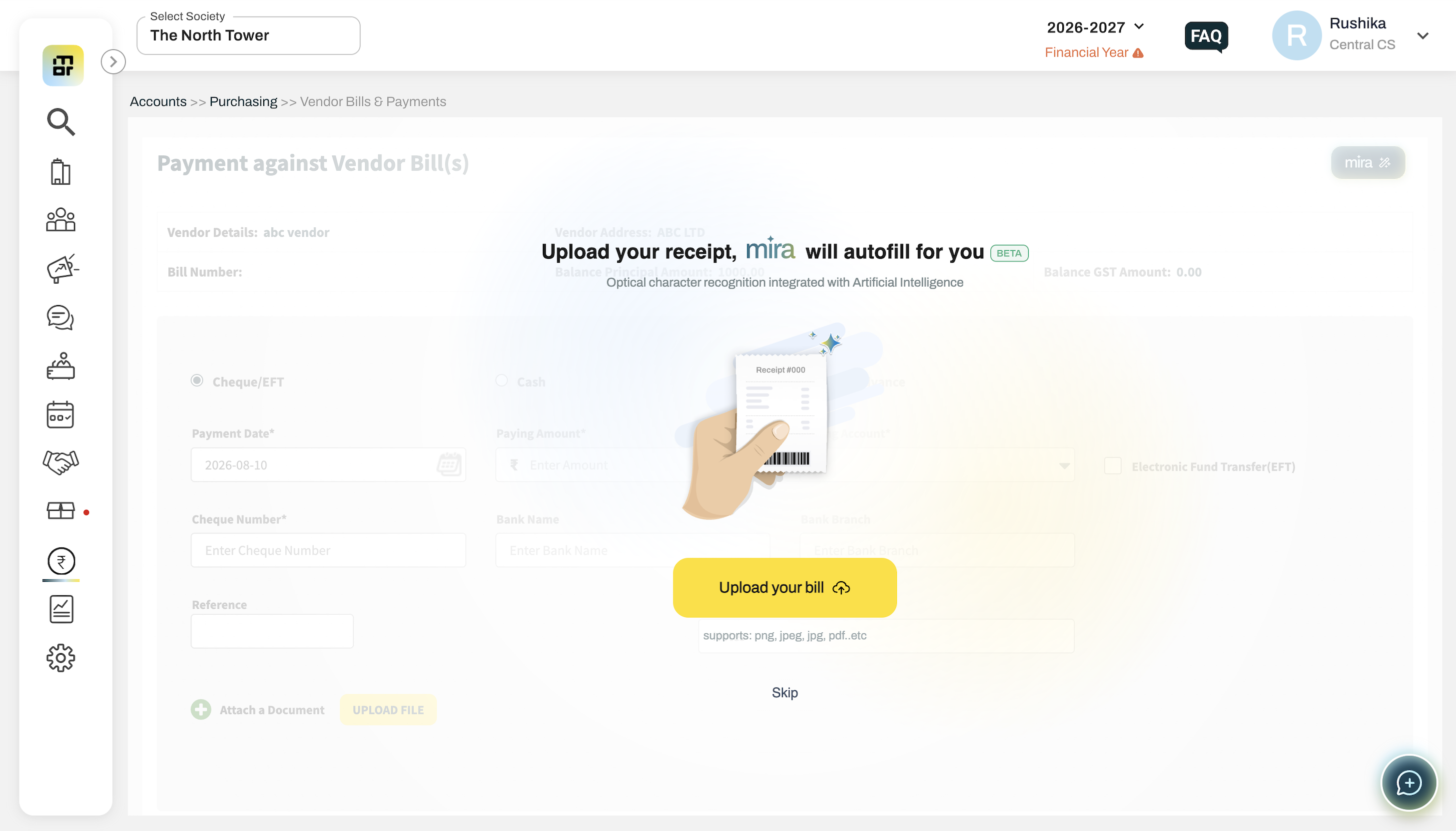
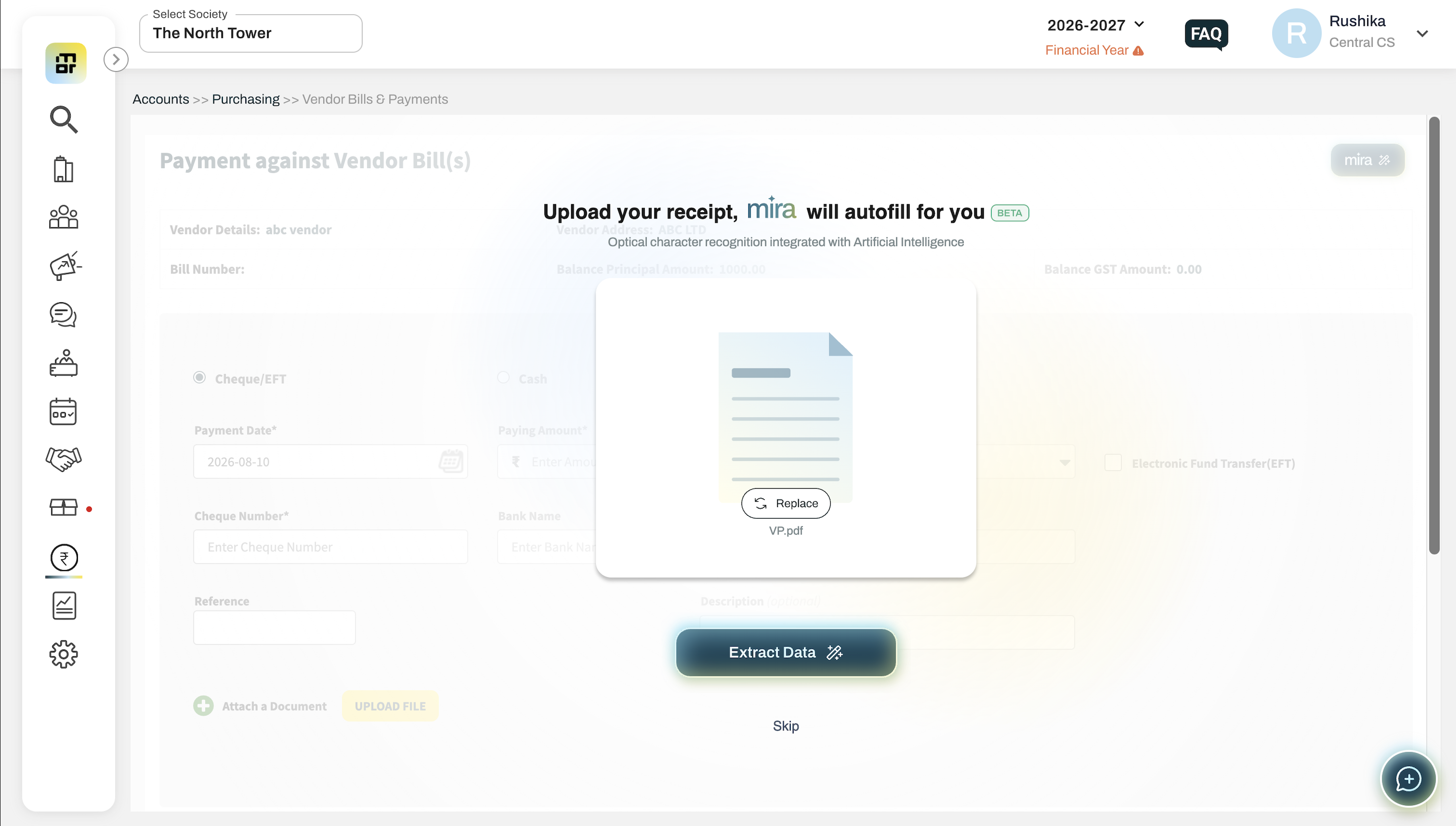
Upload the payment document.
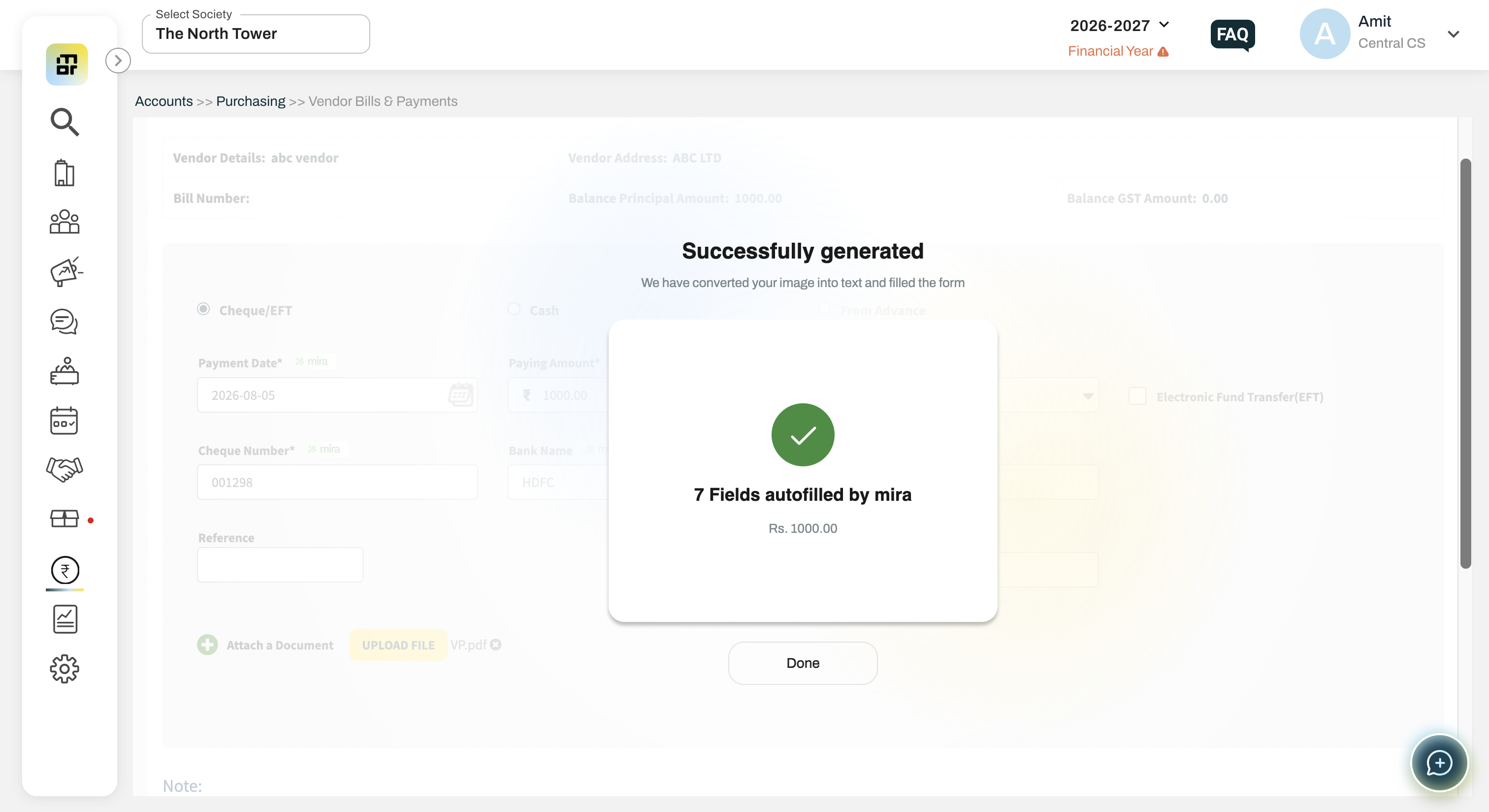
Mira AI extracts the available details.
Review and edit the information if required.
Submit the payment voucher.
3. What documents can I upload?
You can upload payment-related documents such as:
Bank payment advice
Cheque
Payment confirmation
Payment receipt
PDF or image containing payment details
4. What information does AI extract?
Mira AI can extract details such as:
Payee Account
Payment Date
Payment Amount
Payment Mode
Cheque details
Bank Account
UTR/Reference Number
Description
5. Can I edit the details extracted by AI?
Yes. All extracted details can be reviewed and edited manually before submitting the payment voucher.
6. What happens if some details are not extracted?
The available details will be pre-filled, while the remaining fields can be entered manually.
7. What if AI is unable to extract any information?
You can continue with the normal manual Vendor Payment Voucher creation flow.
8. Can I re-upload the document?
Yes. If the extracted information is incorrect, you can re-upload the document and allow Mira AI to process it again.
9. Does AI automatically create the payment voucher?
AI prepares and pre-fills the payment voucher. The user must review the details and submit the voucher.
10. Will the uploaded document remain attached to the payment voucher?
Yes. The uploaded document is attached to the payment voucher for future reference.
11. Does the AI payment voucher follow the existing approval process?
Yes. The payment voucher follows the existing approval workflow configured for the society.
12. Do I need to verify the AI-extracted information?
Yes. Always review the extracted details before submitting the voucher.
13. Who can access this feature?
The feature is currently available to select societies as part of a limited beta release.
Additional Notes:
This feature is available only to select societies as part of a limited beta release.
While this is a paid feature, it is being provided free of charge during the beta period.