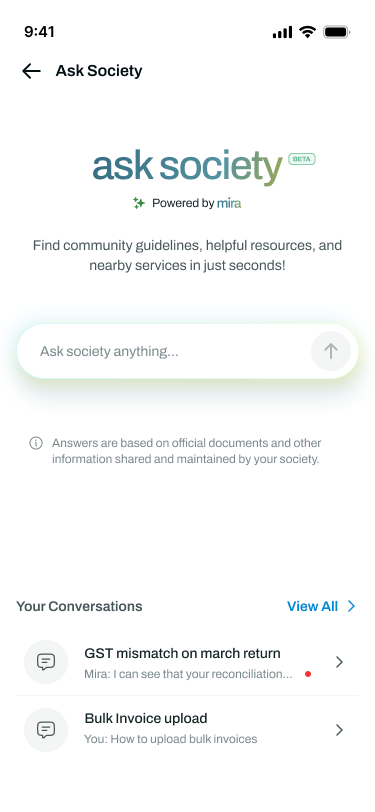
What is 'Ask Society' feature in the Documents module on the dashboard?
What is Ask Society?
Ask Society is a new feature inside the Mygate app that lets residents ask questions about their society and get instant answers. It is powered by MIRA, and it answers using your society's own official documents and the local directory.
So instead of scrolling through a 10-page PDF or calling the society office, a resident just types their question and gets the answer.
What kind of questions can residents ask?
Anything covered in the society documents and the admin has tagged, plus local service contacts. For example:
• Pet policies
• Clubhouse usage rules
• Garbage disposal and collection guidelines
• Move-in / move-out rules
• Trainer onboarding policies
• Guest parking and internal parking rentals
• Local service providers — Wi-Fi, gas pipeline, plumbing, electrical work
Any other community policy that exists in the tagged society documents
Does it start working as soon as documents are uploaded?
No. Two things have to happen first: the admin has to tag the documents under Ask Society, and the setting has to be switched on for the society.
How is this beneficial for me?
• Fewer repeat questions to the society office on email, WhatsApp and after-hours calls.
• New residents get up to speed on society rules without chasing anyone.
• Residents who missed a GBM can still find what was decided, if it is in the documents.
• Your official documents become the single source of truth, so answers stay consistent.
How do I set up Ask Society?
This is done from the Admin Dashboard. It takes a few minutes.
Step 1 Go to Communications >> Documents on the Mygate Dashboard. You will see the Ask Society banner and the 'Configure Ask Society' button on the top right.
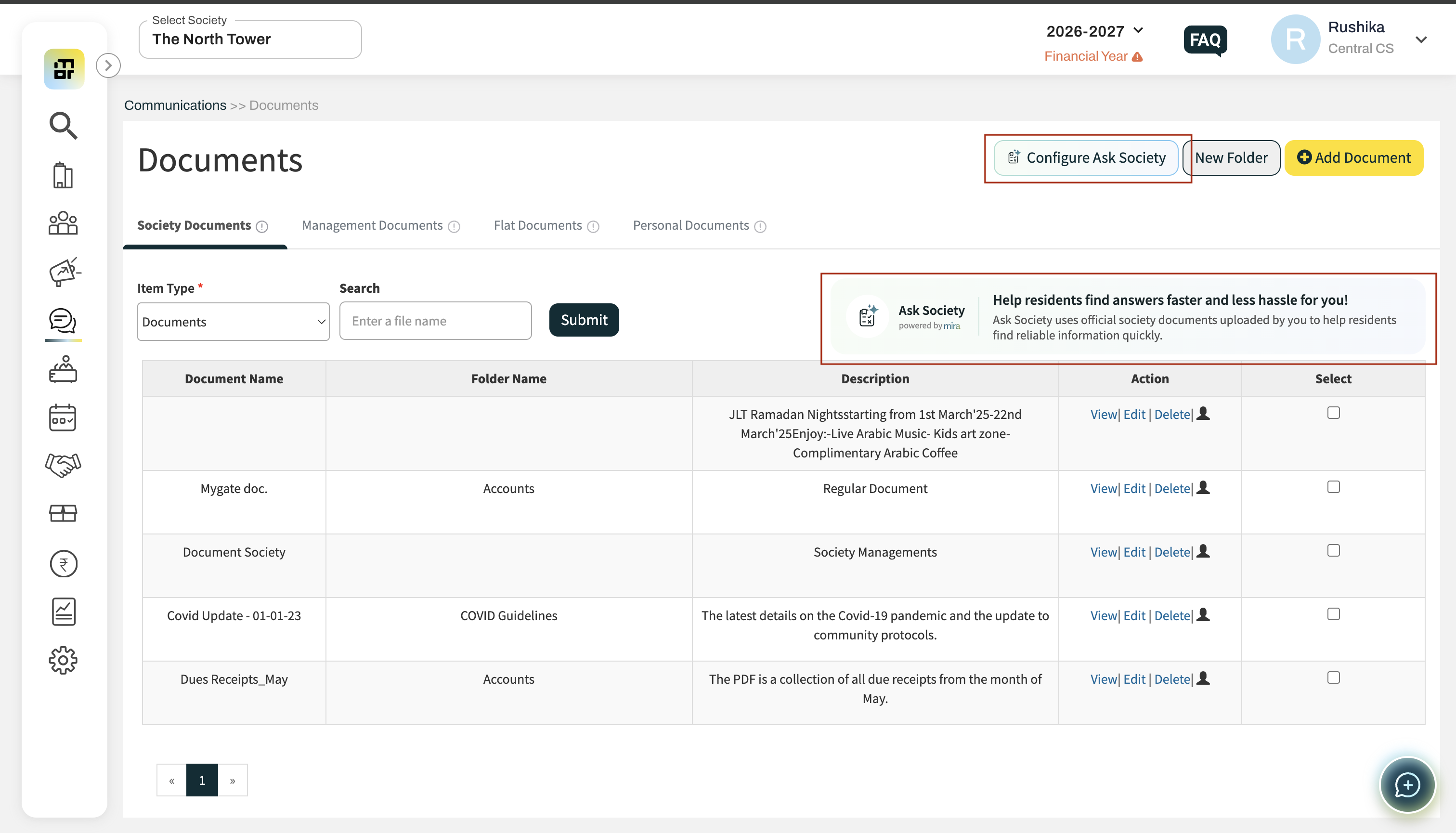
Step 2 Click Configure Ask Society. A pop-up opens listing all your uploaded society documents.
Step 3 Select the documents MIRA should use to answer residents. Use the search bar if you have a long list. The count of selected documents shows on the right.
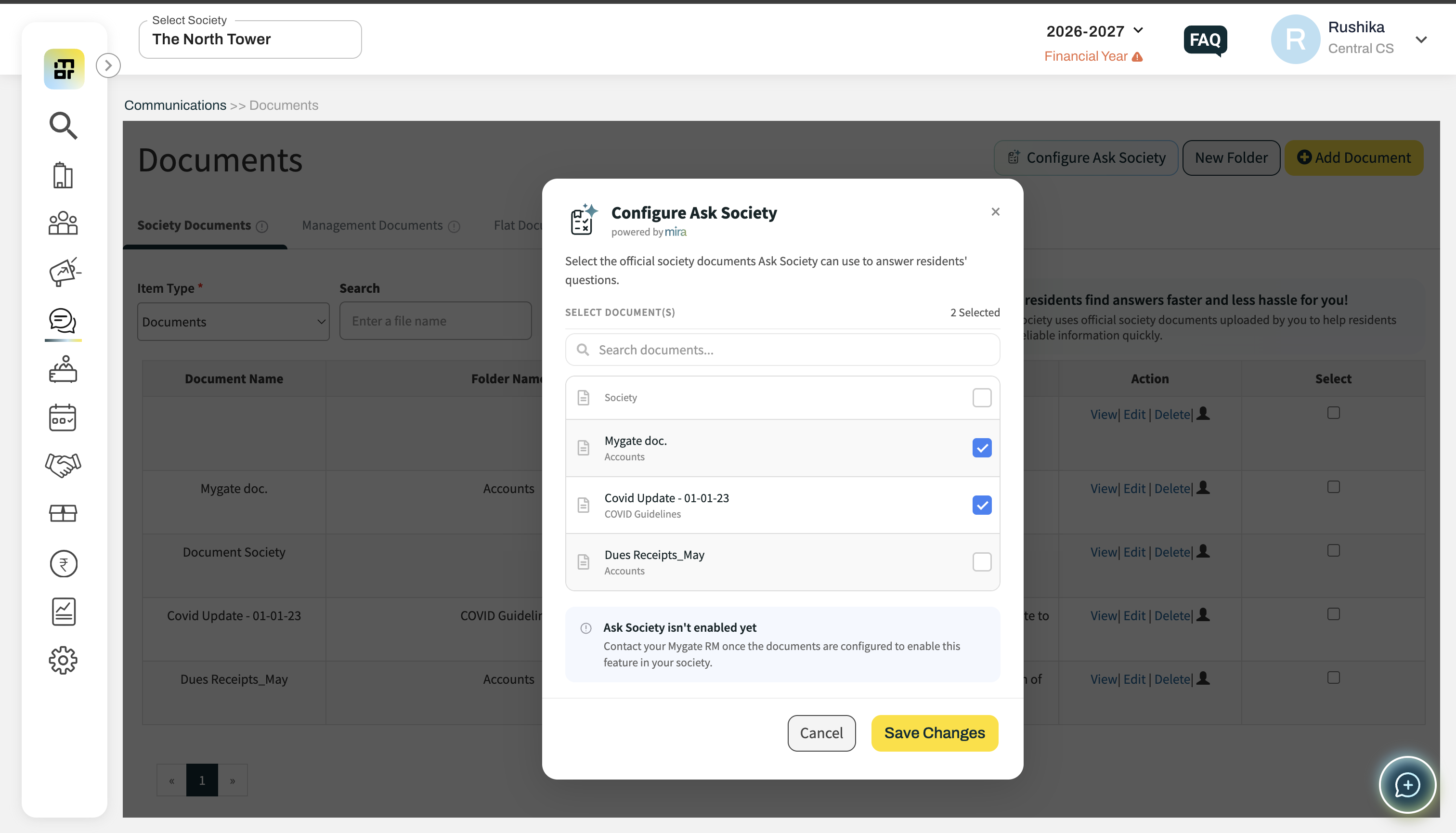
Step 4 Click Save Changes. Your documents are now tagged.
Step 5 Reach out to your Mygate Relationship Manager (RM) and let them know tagging is done.
Step 6 The RM informs the support team, who switch on the setting for your society.
Step 7 Ask Society goes live — residents can start asking questions from the Mygate app.
Important: Tagging alone is not enough. Until the setting is enabled by the support team, residents will not see the feature. This step is what makes the feature actually work, so do not skip it. Also make sure two documents of same name are not tagged together as this might lead to confusion.
Which documents should I tag?
Tag the documents residents ask about most often. Typically:
• Clubhouse and amenity usage rules
• Pet policy
• Garbage disposal and collection guidelines
• Move-in / move-out rules
• Parking rules and rental guidelines
• Emergency contacts and local service provider lists
• Other regulatory or policy documents shared with residents
The more relevant documents you tag, the more questions MIRA can answer.
Can I change the documents later?
Yes. Open Configure Ask Society again, tick or untick documents, and click Save Changes. MIRA will then answer based on the updated set.
How can resident ask questions on the app?
Residents can access open Ask Society on the app through View More >> Quick Actions and Community Actions, type their question in the "Ask society anything..." box and send it. MIRA searches your society documents and the local directory, and replies with the answer.