How to edit a society admin
Mygate enables the society admin to directly update the details of other admin accounts from the dashboard. This includes the ability to modify the admin's name, mobile number, email address, and password, providing a convenient way to manage and update admin credentials without needing to access other systems or settings.
Please follow the steps below to edit the Society admin details.
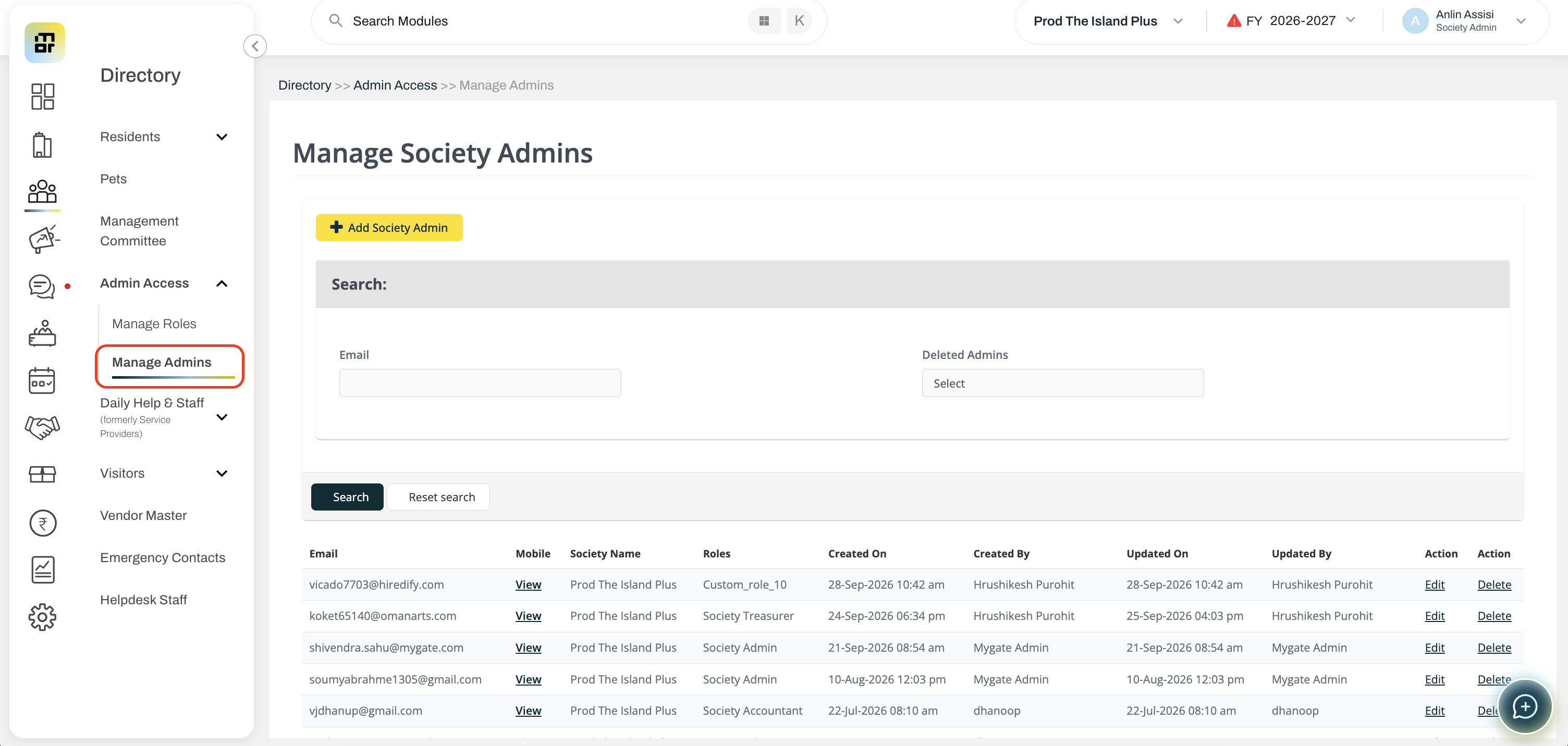
Go to Directory, and select Manage Admins under Admin Access.
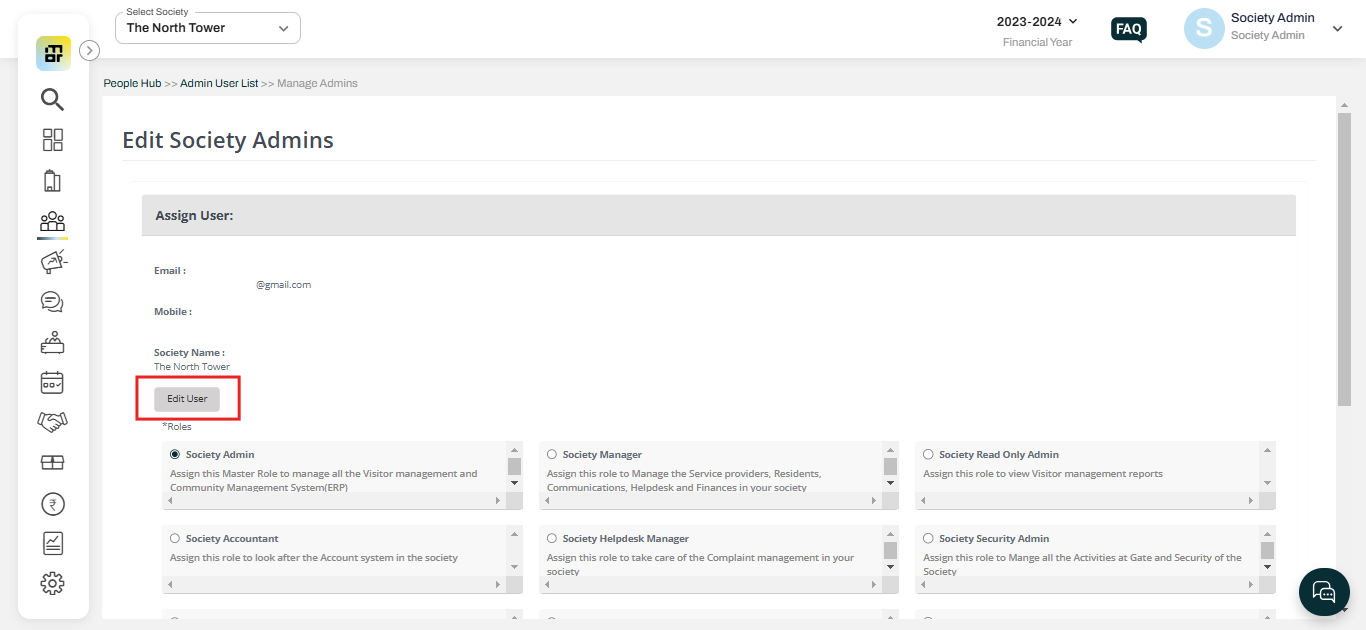
Click on Edit against the Society admin account you want to update and Click on Edit User.
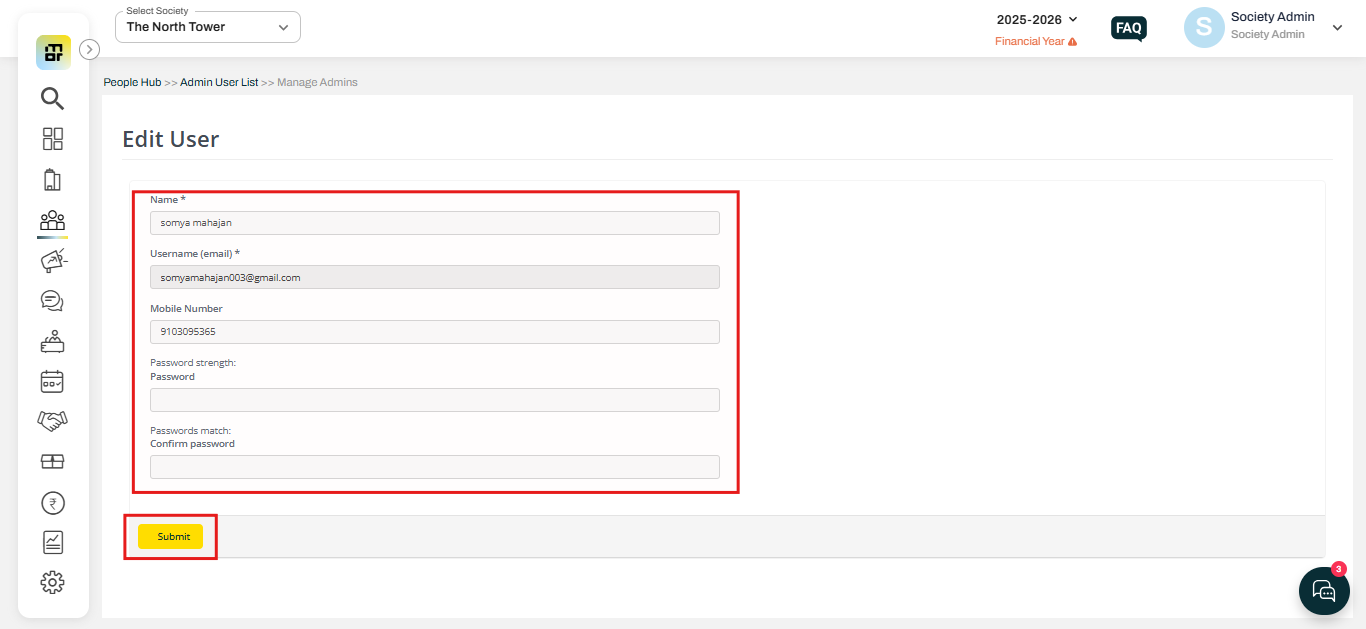
3. Update the admin user name, mobile number, and password, and click on Submit.