
How can I restrict a service provider?
In order to restrict a service provider, the admin can follow the steps below
Click on Directory >> Daily Help & Staff >> Daily Profile List
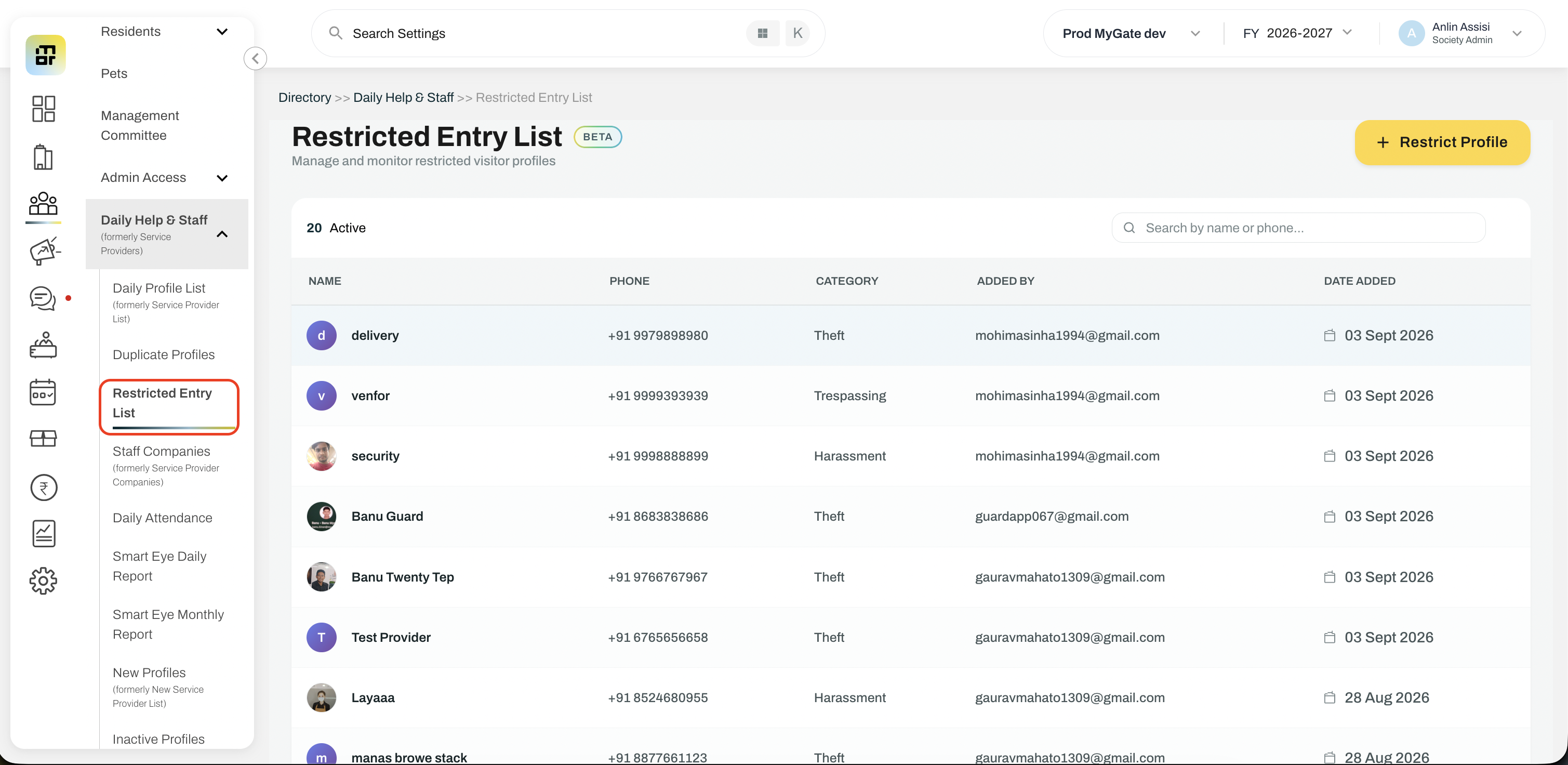
Click on the option ‘Restrict Profile’
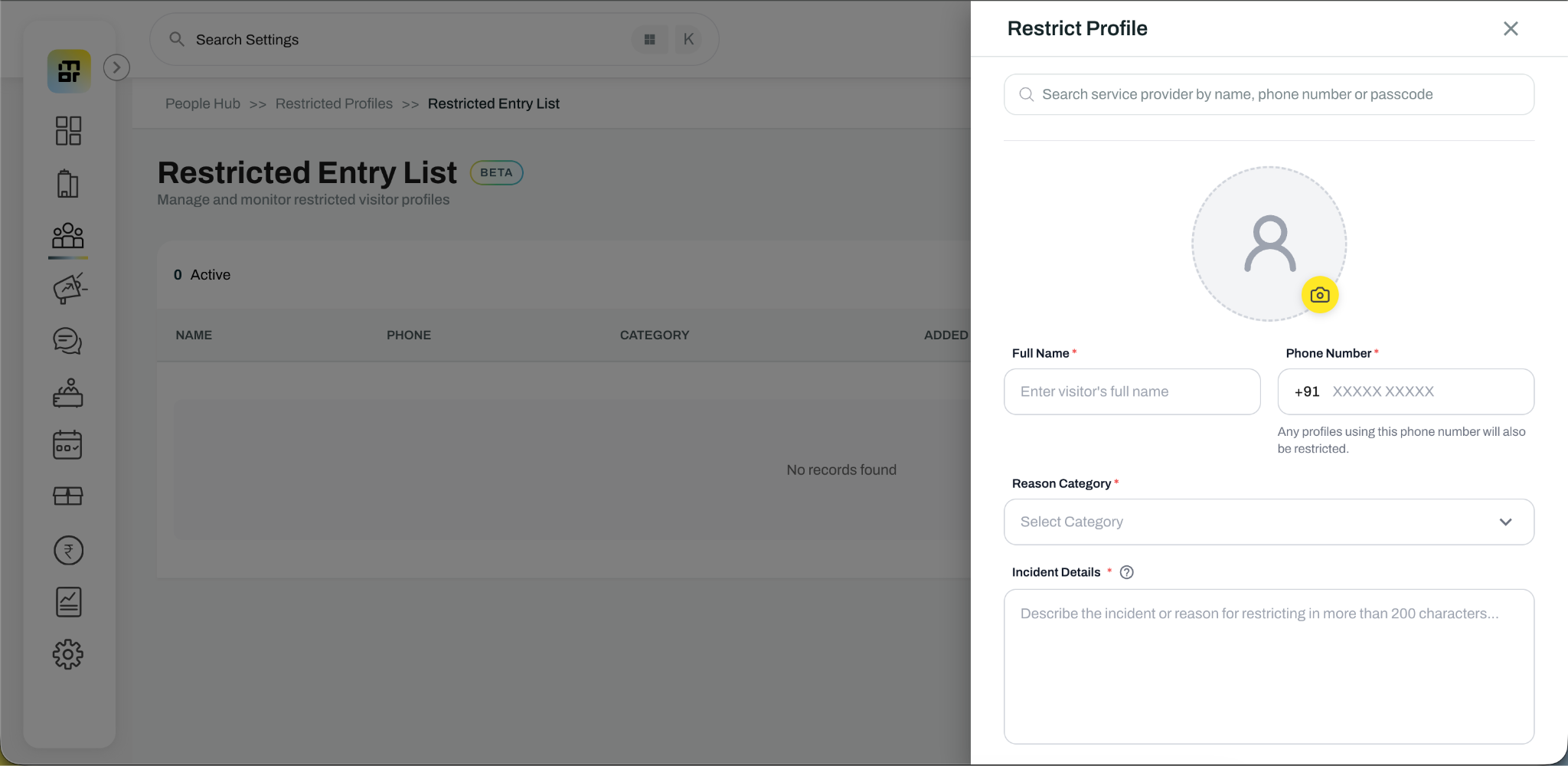
Select an existing daily help profile from the search bar or by entering the name and phone number manually
Select the incident type from the dropdown
Enter the detailed reason for restriction (Minimum 200 characters required)
Attach the proof of the incident (Mandatory to attach)
Click on 'Add Restriction'
The Daily help will be unhired from all the flats immediately and a restricted profile has been now added in your society. All the admins in the society would be intimated about the restriction over the registered email. Only the society Admin (from the Admin Dashboard) can blacklist a Daily Help. Guards and residents cannot blacklist anyone.