
How to restore the access of the service provider?
Admins can restore or remove the restriction from the admin dashboard at any time. The hard block will be lifted immediately. Follow the steps below, In order to restore the access of the daily help.
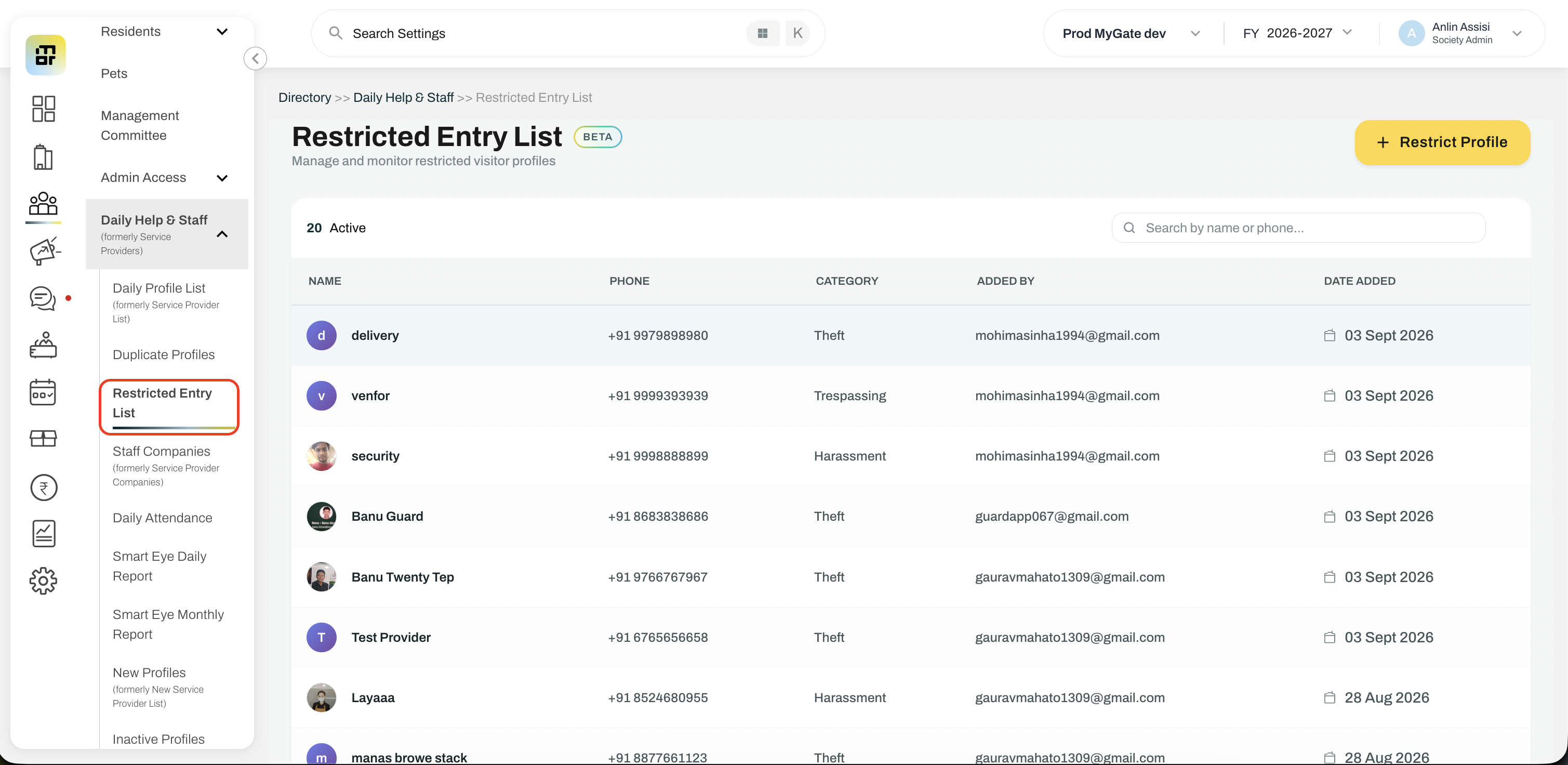
Click on Directory >> Daily Help & Staff >> Daily Profile List
Click on the specific profile you would like to restore the access
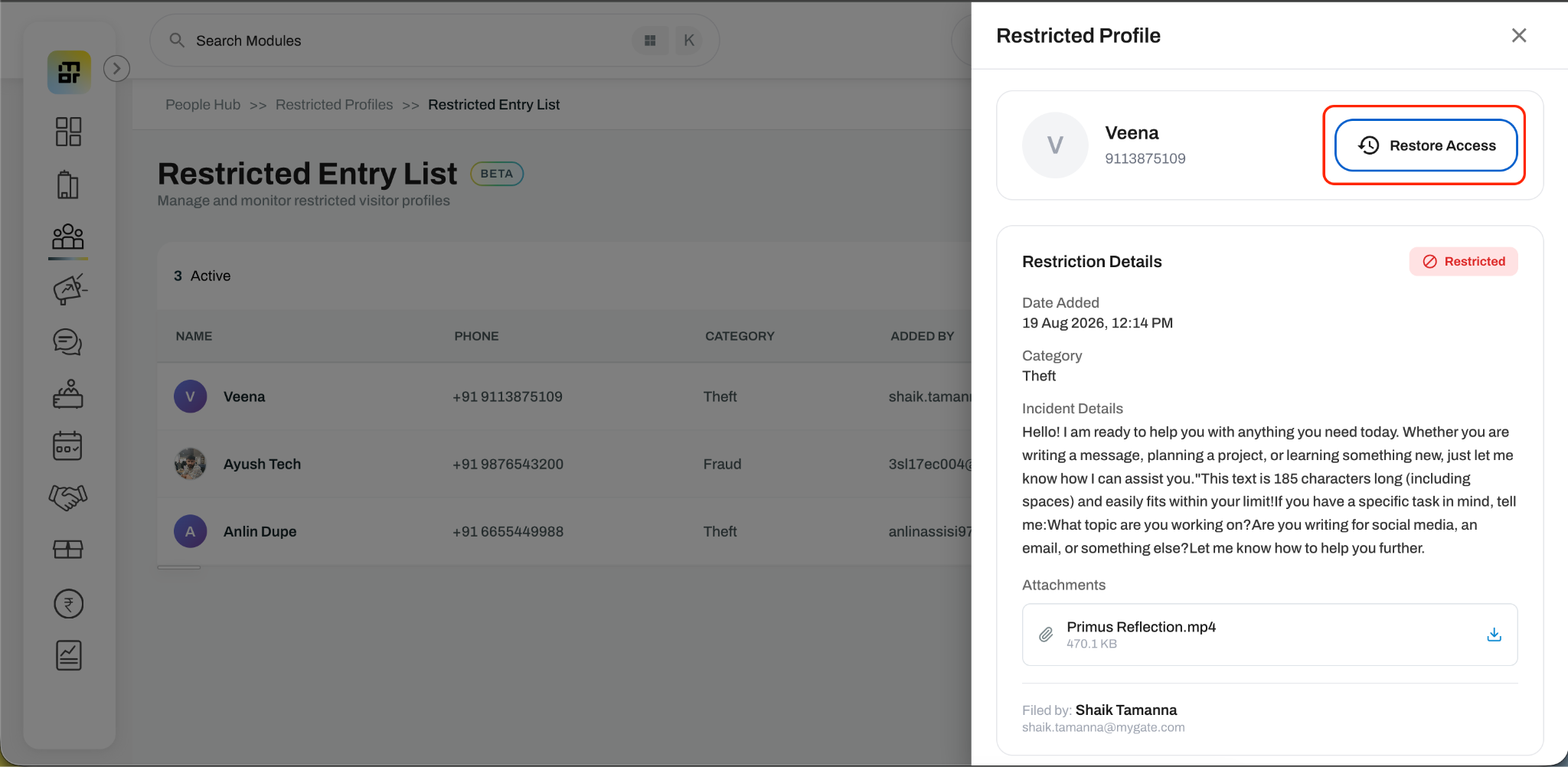
The profile of the provider will open. Click on the ‘Restore Access’ option in the profile details
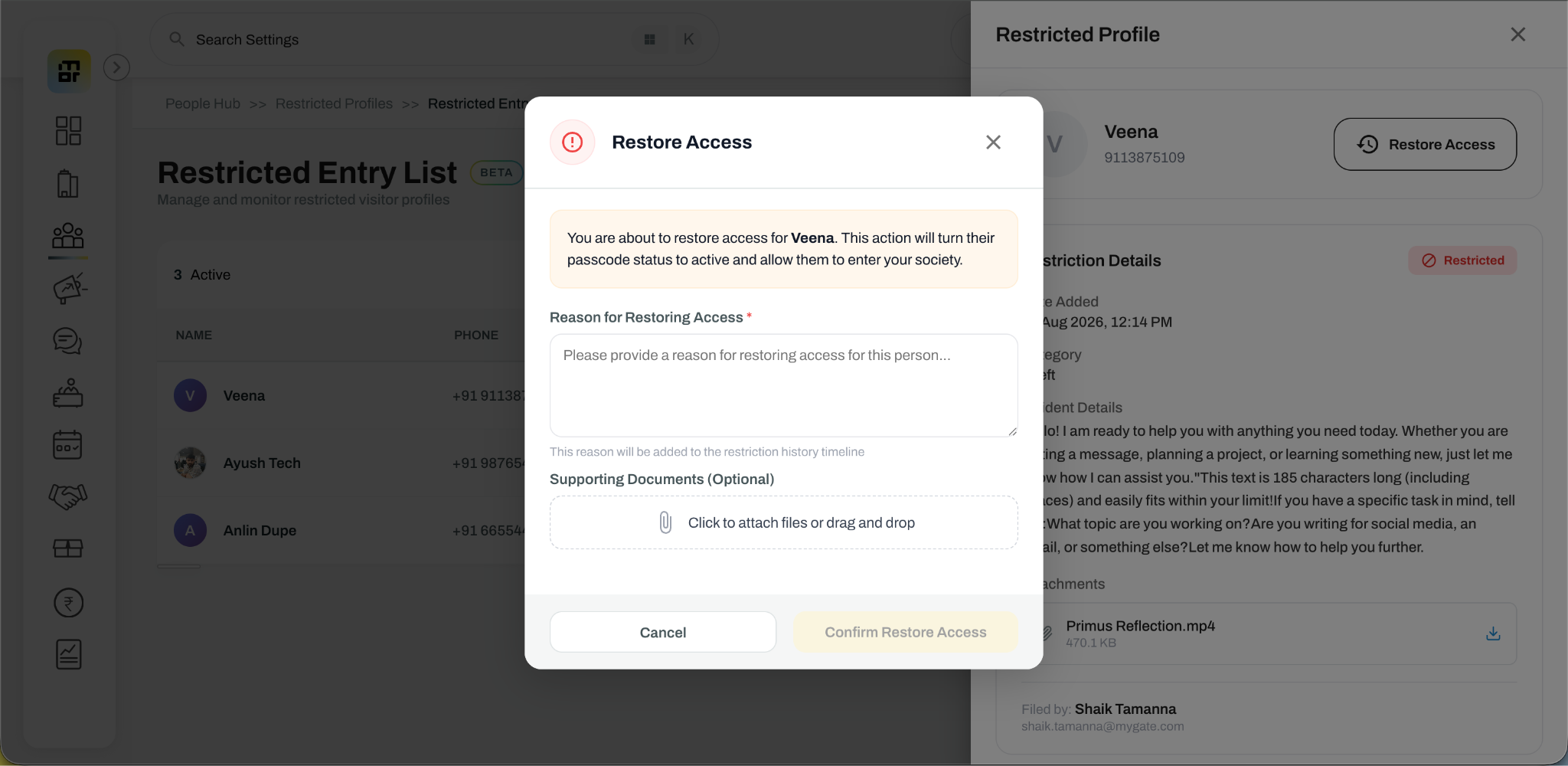
Enter the reason to restore access (No word limit here)
Add supporting document (Non mandatory)
Once restored, the same existing profile will be activated again, but the guards or residents or admins will have to re-hire the profile in the expected flats for the passcode to work at the gate. All the admins of the society will be notified by mail upon restoration.