How to view the restricted service providers list?
In order to view the list of service providers restricted in the society, the admin can navigate by
Click on Directory >> Daily Help & Staff >> Restricted Entry List
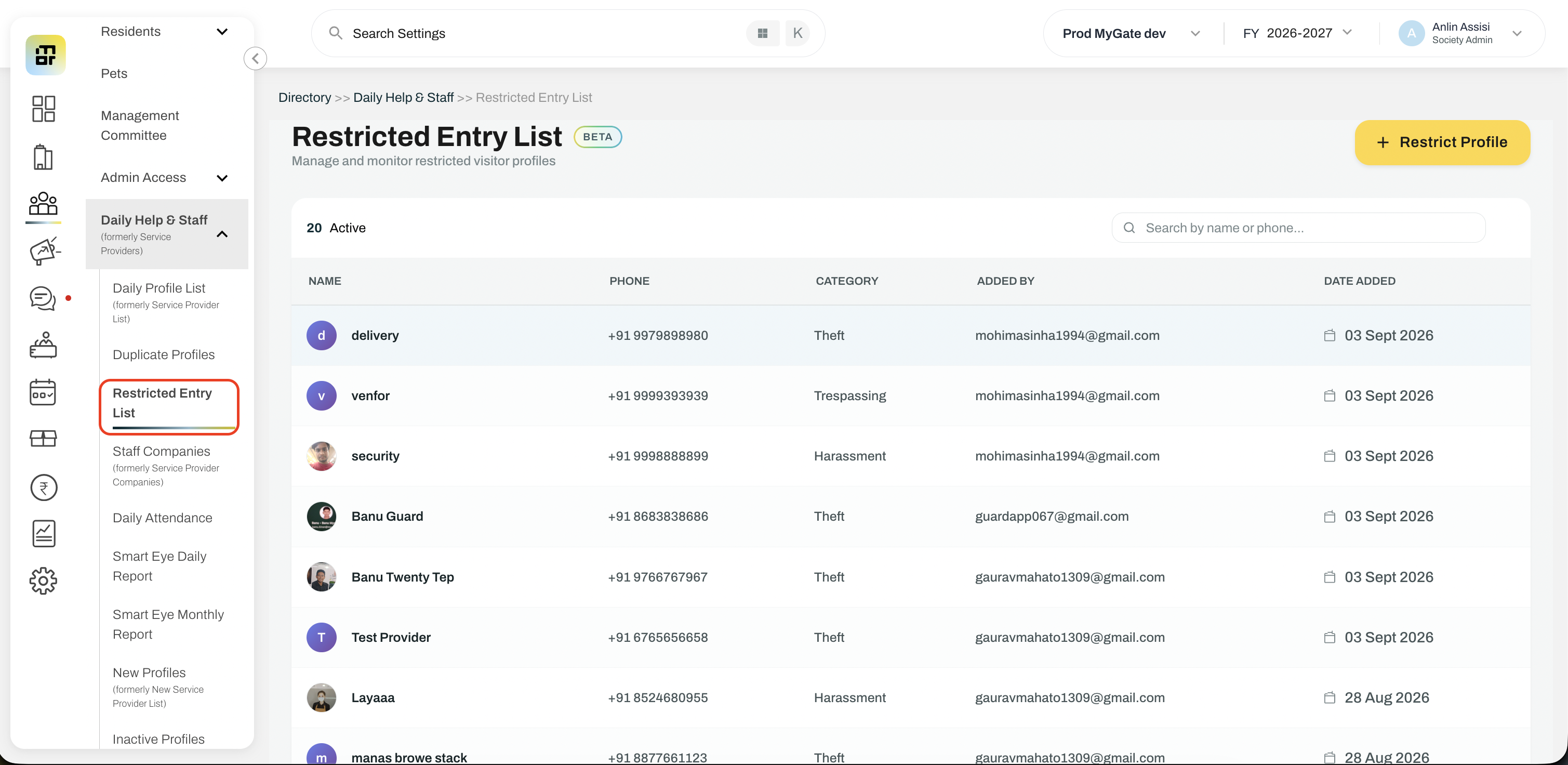
The admin can view all the restricted profiles in this list. Clicking on the profile will also open the profile details of the service providers. Additionally, admins can view the list from the service providers list as well.
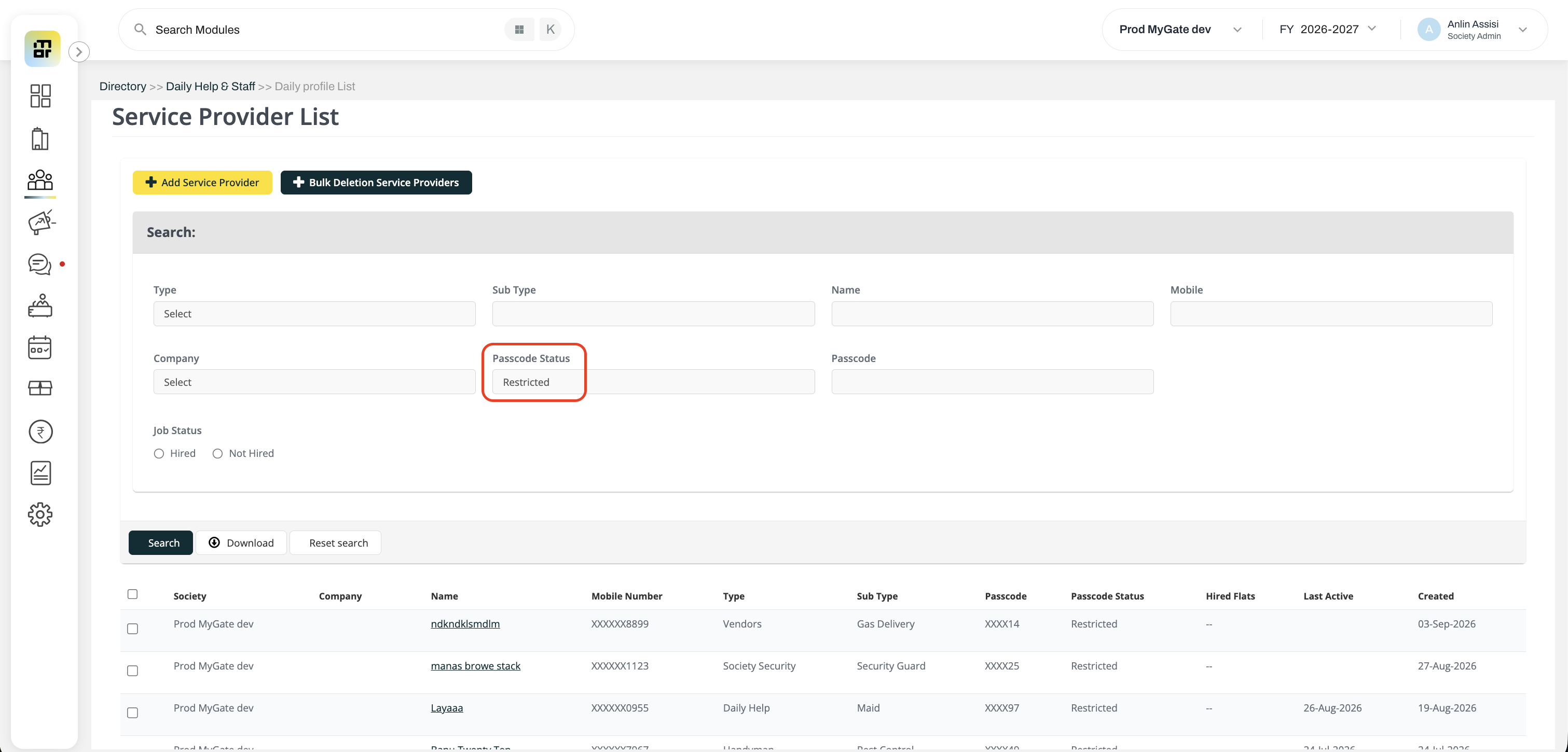
Click on Directory >> Daily Help & Staff >> Daily Profile List
Select ‘Restricted’ from the dropdown list of Passcode status and search
This will give only the profiles which are restricted in the society.