
How can I download a notice that is published?
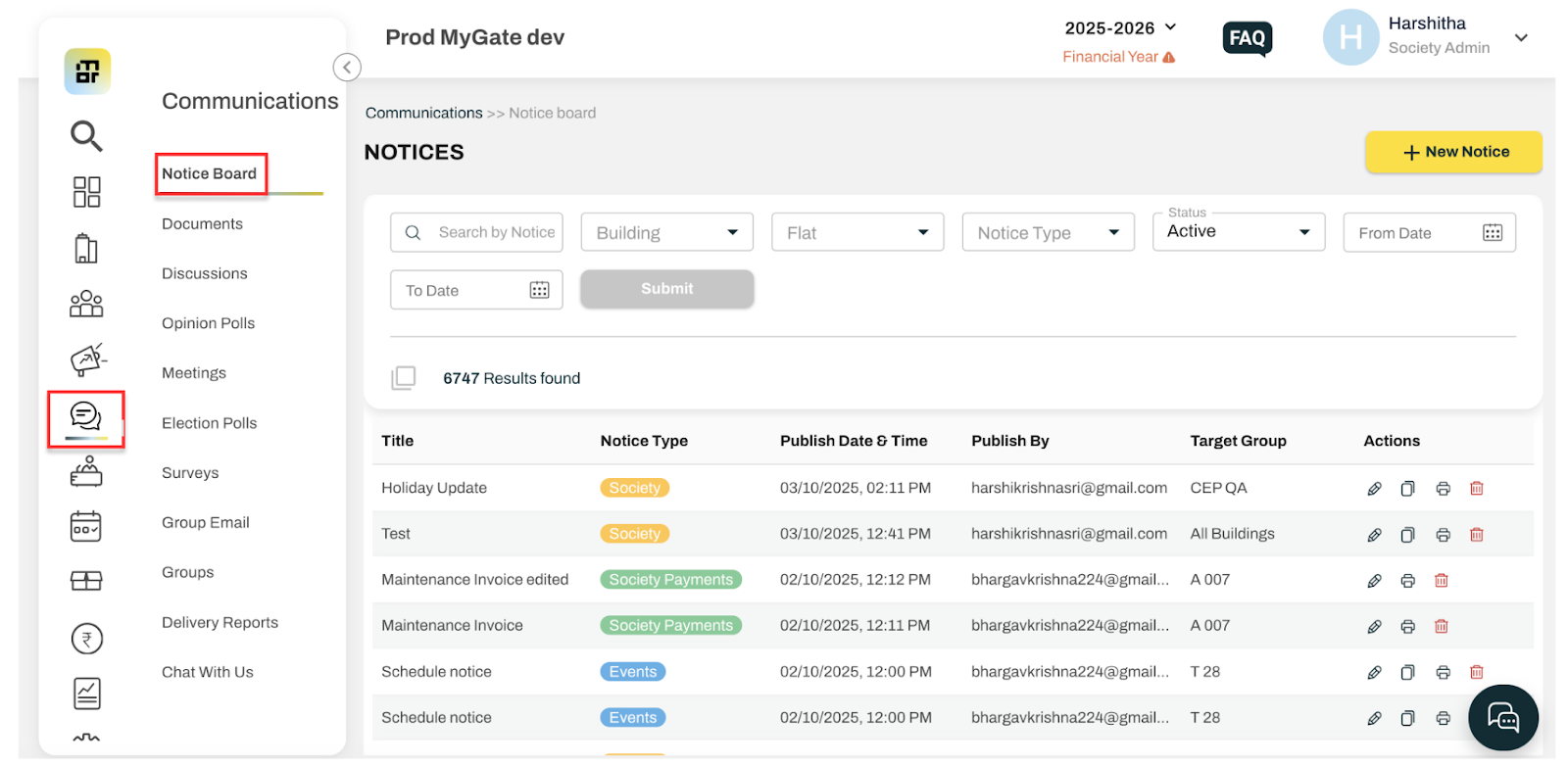
Step 1 - Go to Communication, click on Notice Board
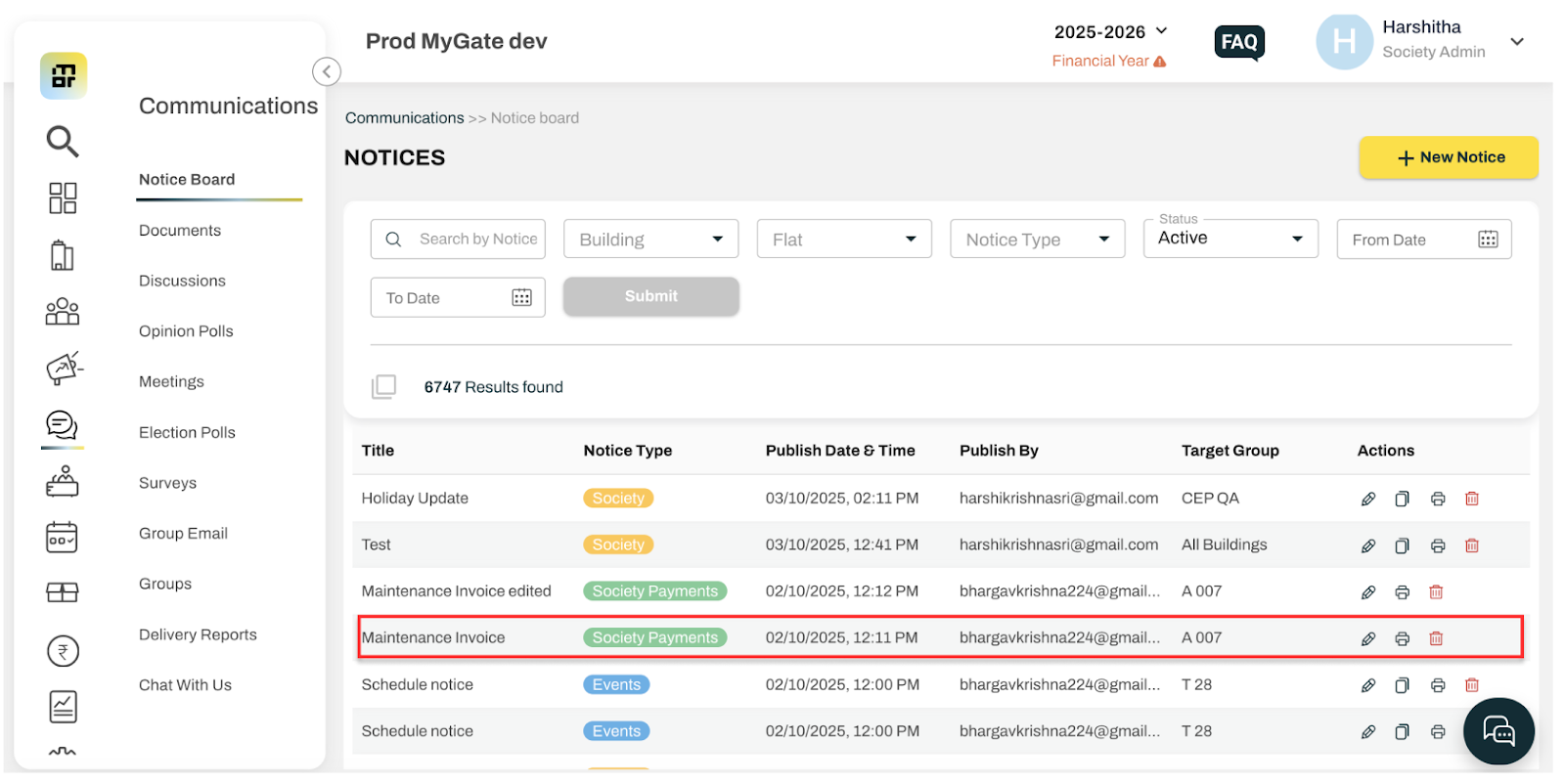
Step 2 - Click on the notice to be shared
Step 3 - Click on Download
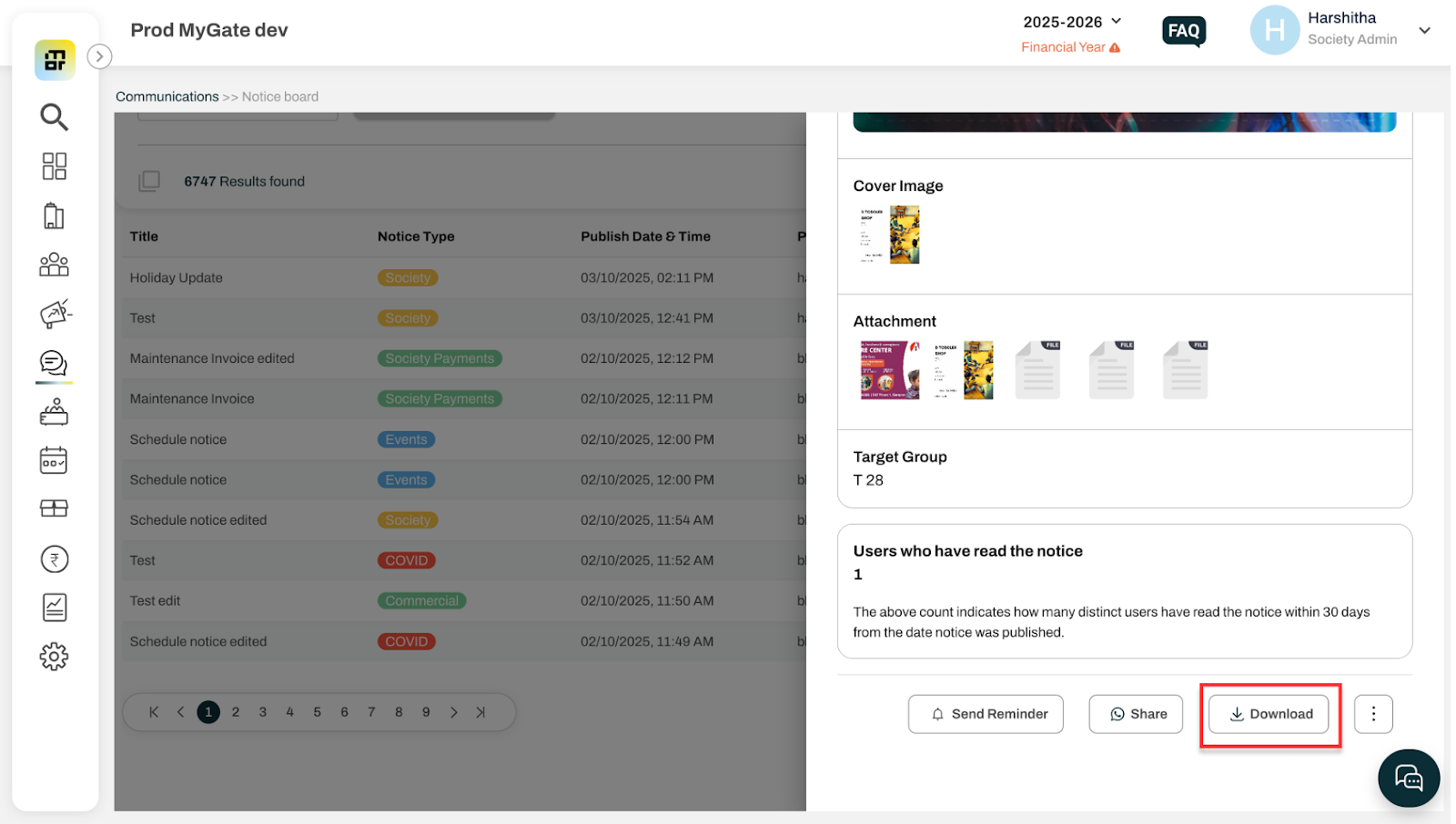
By doing so, the respective notice would be downloaded as a PDF (Without attachments, if any).