
Tabular Invoice Format
1. What is the Tabular Invoice Format?
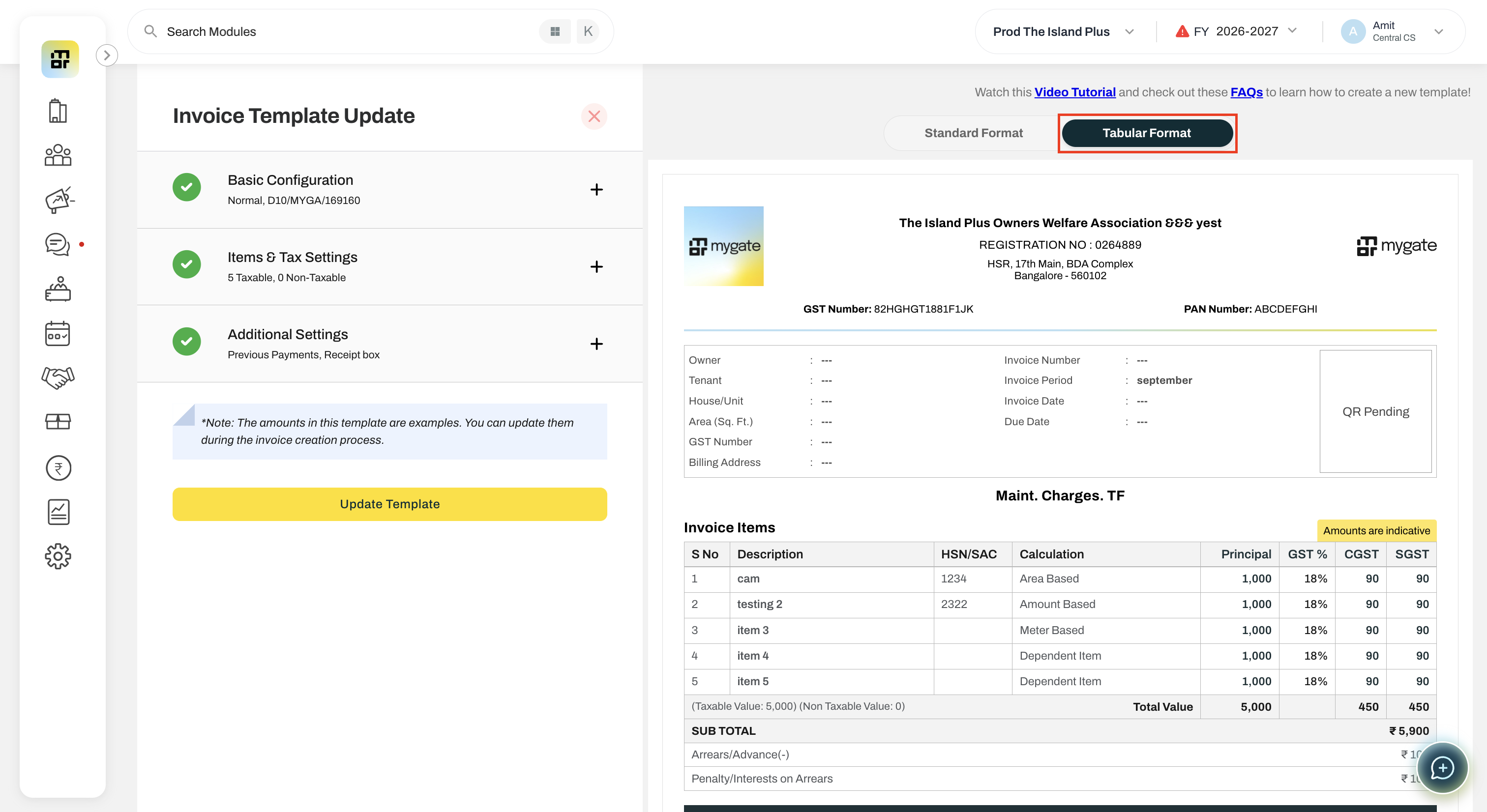
The Tabular Invoice Format is an alternative invoice layout that presents the Item Details and Arrears/Credit Notes sections in a structured tabular format. The existing Standard Format will continue to be available.
2. How can I select the Tabular Format?
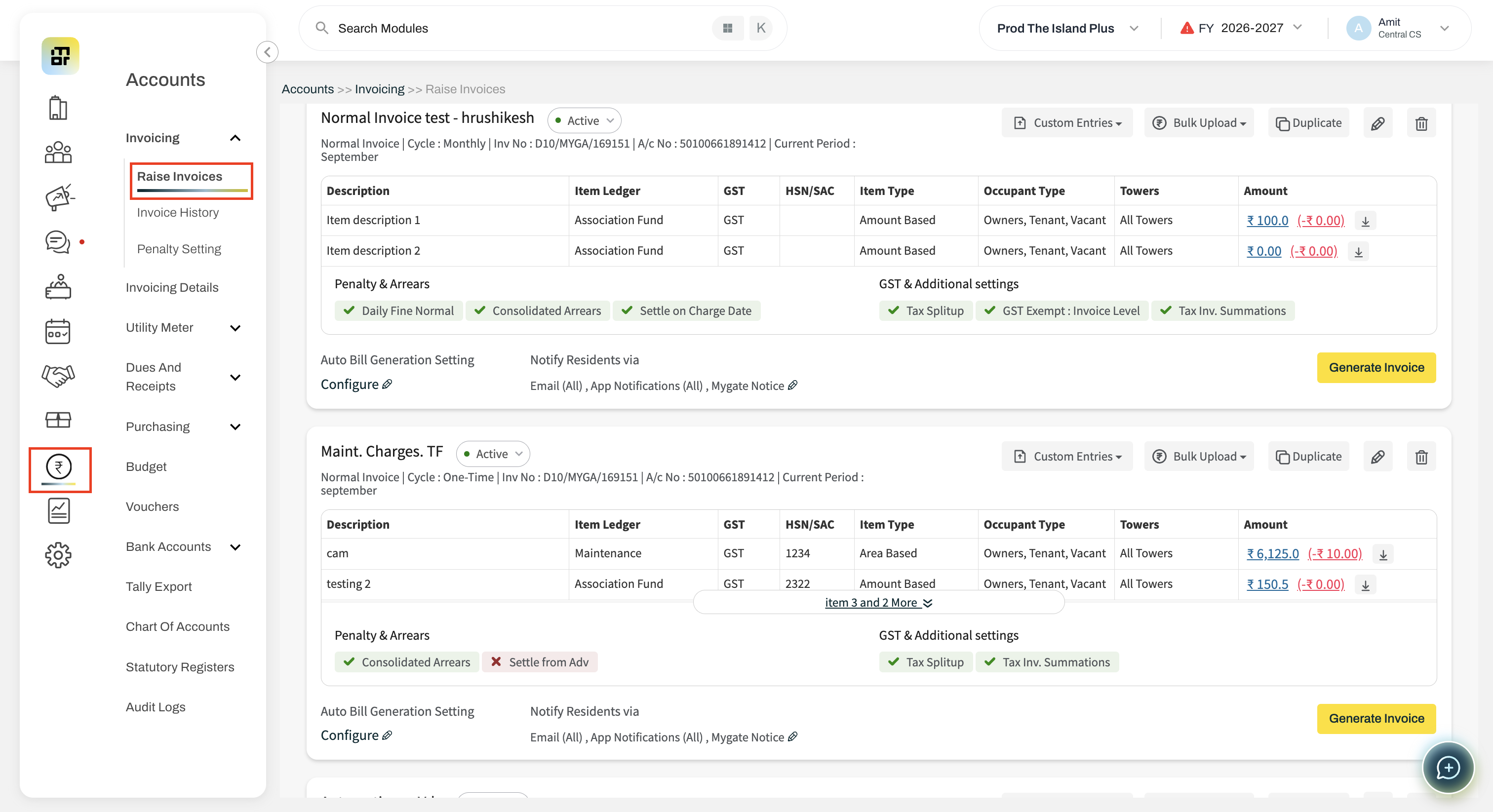
Go to Accounts >> Raise Invoices >> Template >> Create Template/Select the Template and Edit
Select the format in side by side preview Standard Format or Tabular Format
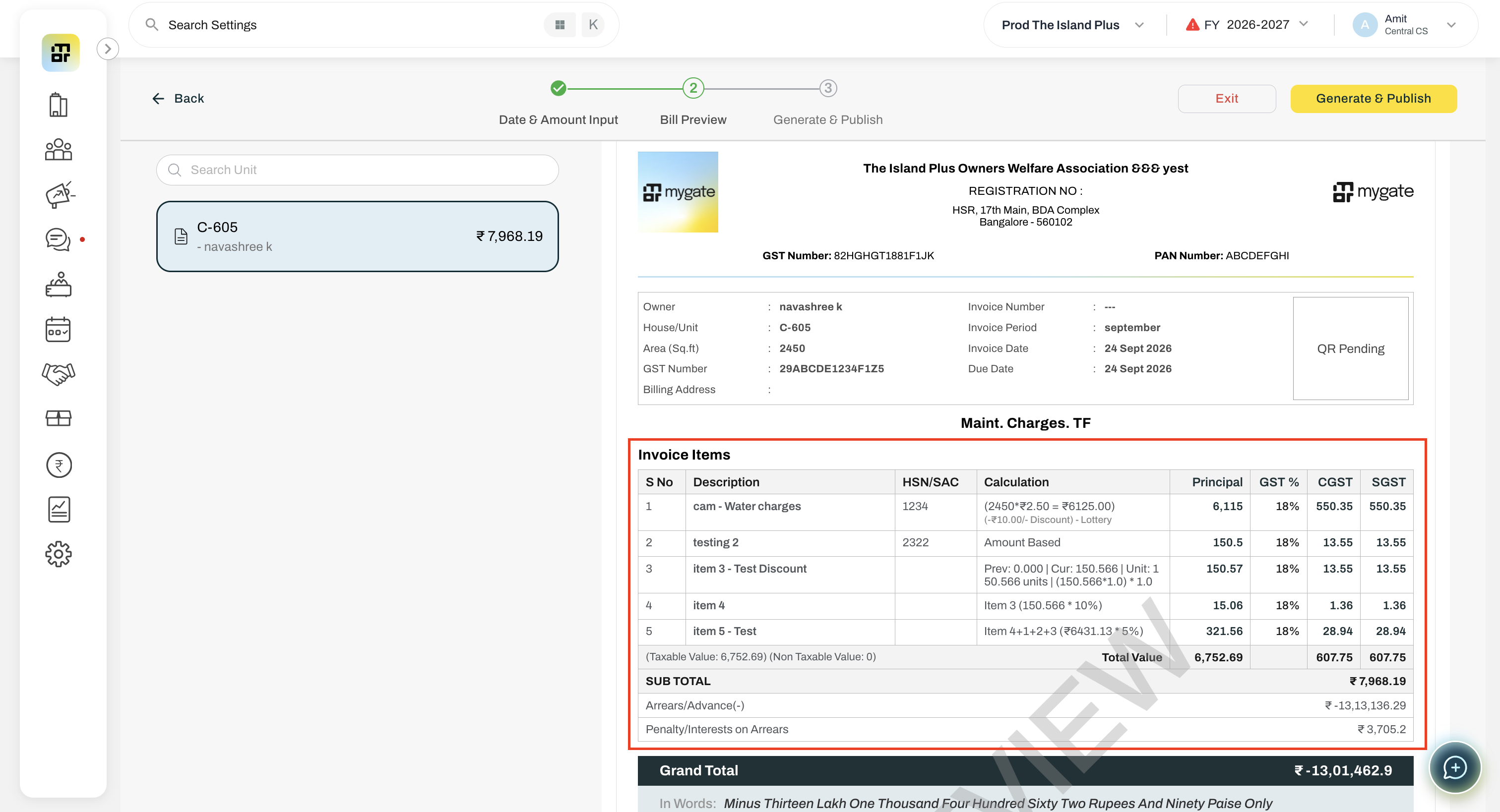
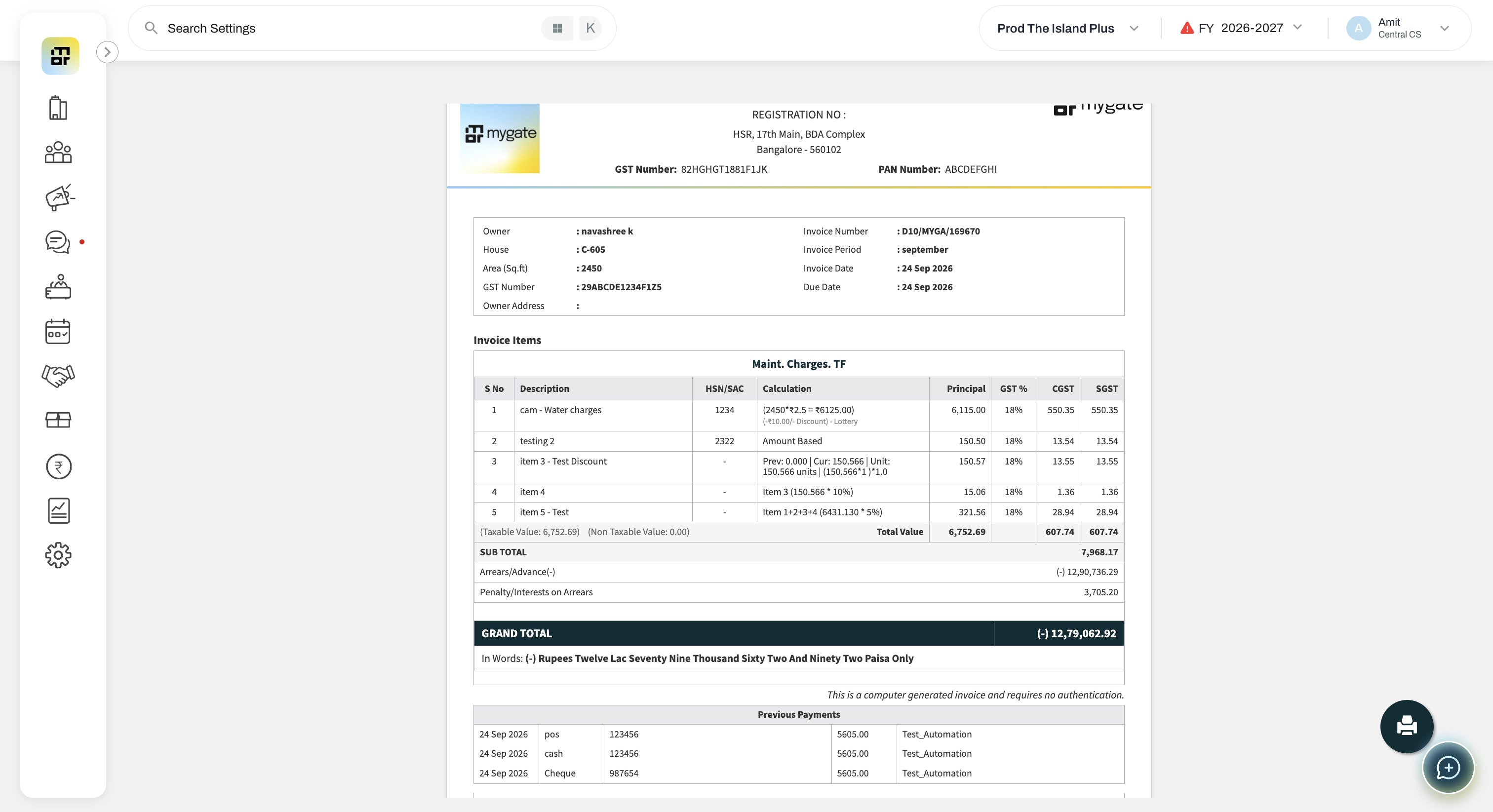
The selected format will be used for invoices preview and invoice generated using that template.
3. What is the default invoice format?
Standard Format will remain the default for all existing and newly created templates unless the user explicitly selects Tabular Format.
4. What changes in the Tabular Format?
Only the Item Details and Arrears/Credit Notes sections will have layout changes. All other sections of the invoice will remain unchanged.
5. Where will the selected invoice format be reflected?
The selected format will be reflected in:
Side-by-side preview
Download Preview
Generated Invoice PDF
Invoice PDF sent through email
Resident App
6. Will the invoice format change when an invoice is replaced?
No. Invoice replacement will retain the format of the original invoice.
7. Can I change the invoice format for an already generated invoice?
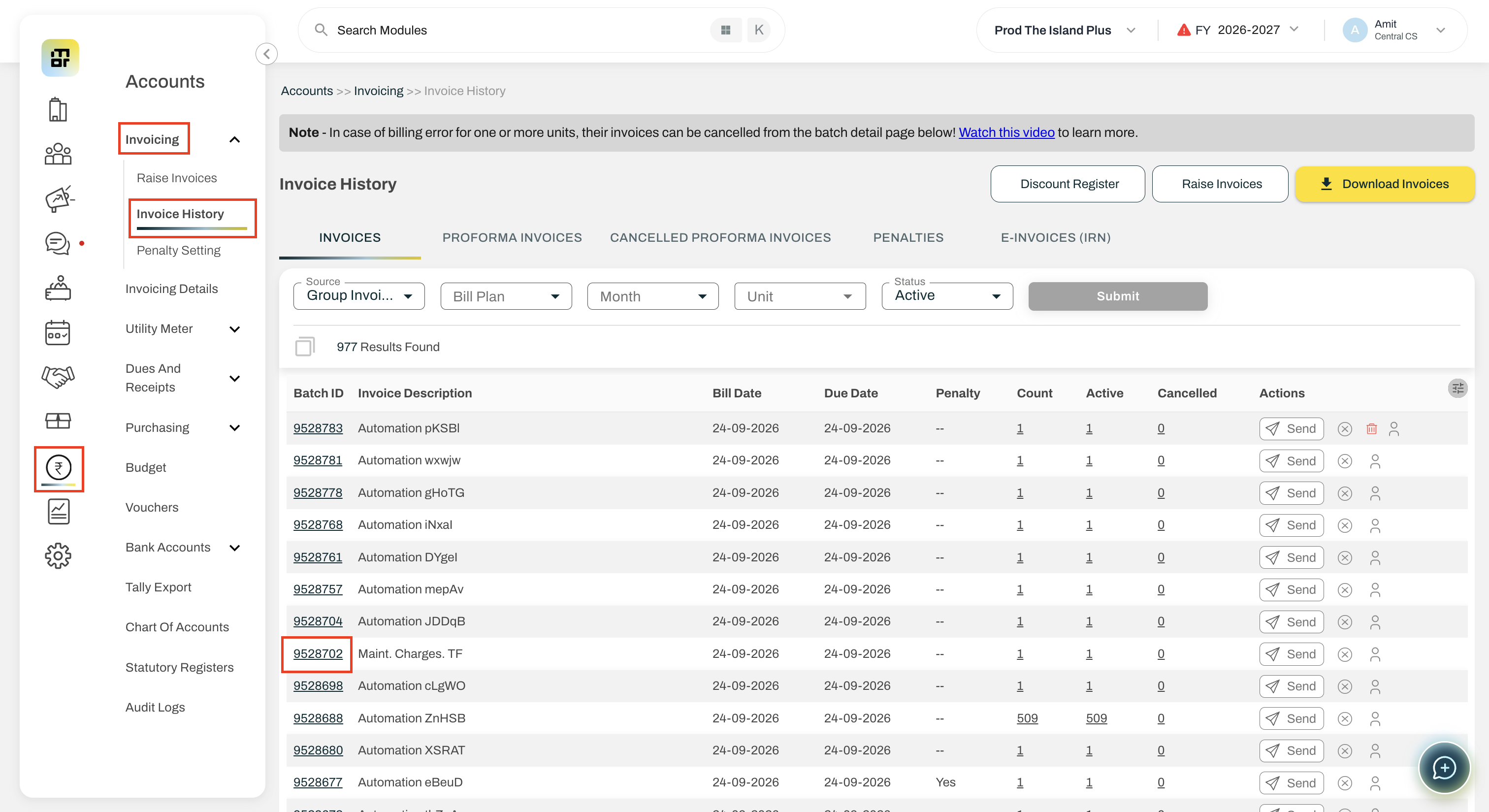
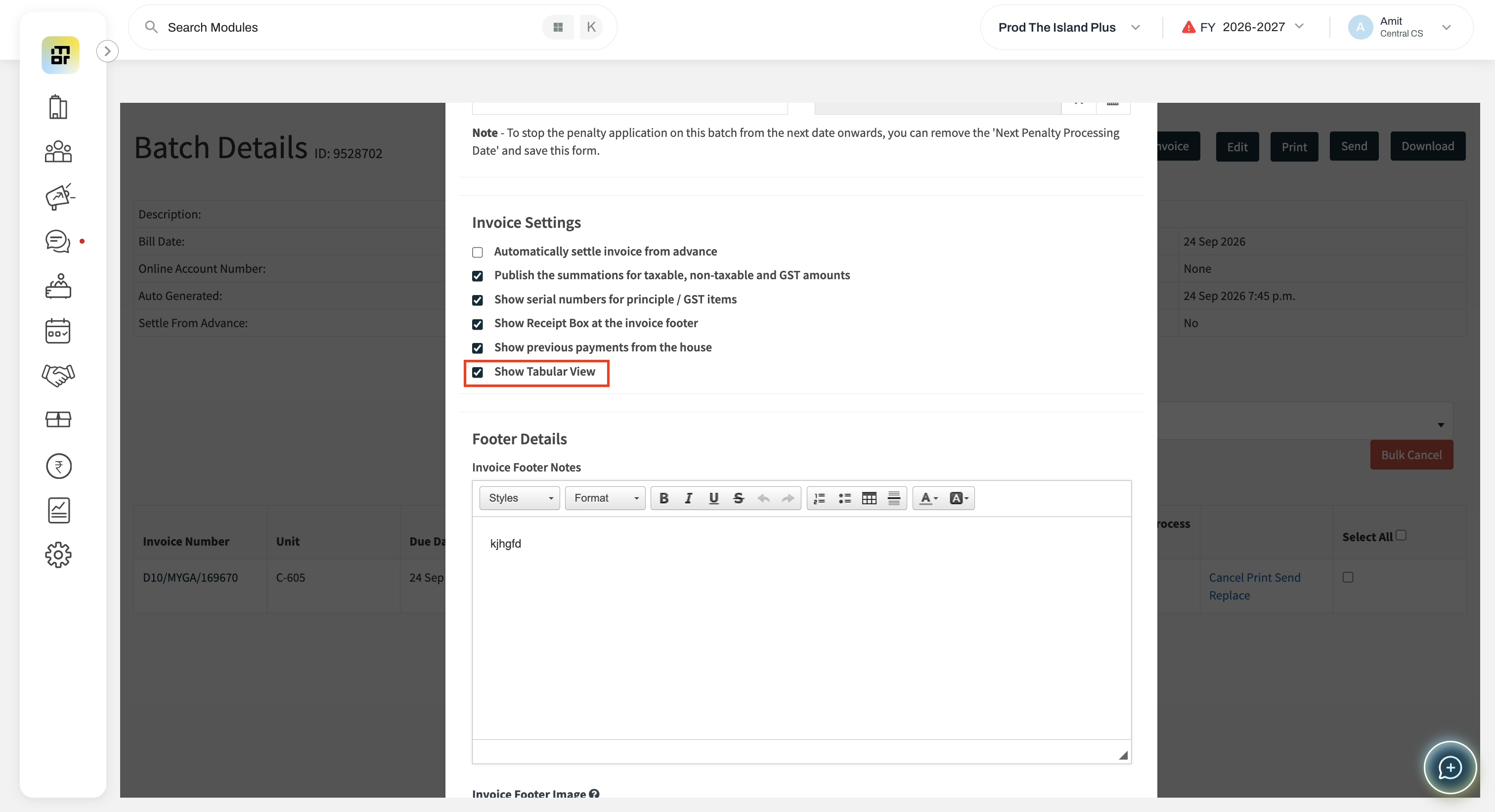
Yes. To change the format of an already generated invoice, go to the Batch Edit page and select the “Show Tabular View” option.
This will change the invoice format for all invoices tagged to that batch.
8. Which invoice types support the Tabular Format?
The format can be used for Group Invoices only for now.
9. Can I select the format for an Amenity Invoice?
No. There will be no changes to Amenity Invoice.
10. Can I select the format while generating a Manual Invoice?
No. There will be no changes to Manual Invoice.
11. Can I select the format for a Penalty Invoice?
No. There will be no changes to Penalty Invoice.
12. How does the format work for Group Invoice Generation?
The invoice format will always be picked from the associated invoice template.
13. What happens if there are no Arrears or Credit Notes?
In Tabular Format, if there are no Arrears or Credit Notes, the Grand Total will be displayed directly in place of the last Sub Total row.
14. Are MIMO and Water Meter invoices supported?
No. There will be no changes to MIMO and Water Meter invoices.
15. Will the Standard Format still be available?
Yes. Users can switch between Standard Format and Tabular Format from the Invoice Template.
16. Where can I preview the selected format?
The selected format will be reflected in the side-by-side preview and preview on the Invoice Template page before generating the invoice.
17. Can the Tabular Format be used for all invoice sections?
No. The Tabular Format changes the layout only for the Item Details and Arrears/Credit Notes sections. The remaining invoice sections stay unchanged.