
Adjusted Trial Balance
1. What is the Adjusted Trial Balance?
Adjusted Trial Balance is a new report option that displays the net balance of dues and advances for units and vendors where advance ledgers are linked to their respective dues or payable accounts.
The advance amount is adjusted against the dues or payable amount for reporting purposes.
2. Where can I access the Adjusted Trial Balance?
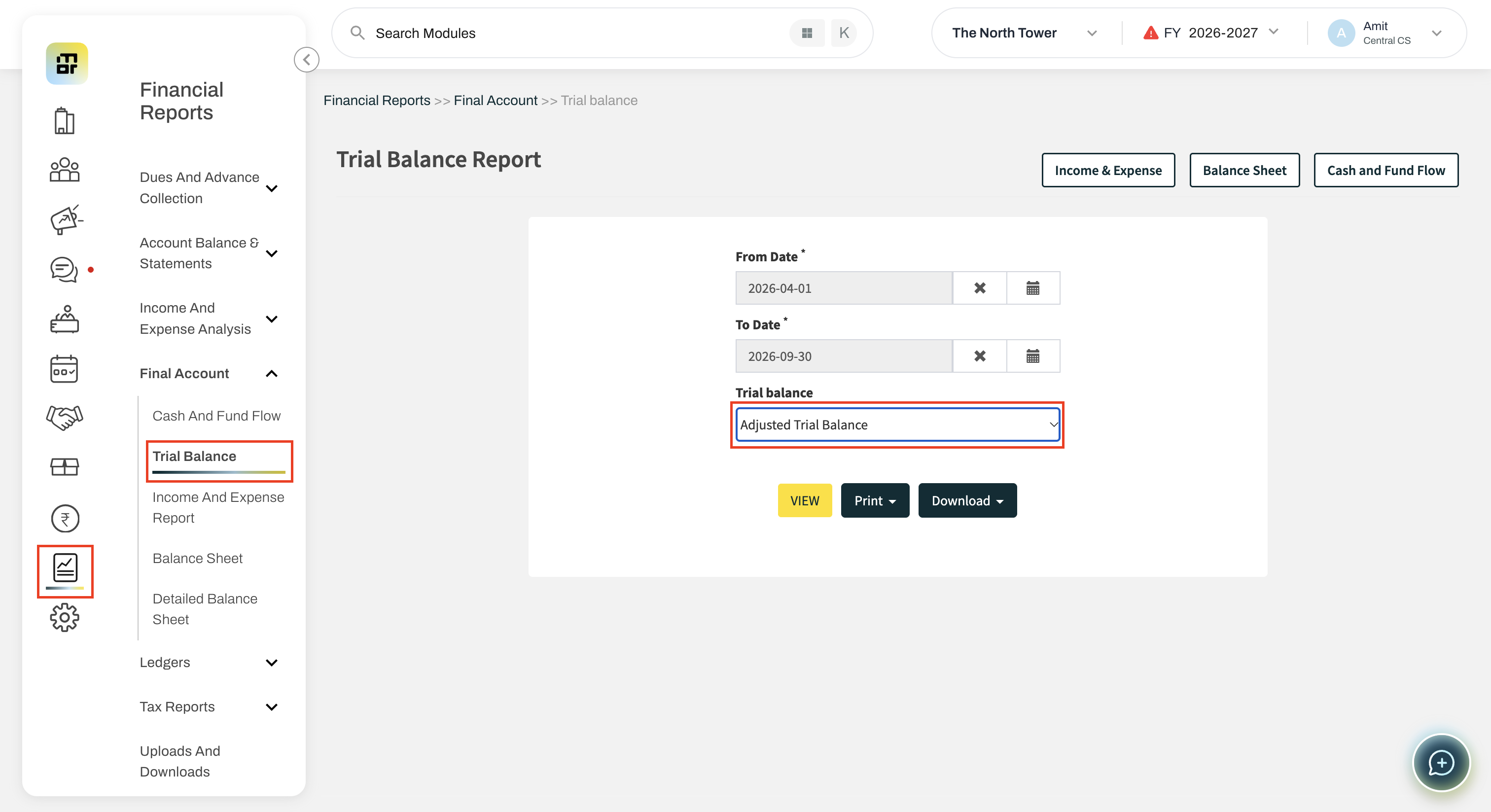
Go to:
Financial Reports >> Final Accounts >> Trial Balance >> Select the Trial Balance as Adjusted Trial Balance >> View
3. How are unit dues displayed in the Adjusted Trial Balance?
Where a unit's dues account has a linked advance ledger, the advance amount is deducted from the gross dues.
Formula:
Net Dues = Gross Dues − Advance
For example, if the gross dues are ₹25,000 and the advance is ₹5,000, the report will display net dues of ₹20,000.
4. How can I identify which advance has been adjusted?
An inline note is displayed below the account name, showing the advance ledger name and the amount deducted.
Example:
House Advance (Shown as Deduction): 5,000.00
This helps identify which advance ledger and amount have been adjusted against the dues.
5. What happens when the advance amount is greater than the dues?
If the advance exceeds the outstanding dues, the net balance is displayed in the credit side to indicate a credit balance.
For example, if the dues are ₹10,000 and the advance is ₹29,198, the report will display: 19,198.00
6. Are vendor advances also adjusted in the report?
Yes. The same adjustment is applied to Sundry Creditor accounts that have a linked vendor advance ledger.
The report displays the net payable amount after deducting the vendor advance, along with a note showing the advance ledger and amount adjusted.
7. Why is the Dues balance showing as zero while the Advance balance has a value?
The Dues balance is shown as zero because it has been fully adjusted against the Advance balance. In this case, the Dues and Advance amounts are equal, so the net balance after adjustment is zero.
The Dues ledger will also display the message “Fully adjusted against advance” to clearly indicate why the balance is showing as zero.
8. Does this adjustment change the actual accounting entries?
No. The adjustment is for report presentation purposes only. It does not change the underlying accounting entries or ledger balances.