
Can I edit or delete a Maintenance task?
Yes. Maintenance tasks can be edited or deleted. To edit or delete a maintenance task follow these steps:
Go to Assets & Inventory >> Assets >> Maintenance Calendar.
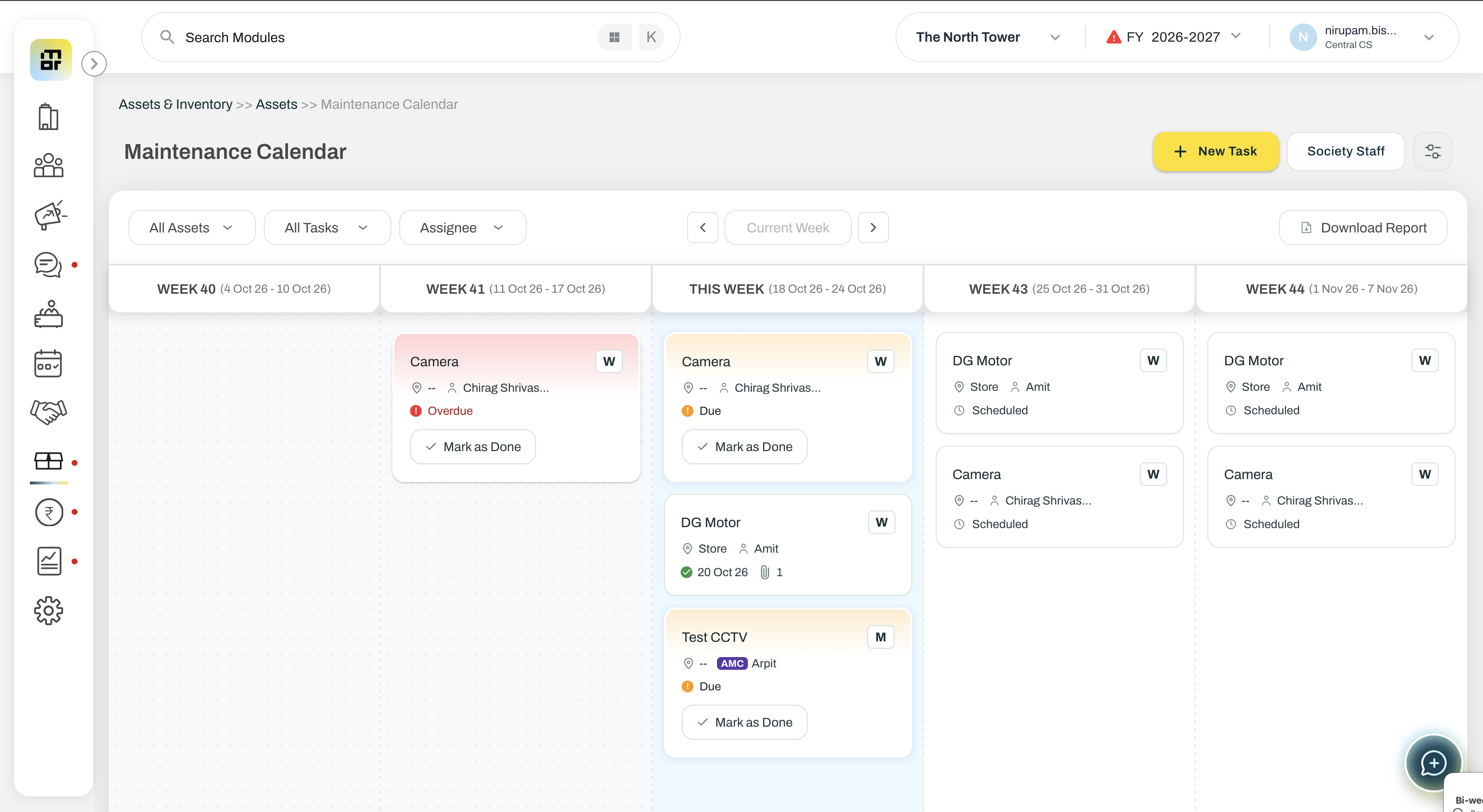
Click on the task that you want to edit or delete.
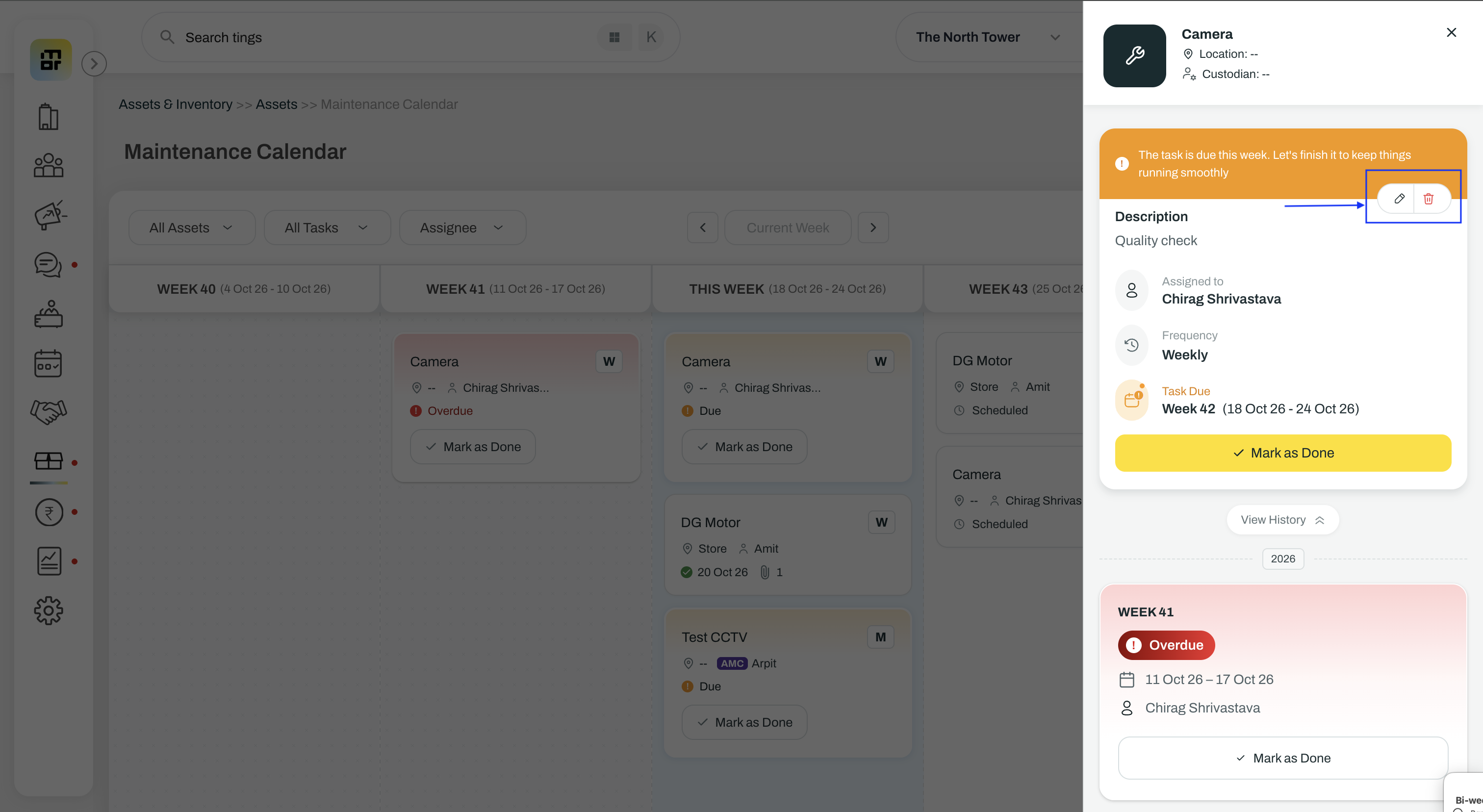
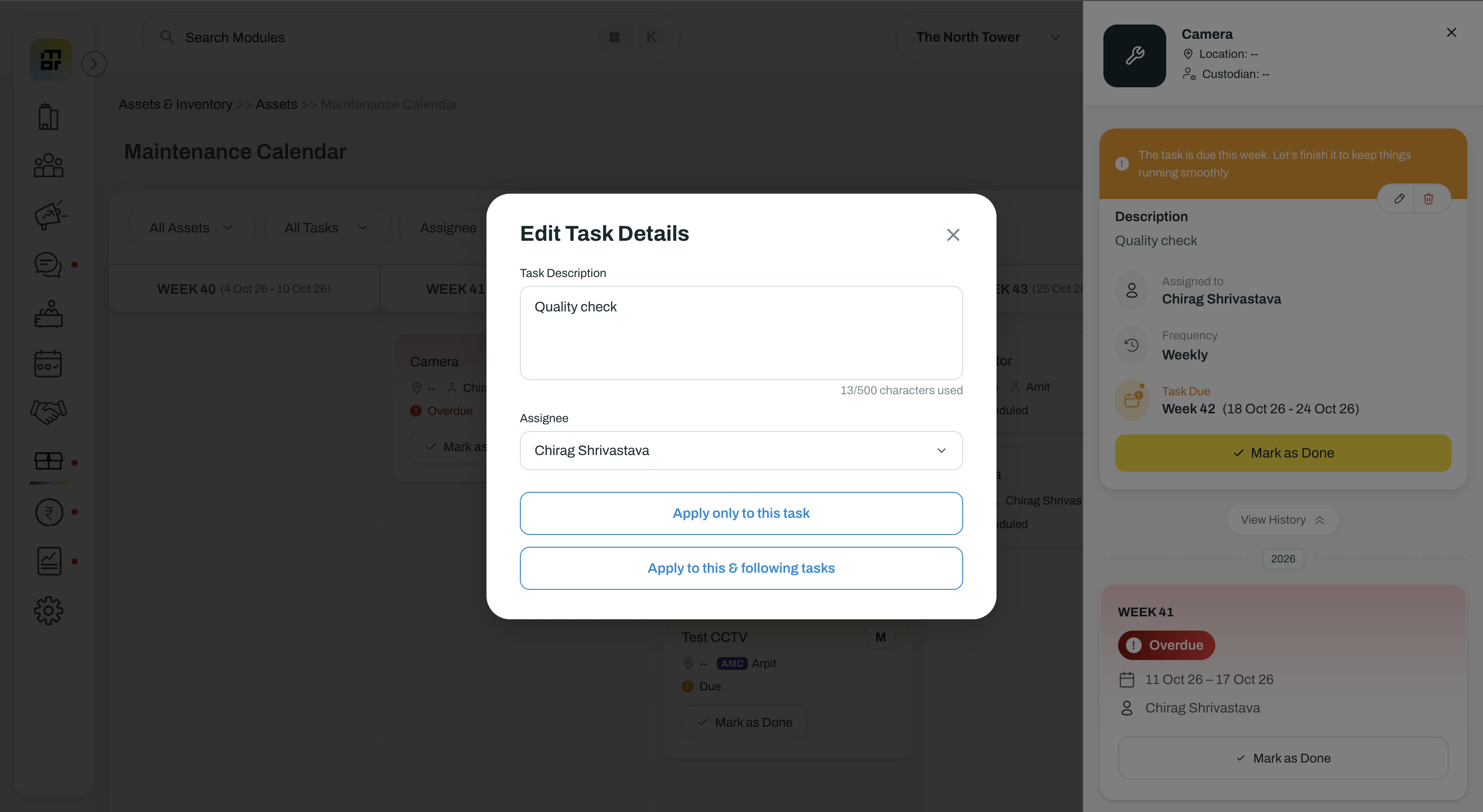
You can choose between:
This task: Applies the change only to the selected occurrence.
This and following tasks: Applies the change to the selected occurrence and subsequent tasks in the series.
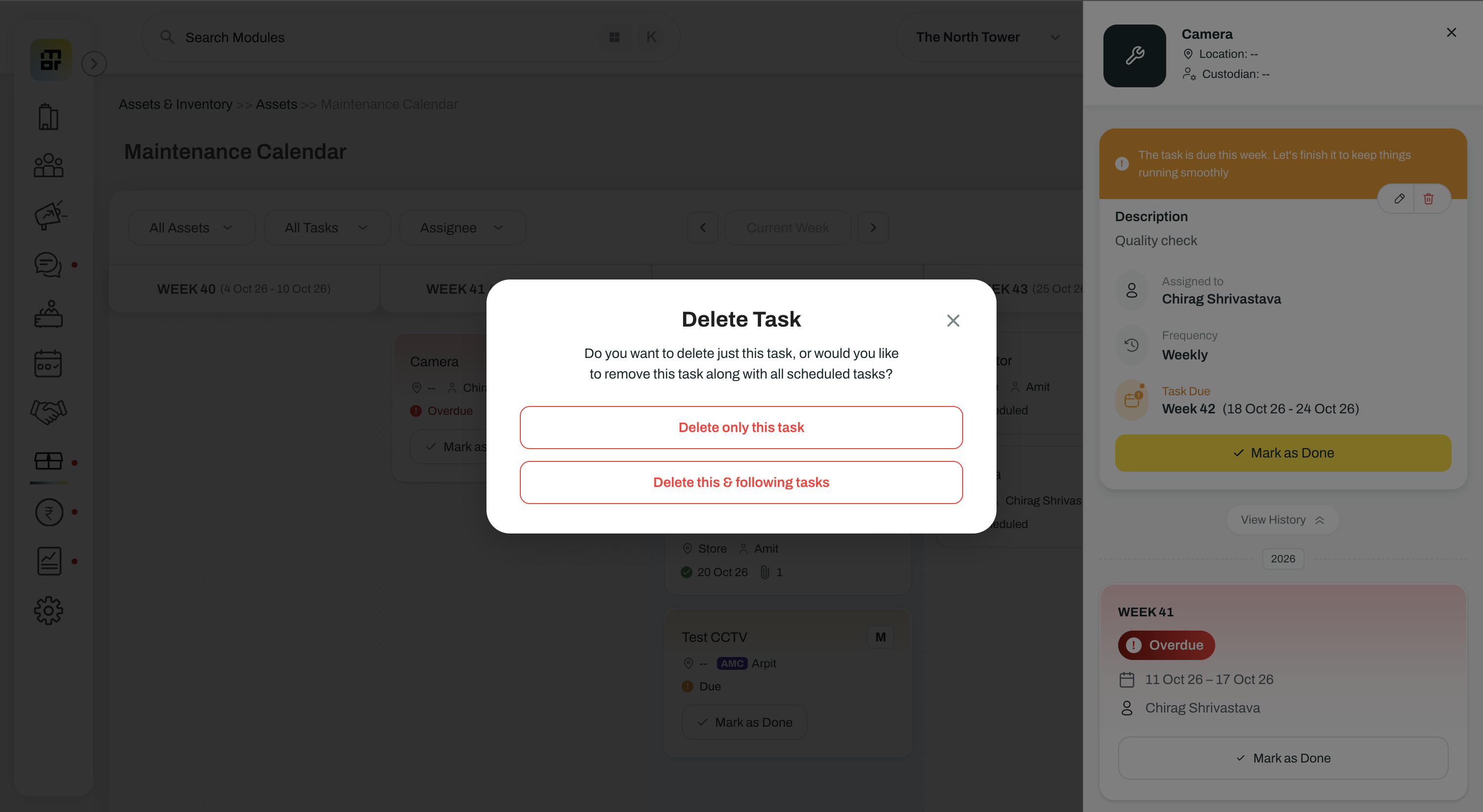
Please note that completed tasks and records are not affected when deleting the selected task and following tasks.