
How do I create a custom frequency in Maintenance Calendar?
To create a custom frequency in Maintenance Calendar follow these steps
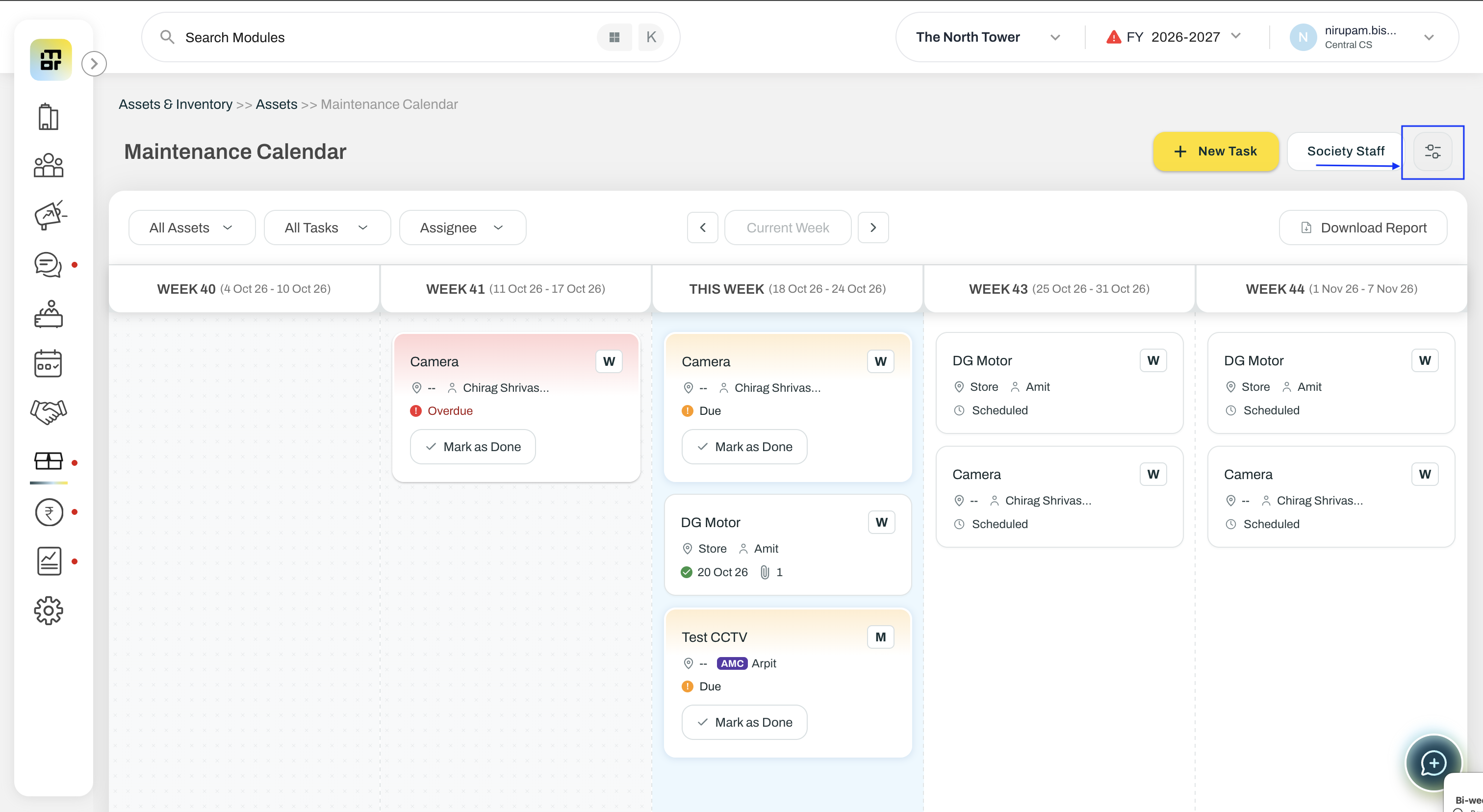
Go to Assets & Inventory >> Assets >> Maintenance Calendar. Click on the settings button besides Society Staff button.
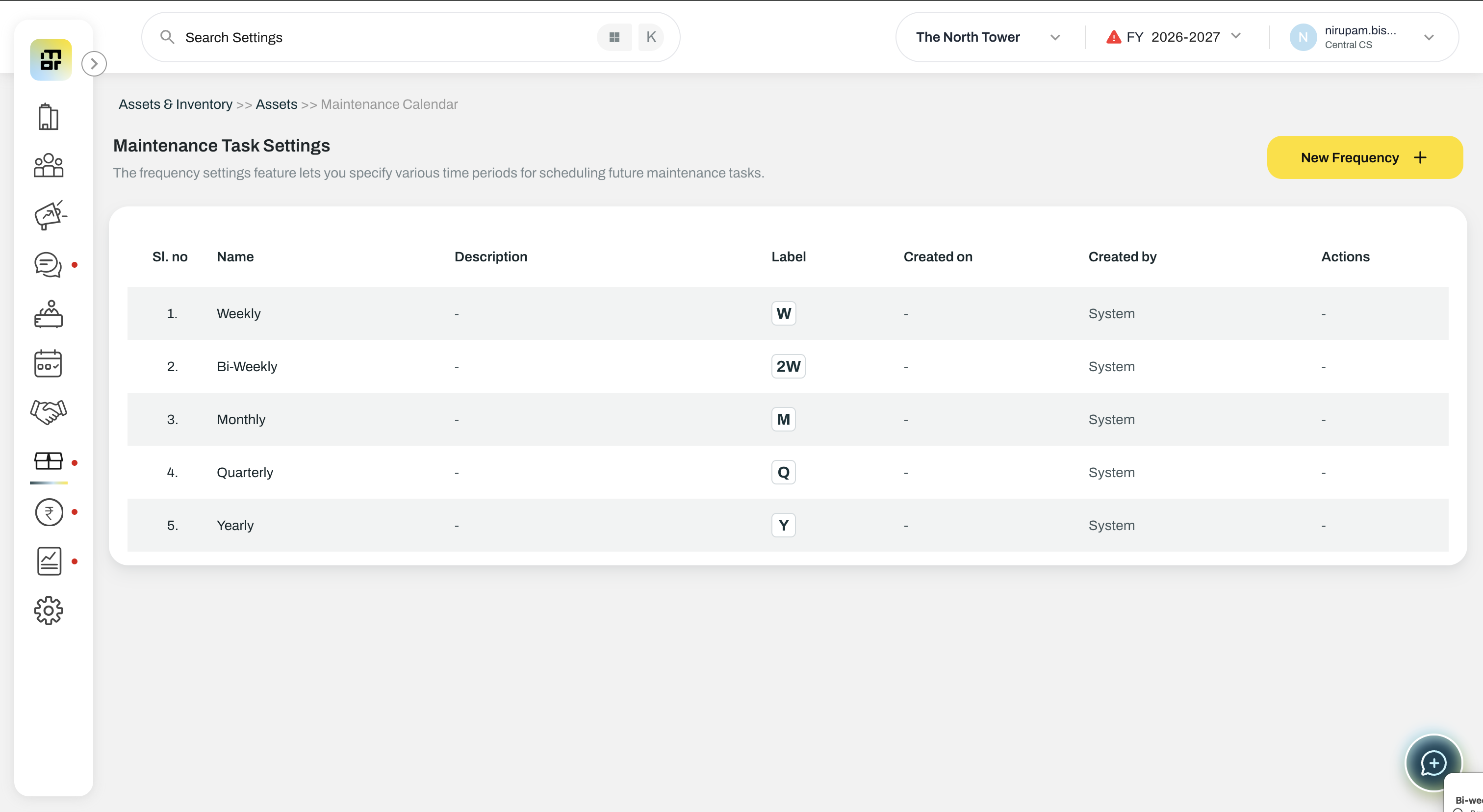
Click on New Frequency
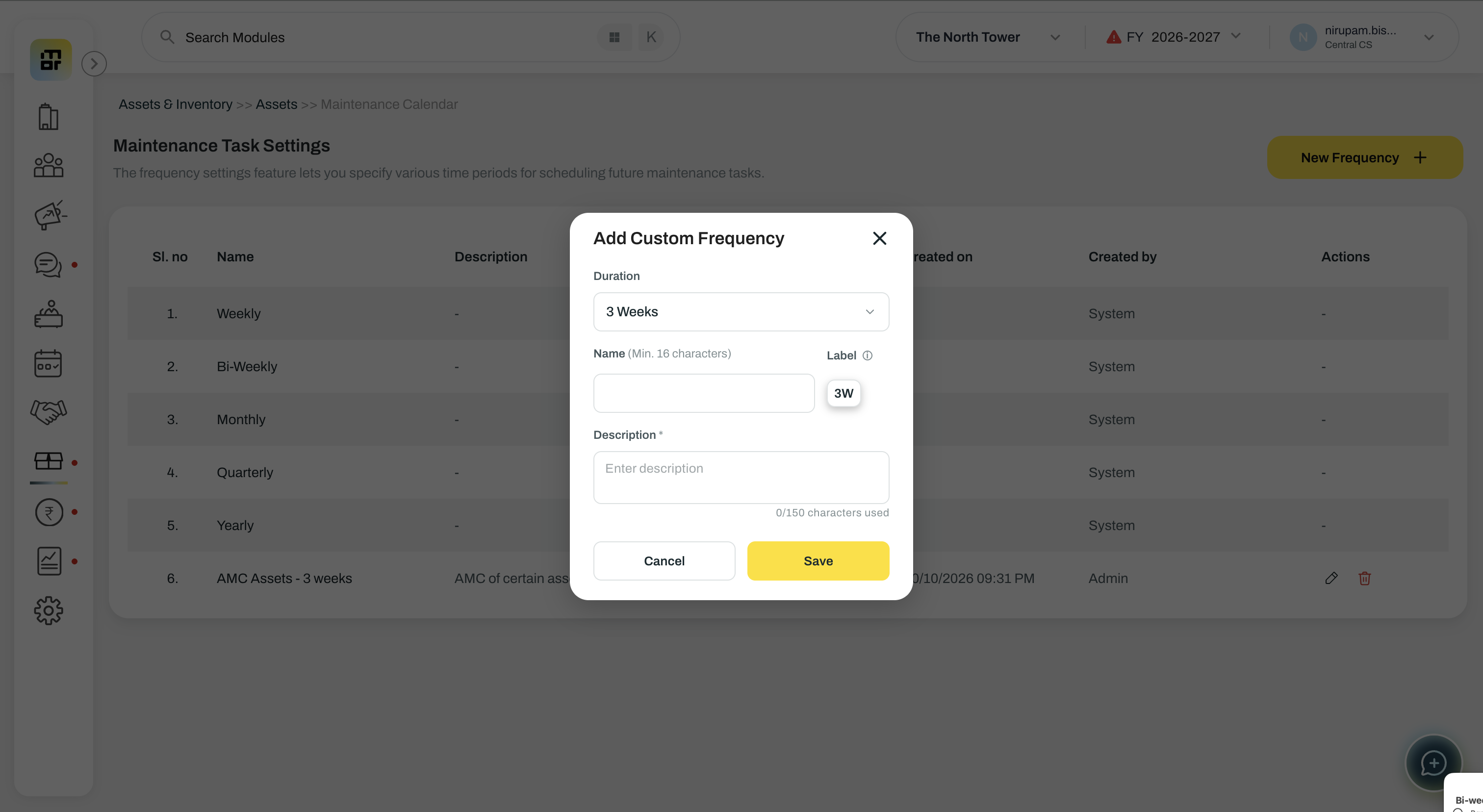
Fill the desired duration. Create a frequency based on either a number of weeks or months. For example, 3W means every three weeks, while 3M means every three months. Certain frequencies are created by the system.
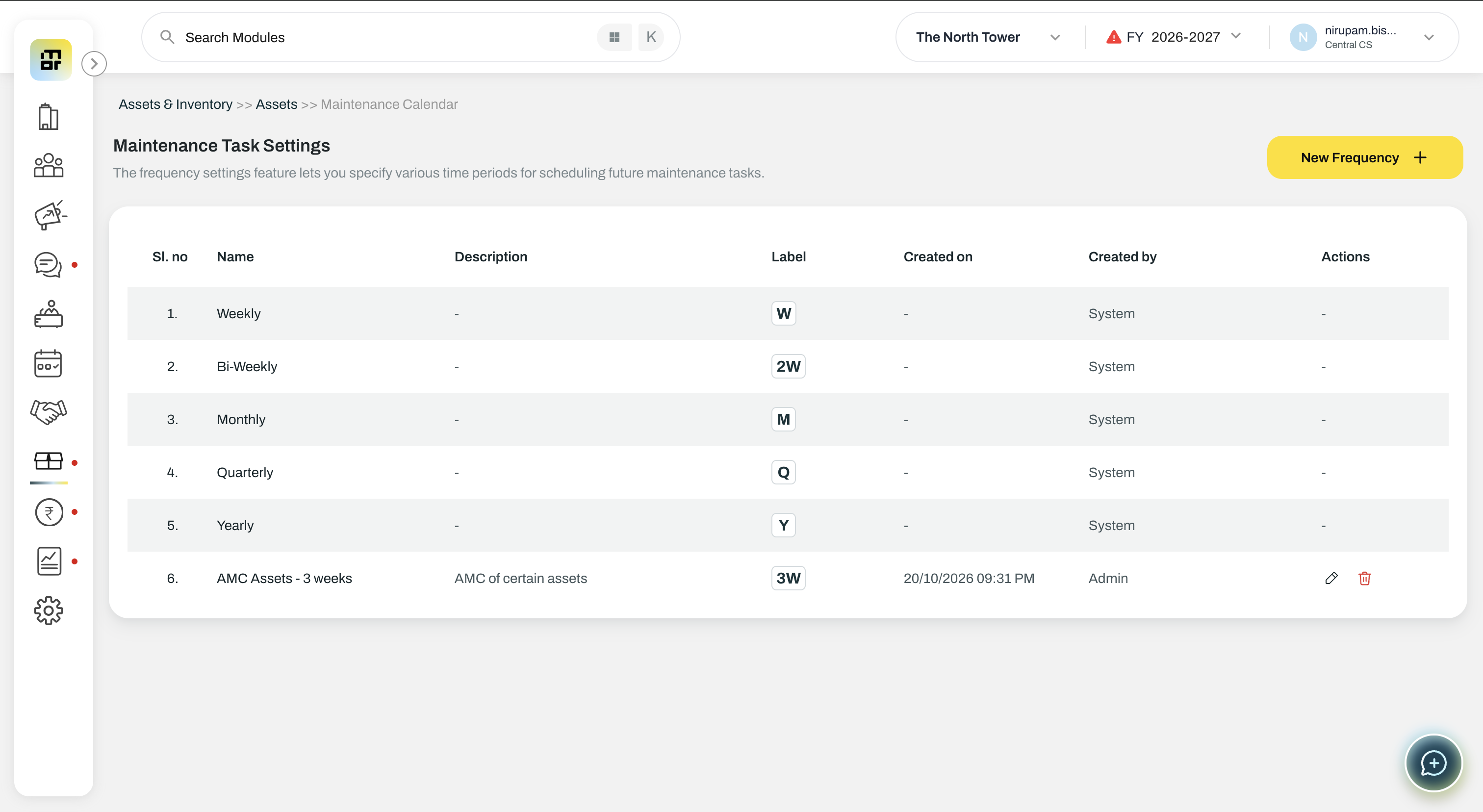
Click on Save and the custom frequency is created.
Points to Note:
Custom frequencies can be configured up to 10 weeks (10W) or 12 months (12M).
You can edit only the name and description of a custom frequency. Deletion of frequency is allowed only when there are no active tasks under that frequency.