
How to raise payments from a Purchase order (PO)?
Payments cannot be raised directly from a Purchase Order (PO).
To proceed, you must first book a Vendor Bill and then raise a Payment Voucher against the PO.
Steps:
Open the approved PO.
-
Click on Book Vendor Bill to record the vendor bill.
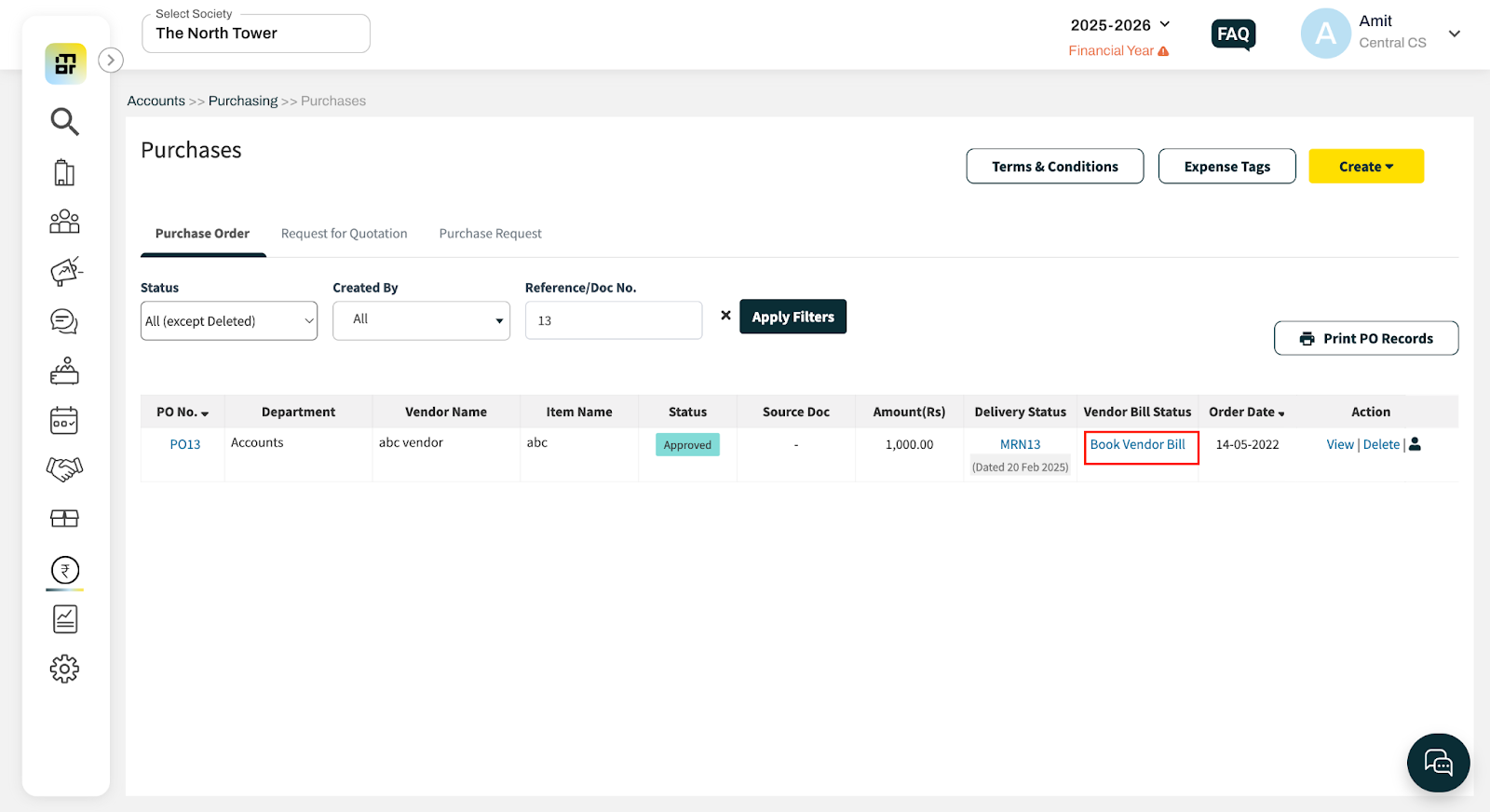
3. After the vendor bill is booked, raise a Payment Voucher against the PO.
Reference :
Please refer to the FAQs for Booking Vendor Bill and Creating Payment Voucher using the links provided below.
https://adminfaq.mygate.com/articles/131221-what-is-vendor-expenses-and-how-to-book-a-vendor-expense
https://adminfaq.mygate.com/articles/131227-how-to-create-payment-for-booking-expense
Note: These steps can be performed only if the Purchase Order (PO) is approved.